






















AI agents for automotive release review: assemble quantity, date and revision differences
The Genie assembles quantity, date and revision differences between a customer release update and current commitments so a planner can decide the next step.
- Author
- Ignacio Malpartida · GTM Engineer
- Published
- Read time
- 4 min read

The operating decision
An automotive release-review Genie should compare incoming customer information with the latest accepted releases, approved part references and shipment context, then prepare an evidence-based exception packet. Preserve the distinction between forecasts and firm demand. The Genie can reduce comparison work and coordinate follow-up, but planning decides how a changed request affects execution. Keep original source references, prior versions and unresolved mappings visible so a generated summary cannot silently become an accepted production schedule.
Explore the complete automotive components integration and automation hub for the systems and processes around this guide.
What this looks like in automotive components
A component supplier receives a customer release update alongside an email about a revised part reference. Planning compares the new quantities and dates with current commitments, then checks whether shipments already cover part of the request. A Genie can assemble those differences and highlight unmatched lines. The reviewer should see whether a change is new demand, an update to an existing release or a possible replay. The output is a controlled decision packet, not a replacement for the customer-specific rules that define actionable demand.
Records, ownership, and update rules
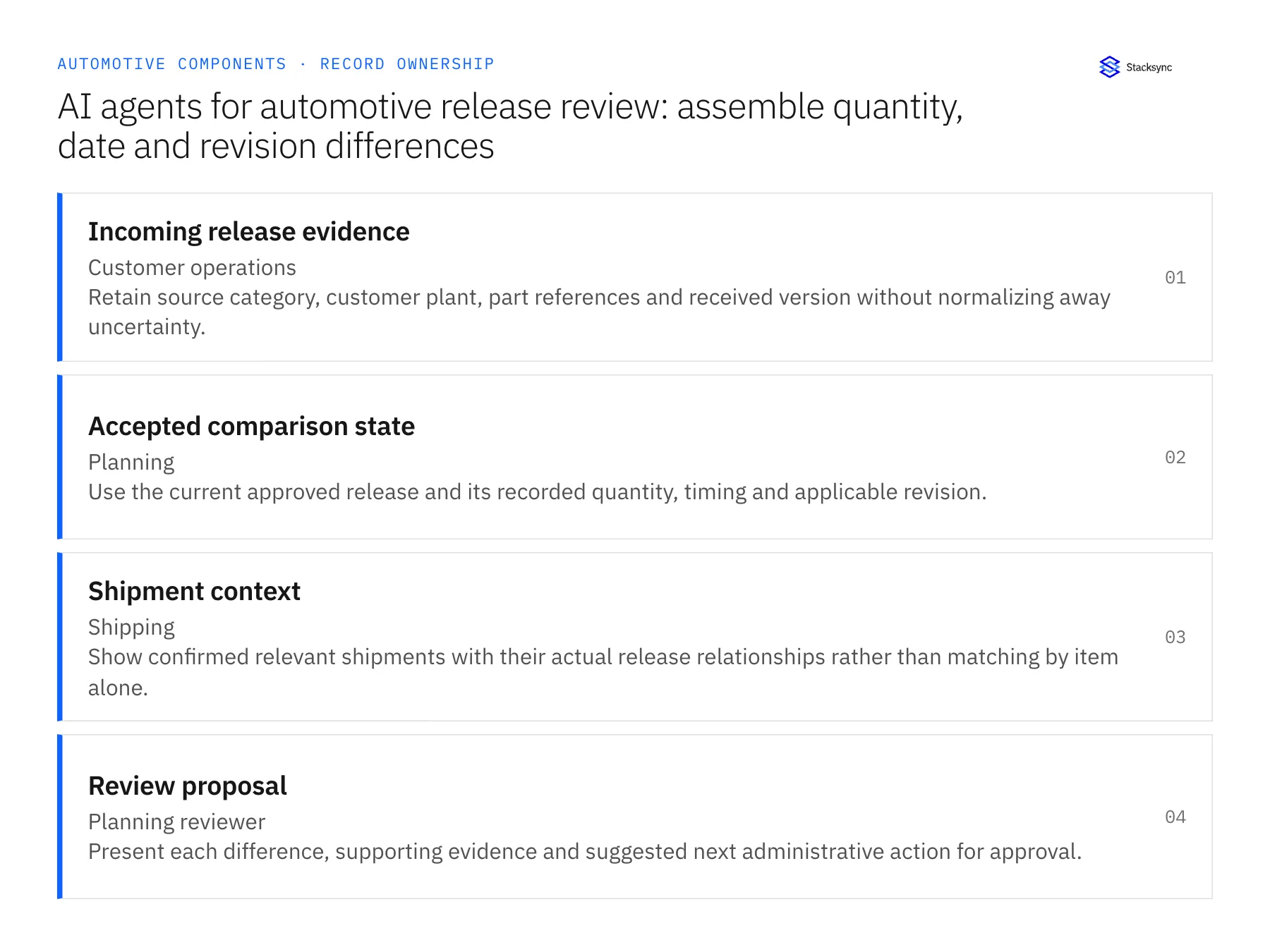
| Record | Owner | Operating rule |
|---|---|---|
| Incoming release evidence | Customer operations | Retain source category, customer plant, part references and received version without normalizing away uncertainty. |
| Accepted comparison state | Planning | Use the current approved release and its recorded quantity, timing and applicable revision. |
| Shipment context | Shipping | Show confirmed relevant shipments with their actual release relationships rather than matching by item alone. |
| Review proposal | Planning reviewer | Present each difference, supporting evidence and suggested next administrative action for approval. |
Work through the process
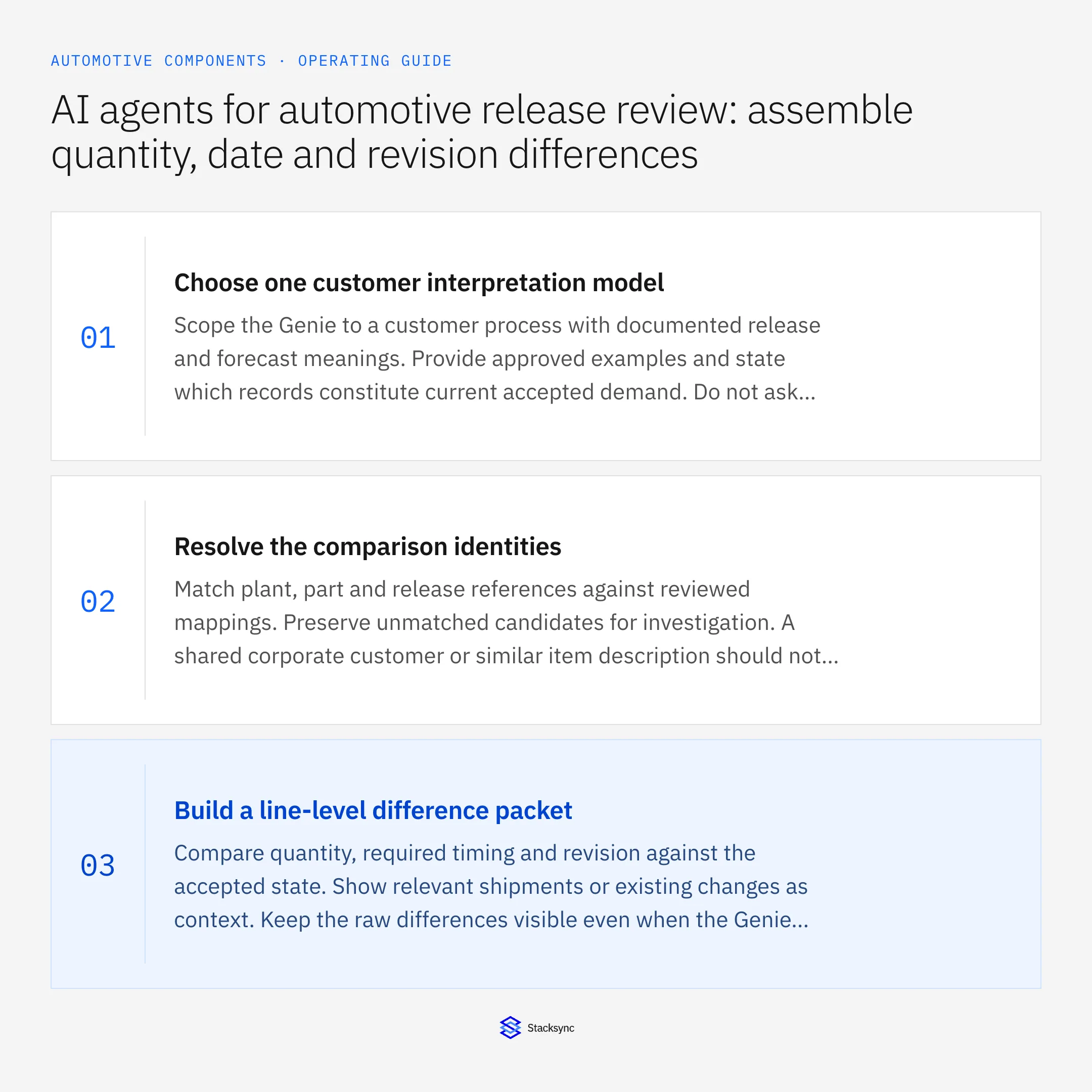
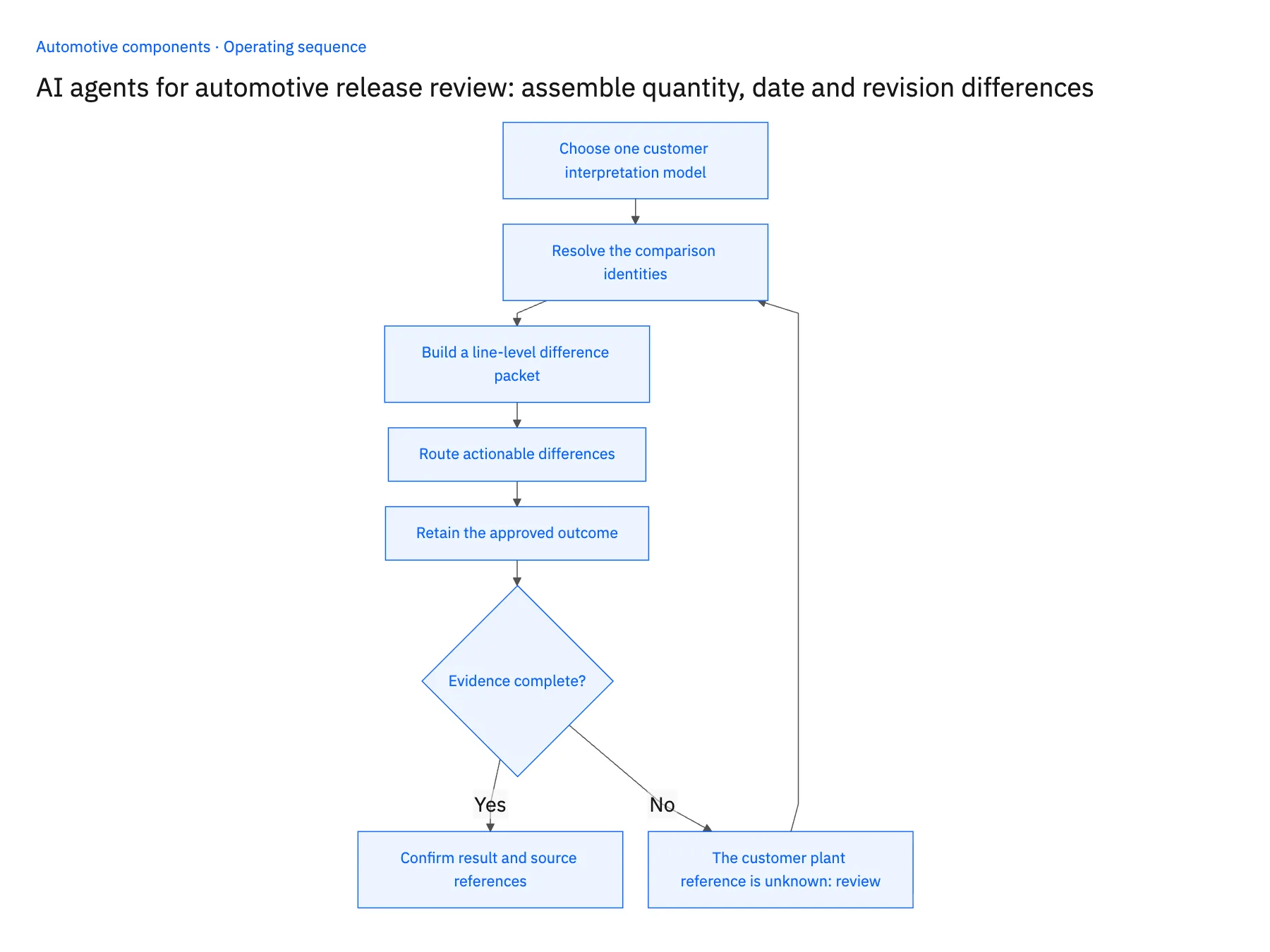
- 01Choose one customer interpretation modelScope the Genie to a customer process with documented release and forecast meanings. Provide approved examples and state which records constitute current accepted demand. Do not ask the agent to infer contractual meaning from unfamiliar document labels.
- 02Resolve the comparison identitiesMatch plant, part and release references against reviewed mappings. Preserve unmatched candidates for investigation. A shared corporate customer or similar item description should not bridge missing identities automatically.
- 03Build a line-level difference packetCompare quantity, required timing and revision against the accepted state. Show relevant shipments or existing changes as context. Keep the raw differences visible even when the Genie provides a narrative summary so reviewers can verify the conclusion.
- 04Route actionable differencesSend planning impacts to the designated owner and part-reference questions to engineering or master-data owners. Prepare customer clarification through the approved channel when needed. A validly parsed new document can still require business review.
- 05Retain the approved outcomeRecord the reviewer’s accepted decision and resulting application references. Apply only the approved version through a verified operation or hand it to the established process. Preserve unresolved lines and distinguish completed comparison from accepted schedule execution.
Handle the exceptions explicitly
The customer plant reference is unknown
Hold the affected lines for mapping review and show candidate context without choosing a default plant.
A shipped quantity appears again in a request
Compare the agreed release semantics and shipment relationships before treating it as additional demand.
A newer document arrives during review
Version the packet and show changes from the reviewed proposal. Do not apply an approval to a different unseen draft.
What to verify before expanding
- The packet preserves raw line differences beside its summary.
- Forecast context cannot become firm demand solely through the agent’s interpretation.
- Every proposed change resolves to an identified release or an explicit exception.
- The applied outcome corresponds to the exact version the reviewer approved.

Connect this process to the rest of your operation
Explore Stacksync AI agents (Genies) and scope the records and actions against your actual systems. Book a demo with a real incoming release evidence example and the exception your team handles most often, for example the customer plant reference is unknown.
- Automotive release AI exceptions: stale versions, plant mappings and part changes
- Automotive component EDI 850 and 860: preserve firm orders and approved revisions
- Automotive component suppliers: connect Salesforce program awards and NetSuite demand
- EDI for Automotive Suppliers and OEMs: Powering Real-Time Manufacturing Communication
- Keeping Dynamics 365 Finance & Operations and PostgreSQL in Step
The shared architecture guide covers record matching, ownership, and recovery across systems.
Technical references
FAQ
Frequently asked questions










Related articles





