Two-Way Sync Field Mapping Workbook
Download a field mapping workbook for two-way sync. Define record keys, field ownership, nulls, conflicts, relationships, and acceptance tests.
- Author
- Ignacio Malpartida · GTM Engineer
- Published
- Updated
- Read time
- 6 min read

A workbook for the decisions a connector cannot make
A two-way sync field mapping workbook records how each business field travels between systems: its identity key, permitted direction, owner, transformation, null behavior, and conflict rule. Complete it before enabling writes. The result is a shared agreement that engineering, operations, and application owners can test.
Matching “customer name” to “company name” is only the visible part of mapping. A production integration also needs to know whether an empty value means “clear this field,” whether finance can overwrite a sales edit, and whether two records represent the same customer. This workbook makes those decisions explicit without assuming a particular integration vendor.
Download the CSV workbook or download the instructions and examples as Markdown. Both files are public and editable. The CSV includes four illustrative rows; replace their field names and policies with your actual schema.
Separate identity, ownership, and transformation
Use one row per field relationship. Keep identity separate from the value being synchronized: a company can change its domain or name without becoming a new customer. Store source and destination record IDs, and document how the original pairing was established. A deterministic key is especially important when a create succeeds but its acknowledgment is lost.
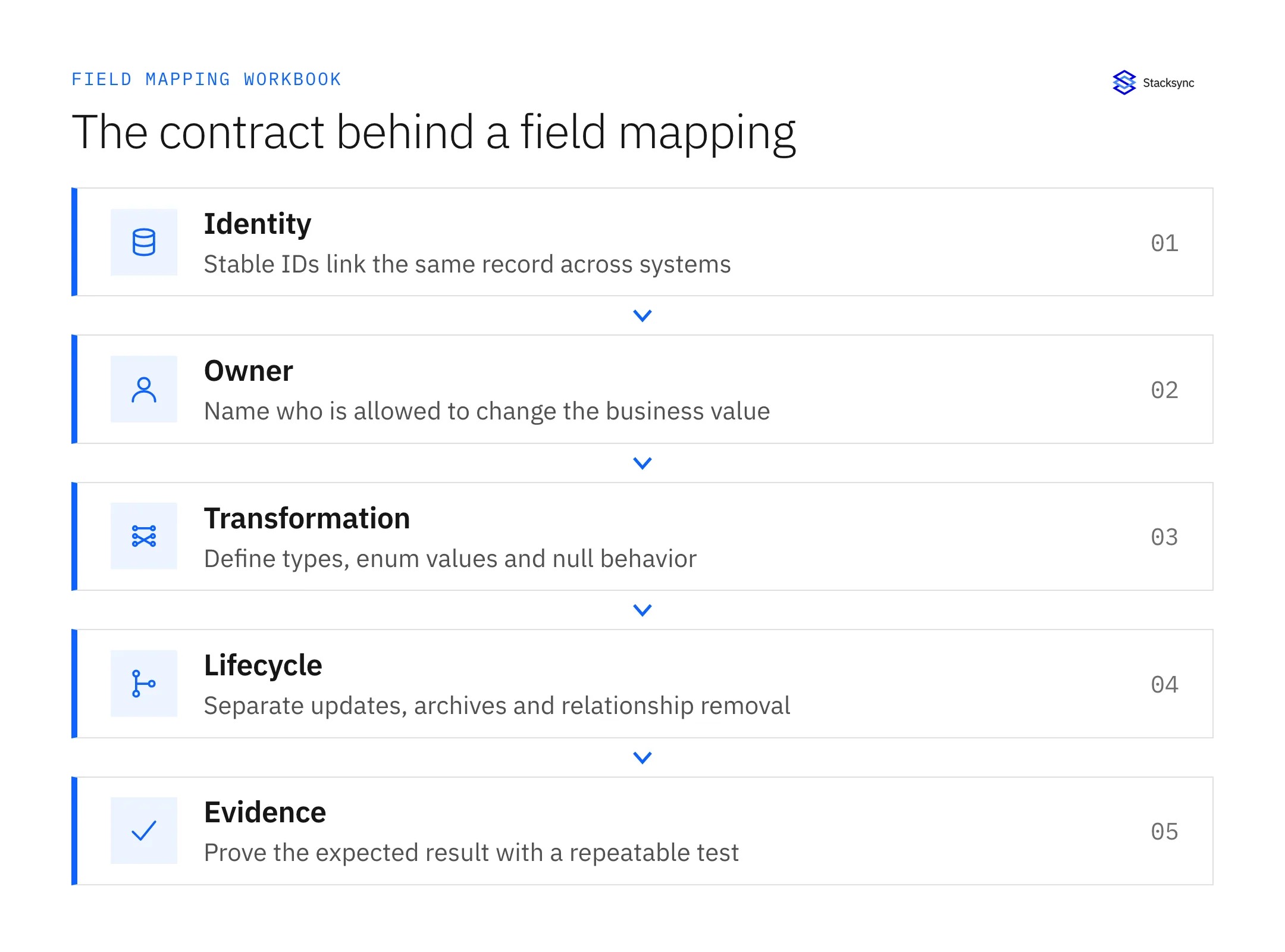
| Decision | Record in the workbook | Question to settle |
|---|---|---|
| Identity | Stable match key and the two record IDs | Does a replay find the original record? |
| Ownership | One owner or an explicit shared-field policy | Which value wins when both systems edit? |
| Transformation | Type, enum and timezone conversion | Is the reverse conversion lossless? |
| Lifecycle | Null, delete and relationship behavior | Does removal mean clear, archive or delete? |
| Acceptance | Input, expected result and evidence | Can a second person reproduce the test? |
A two-way integration does not require every field to be writable in both directions. For example, finance can own credit status while sales owns account notes. Use bidirectional rules only for fields where both applications are intended editing surfaces. This reduces conflicts and makes incident resolution easier.
Work through a customer example
Consider a CRM, an ERP, and a database used by an internal application. The example workbook uses a persistent customer ID for matching, an ERP-owned credit status, a shared contact phone number, and a separate contact-to-company relationship. These are proposed design choices, not default behavior of Stacksync or either vendor.
- For the customer key, reject missing values instead of creating a second entity with a guessed match.
- For credit status, translate internal enum values through an explicit lookup; reject unknown codes.
- For phone number, distinguish an omitted field from an intentional clear. Define what simultaneous edits should do.
- For relationships, identify the contact, company, and relationship label independently. Removing an association must not automatically delete its records.
A lossy conversion needs special treatment. If the CRM stores a date while the database stores a timestamp, writing the date back cannot recover the original time. In the two-way sync, restrict writes to the authoritative direction for that field, preserve the original value separately, or document the accepted loss. Do not call a reversible-looking pair of arrows a reversible data transformation.
Turn each row into a test
For each mapping, create a normal case, a null case, an invalid value, a repeated delivery, and—if both sides write—a simultaneous edit. Record the observed values in both systems. A screenshot of a connected application does not establish that field ownership or duplicate prevention works.
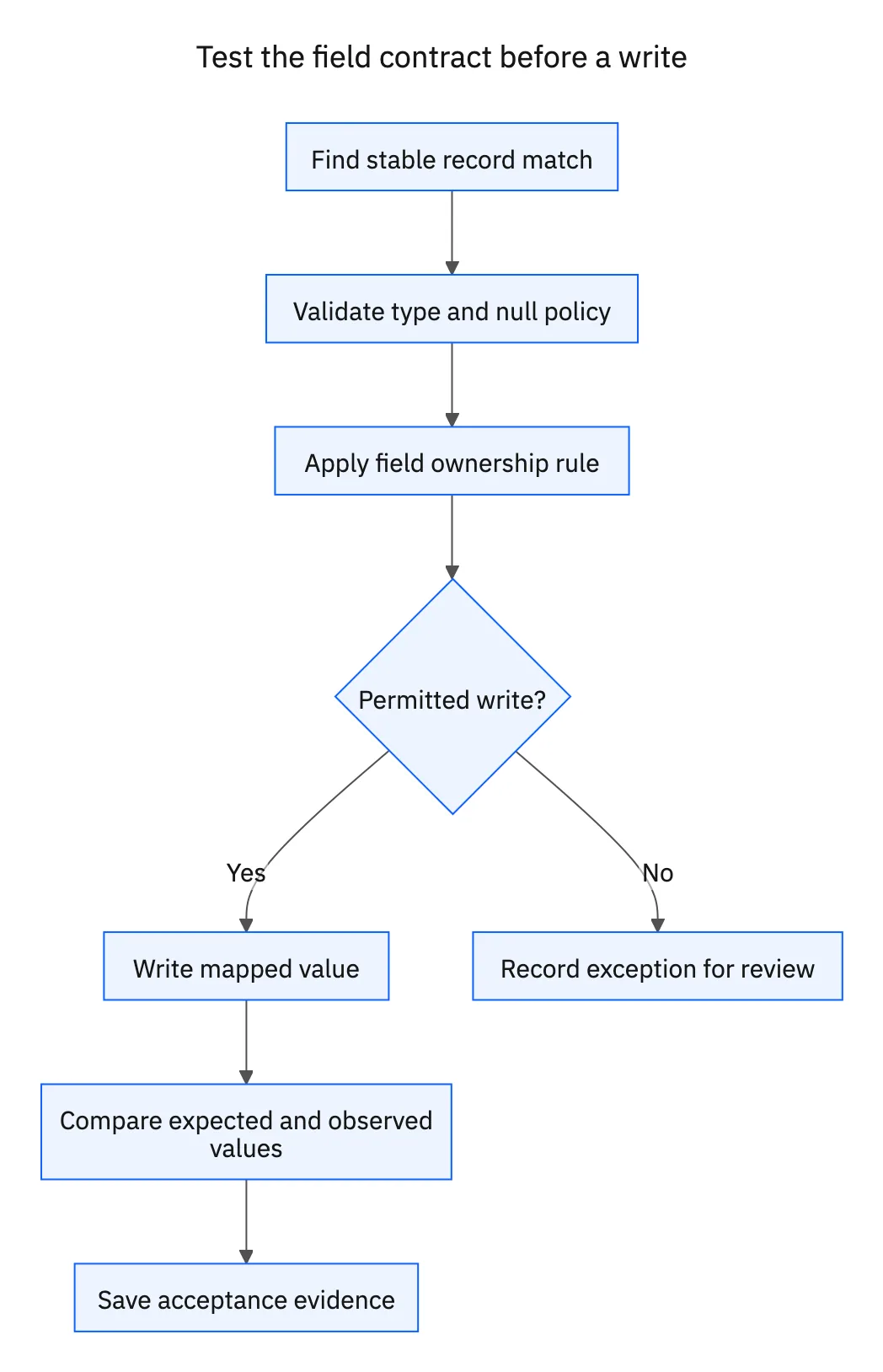
- 01Create a test entity and record both systems’ identifiers.
- 02Update the owner-controlled field and verify only the intended destination changes.
- 03Send the same logical change again and confirm no extra entity or business action appears.
- 04Clear the value explicitly, then omit the field in a later update; verify the two operations follow different rules if specified.
- 05Change both sides before the next capture cycle and inspect the result.
- 06Attach evidence and the business owner’s acceptance to the row.
Keep mapping changes versioned. When an administrator renames a field or changes a picklist, review every affected row and rerun its tests. Stacksync’s configuration-update guide describes the product workflow; the workbook records why the new mapping is correct.

Apply this in pet food and treats: shopify variant and ERP item
Use recipe, bag size, and variety-pack components as a worked field-mapping example for pet-product operations. Stable product keys establish the sold item; a separate, verified shipment relationship is still required before an agent can attribute a complaint to a production lot.
| Record to reconcile | Responsible owner | Rule to preserve |
|---|---|---|
| Shopify variant | Ecommerce | Preserve recipe, bag size, and stable purchased variant identity. |
| ERP item | Product operations | Own the approved item relationship and physical package definition. |
| Variety-pack recipe | Product team | Version each component product and quantity with effective dates. |
An exception to plan for: Variety pack changes recipes. Version the composition and preserve the purchased definition. Acceptance check for the pilot: two bag sizes of one recipe remain distinct operational products.
The pet food and treats hub connects the broader operating context. These guides develop the specific record mappings and decisions for this application:
Use the workbook in an integration review
Finish with three checks: every writable field has an owner, every record has a stable identity, and every failure has a visible outcome. “We will decide later” is acceptable in a planning draft, but unresolved write behavior should not be included in a production launch.
Connector rules still apply. HubSpot’s Salesforce mapping documentation describes field-specific sync rules, while Stacksync’s NetSuite object matrix lists read/write differences. Verify your selected objects instead of assuming that the whole connector is uniformly bidirectional.
Take the completed workbook into the integration evaluation worksheet and production-readiness checklist. If Stacksync is on your shortlist, book an integration review with your system names, objects, expected volume, and the rows that need validation.
FAQ
Frequently asked questions










Related articles