






















Sync Microsoft Dynamics 365 Sales and Salesforce
A guide to running Microsoft Dynamics 365 Sales and Salesforce side by side without the data diverging. It covers the situations where two CRMs coexist, a merger, a phased migration, or two divisions, and shows how a real-time two-way sync pairs records, settles conflicts per field, and keeps both in step. Explains why coexistence beats a big-bang cutover, how record matching avoids duplicates, and how the same sync becomes a safe migration path.
- Author
- Ignacio Malpartida · GTM Engineer
- Published
- Read time
- 9 min read

Sometimes you end up with two CRMs and no clean way to pick one tomorrow. A merger brings a Salesforce org together with a Microsoft Dynamics 365 Sales org. A migration is planned but cannot happen in a single weekend. Two divisions standardized on different tools years ago. In every case the same customers now live in both systems, and the data has to agree.
The instinct is to rush a migration and be done. The calmer answer is to sync the two CRMs so they coexist, then migrate on your own schedule. This guide shows how a real-time two-way sync pairs records across Dynamics and Salesforce, keeps them consistent, and turns a scary cutover into a decision you make when you are ready.
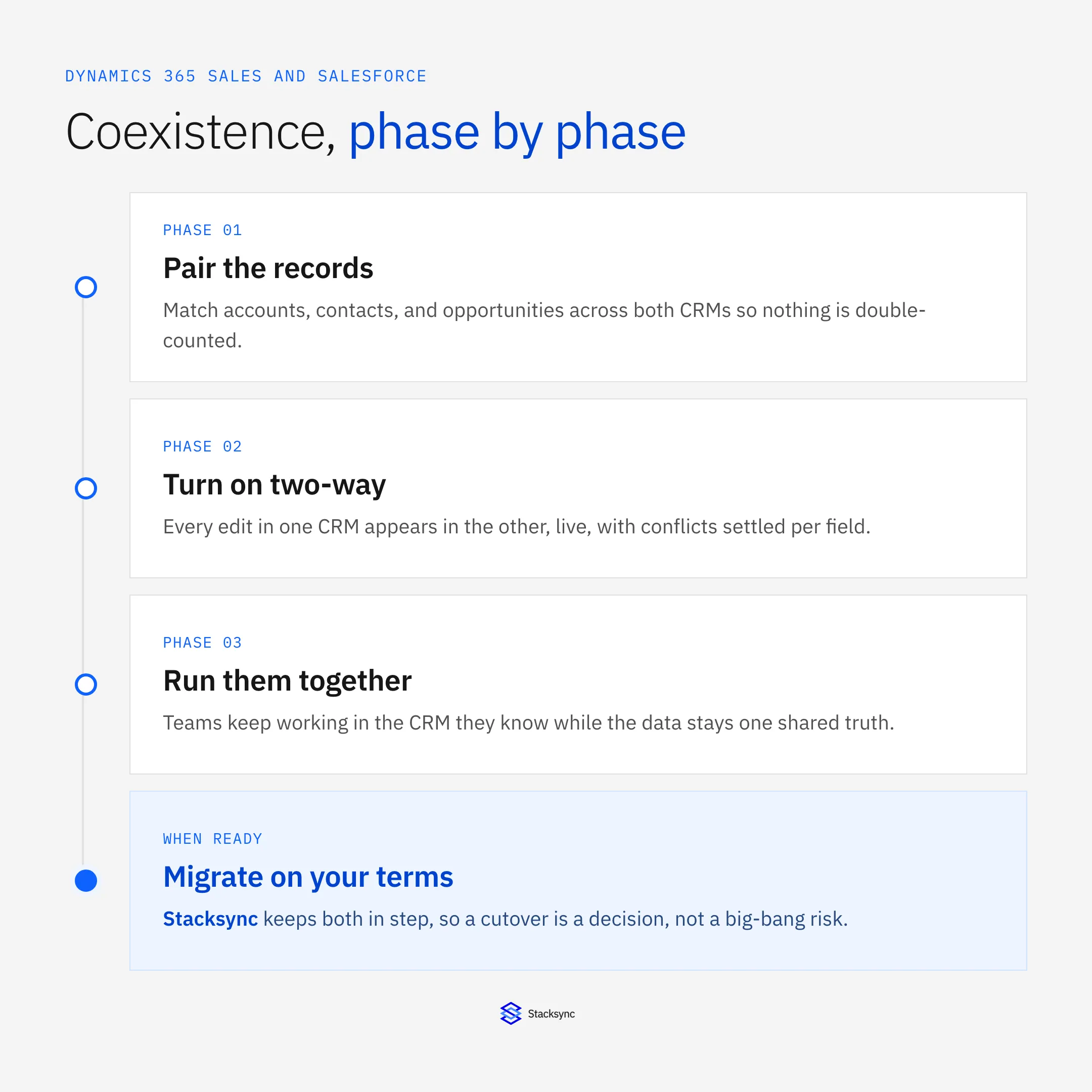
The setup assumes a two-way sync platform such as Stacksync between the two CRMs. If you want the platform view first, the Salesforce connector and the Dynamics and Salesforce real-time integration guide cover it; here we focus on running the two together.
Coexistence beats a big-bang cutover
A one-time migration copies the data across once and asks everyone to switch on day one. It looks decisive, but it is fragile: the data starts diverging the moment the copy finishes, there is no safety net if something is wrong, and the CRM you left behind goes read-only or dead. If a single mapping was off, you find out in production with no way back.
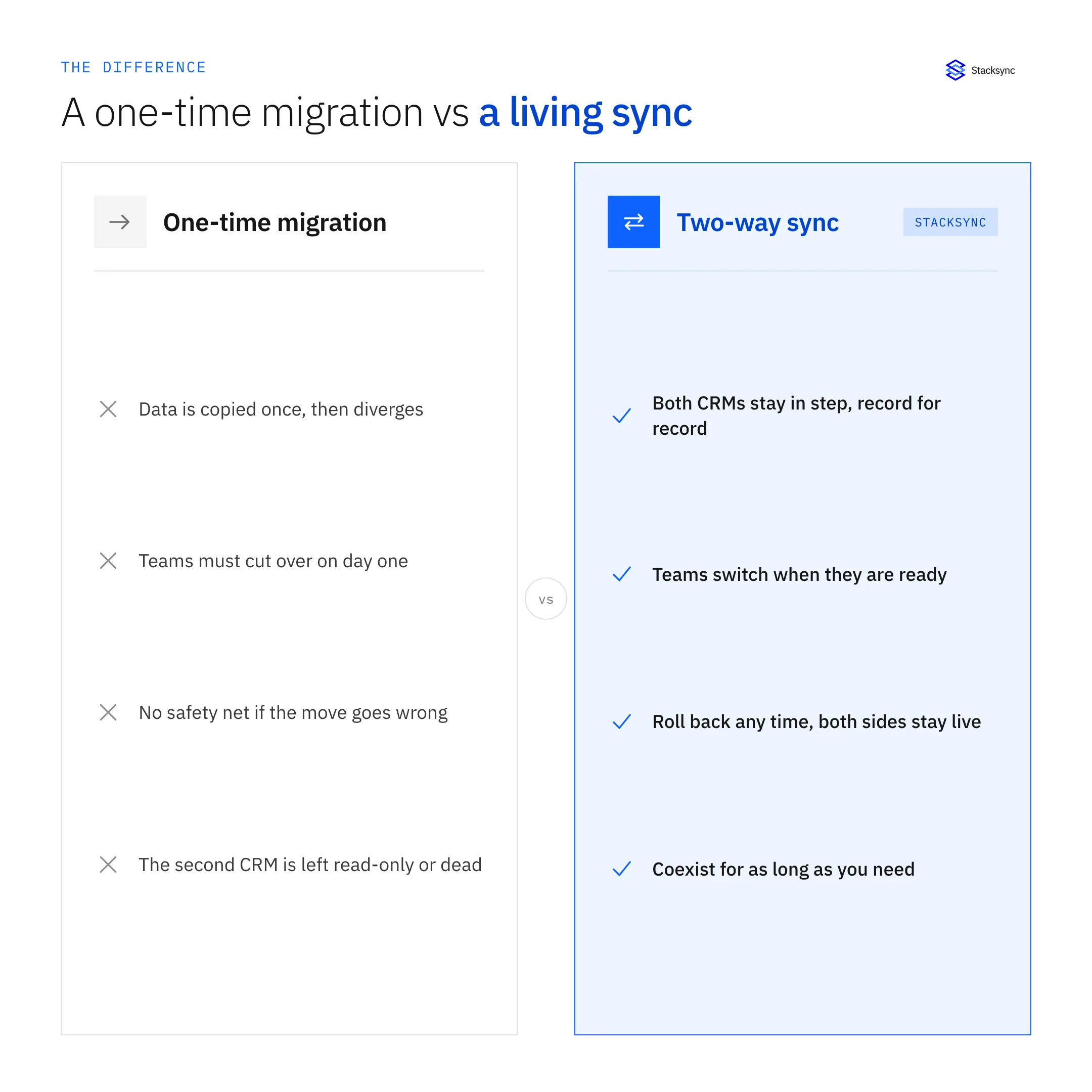
A living sync inverts that. Both CRMs stay in step, record for record, so teams switch when they are ready, you can roll back at any point because both sides are still live, and the two can coexist for as long as the business needs. The migration is no longer a cliff; it is a dial you turn at your own pace.
Pairing records without duplicates
The first real task is matching. The same customer exists as an account in Dynamics and an account in Salesforce, and the sync has to know they are the same thing before it moves anything, or it will happily create a second copy on each side. You define the match, by a shared key, an email, or an external ID, and the engine uses it to update the existing record instead of duplicating it.
Once records are paired, the mapping is field by field: which Dynamics field corresponds to which Salesforce field, for accounts, contacts, leads, and opportunities. This is also where you decide direction per object, so shared objects sync both ways while direction controls keep other objects read-only in the receiving CRM during a transition. Get the matching right and the rest of the coexistence is calm.
Keeping both in step, both ways
With records paired, the two-way sync runs continuously between the CRMs. An edit in Salesforce shows up in Dynamics within seconds, and an edit in Dynamics shows up in Salesforce, with an engine in the middle doing the matching, conflict resolution, and origin tracking.
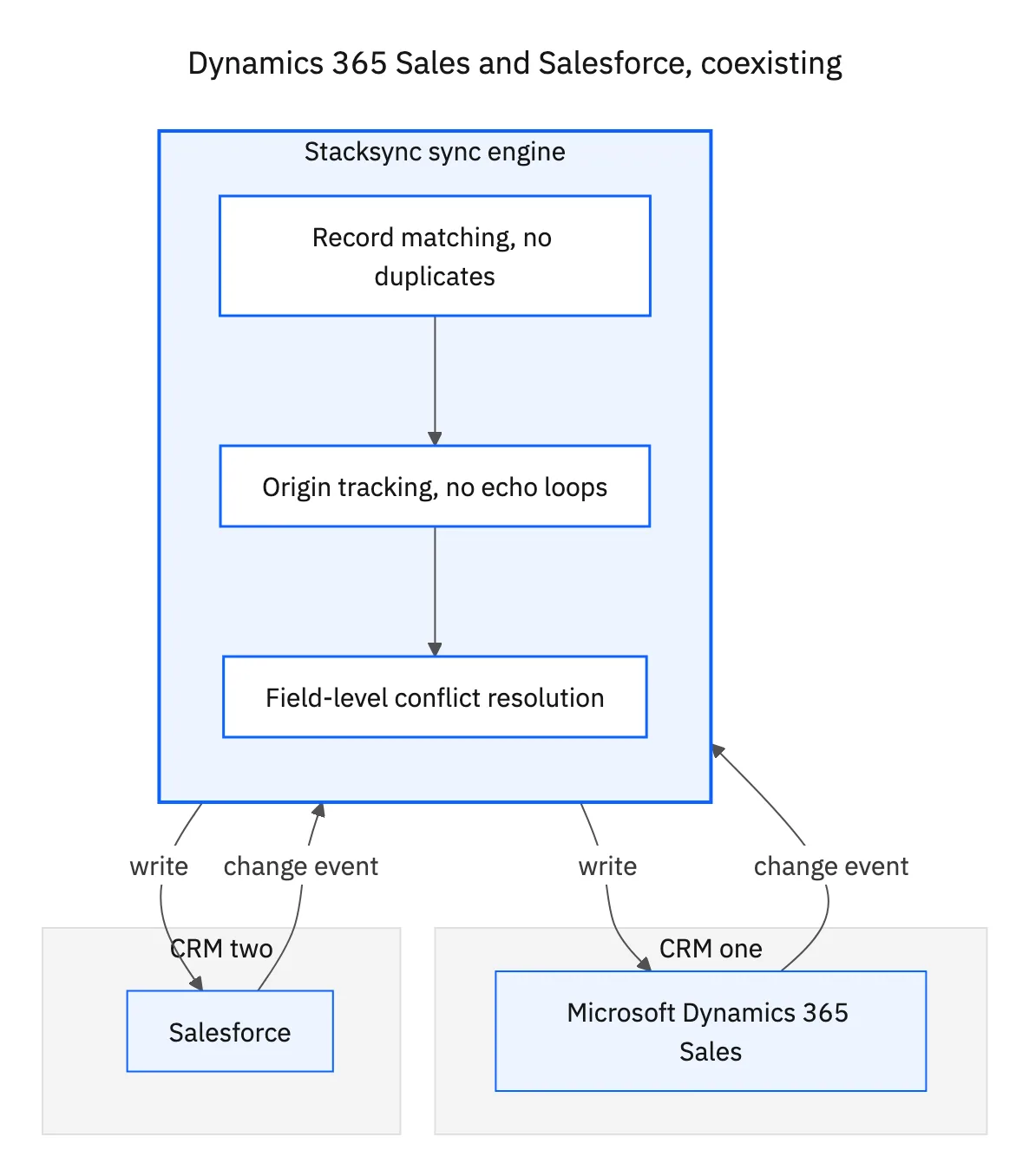
The conflict handling is what makes shared ownership safe. When a rep changes the amount in Salesforce while someone changes the close date in Dynamics on the same opportunity, field-level resolution keeps both edits instead of letting one CRM overwrite the other. Origin tracking keeps that continuous two-way flow from echoing around and doubling changes. Between them, two teams can work the same accounts without stepping on each other.

From coexistence to migration
Because the sync keeps both sides current, it doubles as the safest migration path you can run. You move teams over in waves, watch the data hold, and cut the old CRM loose only when you are sure. The table lays out why that is calmer than the alternative.
| Big-bang cutover | Sync-backed coexistence | |
|---|---|---|
| Switch day | Everyone, at once | In waves, when each team is ready |
| If something is wrong | You are stuck in production | Both sides live, pause or roll back |
| Old CRM | Read-only or dead | Still usable during the move |
| Data drift | Starts the moment you copy | Kept in step until you decide |
| Timeline pressure | One risky date | Your own pace |
The same two-way sync that enables coexistence is what makes migration low-risk.
For teams that also need the CRM in step with the warehouse or an app database during all this, the Dynamics to Snowflake and Dynamics and PostgreSQL guides cover those pairings on the same engine.
Two CRMs, one shared truth
Running Microsoft Dynamics 365 Sales and Salesforce together does not have to mean divergent data or a white-knuckle cutover. Pair the records, turn on a real-time two-way sync, and both CRMs hold one shared truth while teams keep working where they are. When you are ready to consolidate, the same sync makes the migration gradual and reversible.
That is the coexistence-and-migration path Stacksync is built for, with record matching, field-level conflict resolution, and real-time two-way sync between the two CRMs. To pair your own Dynamics and Salesforce orgs, book a demo.

FAQ
Frequently asked questions










Related articles






