






















Two-Way Sync Solutions Between Microsoft Dynamics 365 Sales and PostgreSQL
A guide for engineering teams that need Microsoft Dynamics 365 Sales and a PostgreSQL database to hold the same customer data. It compares the ways to connect them, one-way export, custom Dataverse integration, and a real-time two-way sync, and shows why field-level two-way sync keeps both consistent without echo loops or API throttling. Covers how the engine tracks change origin, resolves conflicts per field, and handles the record lifecycle from edit to applied.
- Author
- Ruben Burdin · Founder & CEO
- Published
- Read time
- 9 min read

Plenty of products keep their customer records in a PostgreSQL database while the sales team runs on Microsoft Dynamics 365 Sales. The two need to agree: a plan change in the app should show up on the account in Dynamics, and an owner change in Dynamics should show up in the database the product reads from. Keeping them consistent is the whole job, and how you do it decides how much of your week goes to it.
The naive answer is a nightly export, and it falls apart the first time both sides are edited between runs. This guide lays out the real two-way sync options between Dynamics 365 Sales and Postgres, and shows why a field-level, origin-aware sync keeps both consistent without the Dataverse plumbing or the echo loops a hand-rolled integration runs into.
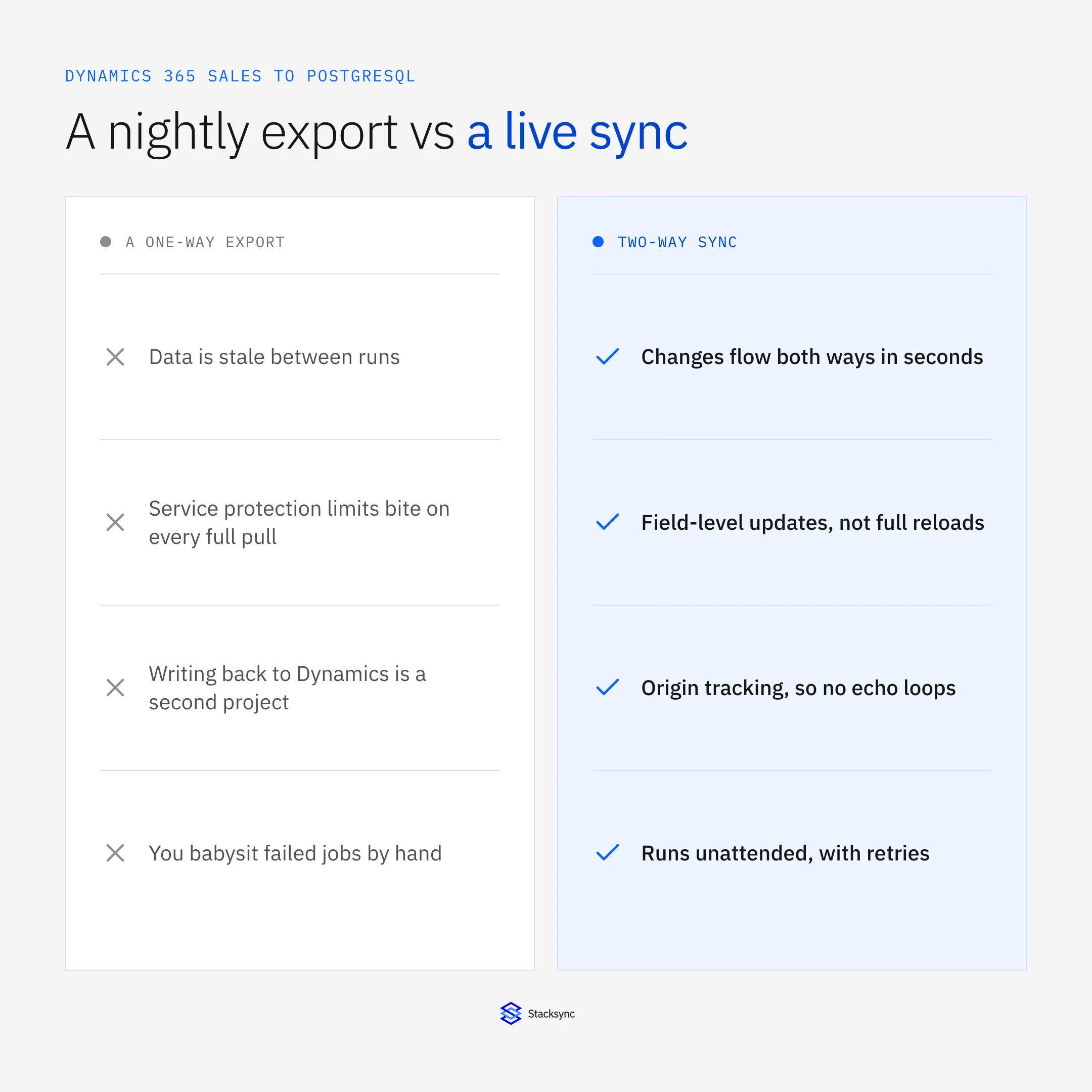
The setup assumes a two-way sync platform such as Stacksync between the CRM and the database. If you are still choosing the platform, the PostgreSQL connector and the iPaaS for Dynamics 365 Sales guide cover that; here we focus on the pairing.
The three ways to connect them
There are really three ways to keep Dynamics 365 Sales and Postgres in step, and they trade off effort against consistency. Knowing which one you are actually signing up for saves a lot of rework later.
- One-way export. Copy Dynamics into Postgres on a schedule. Simple, but stale between runs and silent about writes back, which become a second project.
- Custom Dataverse integration. Build against the Dataverse Web API yourself. Full control, but you own change capture, conflict handling, retries, and the API-limit backoff forever.
- Real-time two-way sync. A platform detects changes on both sides, maps fields, tracks origin, and resolves conflicts, so both systems stay consistent and you maintain configuration, not code.
The first is where most teams start and the third is where most teams end up, because the middle option quietly becomes a standing maintenance job. The rest of this guide is about what the third option actually does.
How the two-way sync works
A two-way sync sits between Dynamics and Postgres as an engine, not a pipe. It watches both sides for changes, and when it sees one it maps the fields, checks for conflicts, and applies the change to the other side. The important detail is what it does to keep a continuous two-way flow from turning into an infinite loop.
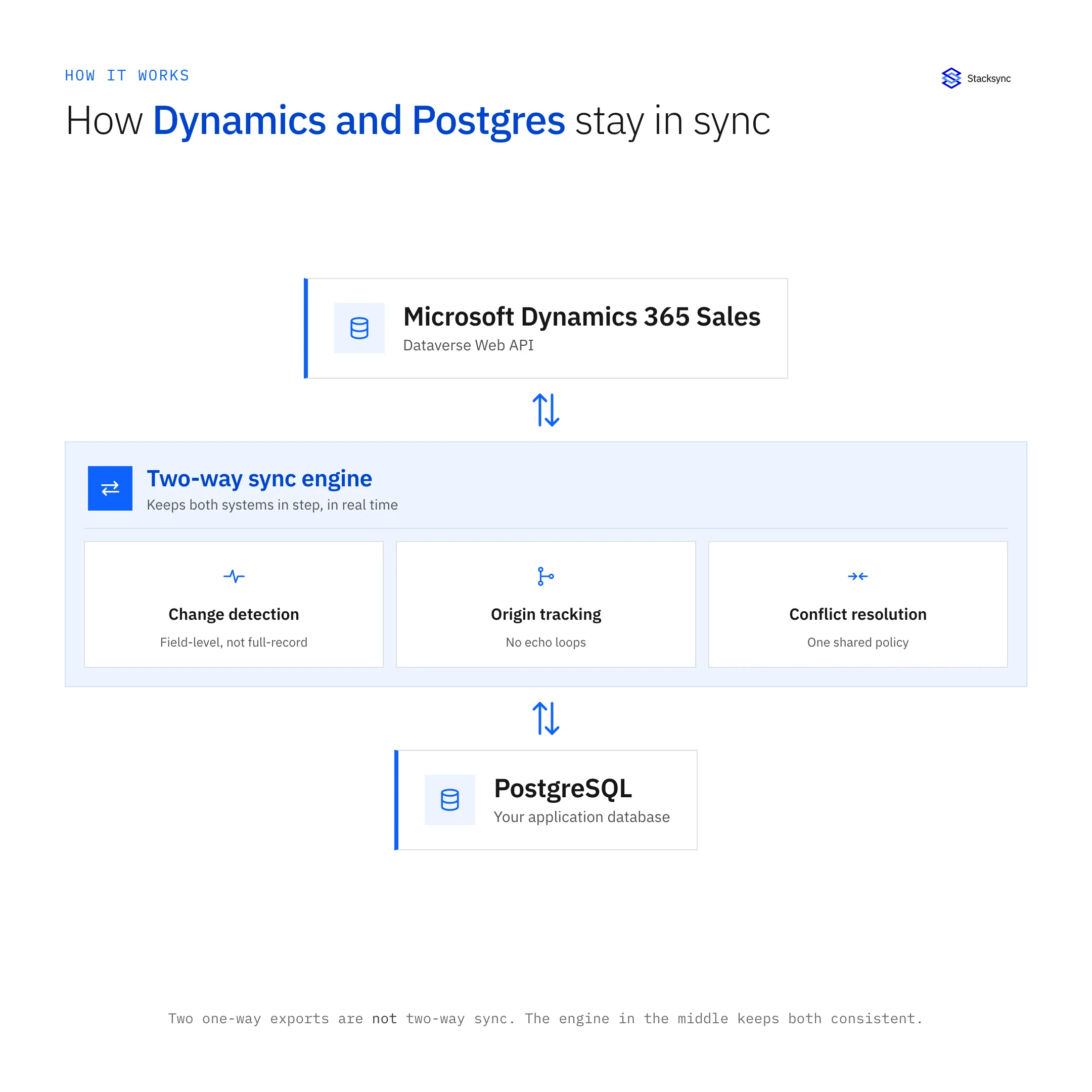
Two mechanisms do the heavy lifting. Origin tracking tags each change with where it came from, so a write into Postgres that originated in Dynamics is not sent back to Dynamics as a new edit. Field-level conflict resolution decides, per field, which value wins when both sides changed, so simultaneous edits to different fields both survive. Together they are what a hand-rolled integration usually gets wrong on the first pass.
The lifecycle of one change
It is worth following a single edit through the system, because that is where the reliability shows up. A change does not just get copied; it moves through detection, mapping, and a write whose outcome the engine actually checks.
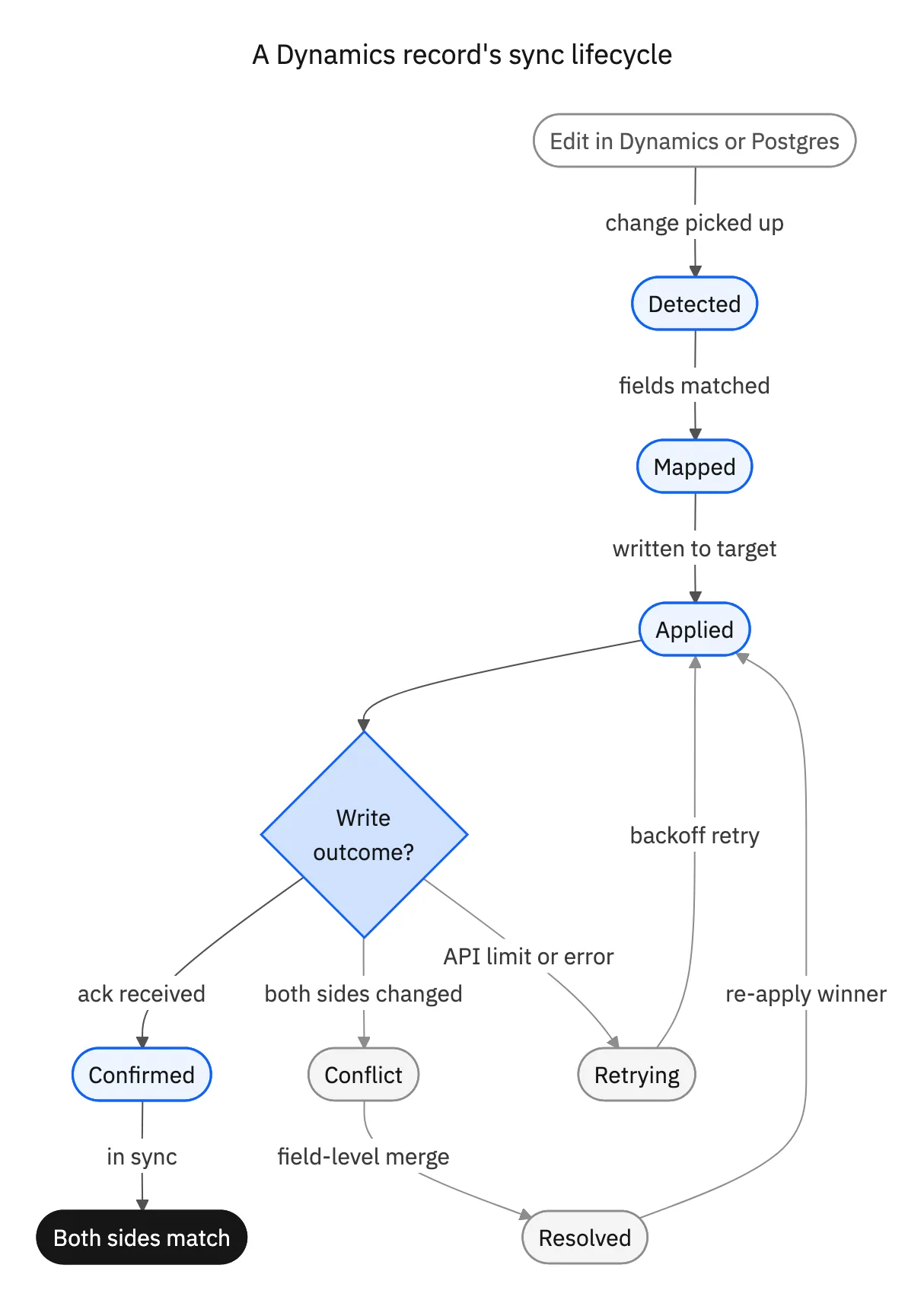
An edit is detected on the side it happened, its fields are matched to the other schema, and it is written to the target. If the write is acknowledged, the change is confirmed and both sides match. If both sides changed, it goes through field-level merge. If Dataverse signals an API limit or the write errors, it retries with backoff rather than dropping the change. Nothing is fire-and-forget, which is why the two databases stay genuinely consistent instead of drifting quietly.

Why it holds up in production
The reason to prefer a two-way sync platform over a custom build is not that the code is impossible; it is that the edge cases are where the time goes. The comparison below is really a comparison of who owns those edge cases.
| Custom Dataverse integration | Two-way sync platform | |
|---|---|---|
| Change capture | You build it, both sides | Built in, both sides |
| Echo loops | You prevent them | Origin tracking handles it |
| Conflicts | You define and code the policy | Field-level policy, configured |
| API limit backoff | You implement and tune it | Automatic backoff and retry |
| Ongoing cost | A standing engineering job | Configuration you monitor |
Both keep Dynamics and Postgres in sync; the platform owns the edge cases so your team does not.
For teams weighing this against pulling data through a warehouse instead, the Dynamics to Snowflake guide covers the analytics path; this pairing is about the operational database your product actually reads and writes.
One engine, both databases consistent
Keeping Microsoft Dynamics 365 Sales and PostgreSQL in step is a two-way problem, and the durable solution is a two-way sync: field-level, origin-aware, and continuous. It keeps the CRM and the app database agreeing without a nightly export, without the Dataverse plumbing, and without the loops a first custom build tends to hit.
That is exactly what Stacksync does between Dynamics and Postgres, with change capture, conflict resolution, and retries handled for you. To wire your own CRM and database together both ways, book a demo.

FAQ
Frequently asked questions










Explore these integrations and topics
- connectorMicrosoft Dynamics 365 Sales integrations
- connectorPostgreSQL integrations
- platformTwo-way sync
- platformCRM synchronization
- platformDatabase synchronization
- Two-way sync guidesUnderstand two-way sync, record matching, field ownership, and production readiness.
- CRM synchronization guidesConnect customer records across sales, marketing, and operational systems.
- Database synchronization guidesWork through database change capture, application writes, and reliable record reconciliation.
Related articles






