






















Connecting Dynamics 365 Finance & Operations and Salesforce
A guide to connecting Salesforce and Microsoft Dynamics 365 Finance & Operations so sales and finance work from one customer record. It covers the gap where orders are rekeyed between CRM and ERP, how a two-way sync matches accounts to F&O customers, turns a closed opportunity into a sales order, and streams invoice and payment status back to Salesforce, with direction set per object on one engine.
- Author
- Ignacio Malpartida · GTM Engineer
- Published
- Updated
- Read time
- 6 min read

Sales closes the deal in Salesforce. Finance fulfills and bills it in Dynamics 365 F&O. Between those two systems sits the order, and in most companies it gets across by someone rekeying it. That handoff is where revenue leaks: mistyped quantities, missed orders, and a sales team that has no idea whether a deal has actually been invoiced or paid.
Syncing Salesforce and F&O closes that gap. This guide covers what to connect, how a closed opportunity becomes an F&O sales order, and how invoice and payment status flows back to the CRM so sales and finance finally see the same customer.
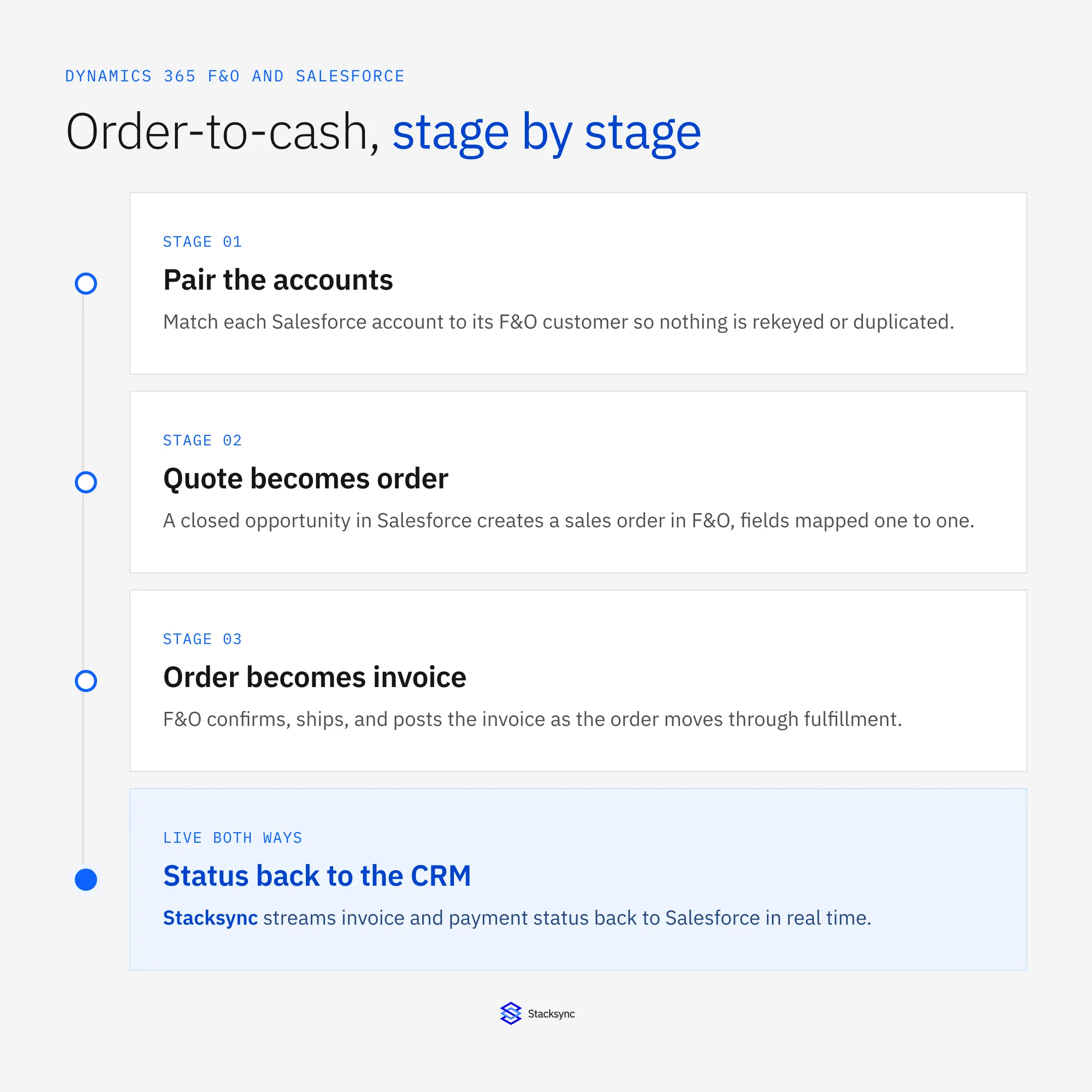
The setup assumes a two-way sync platform such as Stacksync between the CRM and the ERP. The Salesforce connector and Dynamics 365 connector pages cover the surface; here we focus on the order-to-cash flow.
The gap between the CRM and the ERP
Salesforce and F&O describe the same customers with different words. Salesforce has accounts, contacts, opportunities, and quotes. F&O has customers, sales orders, invoices, and payments. Nothing automatically connects an account to its customer record, so the two systems accumulate their own version of the truth, and the join happens in a spreadsheet at month-end.
The cost is not just the rekeying. It is that sales cannot see whether an order shipped, finance cannot see the pipeline that is about to land, and every question that spans the two, like what is this customer's open balance against their new order, needs a human to answer. A sync turns that into one shared record.
Disconnected vs synced
The difference between a disconnected CRM and ERP and a synced one is stark once you see it side by side.
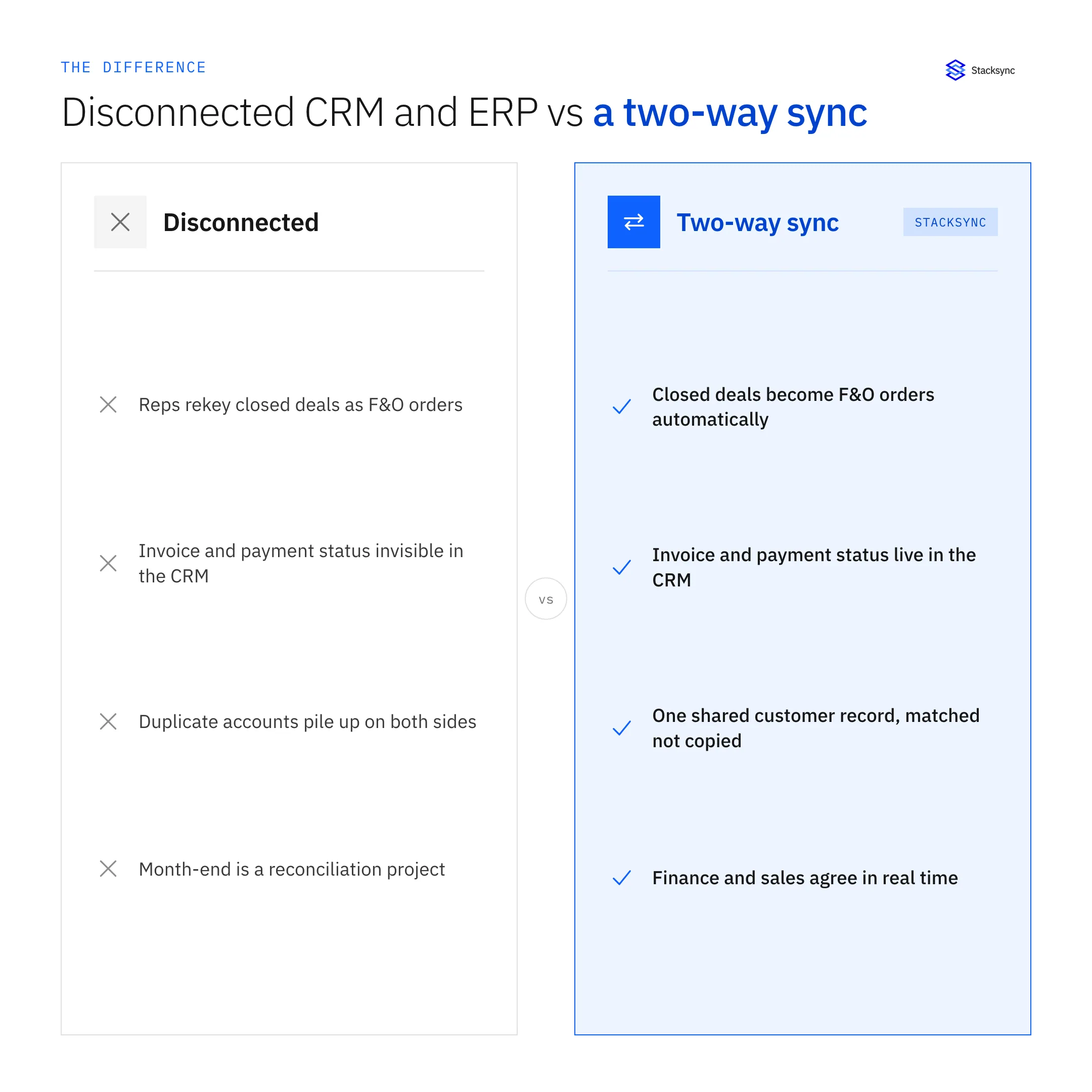
Disconnected, reps rekey closed deals into F&O, invoice status is invisible in the CRM, duplicate accounts pile up, and month-end is a reconciliation project. Synced, a closed deal becomes an F&O order automatically, invoice and payment status live on the Salesforce account, each customer is one matched record rather than two copies, and finance and sales agree in real time.
How order-to-cash flows
Concretely, the sync runs the order-to-cash path between the two systems. A closed opportunity in Salesforce becomes a sales order in F&O; F&O confirms, ships, and invoices; and the invoice and payment status flow back to the account.
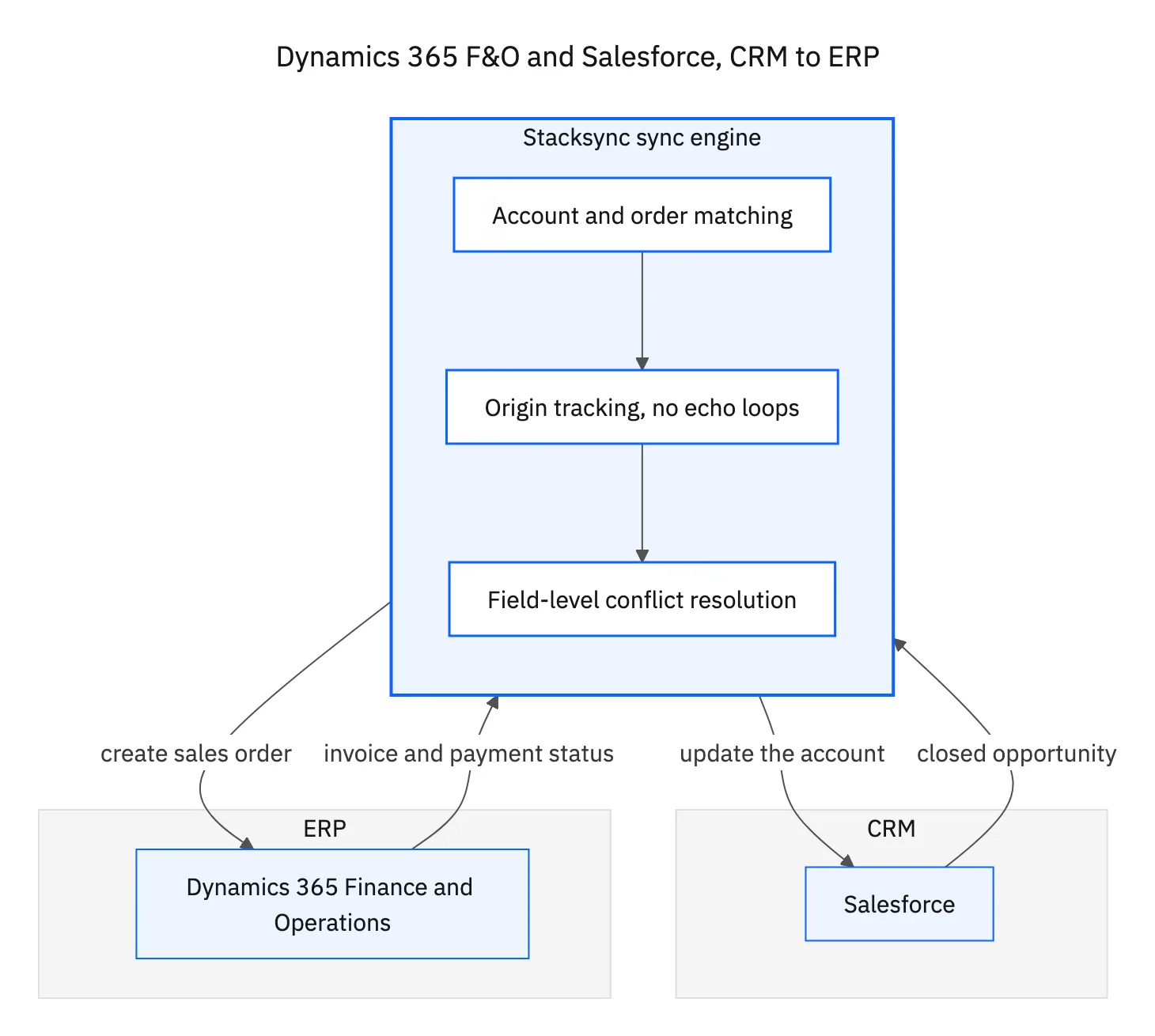
The engine in the middle matches each Salesforce account to its F&O customer so nothing is duplicated, tracks the origin of every change so writes do not loop, and resolves conflicts per field when both sides edit the same customer. Direction is set per object: opportunities and orders flow CRM-to-ERP, while invoice and payment status flow ERP-to-CRM, all on one engine.
Manual handoff vs two-way sync
The manual handoff is the default, and it is expensive in ways that do not show up on an invoice. The table lines the two up.
| Manual handoff | Two-way sync | |
|---|---|---|
| Closed deal to order | Rekeyed by hand | Created in F&O automatically |
| Account matching | Duplicates on both sides | Matched, one shared record |
| Invoice status in CRM | Not visible | Live on the account |
| Errors | Mistyped quantities and prices | Field-mapped and validated |
| Month-end | Reconciliation project | Already reconciled |
The handoff is free until you count the rekeying, the duplicates, and the month-end cleanup.
None of this requires sales to leave Salesforce or finance to leave F&O. Each team keeps working where they know, and the sync makes the two systems behave like one for the fields that matter. The same engine also keeps F&O and HubSpot in step for teams that run revenue in HubSpot.

Apply this in consumer packaged goods: salesforce account and F&O customer reference
CPG brands using the same Dynamics 365 F&O–Salesforce pair need financial context labeled by legal entity and currency. Keep distributor relationships in the CRM connected to the correct finance-owned customer without allowing a parent-account update to overwrite every billing entity.
| Record to reconcile | Responsible owner | Rule to preserve |
|---|---|---|
| Salesforce account | Sales operations | Retain parent and regional account relationships without collapsing distinct legal customers. |
| F&O customer reference | Finance | Include legal entity and customer key in the cross-system identity. |
| Opportunity context | Sales | Share approved account and expected-order context without treating a pipeline amount as a posted transaction. |
An exception to plan for: Same customer number in two entities. Use the composite legal-entity key and prevent accidental cross-entity joins. Acceptance check for the pilot: every financial status identifies its legal entity and currency.
The consumer packaged goods hub connects the broader operating context. These guides develop the specific record mappings and decisions for this application:
One customer, seen by both teams
Connecting Dynamics 365 F&O and Salesforce is really about closing the gap where orders are rekeyed and status goes dark. Match the accounts, sync closed deals into F&O as orders, and stream invoice and payment status back, and sales and finance finally work from one customer record instead of two.
Stacksync runs that order-to-cash sync in real time, with account matching, field-level conflict resolution, and per-object direction between the CRM and the ERP. To connect your own Salesforce and F&O, book a demo.

FAQ
Frequently asked questions










Explore these integrations and topics
- connectorSalesforce integrations
- connectorDynamics 365 F&O integrations
- connectorMicrosoft Dynamics 365 integrations
- platformCRM synchronization
- platformCRM and ERP integration
- CRM synchronization guidesConnect customer records across sales, marketing, and operational systems.
- CRM and ERP integration guidesPlan account, order, invoice, and payment flows between commercial and finance teams.
Related articles





