






















Retail EDI for CPG Brands: Connect Purchase Orders, Acknowledgments, Shipments, and Invoices
A retailer's case quantities and item numbers map to NetSuite units and SKUs, and each outbound document is built by its owner from accepted, packed or invoiced facts.
- Author
- Alexis Favre · Co-Founder & CTO
- Published
- Read time
- 5 min read

The operating decision
Build retail EDI around the business chain from purchase order to accepted order, physical shipment, and invoice. CPG brands need partner-specific item, pack, location, and timing rules, not a generic document translation alone. Connect the approved ERP records through verified EDI workflow actions and keep document delivery separate from the retailer’s business acceptance.
Explore the complete consumer packaged goods integration and automation hub for the systems and processes around this guide.
What this looks like in consumer packaged goods
A CPG brand wins a retail account with several distribution centers. The first purchase order uses retailer item numbers and case quantities, while NetSuite stores internal SKUs and individual units. The retailer also expects shipment details that only exist after packing. Reusing the purchase-order quantity for every outbound document would misstate a partial shipment.
Records, ownership, and update rules
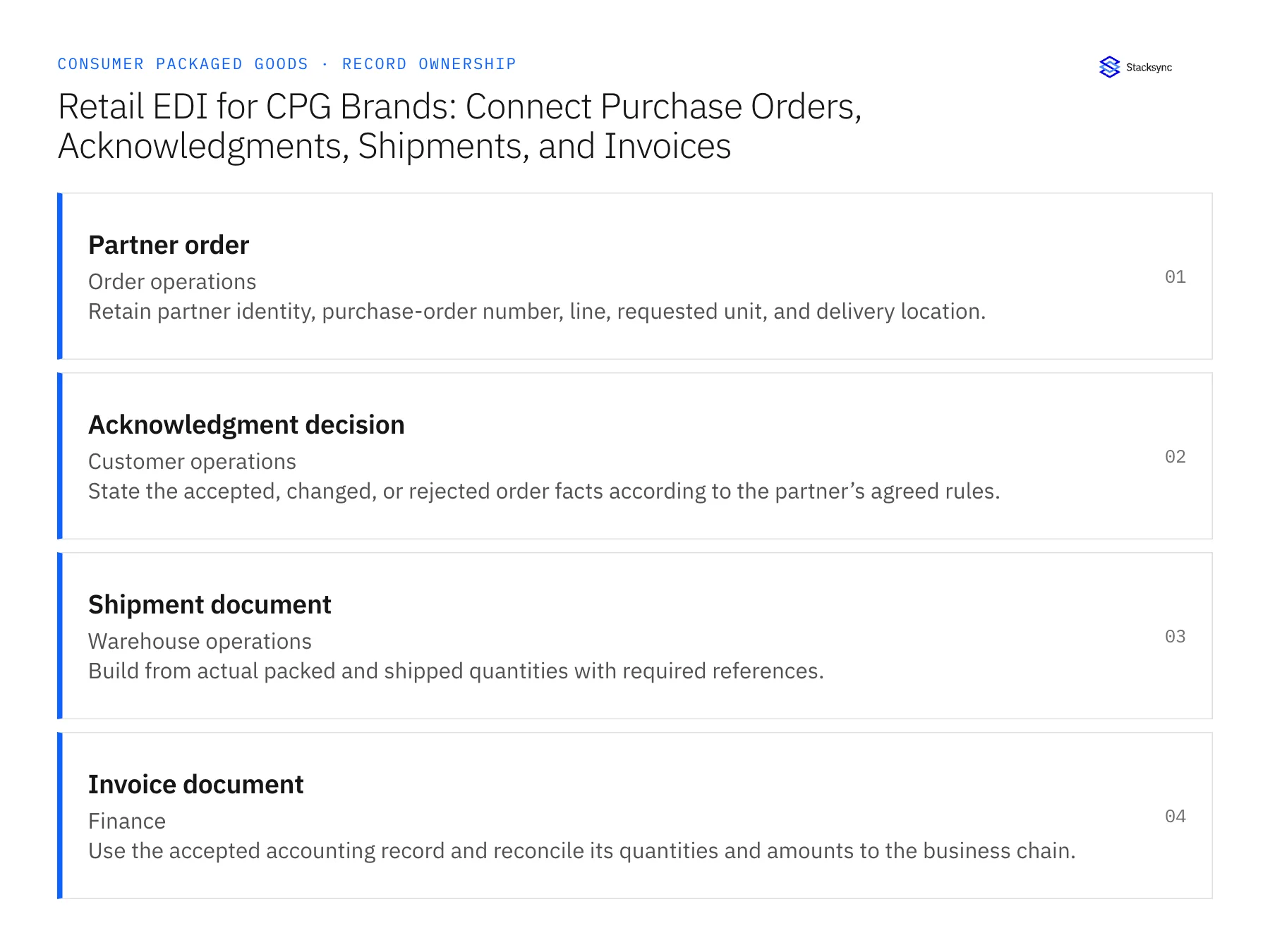
| Record | Owner | Operating rule |
|---|---|---|
| Partner order | Order operations | Retain partner identity, purchase-order number, line, requested unit, and delivery location. |
| Acknowledgment decision | Customer operations | State the accepted, changed, or rejected order facts according to the partner’s agreed rules. |
| Shipment document | Warehouse operations | Build from actual packed and shipped quantities with required references. |
| Invoice document | Finance | Use the accepted accounting record and reconcile its quantities and amounts to the business chain. |
Work through the process
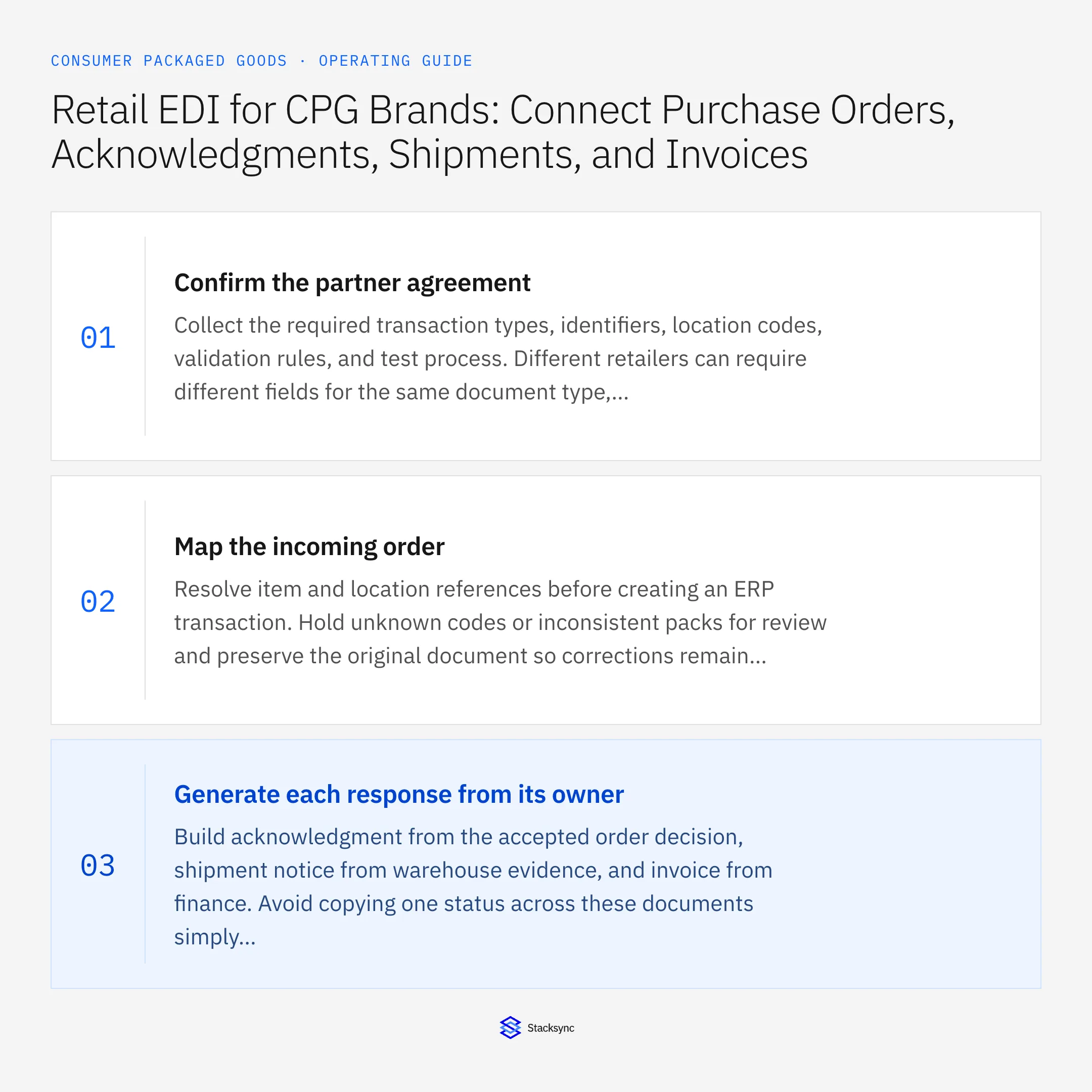
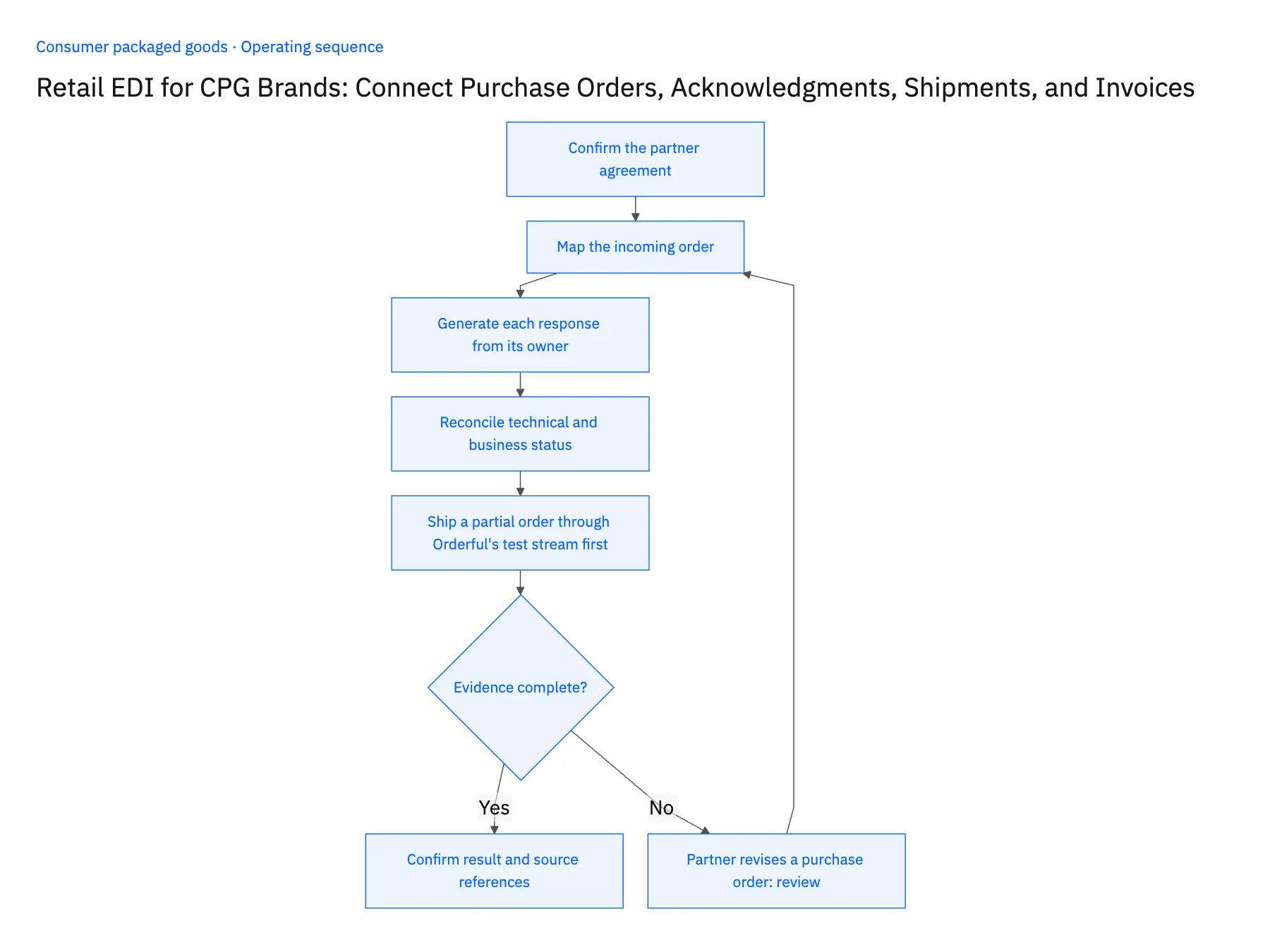
- 01Confirm the partner agreementCollect the required transaction types, identifiers, location codes, validation rules, and test process. Different retailers can require different fields for the same document type, so partner requirements belong in the mapping contract.
- 02Map the incoming orderResolve item and location references before creating an ERP transaction. Hold unknown codes or inconsistent packs for review and preserve the original document so corrections remain explainable.
- 03Generate each response from its ownerBuild acknowledgment from the accepted order decision, shipment notice from warehouse evidence, and invoice from finance. Avoid copying one status across these documents simply because they share a purchase-order number.
- 04Reconcile technical and business statusTrack validation, transmission, acknowledgment, and operational completion separately. A delivered file is not evidence that the retailer accepted the commercial content or that the warehouse shipped the goods.
- 05Ship a partial order through Orderful's test stream firstProcess one retailer purchase order for two distribution centers on Orderful's test stream. Acknowledgment, ship notice and invoice must each carry the partner identifier and test flag; none may address the live relationship. Ship fewer cases than requested from NetSuite, then open the ship notice: its quantities must equal what was packed, and the balance must stay open on the NetSuite order. Send a revised purchase order from the test partner; the ERP order must wait until the revision is checked against shipped amounts. Stop the rollout if a document reached the live stream, if the ship notice repeated the ordered quantity, or if the revision overwrote shipped lines.
Handle the exceptions explicitly
Partner revises a purchase order
Evaluate the revision against accepted and shipped quantities before updating the ERP order.
Partial shipment
Report the actual shipment and preserve the remaining order balance under the partner’s rules.
Document passes syntax but item is wrong
Keep business mapping checks in the release gate; technical validity does not establish correct product identity.
What to verify before expanding
- Every outbound document uses the correct partner and live or test stream.
- Actual shipment quantities drive the shipment document, not the original requested amount.
- A replayed partner document retains its existing order and line references without creating additional accepted demand.
- A technically valid document with the wrong item mapping stops at business review before ERP application or shipment release.

Connect this process to the rest of your operation
Explore Stacksync EDI and scope the records and actions against your actual systems. Book a demo with a real partner order example and the exception your team handles most often, for example partner revises a purchase order.
- Shopify–NetSuite Two-Way Sync for CPG Brands Selling DTC and Wholesale
- Amazon Seller Central–NetSuite Sync for CPG Brands: Orders, Fees, and Settlement Evidence
- HubSpot–NetSuite Sync for CPG Brands: Distributor Accounts, Contacts, and Payment Visibility
- API Ownership: Who Really Controls Your Data?
- Shopify–NetSuite Integration: Orders, Inventory, and Setup
The shared architecture guide covers record matching, ownership, and recovery across systems.
Technical references
FAQ
Frequently asked questions










Related articles




