






















Prevent Duplicate Replenishment Orders When Deliveries Are Already Incoming
Prevent duplicate replenishment by linking each open purchase or transfer line to its remaining quantity, receiving location, and expected arrival.
- Author
- Stacksync · App tips writer
- Published
- Read time
- 6 min read

Count incoming supply once and only where it helps
Prevent duplicate replenishment by linking each open purchase or transfer line to its remaining quantity, receiving location, and expected arrival. Compare that supply with the shortage’s timing. An incoming order can be real and still arrive too late, while an already received line can be counted twice if both local inventory and the original order quantity remain in the calculation.
Start with the item identifier and unit of measure. Reconcile partial receipts before calculating remaining inbound quantity. A purchase of ten boxes with six received has four boxes incoming, not ten. If local stock already includes the six received boxes, those units belong only in the inventory side of the comparison.
Evidence needed to resolve the exception
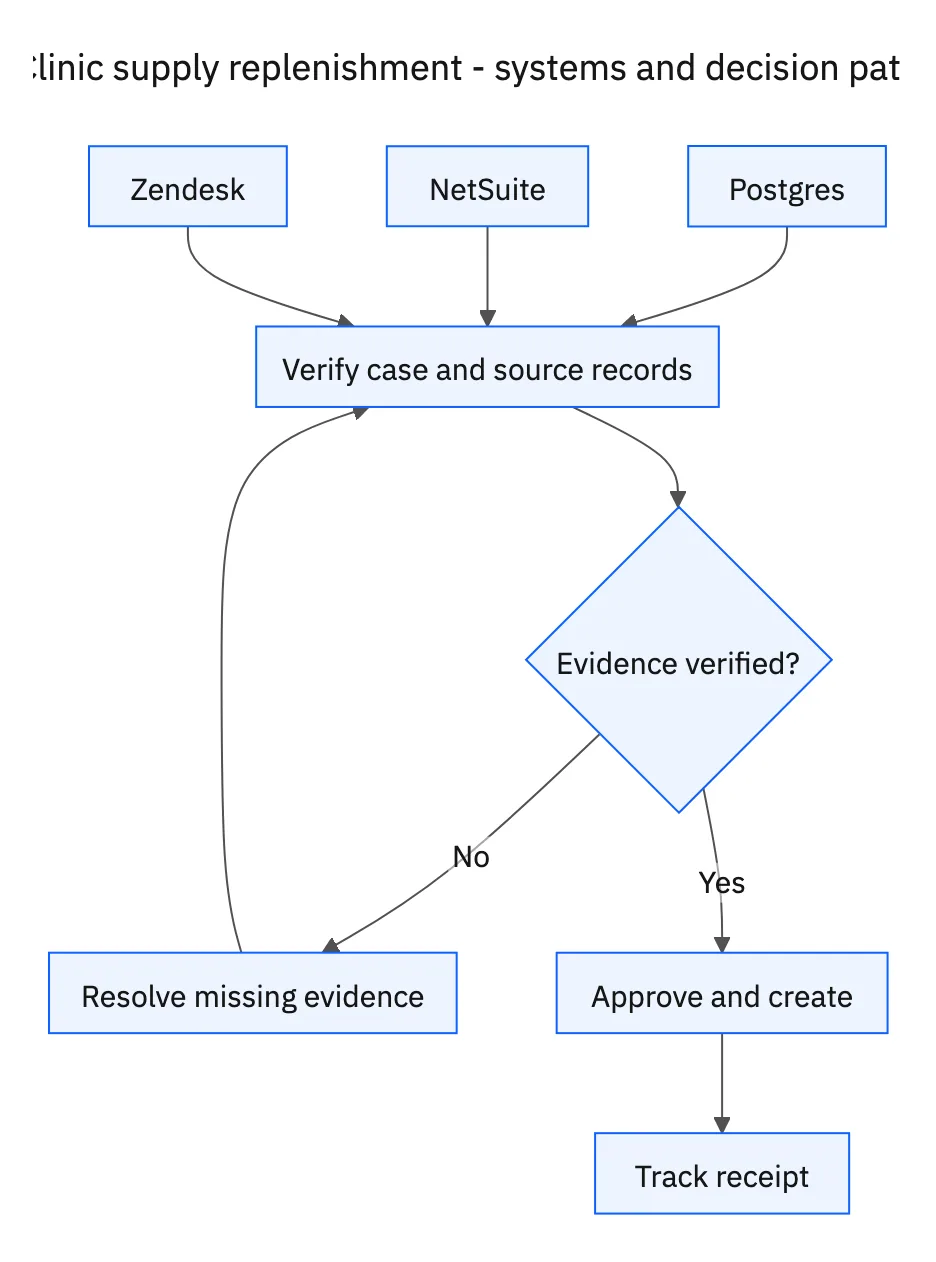
Use this exception guide when reviewing a proposed Genie workflow or investigating a case that cannot proceed confidently. The tables describe operational decisions to configure in your environment. They are not claims that a connected application automatically supplies your organization’s policies, identity mappings, or approval process.
| System or owner | Evidence and responsibility |
|---|---|
| Postgres | Clinic supply levels, recent consumption, and location-specific demand evidence. |
| NetSuite | Usable inventory, open purchase orders, transfers, and approved supply records. |
| Zendesk | Procurement follow-up and receipt confirmation. |
| Procurement | Approval of purchases or transfer requests. |
Required context for this workflow design.
Distinguish a supply gap from a timing gap
An uncovered quantity gap may justify a purchase or transfer proposal. A timing gap may need a faster transfer even though a purchase order covers the eventual quantity. Show both the existing incoming delivery and the reason it fails to cover the immediate planning window. That prevents procurement from seeing two orders without understanding the operational distinction.
Do not assume a donor location can release everything it holds. Consider its commitments and the applicable stock policy before offering a transfer. If consumption data is stale or inconsistent, flag the evidence gap and request review rather than proposing a large purchase from an unreliable forecast.
Make repeated morning runs converge on one case
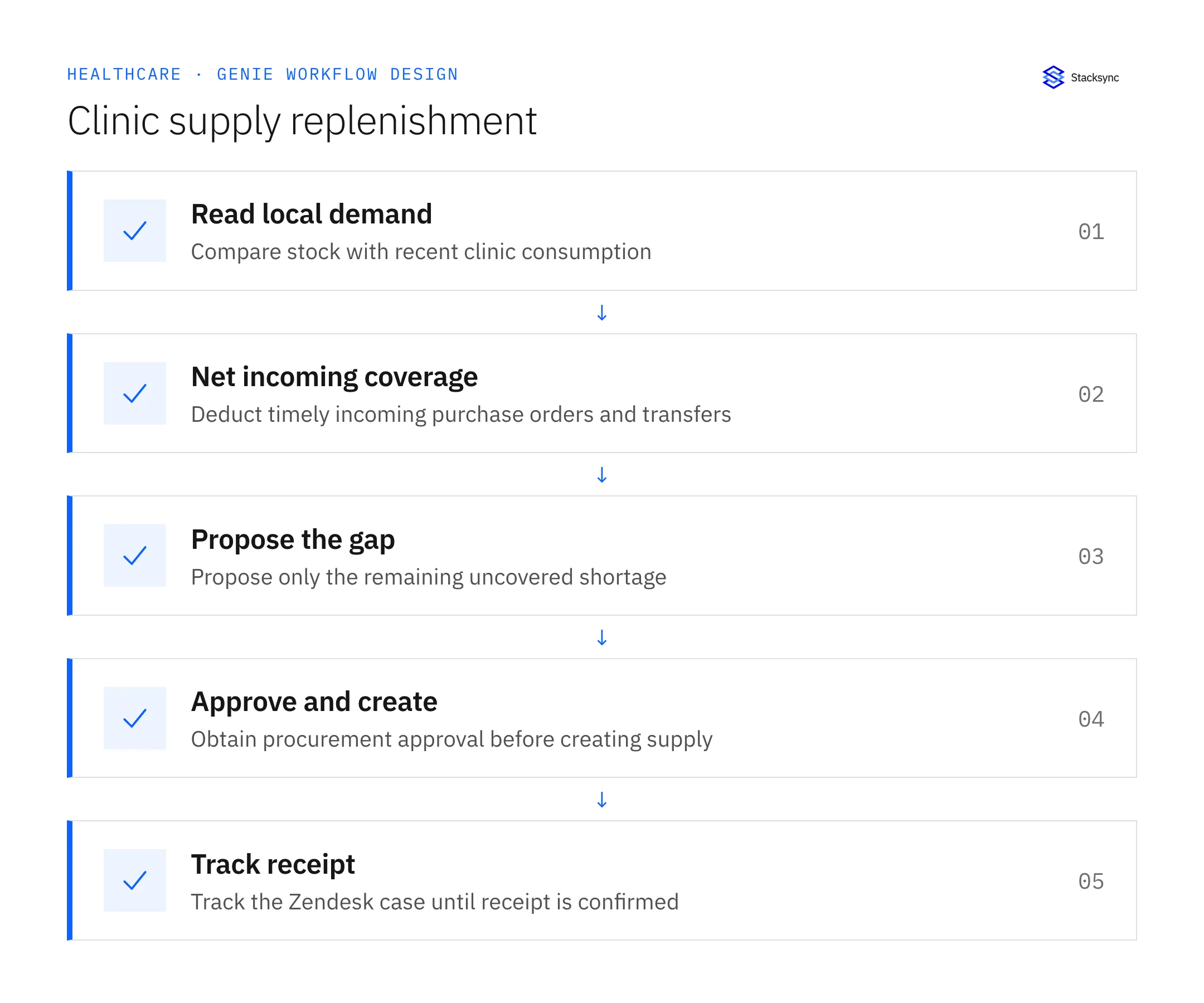
Search for an existing proposal, approved order, transfer request, and Zendesk follow-up for the same shortage. Refresh that case with new consumption or arrival evidence. A changed quantity may require a revised procurement decision, but an unchanged shortage should not produce another order simply because the schedule ran again.
Keep the case open until receipt is confirmed and quantities are reconciled. If an incoming delivery is canceled, restore its uncovered quantity in the next evaluation and prepare an updated proposal. If a partial receipt leaves a balance, track the remainder against the existing order before assuming another purchase is necessary. Procurement approval remains the gate for any new order or transfer request.
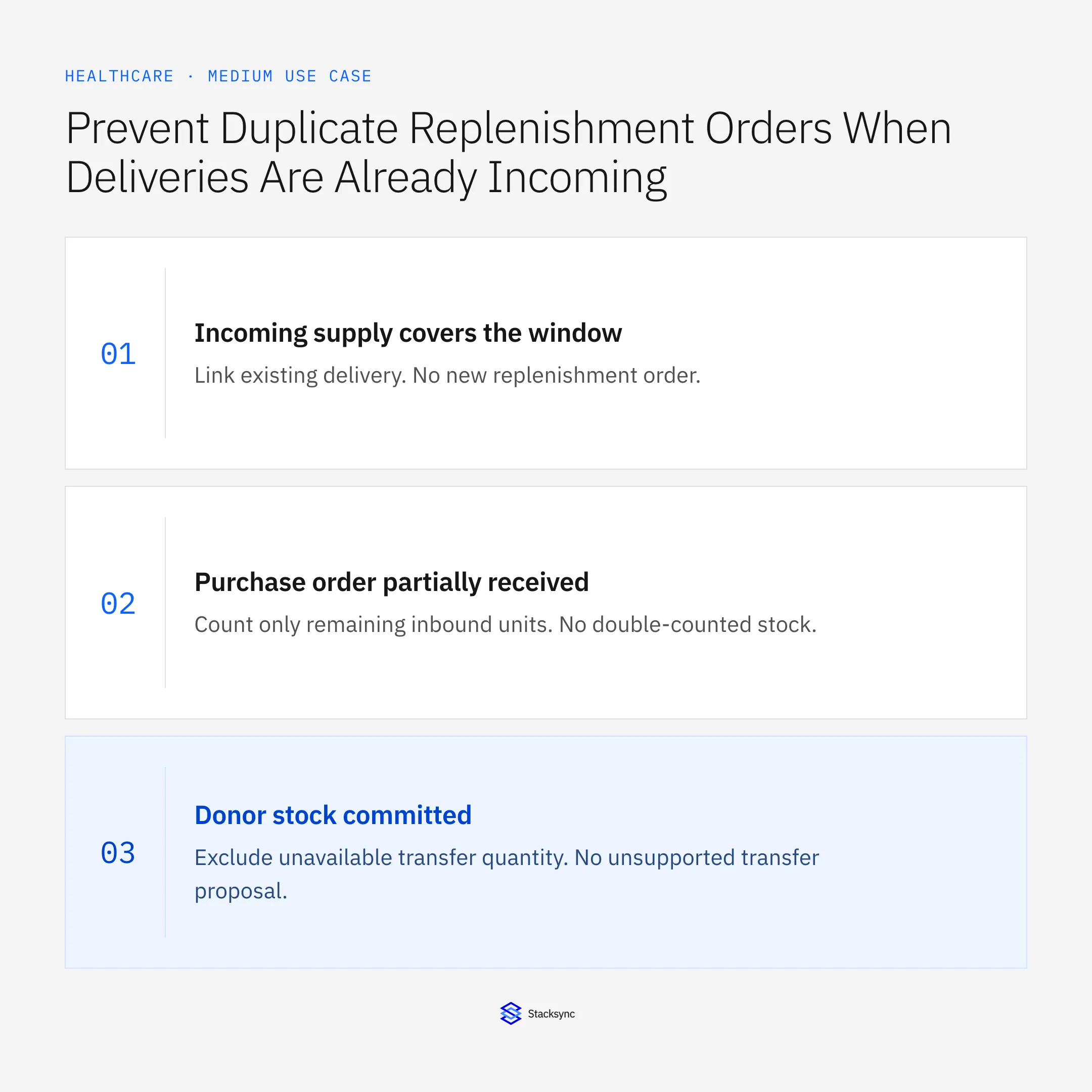
Decision table for common exceptions
Use the condition in the first column to choose the next action. The final column describes the boundary that must remain true while the case is unresolved. Apply the organization’s actual policy and source records to the live case; do not treat an illustrative condition as proof that the condition exists.
| Observed condition | Next action | Required boundary |
|---|---|---|
| Incoming supply covers the window | Link existing delivery | No new replenishment order |
| Purchase order partially received | Count only remaining inbound units | No double-counted stock |
| Donor stock committed | Exclude unavailable transfer quantity | No unsupported transfer proposal |
| Order dispatched | Await confirmed clinic receipt | Case remains open |
Exception decisions for clinic supply replenishment.
Illustrative exception and recovery
Yesterday’s approved transfer is still in transit. This morning’s low-stock check finds the same gap, links the transfer and existing Zendesk case, and updates arrival evidence instead of creating a second transfer request.
This example uses fictional records to show the decision logic. It is not a customer case study or a claim of measured results. In a live case, retain the actual record IDs and evidence behind each statement, and replace all illustrative quantities or timing assumptions with the approved operational inputs.
What to record before resuming
A procurement proposal showing uncovered quantity and timing, an approved purchase or transfer reference, and a Zendesk case tracking receipt at the intended clinic.
Preserve the original finding and the evidence that resolves it. Record which person or system supplied the clarification, which proposal it applies to, and the action now permitted. Do not erase the uncertainty from the history: a later reviewer needs to understand why the case paused and why it resumed.
Boundaries that remain in force
- Run every morning using recent consumption and consistent units of measure.
- Exclude shortages already covered by timely incoming deliveries.
- Require procurement approval before creating an order or transfer request.
- Track the resulting supply in Zendesk until receipt is confirmed.

Review the case before restarting
First verify that the new evidence resolves the original blocker rather than a different issue. Then check whether the case, source records, or proposed action changed during the wait. A response attached to the right ticket can still be insufficient if it refers to an earlier proposal or leaves a required quantity, identity, or approval unresolved.
Run the relevant row from the decision table as a review scenario. Confirm that the job stops at the required boundary, asks for the specified information or decision, and resumes from the confirmed state. If a write or message may already have succeeded, inspect its destination before repeating it; if this job only prepares a draft or report, verify that it stays within that output scope.
- Proposals excluding timely incoming coverage
- Purchases and transfers linked to procurement approval
- Open replenishment cases without confirmed full receipt
Track unresolved cases by their actual blocker and owner. A case waiting for clarification needs a different next action from one waiting for a confirmed result. Review the evidence when the state changes, and keep any still-unresolved completion condition visible instead of treating a successful intermediate step as the end of the work.
Give your Genie a job description
Copy the job description below. It preserves the scope and decision boundaries of this use case. Configure the referenced systems, record relationships, policies, and approval owners in your workspace before enabling the job.
Paste this into “Give your Genie a job description.” Explore Stacksync Genies.
Implementation references
These first-party references document the underlying records and interfaces. The cross-system sequence, approvals, and completion rules in this article are a proposed operational configuration; validate them against your connected workspace before enabling it.

FAQ
Frequently asked questions
Explore these integrations and topics
Related articles




