






















Reconcile Recalled Lots, Facility Acknowledgments, and Quarantined Quantities
Reconcile a recall by accounting for the affected quantities and their documented outcomes, while separately tracking whether each facility received and acknowledged instructions.
- Author
- Stacksync · App tips writer
- Published
- Read time
- 6 min read

Acknowledgment and quantity reconciliation solve different problems
Reconcile a recall by accounting for the affected quantities and their documented outcomes, while separately tracking whether each facility received and acknowledged instructions. A facility can acknowledge a notice without confirming the number of units quarantined. Conversely, inventory may be quarantined locally while the required acknowledgment is still missing.
Build a facility-and-lot ledger from the approved scope and trace records. Keep received, transferred, returned, and currently held quantities tied to their original movements. Avoid adding snapshots from several dates as though they were separate stock; that can multiply the affected quantity without any physical movement.
Evidence needed to resolve the exception
Use this exception guide when reviewing a proposed Genie workflow or investigating a case that cannot proceed confidently. The tables describe operational decisions to configure in your environment. They are not claims that a connected application automatically supplies your organization’s policies, identity mappings, or approval process.
| System or owner | Evidence and responsibility |
|---|---|
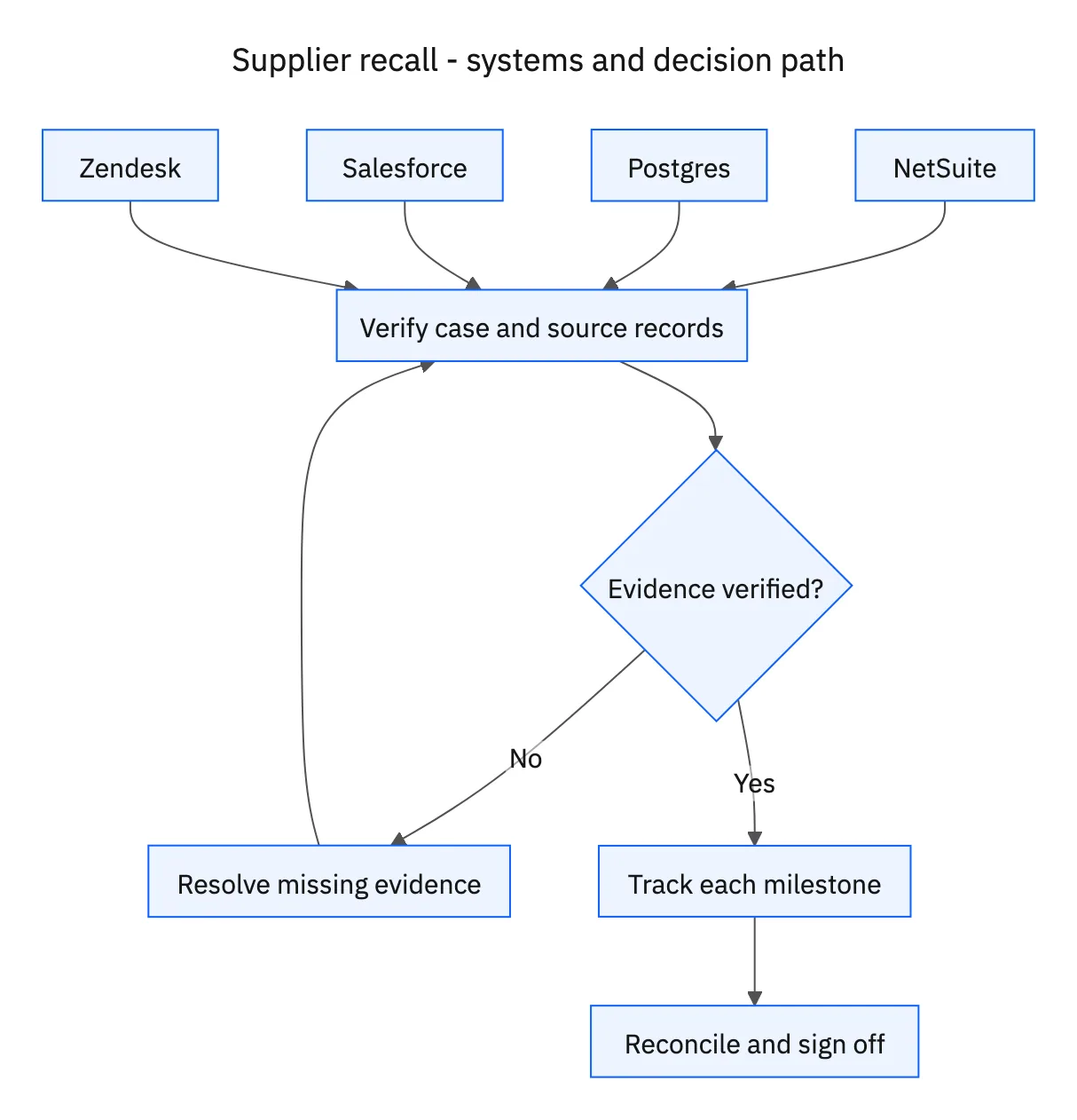
| Quality manager | Approved recall notice, affected lot list, instruction approval, replacement approval, and final sign-off. |
| NetSuite | Affected stock, lot inventory, deliveries, and approved replacements. |
| Postgres | Delivery and lot-trace records across facilities. |
| Salesforce | Affected facility identities and approved contacts. |
| Zendesk | Notifications, acknowledgments, quarantine confirmations, returns, and follow-up. |
Required context for this workflow design.
Prevent scope expansion through loose matching
Use exact product and lot relationships rather than a product-name search alone. A shipment can contain affected and unaffected lots, and the same lot text can appear under different products. Exclude the unaffected units from notification quantities, return requests, and replacement calculations.
When a facility reports a different quantity from the trace ledger, preserve both the report and the source evidence. Ask for the missing movement or count information through Zendesk. Do not edit the expected quantity simply to make the reconciliation reach zero. Quality needs to see unresolved differences before approving closure.
Keep replacements and closure behind explicit decisions
A return request is not proof that goods have physically returned. A quarantine confirmation is not authorization to ship replacement stock. Track these steps separately and obtain approval for replacements, checking existing orders against the same facility, lot, and case before creating another.
Prepare a closeout summary showing the approved scope, affected facilities, acknowledgment status, quantity reconciliation, unresolved exceptions, and replacement references. Keep the recall open while any balance remains unexplained or while the quality manager’s sign-off is absent. The agent can assemble the evidence and pursue outstanding responses, while the quality manager retains control of instructions, exceptions, and the final decision.
Decision table for common exceptions
Use the condition in the first column to choose the next action. The final column describes the boundary that must remain true while the case is unresolved. Apply the organization’s actual policy and source records to the live case; do not treat an illustrative condition as proof that the condition exists.
| Observed condition | Next action | Required boundary |
|---|---|---|
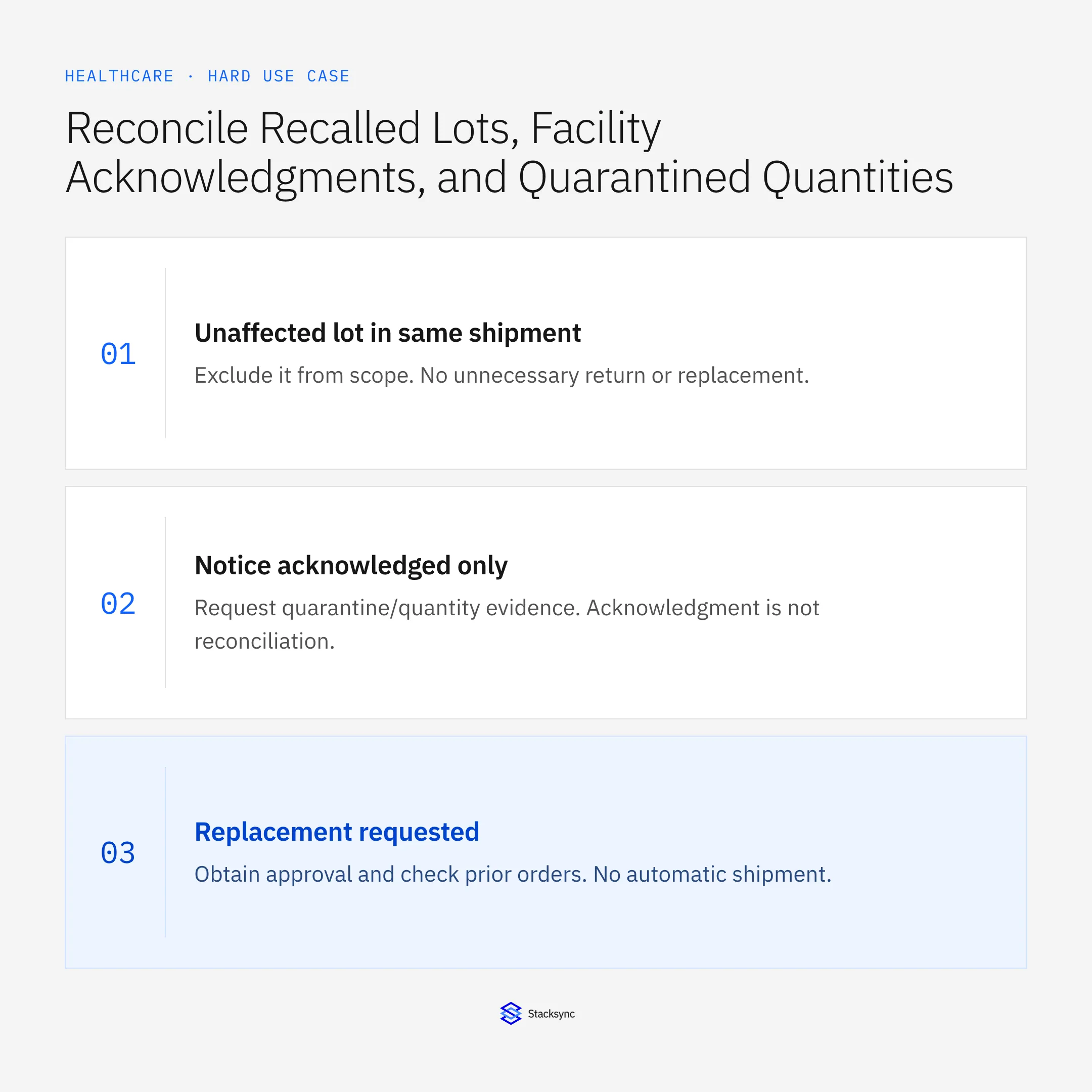
| Unaffected lot in same shipment | Exclude it from scope | No unnecessary return or replacement |
| Notice acknowledged only | Request quarantine/quantity evidence | Acknowledgment is not reconciliation |
| Replacement requested | Obtain approval and check prior orders | No automatic shipment |
| Quantities reconcile; no sign-off | Wait for quality manager | Recall remains open |
Exception decisions for supplier recall.
Illustrative exception and recovery
A facility acknowledges the notice but confirms quarantine of only nine of twelve traced units. The case retains a three-unit unexplained balance and requests reconciliation. It cannot close on the acknowledgment alone.
This example uses fictional records to show the decision logic. It is not a customer case study or a claim of measured results. In a live case, retain the actual record IDs and evidence behind each statement, and replace all illustrative quantities or timing assumptions with the approved operational inputs.
What to record before resuming
A facility-and-lot recall ledger linked to approved notice versions, Zendesk notification milestones, reconciled dispositions, replacement approvals, and quality-manager closeout sign-off.
Preserve the original finding and the evidence that resolves it. Record which person or system supplied the clarification, which proposal it applies to, and the action now permitted. Do not erase the uncertainty from the history: a later reviewer needs to understand why the case paused and why it resumed.
Boundaries that remain in force
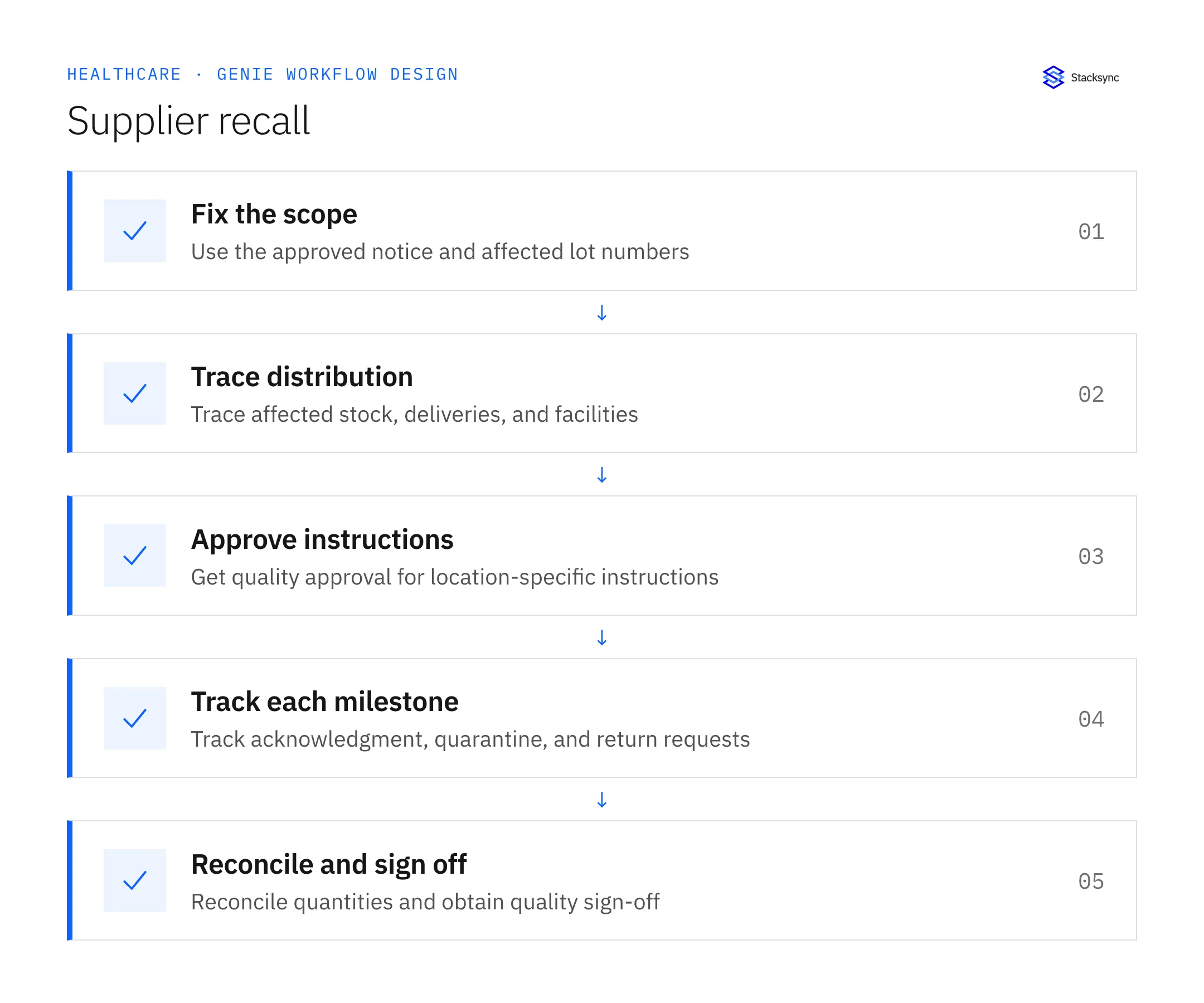
- Start only with a quality-manager-approved notice and affected lot list.
- Trace exact affected lots and exclude unaffected products or lots.
- Approve location-specific instructions and any replacements before action.
- Track acknowledgments, quarantine, returns, and follow-ups in Zendesk.
- Keep the recall open until quantities reconcile and the quality manager signs off.

Review the case before restarting
First verify that the new evidence resolves the original blocker rather than a different issue. Then check whether the case, source records, or proposed action changed during the wait. A response attached to the right ticket can still be insufficient if it refers to an earlier proposal or leaves a required quantity, identity, or approval unresolved.
Run the relevant row from the decision table as a review scenario. Confirm that the job stops at the required boundary, asks for the specified information or decision, and resumes from the confirmed state. If a write or message may already have succeeded, inspect its destination before repeating it; if this job only prepares a draft or report, verify that it stays within that output scope.
- Affected facilities with approved instructions and acknowledgment
- Affected quantities with documented reconciled disposition
- Recalls closed only with quality-manager sign-off
Track unresolved cases by their actual blocker and owner. A case waiting for clarification needs a different next action from one waiting for a confirmed result. Review the evidence when the state changes, and keep any still-unresolved completion condition visible instead of treating a successful intermediate step as the end of the work.
Give your Genie a job description
Copy the job description below. It preserves the scope and decision boundaries of this use case. Configure the referenced systems, record relationships, policies, and approval owners in your workspace before enabling the job.
Paste this into “Give your Genie a job description.” Explore Stacksync Genies.
Implementation references
These first-party references document the underlying records and interfaces. The cross-system sequence, approvals, and completion rules in this article are a proposed operational configuration; validate them against your connected workspace before enabling it.

FAQ
Frequently asked questions
Explore these integrations and topics
Related articles





