How Digital Innovation Is Reshaping Modern Business Operations
A practical guide to AI-assisted content, image checks, document approvals, team collaboration, and connected data in modern business operations.
- Author
- Ruben Burdin · Founder & CEO
- Published
- Read time
- 10 min read

A customer signs an agreement. Sales marks the deal as won, finance creates an account, and operations starts onboarding. If those teams copy the same details into three tools, a faster document editor only fixes one part of the process. The handoffs still depend on someone noticing that the record changed.
Digital innovation improves business operations when it changes how work moves: who prepares it, who checks it, where the approved version lives, and how other systems receive the update. AI-assisted writing, image verification, document templates, shared workspaces, and connected data each have a role. The useful question is which operational problem each one solves.
Start with a workflow, not another application
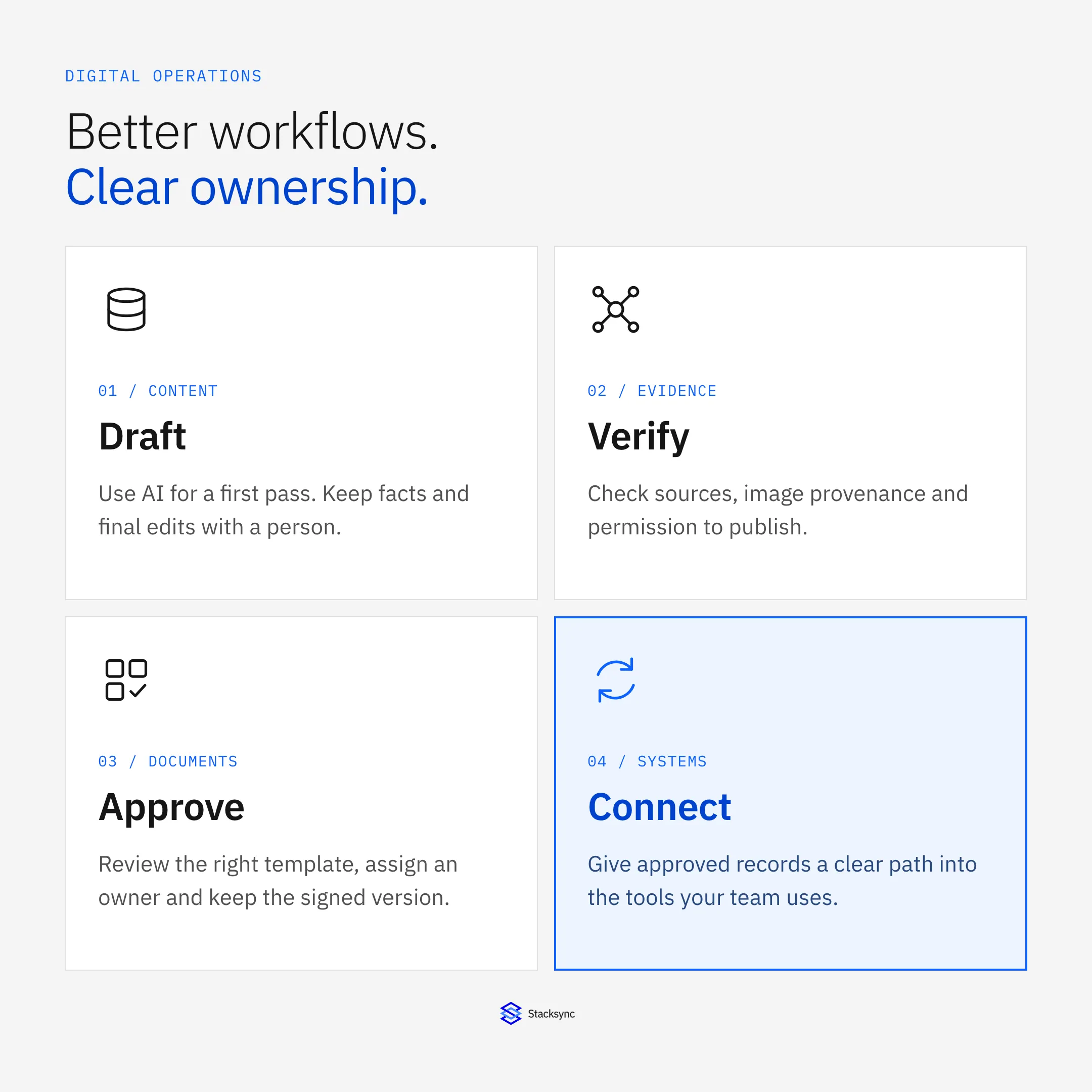
Digital transformation means changing a business process with technology. Moving a paper form into a shared folder is digitization. Connecting that form to a review, an accountable owner, and the next operational step changes the workflow itself.
Before choosing a tool, follow one real request from beginning to end. A customer onboarding process is a useful example: a team receives a request, collects details, prepares an agreement, checks the information, obtains approval, and updates the systems that deliver the service. Write down every point where someone retypes a field, asks for a status update, or searches for the latest version.
| Workflow | A common source of friction | A useful improvement | What to measure |
|---|---|---|---|
| Content production | Repeated first drafts and inconsistent edits | AI-assisted preparation with a human review checklist | Review time and correction requests |
| Visual content | Unclear image origin or usage rights | Source records, permission checks, and documented review | Assets missing source or licensing information |
| Business documentation | Repeated data entry and outdated templates | Approved templates, version control, and review ownership | Rework and approval turnaround |
| Team coordination | Updates scattered across chat and documents | A shared record with an owner and a clear next step | Requests waiting without an owner |
| Operational data | Customer details copied between tools | Mapped records with explicit field ownership | Duplicate records and failed updates |
Choose the improvement that removes a specific handoff problem, then measure the result.
Start with a frequent process whose outcome you can observe. Record a baseline before changing it. Without that baseline, a new application can feel faster while simply moving the same manual work to another team.
Use AI to prepare content, then review what it says
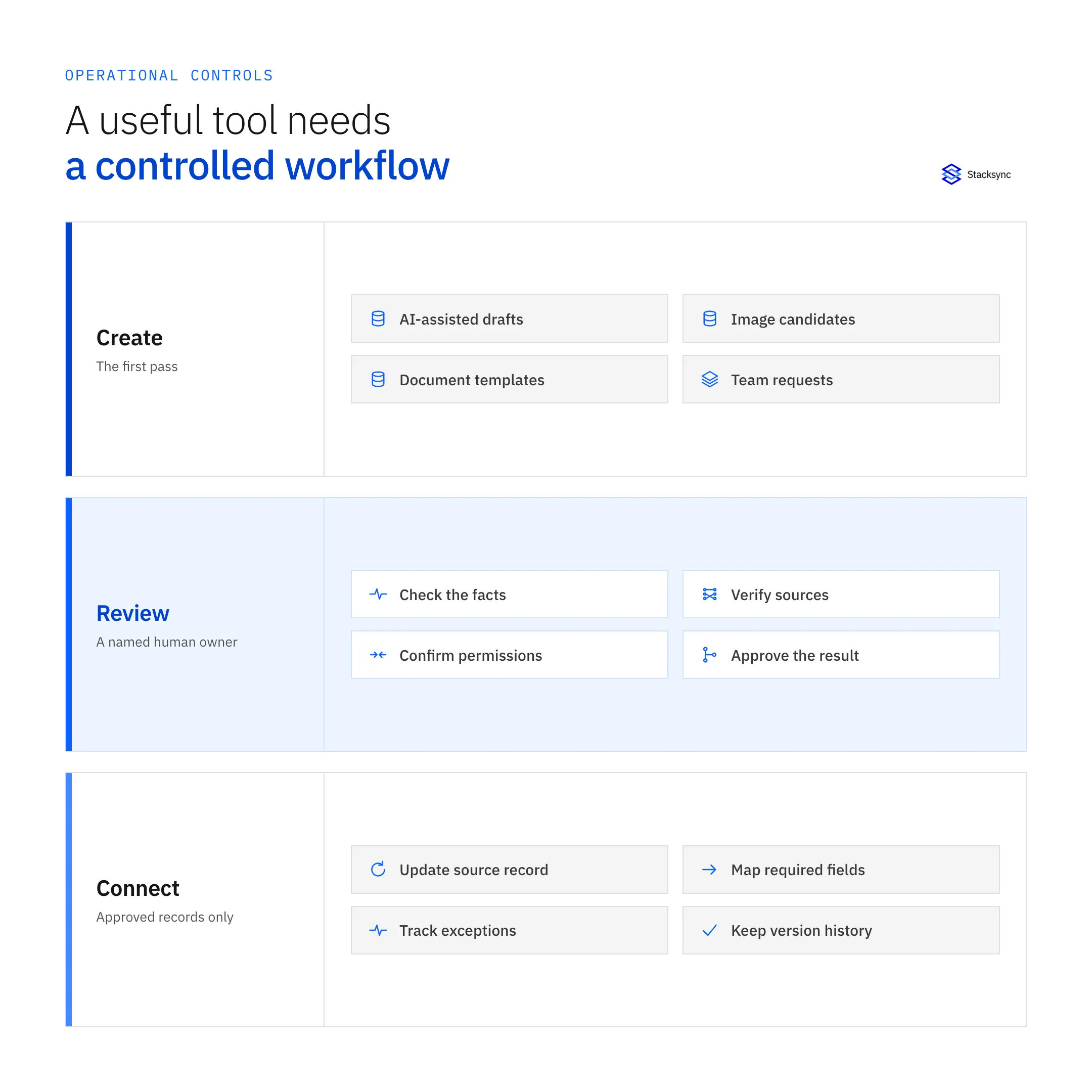
Marketing, customer support, and operations teams often write the same kinds of material repeatedly: onboarding instructions, internal summaries, product updates, and responses to common questions. AI can help turn approved source material into a first draft. Give it a clear audience, the facts it may use, and the format you need.
For example, a support lead can draft a customer update from an incident timeline rather than asking a model to invent an explanation. The reviewer then checks the dates, the affected service, the actions already taken, and what the company is actually promising. The draft saves preparation time; the source record determines whether it is ready to send.
An AI humanizer can be considered during the editing stage to revise stiff wording and improve readability. Treat the result as another draft. A more natural sentence still needs accurate facts, appropriate attribution, and human review and escalation when a claim or commitment is unclear.
- Check the claim: compare names, dates, numbers, and product statements against the approved source.
- Check the promise: confirm that deadlines, remedies, and commitments match what the team can deliver.
- Check the audience: replace generic language with instructions the reader can act on.
- Check the input: use approved tools and avoid uploading confidential customer or employee material without authorization.
Keep the original source and the final approved copy together. If a customer questions a statement later, the team should be able to explain where it came from and who approved it.
Verify visual content before it represents your business
Images travel quickly between agencies, shared drives, sales decks, and social channels. By the time an image reaches a publishing queue, its source and usage rights may be unclear. A realistic appearance does not establish that an image is authentic, licensed, or suitable for the claim beside it.
Keep a small provenance record for important assets: the original file or source URL, the person who supplied it, the permitted use, any edits, and the reviewer. A product screenshot should match the current product. A customer photo should have the appropriate permission. An illustration should not be presented as evidence of a real event.
An AI image detector can add a signal when a team is assessing whether an asset may be AI-generated. It should not be the deciding authority. Detection can miss generated images or flag legitimate ones, and a detection score does not establish copyright ownership or permission to publish.
If the origin matters and cannot be established, ask the supplier for the original asset and supporting information, replace the image, or pause publication. Record that decision in the asset library so the same questionable file is not approved again by another department. This is part of data quality and governance: keep the source, the review decision, and the approved asset connected.
Standardize documents and make approvals traceable
Agreements, onboarding forms, internal requests, and employee records create recurring administrative work. Templates can reduce repeated preparation, but a template alone does not tell a team which version is current, which fields are required, or who can approve it.
Assign an owner to each document type. Keep the approved starting version in one place, define the information it requires, and separate drafts from final documents. Store a document ID alongside the relevant customer, supplier, or employee record so people can find it without searching several inboxes.
For routine paperwork, LUMR legal forms offer a starting point for exploring document templates. The team still needs to check whether a selected form fits the transaction and jurisdiction, replace placeholders carefully, and follow a review and approval workflow before signing.
Do not treat a template library as a substitute for reviewing obligations. When an agreement creates significant commitments or the requirements are unclear, involve qualified counsel. Operationally, the key is to make that review a visible step rather than an assumption hidden inside a checklist.
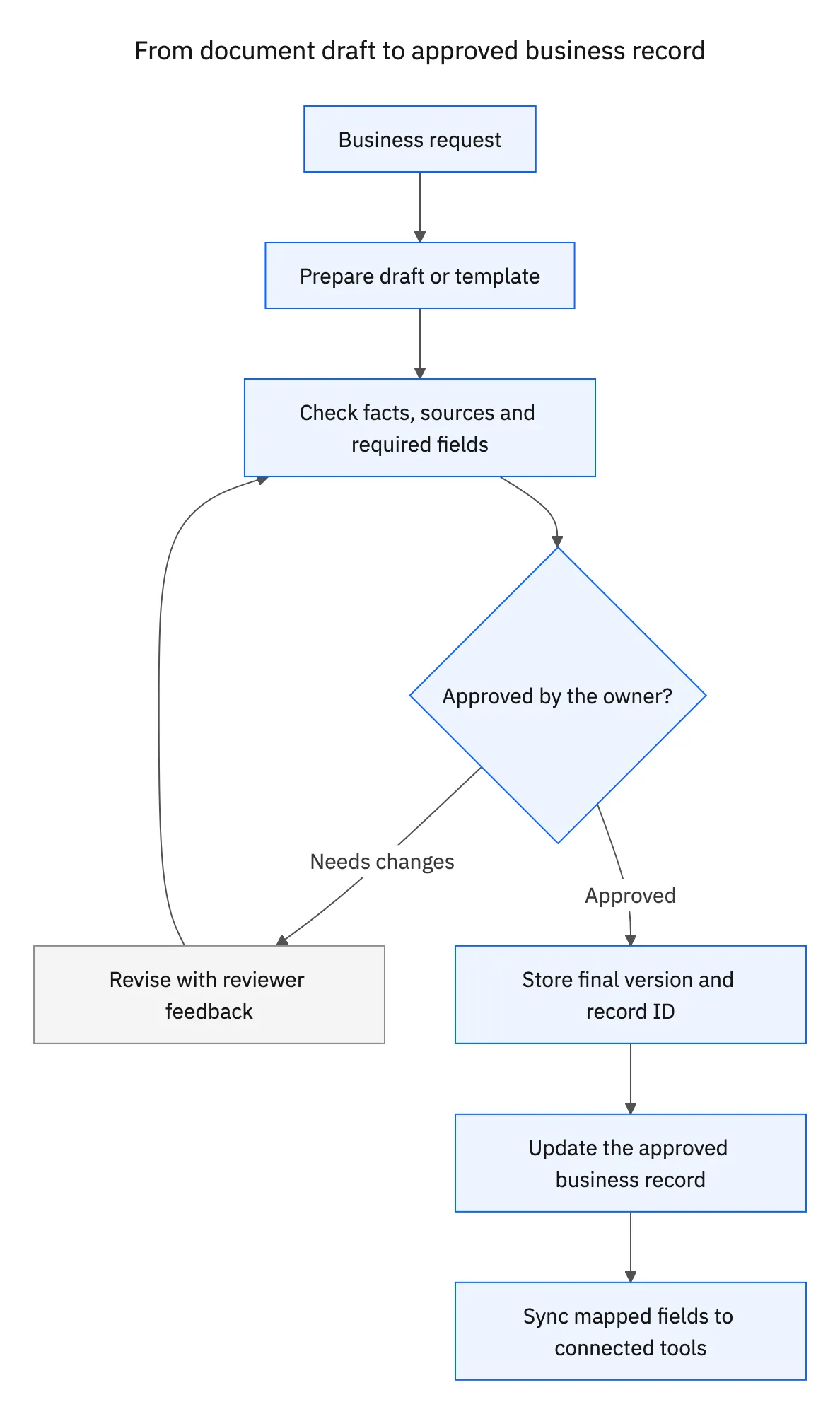
A signed document and a synchronized record are different artifacts. Keep the signed version in the document system. Send only the approved status and required fields to downstream tools. An unreviewed draft should not trigger customer onboarding or change a billing record.
Give every shared task an owner and a source record
Shared workspaces make collaboration easier when teams agree on what belongs where. A chat message can alert someone that an agreement is ready, but the message should point to the source-of-truth record that contains its status, owner, and next action. It should not become a second unofficial tracking system.
Use a simple operating agreement across departments: the project workspace holds tasks, the document system holds files and approvals, and the CRM or ERP holds the relevant business record. Link those items with stable identifiers. Avoid copying entire documents or customer profiles into every tool.
Define handoffs explicitly. In the onboarding example, sales owns the completed customer information, an authorized reviewer owns the agreement approval, and operations owns the activation checklist. If a required detail is missing, the request returns to a named owner with a reason. It does not disappear into a channel where everyone assumes someone else will act.
Training should cover these decisions as well as the software buttons. People need to know how to identify the current version, request access, correct a record, and report an exception. A written escalation path is especially useful when teams work across locations or time zones.
Connect the records behind your digital workflows
A document workflow can be well designed and still fail at the next handoff. The agreement is approved, but the CRM has an old contact address. Finance creates a duplicate customer. Operations starts from a spreadsheet copied last week. The remaining problem is how approved data moves between systems.
Start by naming the record and fields that need to move. Match customers using a stable identifier, define which system owns each field, and decide which approved status triggers the next step. Sharing the customer ID and approval status may be enough; the full agreement does not need to be copied into every application.
Two-way sync can keep selected records aligned when more than one team needs to update them. It does not mean every field should be writable everywhere. For example, sales may own the account contact, finance may own billing status, and operations may own onboarding progress. The integration must respect those boundaries.
Stacksync connects CRMs, ERPs, and databases so teams can map the records they need and keep supported changes moving between systems. Before enabling a workflow, review field mappings, account permissions, conflict handling, and the path for failed updates. Use a small, representative record set first.

Build access controls into the process
A faster workflow is only useful if the right people can access the right information. Separate permission to draft a document from permission to approve it. Limit access to sensitive employee, financial, and customer records according to the work each role needs to perform. A CRM data governance framework makes those access and ownership rules explicit across connected customer systems.
- Use multifactor authentication for supported accounts and keep individual user access separate from integration accounts.
- Review what external services receive before uploading documents or media, including their storage and retention settings.
- Keep a history of important edits, approvals, and integration failures so the team can reconstruct what happened.
- Define how access is removed when a person changes roles or leaves, and test how essential records can be recovered.
Security also depends on everyday behavior. Give employees a clear way to verify an unexpected payment request, report a suspicious message, and ask whether a tool is approved. Automating a handoff should not remove a review that protects the business from an incorrect or unauthorized change.
Roll out one improvement and measure the handoffs
A sustainable digital strategy is a sequence of observable improvements. Choose one workflow, test it with a small team, and expand only after the normal path and the exception path both work.
- 01Map the current processList the request, source records, systems, owners, approvals, and repeated data entry. Record the current turnaround time and rework.
- 02Define the smallest useful changeChoose one outcome, such as an approved agreement updating an onboarding status. Specify the fields and the person responsible.
- 03Pilot with real exceptionsTest incomplete information, rejected drafts, duplicate records, missing permissions, and a failed downstream update.
- 04Compare the result with the baselineMeasure review time, correction requests, duplicate records, and unresolved handoffs. Include any extra work the change created.
- 05Document and extendWrite down what worked, assign ongoing maintenance, and expand to the next workflow only when the first one has an owner and a recovery path.
Success is not the number of applications adopted. It is whether a customer request reaches the correct team with current information, an approved next step, and fewer avoidable corrections. Keep asking employees where work still gets stuck; the next useful improvement is often a handoff rather than a new feature.
Make digital innovation an operational habit
AI-assisted content, visual checks, document templates, collaboration tools, and data connections solve different problems. They work best together when every output has an owner, every approval is visible, and downstream systems receive the version the business has actually accepted.
Start with one process. Improve the preparation, preserve the review, and connect the approved result. That is how digital innovation becomes a more reliable way to run the business.

FAQ
Frequently asked questions










Related articles