






















Equipment EDI orders: preserve distributor kits, service lines and partial shipments
One repair kit ordered by a distributor should remain one commercial line in NetSuite, even when it ships as several components or the quantity later changes.
- Author
- Alexis Favre · Co-Founder & CTO
- Published
- Read time
- 4 min read

The operating decision
Equipment manufacturers receiving distributor EDI orders should preserve the difference between a commercial kit, its required components and any associated service. Map the partner’s order and line references to the accepted ERP representation, then retain those links through revisions and partial shipments. EDI receipt does not prove that a configured kit is compatible or complete. Business validation and the partner’s agreed acknowledgment process must reflect what the supplier can actually accept.
Explore the complete industrial equipment and machinery integration and automation hub for the systems and processes around this guide.
What this looks like in industrial equipment and machinery
A machinery business receives an aftermarket distributor order for a repair kit and a separate installation service. The ERP represents the kit using several components, one of which is unavailable. A simplistic mapping can acknowledge the full kit because its parent item exists, or accidentally count each component as another ordered kit. The intake needs an approved kit definition and a clear relationship between the distributor line and internal fulfillment records. A later quantity change must update the commercial demand without duplicating component requirements already accepted.
Records, ownership, and update rules
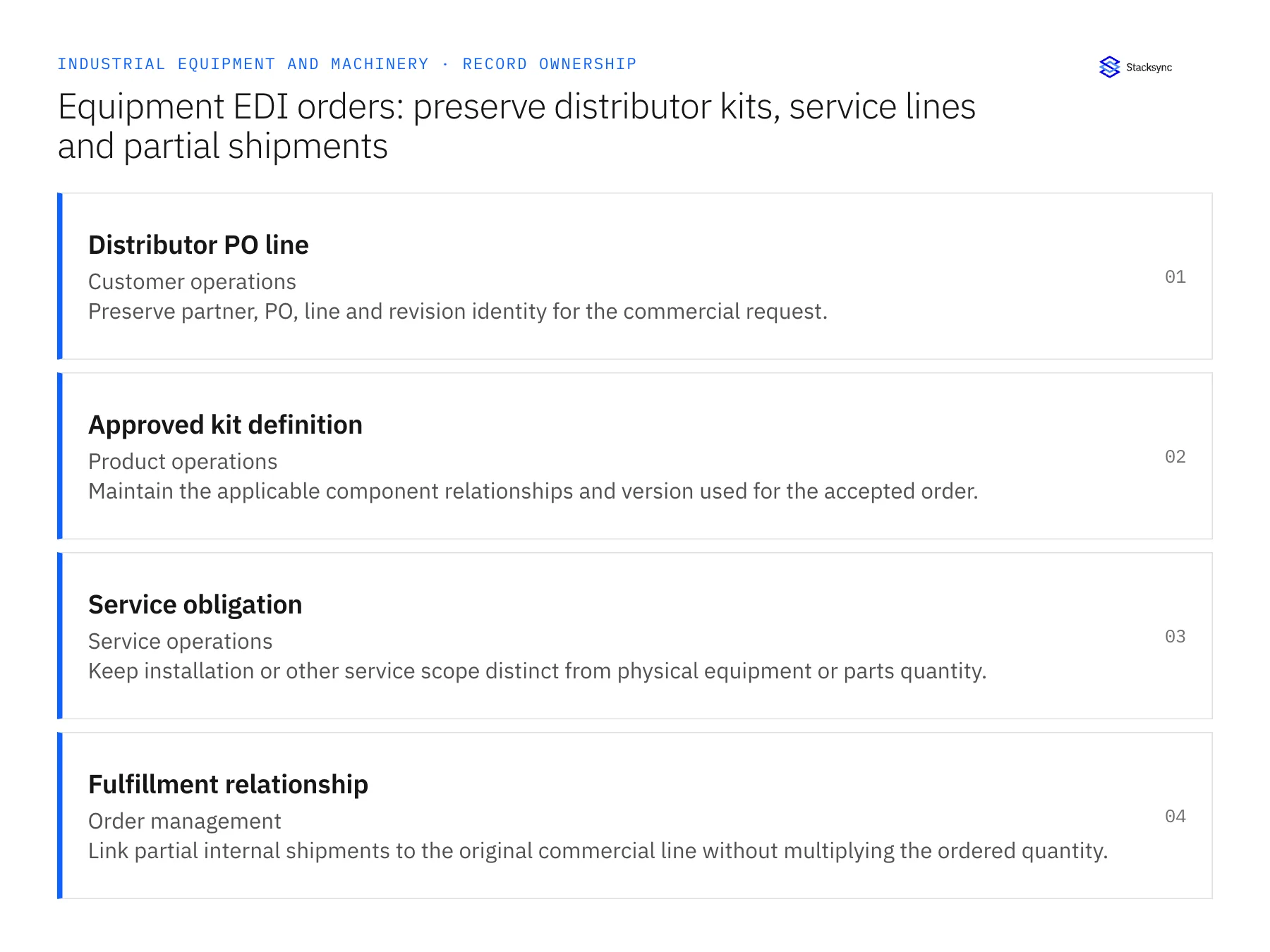
| Record | Owner | Operating rule |
|---|---|---|
| Distributor PO line | Customer operations | Preserve partner, PO, line and revision identity for the commercial request. |
| Approved kit definition | Product operations | Maintain the applicable component relationships and version used for the accepted order. |
| Service obligation | Service operations | Keep installation or other service scope distinct from physical equipment or parts quantity. |
| Fulfillment relationship | Order management | Link partial internal shipments to the original commercial line without multiplying the ordered quantity. |
Work through the process
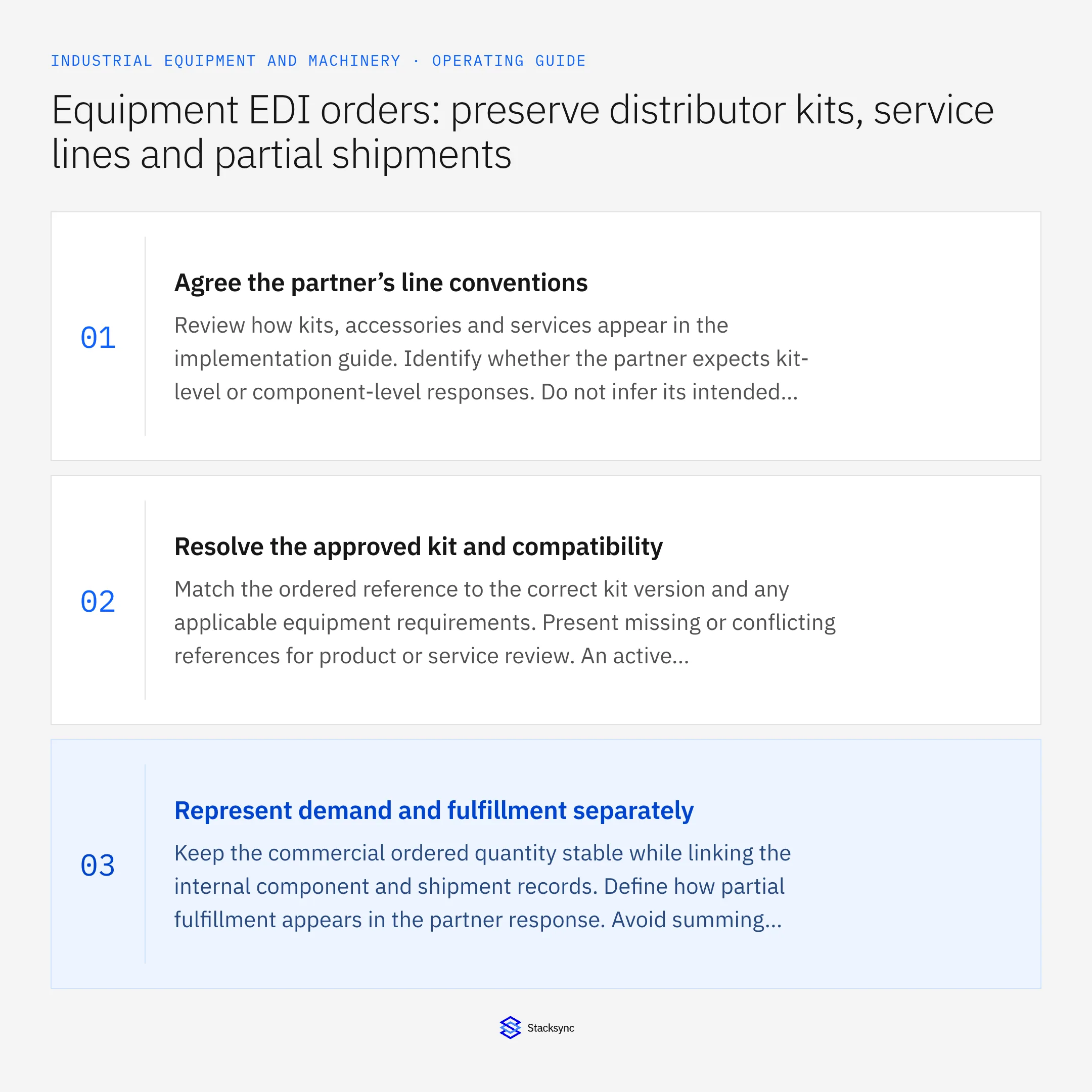
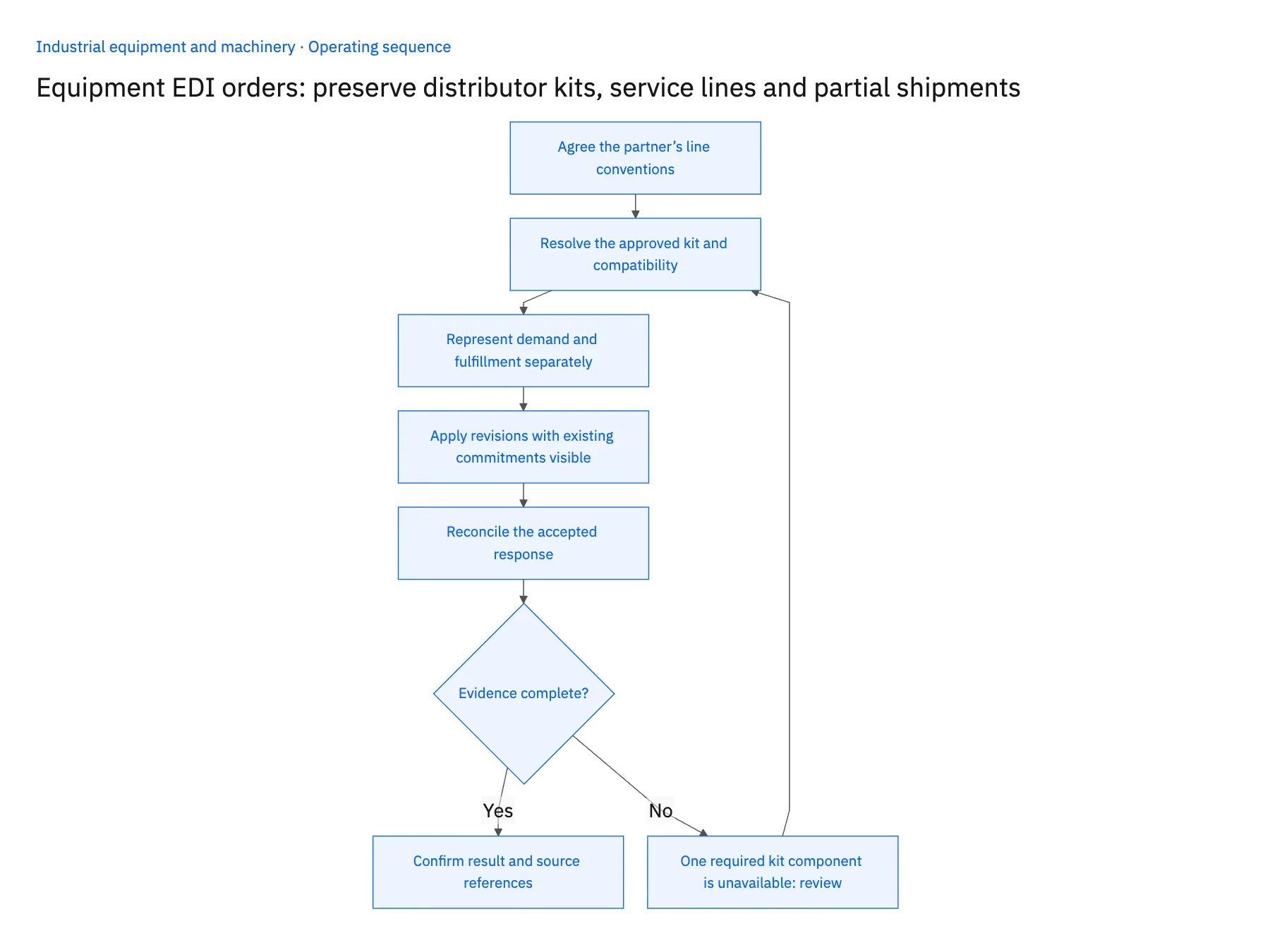
- 01Agree the partner’s line conventionsReview how kits, accessories and services appear in the implementation guide. Identify whether the partner expects kit-level or component-level responses. Do not infer its intended commercial grain from the way the ERP stores assemblies.
- 02Resolve the approved kit and compatibilityMatch the ordered reference to the correct kit version and any applicable equipment requirements. Present missing or conflicting references for product or service review. An active catalog item is not enough when the kit depends on a particular installed configuration.
- 03Represent demand and fulfillment separatelyKeep the commercial ordered quantity stable while linking the internal component and shipment records. Define how partial fulfillment appears in the partner response. Avoid summing component quantities into the number of kits the customer ordered.
- 04Apply revisions with existing commitments visibleCompare changes against the accepted line and any shipped or allocated components. Route consequential changes to order management. Repeated documents should resolve the existing order and processing ledger rather than create another set of kit requirements.
- 05Reconcile the accepted responsePrepare acknowledgments and subsequent partner messages from the recorded business outcome under the agreed process. Track response transmission separately from ERP application so a failed message delivery can be retried without recreating demand.
Handle the exceptions explicitly
One required kit component is unavailable
Keep the kit’s fulfillment constraint visible and ask the owner to approve a partial or revised commitment.
A service line arrives without a machine reference
Route the missing scope to service operations rather than treating it as an ordinary stock item.
The distributor changes a partially shipped kit order
Review the remaining obligation and commercial terms; do not reverse shipped component history automatically.
What to verify before expanding
- A kit ordered once remains one commercial demand line despite several internal components.
- Service obligations retain separate scope and ownership.
- A repeated document cannot duplicate accepted component requirements.
- The partner response reflects accepted availability and partial commitments accurately.

Connect this process to the rest of your operation
Explore Stacksync EDI and scope the records and actions against your actual systems. Book a demo with a real distributor PO line example and the exception your team handles most often, for example one required kit component is unavailable.
- Equipment manufacturers: connect Salesforce configurations to NetSuite orders
- Equipment manufacturers: connect NetSuite and Postgres machine serial history
- Equipment aftermarket: connect Salesforce parts quotes to Acumatica order status
- Human-in-the-Loop Automation: When to Escalate a Workflow to a Person
- Coordinate Closed-Won Onboarding Across Salesforce and NetSuite
The shared architecture guide covers record matching, ownership, and recovery across systems.
Technical references
FAQ
Frequently asked questions










Related articles






