






















Choosing an Enterprise iPaaS for Dynamics 365 Finance & Operations
A buyer's guide to choosing an integration platform for Microsoft Dynamics 365 Finance & Operations. It explains what separates an enterprise iPaaS from a point connector or dual-write, why real-time two-way sync matters when F&O is your system of record for orders, invoices, and the ledger, and the coverage, reliability, and security an ERP deployment should hold a platform to. Covers the OData data entities, the Data Management Framework, business events, and priority-based throttling, plus how a sync engine keeps F&O in step with your CRM, warehouse, and databases.
- Author
- Ignacio Malpartida · GTM Engineer
- Published
- Updated
- Read time
- 10 min read

When Microsoft Dynamics 365 Finance & Operations is the system of record for your orders, invoices, and general ledger, the hard part is rarely F&O itself. It is keeping every other system, the CRM that closes the deal, the warehouse that reports on it, the database your product runs on, agreeing with what F&O says. That is an integration problem, and how you solve it decides whether your operational data is trustworthy or a monthly reconciliation exercise.
An iPaaS, an integration platform as a service, is how most teams solve it without building and babysitting the plumbing themselves. But the label covers a lot of ground, from thin one-way connectors to full real-time sync platforms. This guide lays out what an enterprise iPaaS for Dynamics 365 F&O actually has to do, so you can tell the two apart.
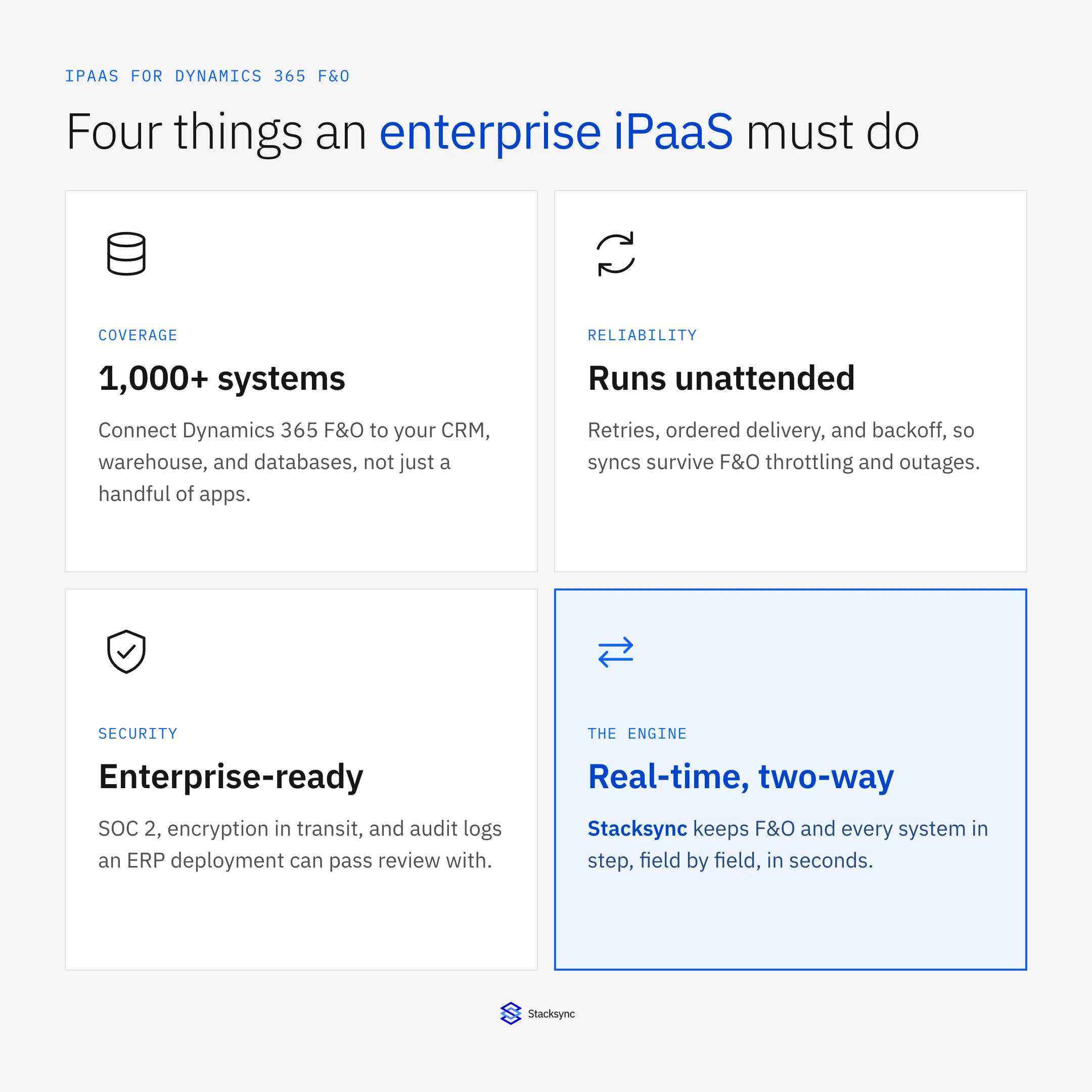
The short version: coverage, reliability, security, and a real two-way sync engine underneath. Miss any one and you are back to exports, batch jobs, and stale records. If you want the platform view of the ERP first, the Dynamics 365 connector page covers the surface area; here we focus on what makes an integration platform hold up in production.
Why real-time two-way sync is the baseline
An ERP is not a passive destination. People raise sales orders, post invoices, and register payments in F&O all day, and people touch the same customers in the CRM, the support tool, and the app database. If integration only moves data one way, the other system drifts out of date the moment someone edits a record there, and month-end turns into a reconciliation project across two versions of the truth.
Real-time two-way sync removes that gap. A change on either side is reflected on the other within seconds, and when both sides change the same field, a conflict policy decides the winner rather than the last batch silently overwriting good data. For an ERP that feeds billing, reporting, and fulfillment, that consistency is the baseline, not a premium feature. It is also what separates an iPaaS built for a system of record from one built to copy data into a dashboard.
What the platform looks like underneath
It helps to picture an enterprise iPaaS as three layers. At the top are your systems, Dynamics 365 F&O next to your CRM, warehouse, and databases. In the middle is the sync engine that keeps them in step. At the bottom is the reliability layer that lets the whole thing run unattended.
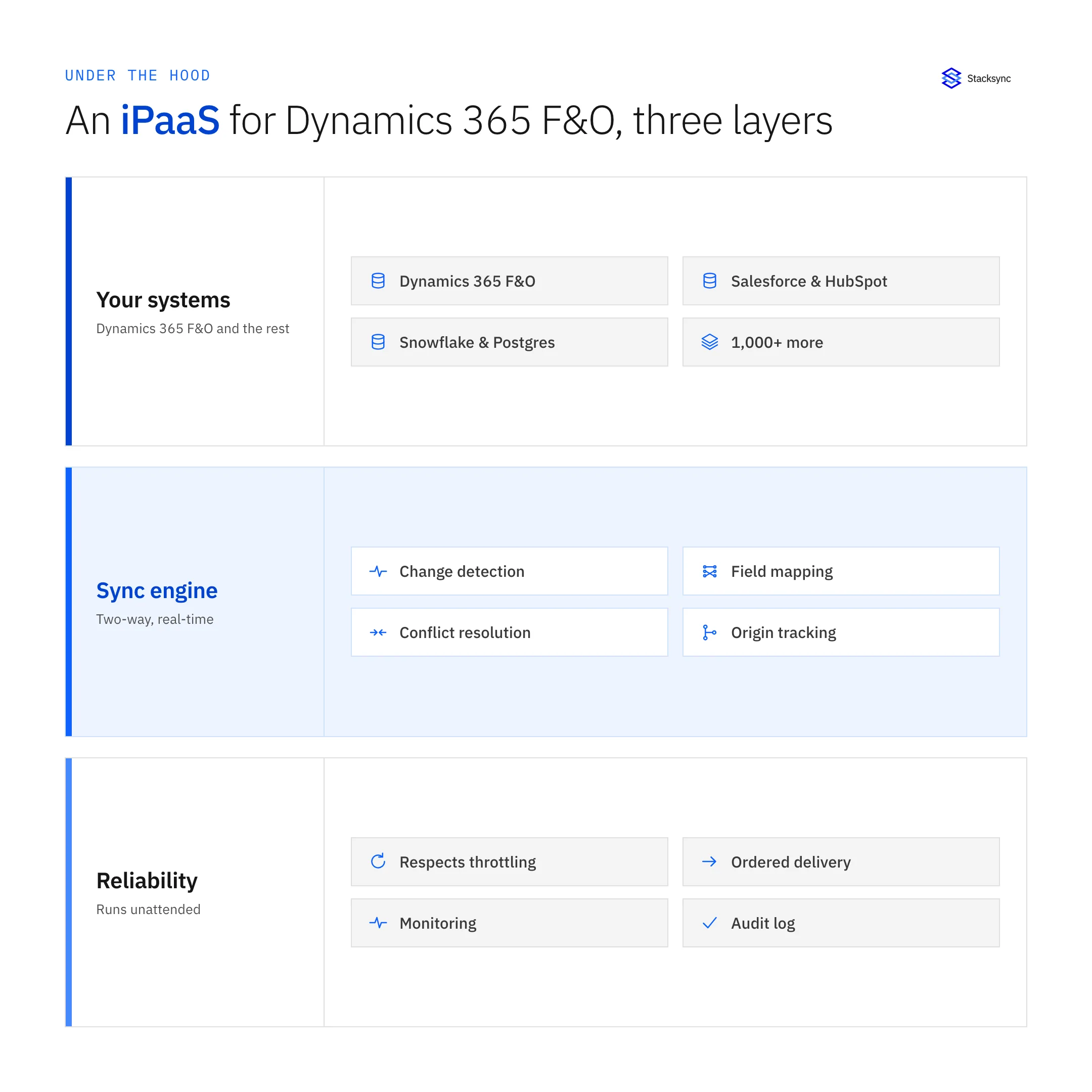
The engine layer is where the real work happens: field-level change detection so only what changed moves, origin tracking so a write does not echo back around, field mapping between two different schemas, and conflict resolution under one shared policy. The reliability layer is what makes it enterprise-grade: it respects F&O throttling, delivers changes in order, retries with backoff, and keeps a monitorable audit log. A tool that has the top layer but not the two below it is a connector, not a platform.
How F&O exposes its data, and where it throttles
Dynamics 365 F&O exposes its data mainly through OData data entities and the Data Management Framework, with business events to notify you when something happens, such as an invoice being posted. Integration reads and writes through those entities, and F&O applies priority-based throttling: when a client sends more requests than its allocation, the endpoint returns HTTP 429 with a Retry-After header. This is the single most common thing that breaks a naive F&O integration.
Microsoft's own dual-write links F&O to Dataverse in real time, which helps when the other system is a Dynamics 365 customer engagement app. It does not reach Salesforce, Snowflake, Postgres, or HubSpot, and it covers a limited set of entities. A broad iPaaS picks up where dual-write stops, and it treats the throttling as a design constraint rather than an afterthought.
| Nightly DMF export | Field-level two-way sync | |
|---|---|---|
| What moves | Whole data packages, every run | Only the fields that changed |
| API pressure | High, trips priority-based throttling | Low, stays well under limits |
| Freshness | Stale until the next batch | Seconds behind the change |
| Write-back to F&O | A separate job to build | Built in, both directions |
| When throttled (429) | The job fails, you re-run it | Backs off on Retry-After, retries on its own |
Why a field-level two-way sync survives the throttling that breaks a full DMF export.
An enterprise iPaaS moves the minimum data, spaces requests out, and honors the Retry-After header when F&O signals it is close to a limit. The result is a sync that keeps up in real time without ever getting your F&O environment throttled.
Connecting F&O to the rest of the stack
The reason to run one platform instead of a folder of point scripts is that a single engine can hold F&O in step with everything at once. The same two-way sync that keeps F&O and your CRM consistent also keeps it consistent with the warehouse and the app database, each configured on its own but running on the same engine.
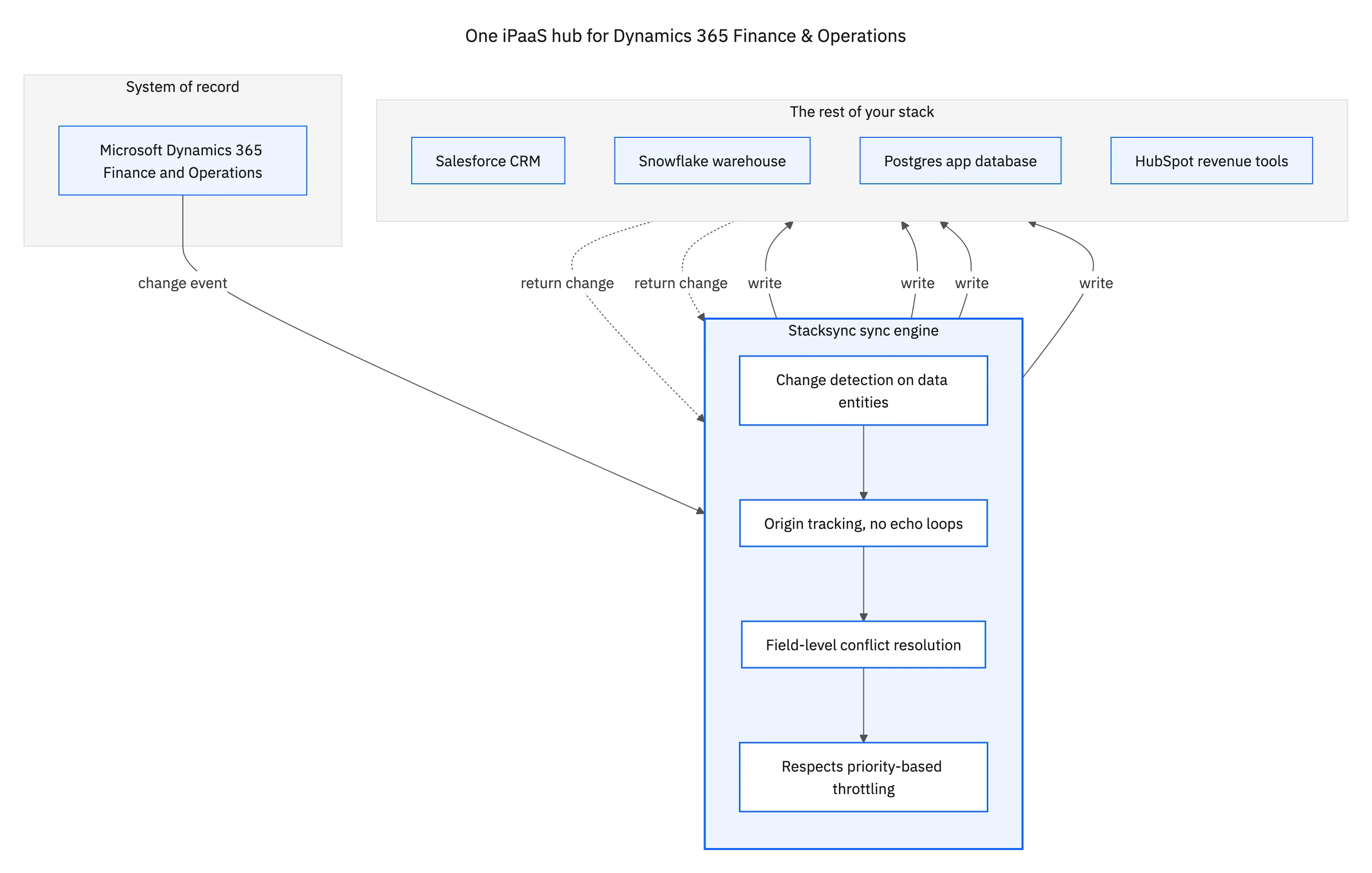
That fan-out is where the coverage requirement earns its place. If the platform only connects F&O to a short list of popular SaaS apps, you will hit the one system it does not cover within a quarter. A broad iPaaS connects F&O to more than a thousand systems on the same engine, so adding the next one is configuration, not a new project. Specific pairings each have their own guide: F&O and Snowflake, F&O and PostgreSQL, F&O and Salesforce, and F&O and HubSpot.
How to evaluate one
When you compare platforms, push past the connector list and test the four things that decide whether it holds up. Ask each vendor to sync an F&O entity both ways in a sandbox, then edit the same record on both sides at once and watch how the conflict is resolved. That one test tells you more than a feature grid.
- Coverage. Does it connect F&O to your CRM, warehouse, and databases, or only to a handful of SaaS apps?
- Direction and speed. Is it genuinely two-way and real time, or a batch export on a schedule dressed up as a sync?
- Reliability. Does it respect F&O throttling, retry on a 429, deliver in order, and give you monitoring and an audit log?
- Security. SOC 2, encryption in transit, role-based access, and logs your security review can actually pass.
If a platform can do all four for one pairing, it can usually do them for the rest of your stack, because the same engine handles each one. That is the whole promise of an iPaaS: you solve the integration once and reuse it, instead of rebuilding it per system.

Apply this in manufacturing: legal entity and order and order line
Manufacturing order-line visibility is a concrete Dynamics 365 F&O integration requirement to evaluate. The SQL Server example preserves legal-entity and order-line identity and separates an operational view from permission to revise an accepted finance or production record.
| Record to reconcile | Responsible owner | Rule to preserve |
|---|---|---|
| Legal entity and order | ERP administration | Include the company context with the document key; visible order numbers may not identify a transaction across companies. |
| Order line | Order management | Retain line identity independently from its display position so inserted or reordered lines do not become different demand. |
| Operational projection | Planning analytics | Document the SQL table’s grain and refresh logic; derived capacity or readiness values are not ERP facts. |
An exception to plan for: Same order number in two companies. Use company plus document and line identity. Quarantine ambiguous historical rows until their legal-entity context can be recovered. Acceptance check for the pilot: two companies with an identical displayed order number remain separate in SQL.
The manufacturing hub connects the broader operating context. These guides develop the specific record mappings and decisions for this application:
One platform, held to a real bar
An enterprise iPaaS for Dynamics 365 F&O is not a connector with a nicer logo. It is coverage across your real systems, real-time two-way sync as the default, reliability that survives F&O throttling, and security a review can pass. Hold every candidate to those four, and the field narrows quickly.
Stacksync was built to clear that bar: real-time two-way sync, more than a thousand connectors, field-level conflict resolution, and the reliability layer that keeps it running unattended. To see it hold Dynamics 365 Finance & Operations in step with the rest of your stack, book a demo.

FAQ
Frequently asked questions










Explore these integrations and topics
Related articles





