






















Live Order and Invoice Data From Dynamics 365 F&O in HubSpot
A guide to running a real-time sync between Microsoft Dynamics 365 Finance & Operations and HubSpot so the revenue team sees financial truth as it changes. It explains why order and invoice status belongs on the HubSpot company and deal, what real time actually requires, business events and change tracking on the F&O side and webhooks on the HubSpot side, and how a two-way sync keeps the two in step without echo loops.
- Author
- Ignacio Malpartida · GTM Engineer
- Published
- Read time
- 9 min read

HubSpot is where the revenue team lives: deals, renewals, customer success. Dynamics 365 F&O is where the money is actually made: orders, invoices, payments. When those two are a nightly sync apart, a CSM chases a renewal for a customer who is 60 days late on an invoice, and finance has no idea a churn risk is being worked. Real-time sync is what puts the financial truth in front of the revenue team while it still matters.
This guide is about the real-time part specifically: why real time is a design choice rather than a setting, what it takes to move an F&O order or invoice change into HubSpot in seconds, and how the two stay in step both ways without looping.
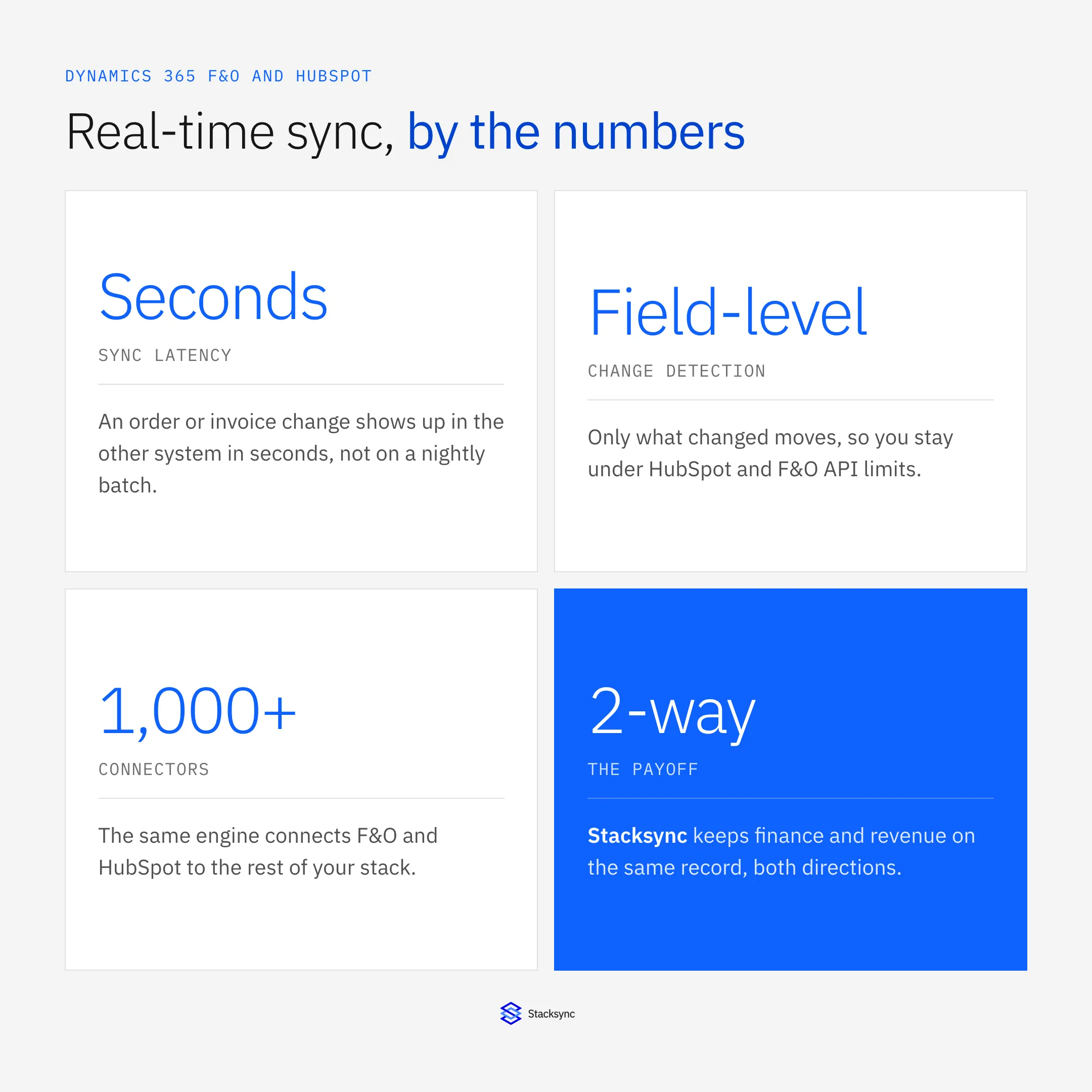
The setup assumes a real-time sync platform such as Stacksync between F&O and HubSpot. The Dynamics 365 connector and HubSpot connector pages cover the surface; here we focus on keeping the two current.
Why financial status belongs in HubSpot
The revenue team makes decisions on money it cannot see. Renewals, upsells, and collections all depend on where a customer stands: what they have ordered, what has been invoiced, what is overdue. That lives in F&O, and if HubSpot only learns it once a night, the team is always acting on yesterday.
Putting order and invoice status on the HubSpot company and deal changes that. A CSM sees an overdue balance before the renewal call. A rep sees that the last order shipped before pitching the next one. Finance sees, in the CRM, which accounts the revenue team is actively working. The data was always in F&O; real-time sync is what makes it usable.
What real-time actually requires
Real time is not a checkbox. It requires catching a change the instant it happens, not polling on a timer, and applying it in seconds without overwhelming either system.
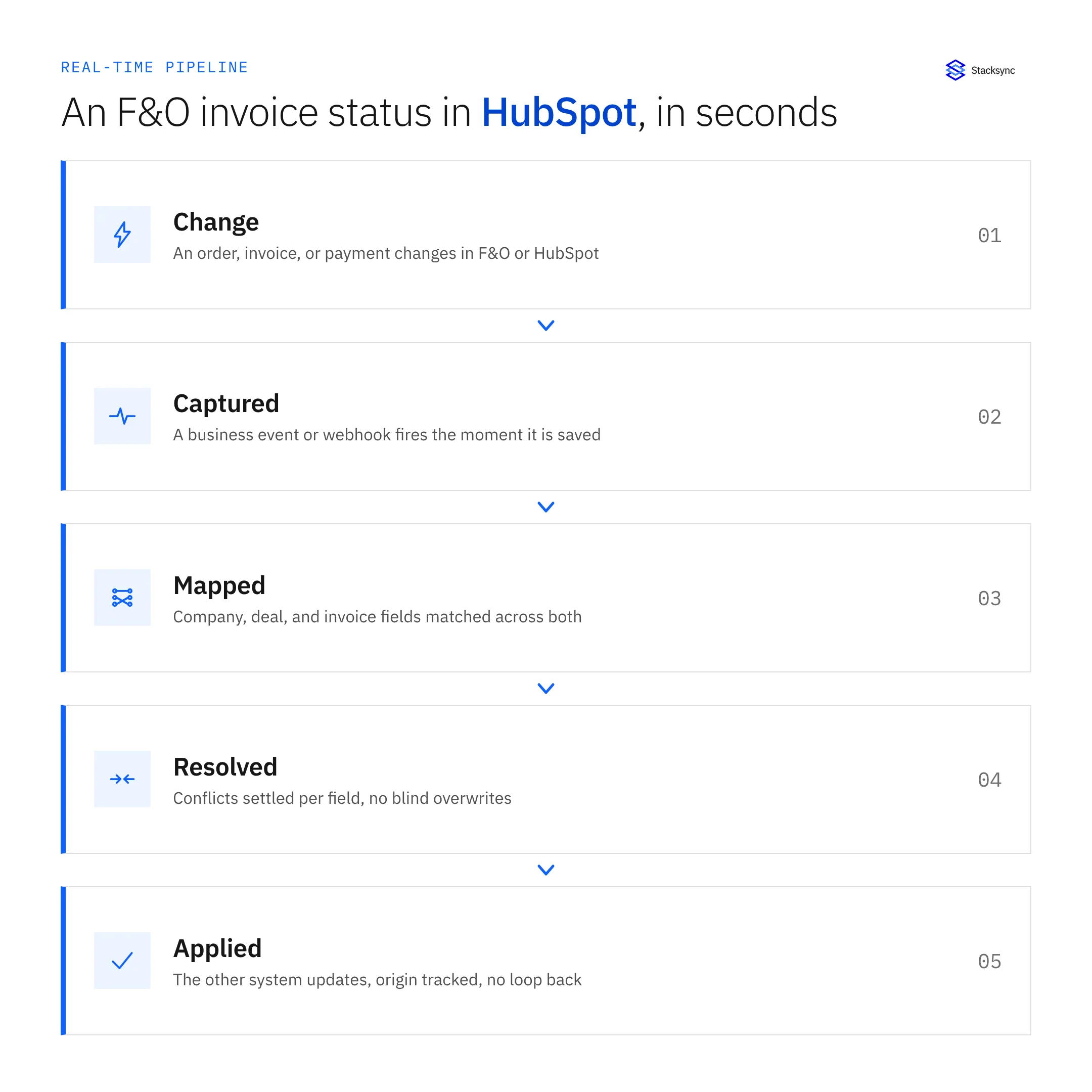
On the F&O side, that means business events and change tracking on the data entities, so a posted invoice or a registered payment fires immediately rather than waiting for the next scan. On the HubSpot side, it means webhooks. In the middle, the engine detects which fields changed, maps them, resolves conflicts, and applies the write, all while staying under both systems' API limits. Miss any of those and real time quietly becomes every few minutes, if nothing errors.
The round-trip, both ways
Real-time sync is two-way, so it is worth watching one full round-trip between the two systems.
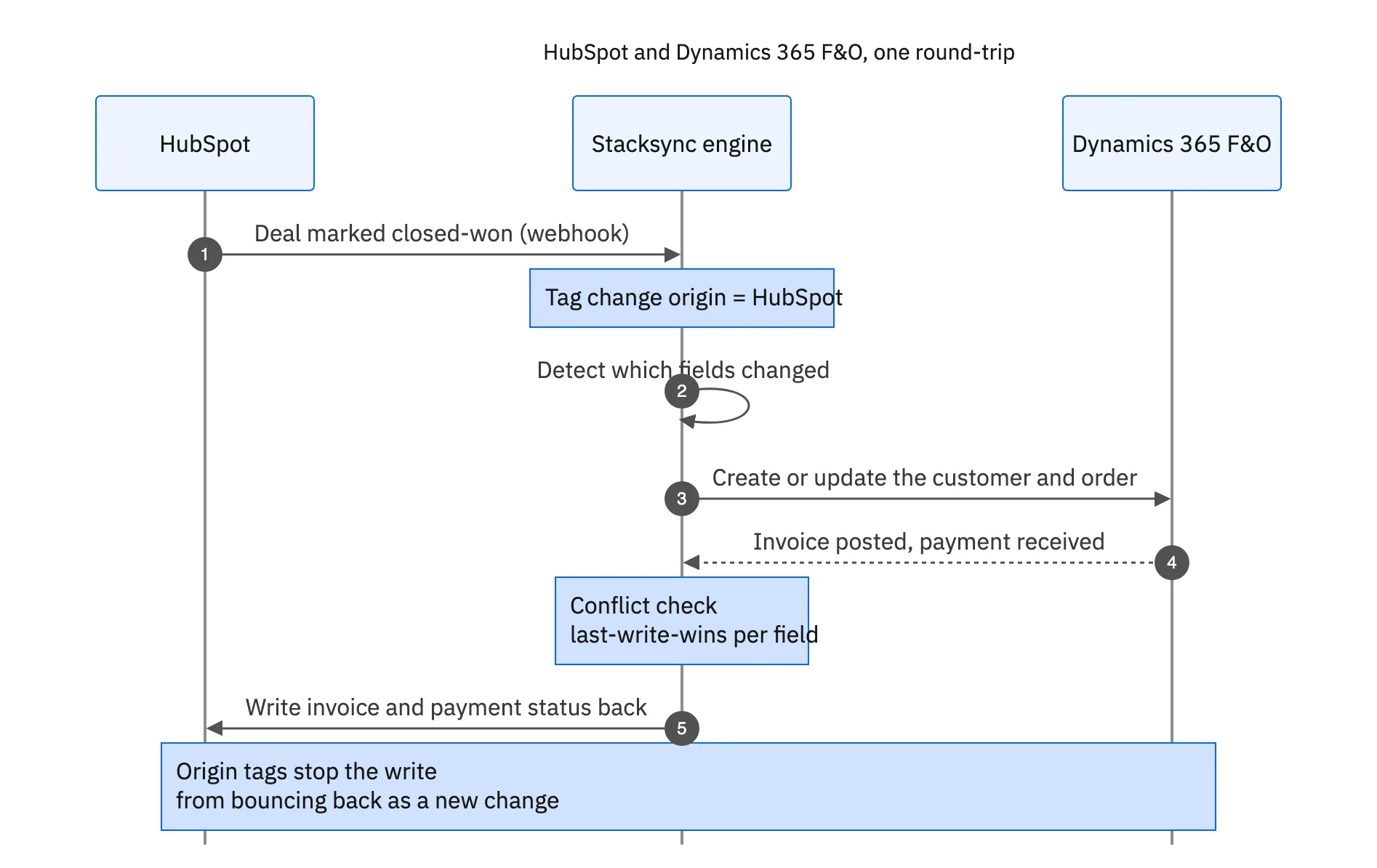
A deal marked closed-won in HubSpot fires a webhook; the engine tags its origin, detects the changed fields, and creates or updates the customer and order in F&O. When F&O posts the invoice and registers the payment, that status is written back to HubSpot. The origin tags are what keep the write-back from bouncing around as a new change, so a continuous two-way sync stays clean instead of looping. It is the same engine that runs the F&O and Salesforce order-to-cash sync.

Real-time vs batch
The alternative is a nightly batch, and for a monthly finance report it is fine. For a revenue team making calls today, the table shows what the gap costs.
| Nightly batch | Real-time sync | |
|---|---|---|
| Financial status in HubSpot | Up to a day old | Seconds behind F&O |
| Renewal calls | Blind to overdue balances | See the balance first |
| Change capture | Polls on a timer | Business events and webhooks |
| Load on F&O | Full pulls trip throttling | Only changed fields |
| Direction | One way, usually | Two-way, origin-aware |
For a monthly report, batch is fine; for a call happening today, seconds beats last night.
The gap between last night and seconds ago is the whole point. A revenue team is making calls today about customers whose status changed this morning, and only a real-time sync gives them the version of the truth that is actually current.
Finance and revenue, on the same record
A real-time sync between Dynamics 365 F&O and HubSpot puts the financial truth, orders, invoices, payments, in front of the team that acts on it, the moment it changes. Capture the change at the source, apply it in seconds, and keep it two-way so neither side drifts, and finance and revenue finally work from one record.
Stacksync delivers that: business-event and webhook capture, field-level mapping, and origin-aware two-way sync between F&O and HubSpot, all under both systems' API limits. To keep your own F&O and HubSpot current, book a demo.

FAQ
Frequently asked questions










Explore these integrations and topics
- connectorHubSpot integrations
- connectorDynamics 365 F&O integrations
- connectorMicrosoft Dynamics 365 integrations
- platformCRM synchronization
- platformCRM and ERP integration
- CRM synchronization guidesConnect customer records across sales, marketing, and operational systems.
- CRM and ERP integration guidesPlan account, order, invoice, and payment flows between commercial and finance teams.
Related articles






