







Collect the approved packet
Match the exact shade, size, and set to controlled product and packaging sources with version references.
Stacksync MCP is here. Give Claude, Cursor, and any MCP client governed access to your syncs, workflows, and connections.
Set up MCP Salesforce
  HubSpot
  NetSuite
  Zendesk
  Microsoft Dynamics 365 Sales
  Dynamics 365 F&O
  Attio
Attio  Pipedrive
  Zoho CRM
  Campfire
  Rillet
  Front
Front  Shopify
  Amazon Seller Central
  SendGrid
 Personal care
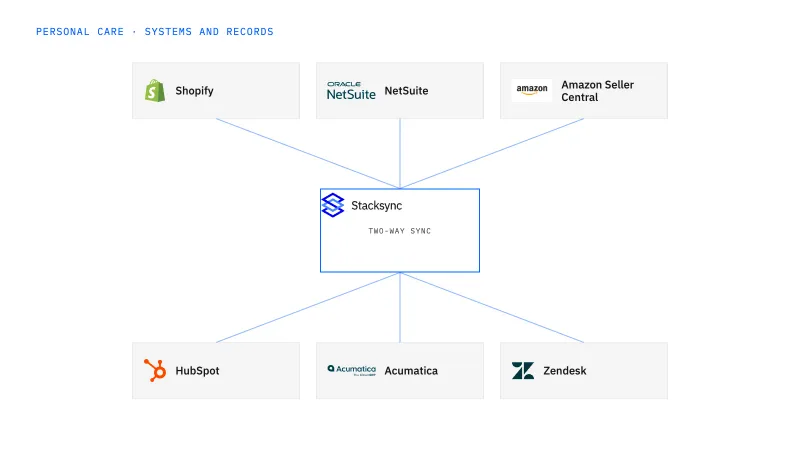
Configure a Genie to assemble approved product sheets and packaging data for a retailer’s exact personal-care assortment. This fits teams that repeatedly search files and system records to answer onboarding requests. The agent identifies verified information and gaps for the account and product owners to review.
Retailer forms require item-specific details that are scattered across product files, packaging revisions, and ERP records.
Explore your process in a demo, or get our shared two-way sync architecture guide.
When this fits
Personal-care and beauty brands combining product manufacturing, ecommerce, salons, and retail distribution.
Match the exact shade, size, and set to controlled product and packaging sources with version references.
Identify gaps and ambiguous packaging levels before the retailer receives an unsupported answer.
The Genie reads the retailer request, resolves each described item against the NetSuite item list, and pulls approved product sheets and packaging records with their version IDs and packaging level. It drafts the packet and a reply that lists every open gap. It does not send the reply through Gmail, certify compliance, or estimate a missing dimension; the account reviewer approves delivery.
The process, end to end
A retailer asks for dimensions and pack data for several shades and a seasonal set. A demo should show each requested field linked to the correct product and packaging level, plus an intentionally missing specification that the Genie routes to the product team instead of estimating.
Scope your implementation
Review current platform pricing alongside the records, volume, and actions in your process. Use your own operating baseline to evaluate the economics.
Explore your process in a demo, or get our shared two-way sync architecture guide.
From foundation to action
Keep shared customer, order, and operational records aligned, with clear field ownership.
Explore two-way sync 02Move approved work between systems, assign exceptions, and confirm the result.
Explore workflows 03Investigate cross-system questions, assemble the evidence, and prepare the next action.
Explore ai agents (genies) 04Connect trading-partner documents to operational records and exception handling.
Explore ediGo deeper
The onboarding Genie assembles a reviewable packet from approved sources, labels each dimension by packaging level, and hands open gaps to the product owner instead of guessing.
Conflicting product sheets, unlabeled packaging levels and absent specs halt the onboarding job with both candidates visible until a product owner names the authoritative source.
Explore all personal care integration and automation guides ↗
It should not present estimates as approved specifications. It can request the measured, authoritative value and keep the gap visible until the owner resolves it.
It uses the approved effective version and leaves the superseded sheet out of the packet, then flags any open retailer order that the change affects for the product owner. If two files both carry an approved mark and disagree, for example a promotional set and the regular bottle, the Genie keeps both values with their units and versions, blocks the affected field, and asks the product owner which source is authoritative. Once resolved, dependent pack totals and retailer rows are rechecked before the reviewer sees the packet.
No. Start with two-way sync so the NetSuite item list and the approved packaging records in Postgres agree on one identity for every shade, size, and set, since the packet cites those records rather than reconciling them. Add workflows to route each retailer request and the resulting gap report to the product team and account reviewer with a clear approval step. The Genie then assembles the packet on top of that. EDI comes last, once the onboarded retailer starts sending orders under its own item numbers.


