Two-Way Ticket Sync Between Zendesk and ServiceNow: Bridging Two Support Orgs
When your support team runs Zendesk and your enterprise customer runs their own ServiceNow, every ticket gets re-keyed by hand and updates lag on both sides. A two-way ticket bridge keeps tickets, statuses, and comments in step between the two helpdesks automatically. This is a support-to-support integration, separate from any CRM sync, and here is how it works.
- Author
- Ignacio Malpartida · GTM Engineer
- Published
- Read time
- 9 min read

Here is a support problem that has nothing to do with your CRM. Your team runs Zendesk. One of your larger customers runs their own IT service desk, usually ServiceNow, and they expect issues to be tracked in their system, not yours. So every ticket gets entered twice: once in their helpdesk, once in yours, and then someone copies each update across by hand.
That double entry is slow and it drifts. A status changes on one side and not the other, a comment is added in one system and never makes it across, and both teams end up unsure which record is current. A two-way ticket bridge fixes it by keeping the paired tickets in step automatically, so a change on either side shows up on the other within seconds.
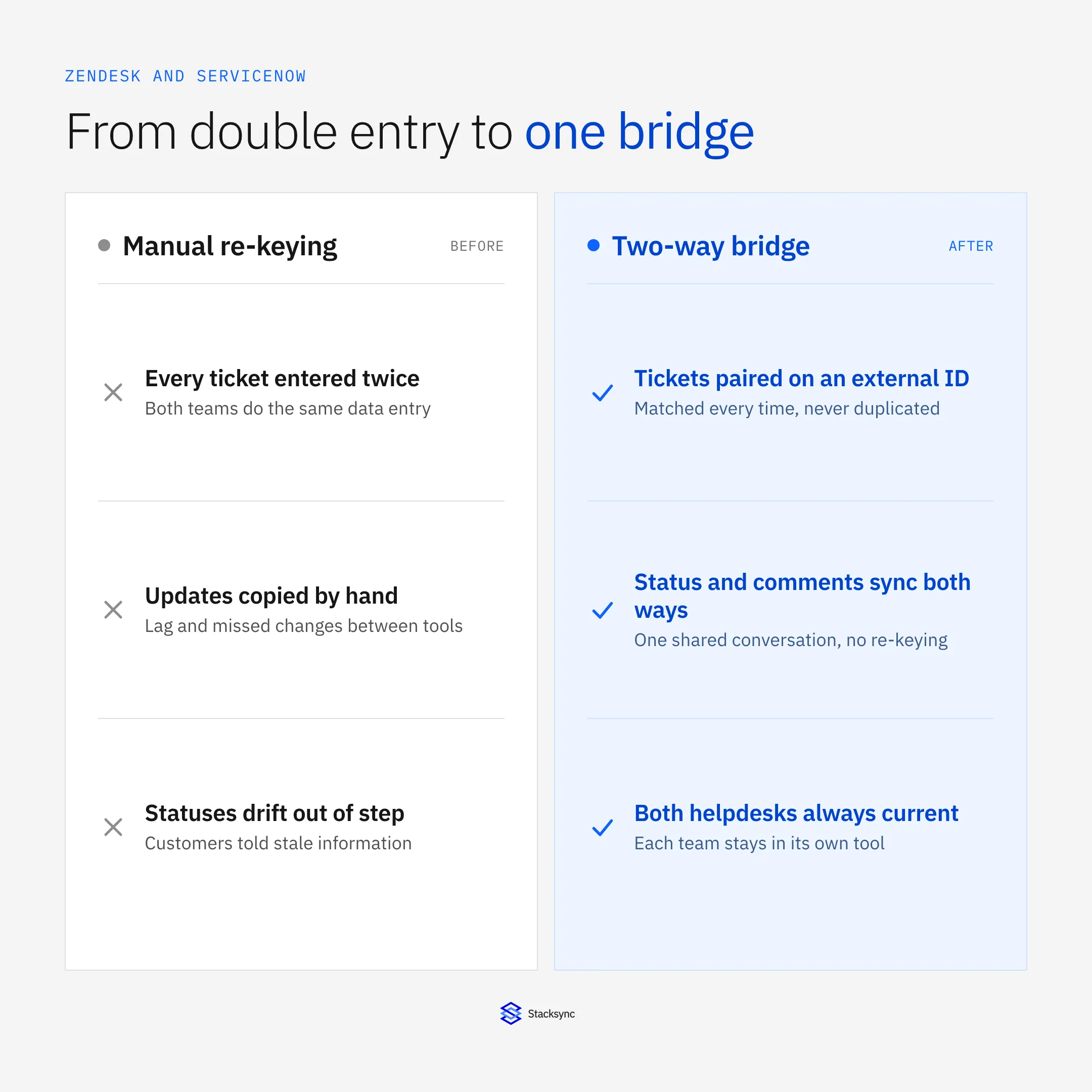
This guide covers what a two-way ticket bridge actually does, how statuses and comments map between two different helpdesks, how to keep updates from looping, and why this is a support-to-support integration that is separate from any CRM work you may also be doing.
The real problem: two support orgs, two systems
The situation is specific. Two organizations are working the same issues from opposite sides. Your support agents live in Zendesk. The customer's IT or support team lives in ServiceNow, and their process, SLAs, and reporting all assume tickets exist there. Neither side is going to abandon its own helpdesk, and neither wants to log into the other's.
Without a bridge, the gap is filled by people. Someone reads a ticket in one system and types it into the other, watches for updates, and copies them across. It works until volume rises or an update is missed, and then the two records disagree and a customer is told something that is already out of date.
| Manual re-keying | What it costs |
|---|---|
| Every ticket entered twice | Duplicate effort on both support teams |
| Updates copied by hand | Lag and missed changes between systems |
| Two records, no link | No single source of truth for the issue |
| Status read across tools | Customers told stale information |
What it costs to run two helpdesks with a person in the middle instead of a bridge.
What a two-way ticket bridge does
A bridge pairs each ticket across the two helpdesks and keeps the pair in step. Your team keeps working in Zendesk and the customer keeps working in ServiceNow; the sync layer sits between them, translating each change into the other system's shape and applying it. No one logs into the other side.
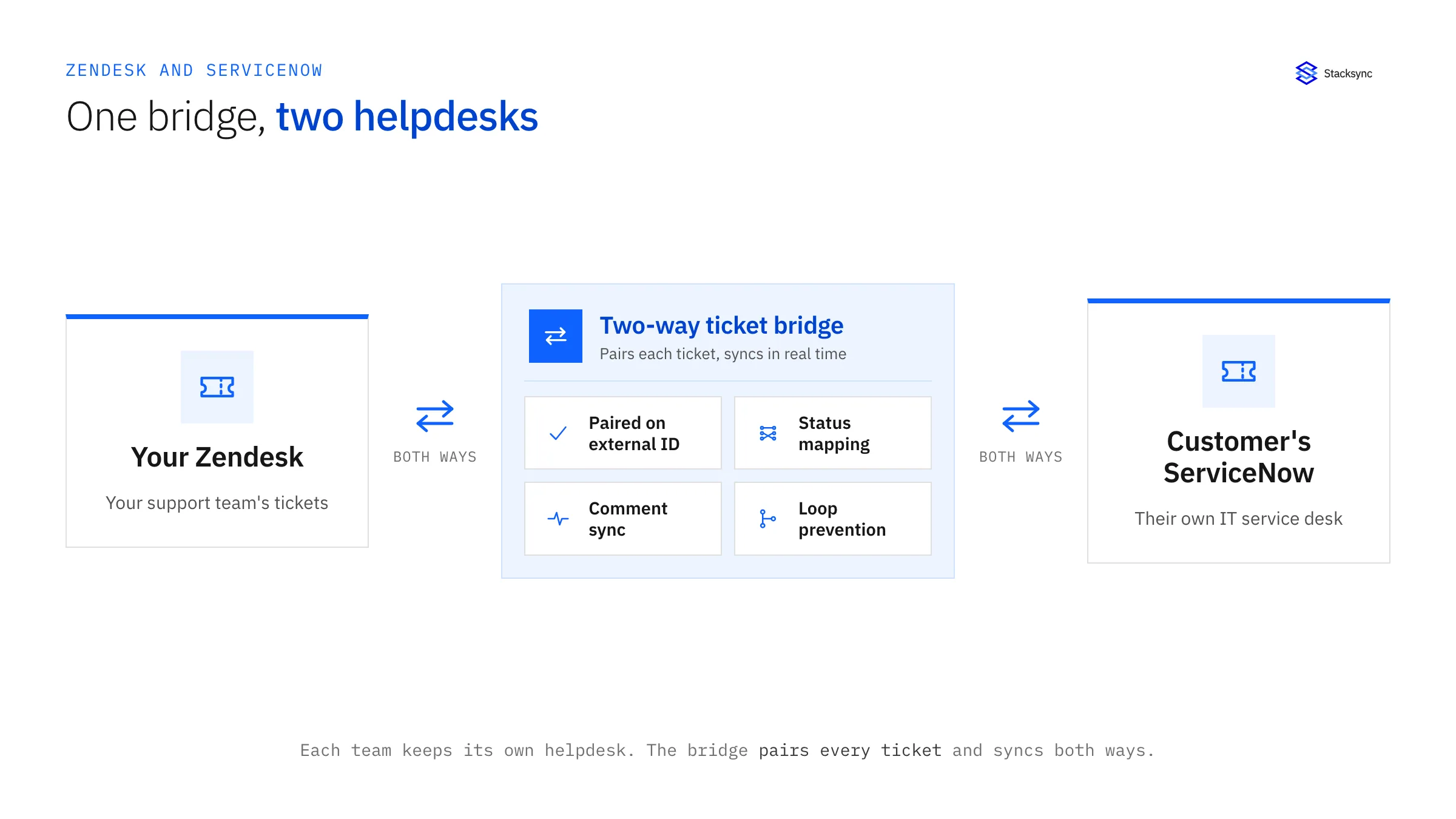
The core of it is the pairing. Each Zendesk ticket is linked to its ServiceNow counterpart by a stable external ID stored on both records, so the two stay matched over time and an update lands on the right ticket instead of creating a duplicate. On top of that pairing, the bridge maps the fields that should be shared, translates the status models to each other, and carries comments across so both teams read the same conversation.
Keeping both directions honest: status, comments, and loops
Two-way sync between two ticketing systems has three details that decide whether it is trustworthy: status mapping, comment sync, and loop prevention. Get them right and the bridge is invisible; get them wrong and it is worse than manual.
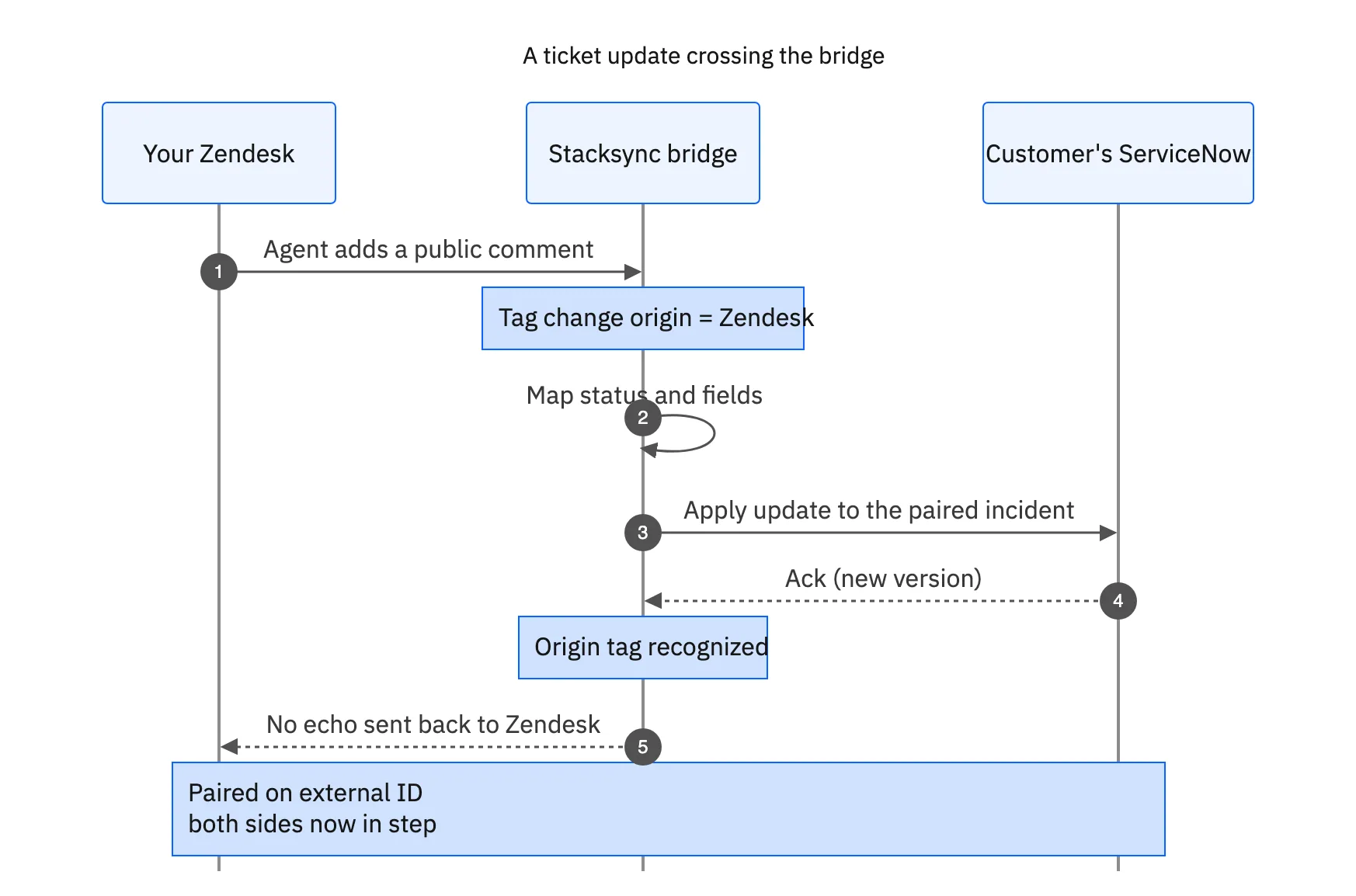
Status mapping handles the fact that the two systems use different vocabularies. You define which Zendesk status maps to which ServiceNow state, and the bridge applies it on every sync. Comment sync keeps the conversation shared, with a rule for which comments are public and cross to the other side versus internal notes that stay put. Loop prevention is origin tracking: when the bridge writes into ServiceNow it tags the change as coming from the sync, so the echo of that write is recognized and not resent to Zendesk.
| Zendesk | ServiceNow | How it maps |
|---|---|---|
| Ticket | Incident | Paired on a shared external ID |
| Status (New, Open, Pending, Solved) | State (New, In Progress, On Hold, Resolved) | Translated through a mapping table |
| Public comment | Work note / comment | Synced both ways; internal notes stay put |
| Priority | Priority / urgency | Mapped to each side's scale |
A typical Zendesk to ServiceNow ticket field map. Statuses are translated, not assumed equal.
This is a support-to-support integration, not a CRM sync
It is worth being precise about what this is, because it is easy to fold into a CRM conversation and lose the point. Connecting Zendesk to a CRM like Salesforce is about giving one company's teams a shared view of a customer account. A ticket bridge between Zendesk and ServiceNow is about connecting two support organizations, frequently two different companies, so an issue raised in one is worked in the other.
The systems, the data model, and the owner are different. This is a cut-and-dry connection between two helpdesks, and treating it as its own project keeps it simple. If you also want support agents to see CRM and billing context on a ticket, that is a separate and complementary piece, covered in giving agents full customer context. And if your need is routing incoming tickets to the right internal team rather than bridging to an external one, see auto-routing support tickets. For ServiceNow syncs beyond ticketing, see bi-directional ServiceNow sync.

Setting up a ticket bridge
The setup is a short list of agreements between the two teams, then the sync enforces them.
- 01Agree the field mapDecide which fields are shared across the bridge and which stay local to each helpdesk, including subject, description, priority, and any custom fields.
- 02Pick the match keyChoose a stable external ID stored on both the Zendesk ticket and the ServiceNow incident so the pair stays linked and nothing duplicates.
- 03Map the statusesBuild the translation table between the two status models so a change on one side lands as the right state on the other.
- 04Decide comment and attachment rulesSet which comments are public and cross over versus internal, and how attachments and SLAs are handled on each side.
- 05Turn on two-way sync with origin trackingEnable the real-time sync so updates flow both ways, with origin tracking preventing loops between the systems.
Because the rules live in the sync layer, both teams keep their own tool and their own process, and the bridge quietly keeps the shared tickets honest.
Bringing it together
When two support organizations work the same issues from two different helpdesks, the answer is not to make one side move. It is a two-way ticket bridge: pair each ticket on an external ID, map the fields and statuses both ways, sync the comments, and use origin tracking so nothing loops. Your team stays in Zendesk, the customer stays in ServiceNow, and the tickets stay in step.
It is a focused, support-to-support integration, and kept that way it is genuinely straightforward. To connect Zendesk and ServiceNow with real-time two-way sync, see how two-way sync works or book a demo.

FAQ
Frequently asked questions










Related articles