Auto-Route Support Tickets by Region and Type Using Your CRM Data
Most support tickets land in one queue and wait for a human to read, classify, and reassign them. Auto-routing does that instantly: it enriches each ticket with account data from your CRM, then assigns it to the right rep or team by region, type, and tier. The catch is that routing is only as good as the account data behind it, so that data has to be current.
- Author
- Ruben Burdin · Founder & CEO
- Published
- Read time
- 9 min read

In most support setups, every ticket lands in the same queue and waits. A person reads it, works out what it is about and whose it is, and reassigns it to the right team. That triage step is pure overhead: it adds delay before anyone starts on the actual issue, and it is easy to get wrong when the queue is busy.
Auto-routing removes the wait. It looks at the ticket and the account behind it, and assigns to the right rep or team by region, type, and tier the moment the ticket is created. The reader is not deciding who owns it anymore; a rule already did, and the ticket arrives with the context attached.
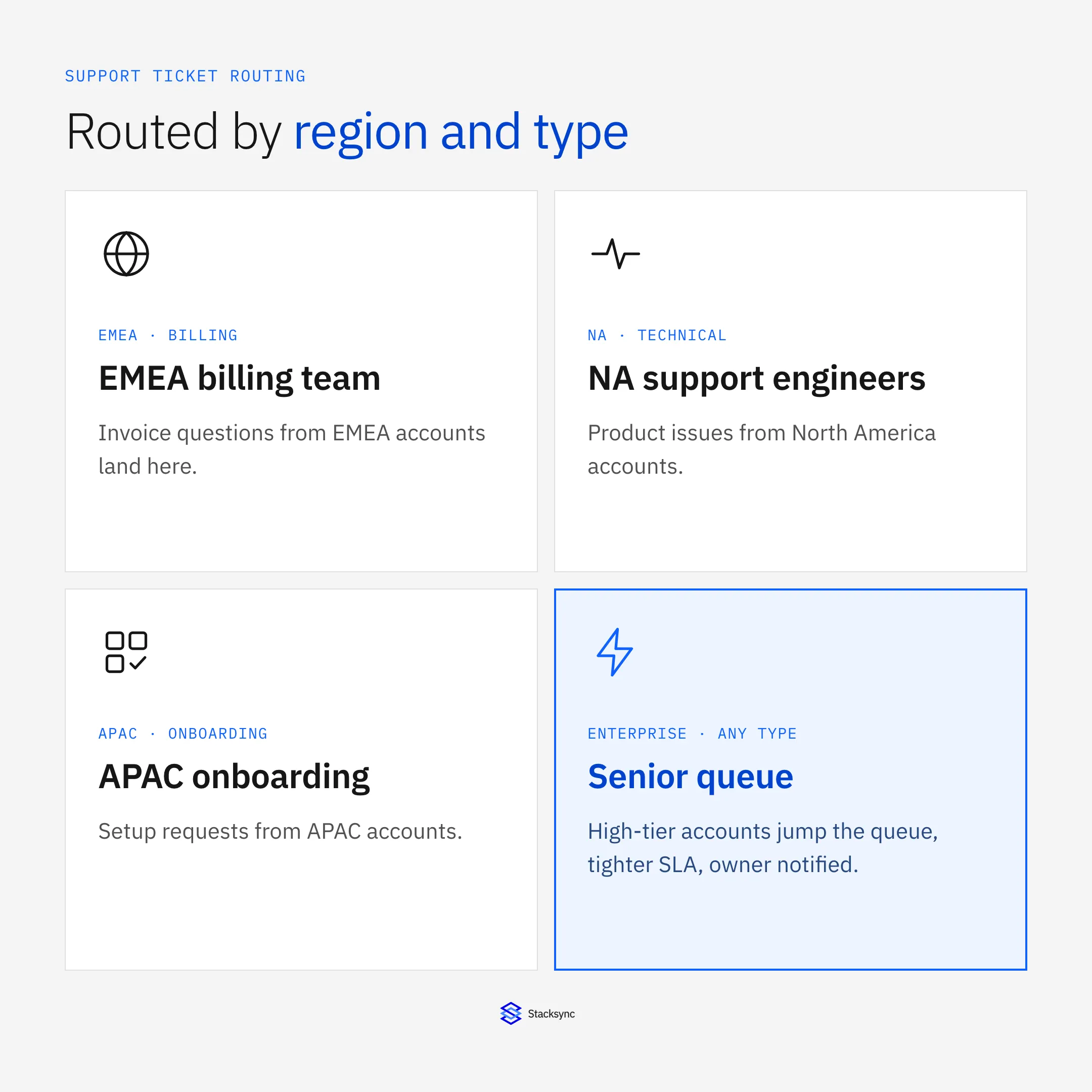
This guide covers why simple assignment is not enough, what data a correct routing decision actually needs, how to build the rules, and why the whole thing depends on the account data being current. It is a close cousin of deciding when a workflow needs a human, applied to the support queue.
Why round-robin is not enough
The simplest assignment is round-robin: hand the next ticket to the next available agent. It balances load, but it ignores everything that actually determines who should handle a ticket. The right owner depends on where the customer is, what the issue is about, how important the account is, and who already knows them.
Send a billing question to an engineer, or an enterprise outage to the general queue, and you have added a handoff and lost time. Good routing is multi-dimensional: it reads several attributes and picks a destination that fits all of them.
| Dimension | Where it lives | Routes to |
|---|---|---|
| Region / timezone | Account record in the CRM | The matching regional team |
| Ticket type | The ticket category or subject | Billing, technical, or onboarding |
| Account tier | Account record in the CRM | Senior queue with a tighter SLA |
| Account owner | Account record in the CRM | The named rep, CSM, or engineer |
Correct routing reads several dimensions. Most of them live on the account, not the ticket.
Routing needs context the ticket does not have
Here is the part that trips teams up. The ticket itself carries very little of what routing needs. It has a requester and a subject, and maybe a category. The attributes that decide ownership, region, tier, owner, and product, live on the account record in the CRM, not on the ticket. So routing is really two steps: enrich the ticket with the account context, then assign based on the combined picture.
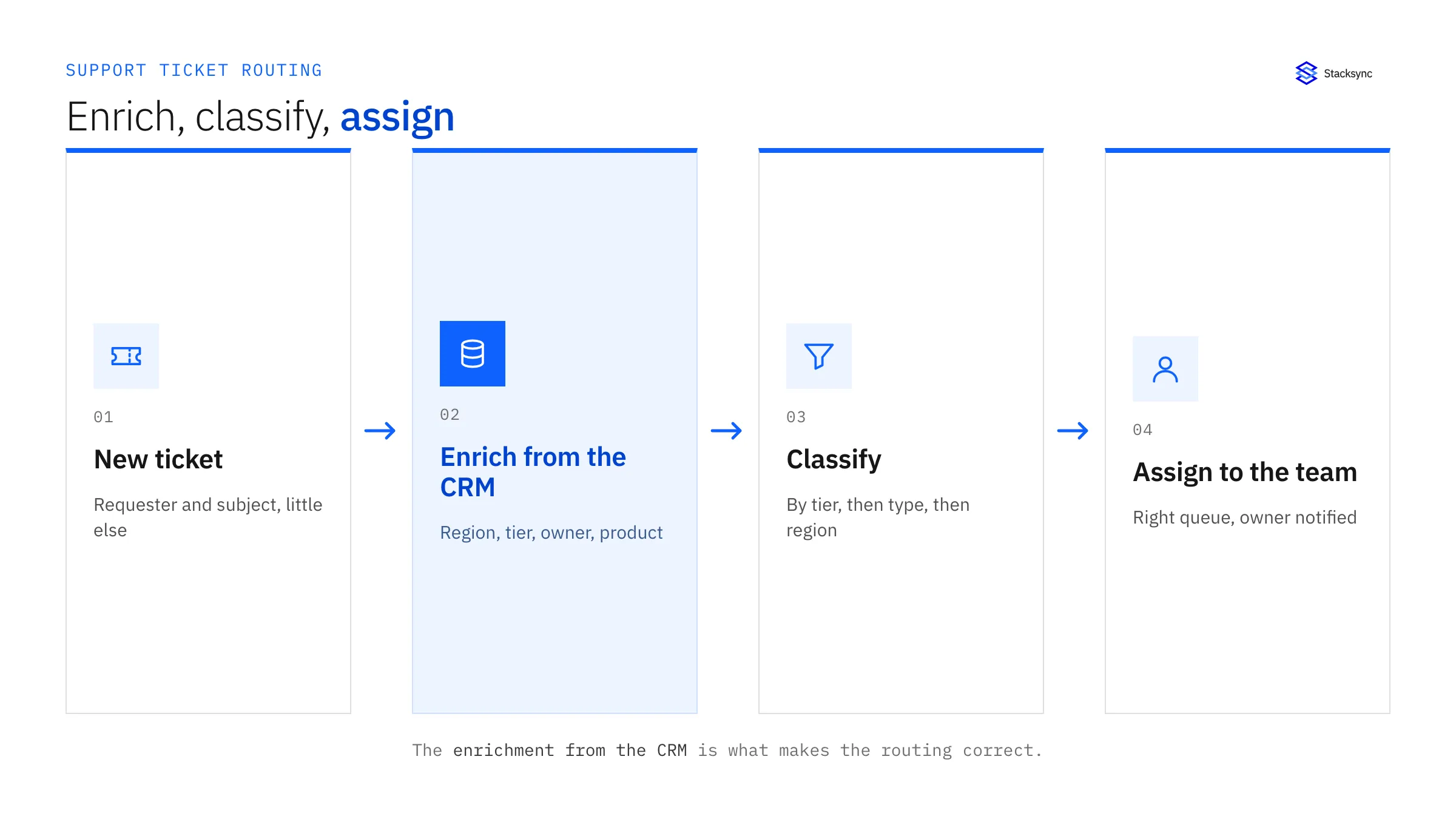
That enrichment step is why routing quality tracks data quality so closely. You are looking up an account in the CRM at the moment a ticket arrives and making a decision from it. If the account record is right, the routing is right. If it is out of date, the routing sends the ticket somewhere wrong, and a person has to notice and fix it.
The routing rules
With the account context attached, the rules themselves are simple to reason about. Each dimension maps to a destination, and the rules are evaluated in a clear order with a fallback so nothing is ever unassigned.
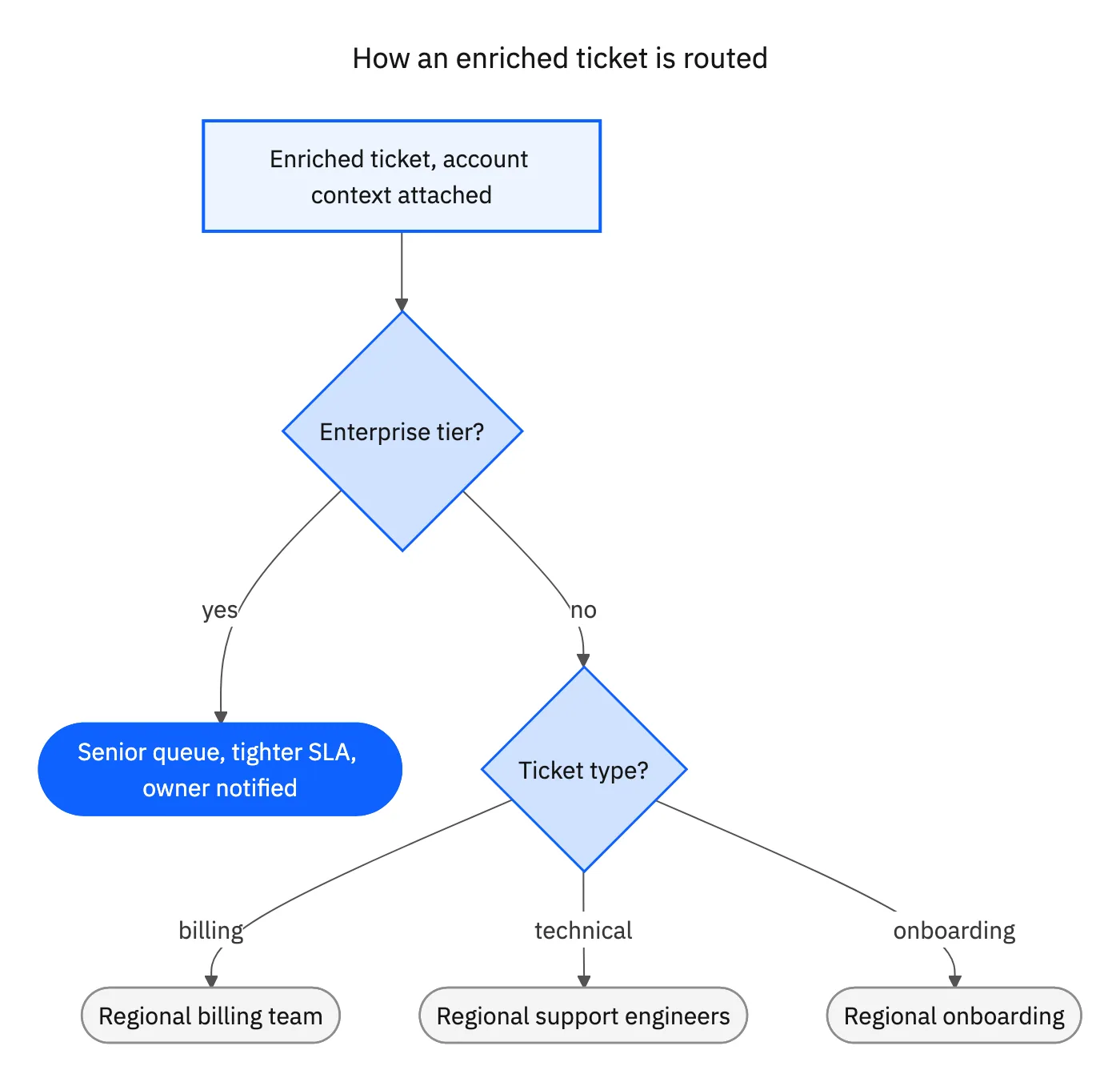
A common order is tier first, so an enterprise account jumps to the senior queue with its SLA; then type, splitting billing from technical from onboarding; then region, choosing the team whose hours cover the customer. Along the way the account owner is notified so the rep or CSM knows their customer has an open issue. The result is a ticket that arrives already labelled with its account, its priority, and its owner, so the receiving agent starts on the problem instead of the paperwork.
Why the account data must be current
Every routing rule above reads from the account record. That makes the freshness of the account data the single biggest factor in whether routing works. Route on last night's export and you will misassign the tickets whose accounts changed since: the customer upgraded to enterprise, the account owner changed, a region was reassigned. Each of those becomes a ticket in the wrong queue that a human has to catch and move, which is exactly the manual triage you set out to eliminate.
| Concern | Manual triage | Auto-routing on live data |
|---|---|---|
| Speed | Waits for a person to read the queue | Assigned within seconds of creation |
| Correctness | Depends on who is triaging | Same rules every time |
| Account context | Looked up by hand, if at all | Enriched automatically from the CRM |
| Stale-data errors | Common, caught late | Avoided; account data is current |
Auto-routing only beats manual triage if the account data it reads is current.
The fix is to keep the CRM and the helpdesk consistent in real time, so the account attributes the router reads are the ones that are true right now. When the systems are within seconds of each other through two-way sync, the routing decision reflects reality, and the assignment can be pushed back into Slack or the CRM so the whole team can see it. Once the ticket is with the right agent, giving them the rest of the account context without tab-switching is the natural next step, covered in full customer context in the helpdesk.

Building auto-routing
- 01Define the dimensions that decide ownershipList what actually determines who handles a ticket: region, type, tier, product, and account owner. Keep it to the few that matter.
- 02Connect the account dataMake sure the router can read those account attributes from the CRM in real time, so enrichment reflects the current record.
- 03Write the rules in a clear orderEvaluate tier, then type, then region, mapping each to a destination, and always include a default queue so nothing is unassigned.
- 04Notify the owner and attach contextRoute the ticket and label it with account, priority, and owner, and notify the rep or CSM in Slack or the CRM.
- 05Keep it observable and tuneLog every routing decision so you can see misroutes and refine the rules, rather than discovering them through customer complaints.
Kept simple and fed current data, auto-routing turns a triage queue into a system that quietly puts every ticket where it belongs.
Bringing it together
Auto-routing support tickets is really two moves: enrich each ticket with the account context that lives in your CRM, then assign by region, type, and tier with a clear rule order and a fallback. Done that way, tickets stop waiting in a general queue and start arriving with the right agent, already labelled.
The one thing that makes or breaks it is the freshness of the account data, because every rule reads from the account. Keep the CRM and the helpdesk in step in real time and the router is always working from the truth. To keep that account data current across your stack, see how two-way sync works or book a demo.

FAQ
Frequently asked questions










Related articles