Two-Way Sync Solutions Between Zendesk and Snowflake
A nightly export gets Zendesk tickets into Snowflake, but it is one-way and hours stale, and the scores your models compute never make it back to the agent. A two-way sync streams ticket changes into Snowflake in real time and writes computed health scores and segments back onto the Zendesk ticket. This guide covers what flows each way, how the pipeline works, and how to set it up.
- Author
- Ruben Burdin · Founder & CEO
- Published
- Read time
- 8 min read

Most teams already get Zendesk data into Snowflake somehow. A nightly connector or a scheduled export dumps tickets into a table, the analytics team builds dashboards on top, and everyone accepts that the numbers are a day behind. It works until you want two things that a one-way export cannot give you: current data, and a way to get what you compute in the warehouse back to the people working tickets.
That is where a two-way sync comes in. Ticket changes stream into Snowflake in real time, so models and dashboards run on current data instead of last night's snapshot. And the values your models produce, a health score, a churn flag, a segment, flow back onto the Zendesk ticket so an agent sees them in the moment. This guide covers what flows each way, how the pipeline works, and how to set it up.
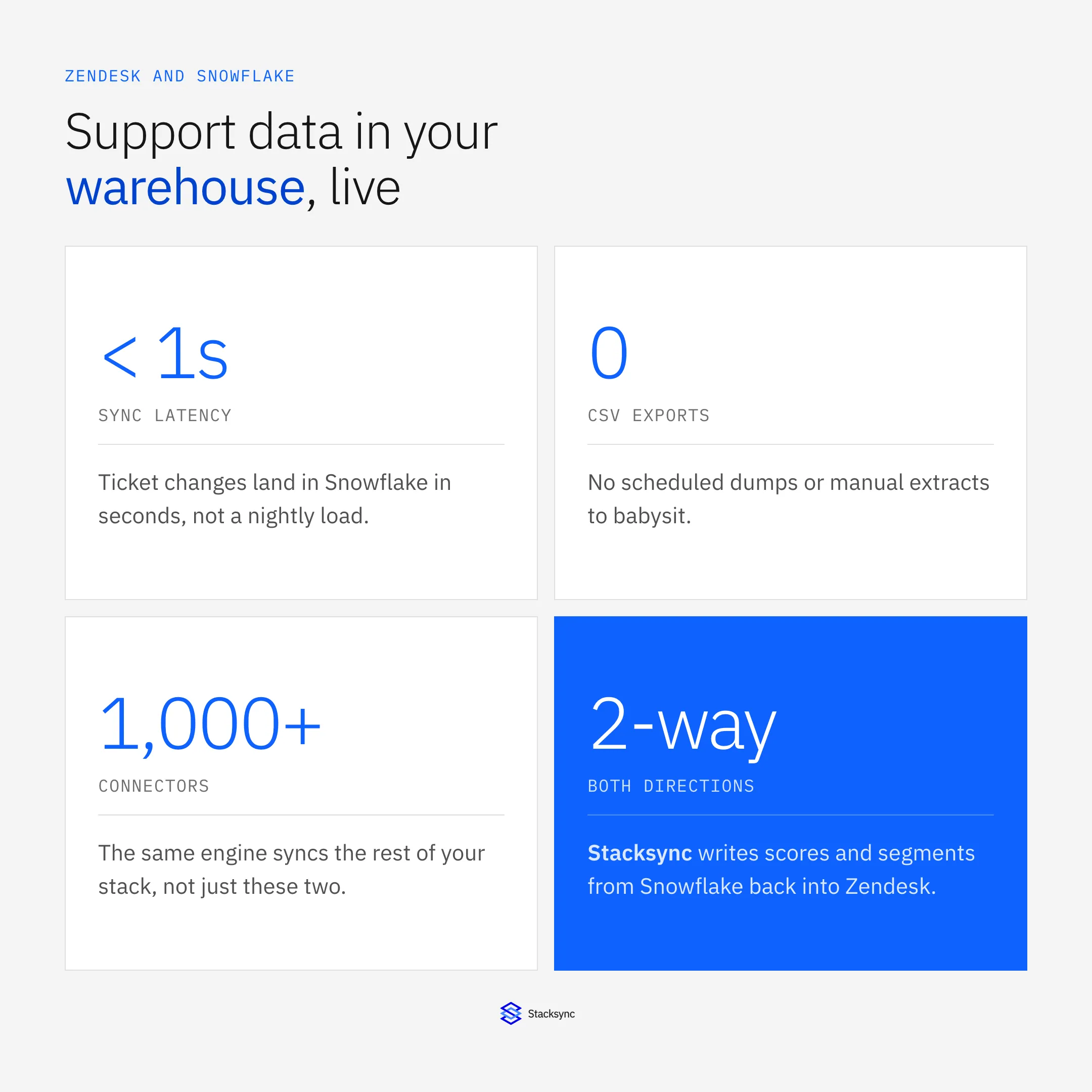
The shift is from a one-way, once-a-day export to a live, bidirectional link: tickets reach the warehouse in seconds, and the warehouse reaches back onto the ticket. No CSV drops, no stale dashboards, no scores stranded in a table nobody in support can see.
Why two-way, not just a nightly load
A scheduled export solves exactly one problem: getting a copy of Zendesk into Snowflake for analysis. It leaves two others open. The first is freshness. If the load runs at 2am, a spike in tickets this afternoon is invisible to every dashboard until tomorrow, which is fine for a monthly report and useless for anything operational. The second is the return path. Your models compute genuinely useful things, a customer health score, a churn risk, a priority tier, and all of it stays in the warehouse where the agent handling the account never sees it.
Reverse ETL tools exist to solve that second problem, so teams often end up with two separate systems: one pipeline loading Zendesk into Snowflake and another pushing results back out. That is two things to build, schedule, and monitor, and they still run on a batch clock. A two-way sync collapses both directions into one real-time link, matched on the same keys, governed in one place.
| Nightly export only | Two-way sync |
|---|---|
| Warehouse is hours stale | Ticket changes land in seconds |
| Computed scores stuck in Snowflake | Scores written back onto the ticket |
| Separate reverse-ETL job to maintain | One link, both directions, one place to monitor |
| CSV dumps and storage churn | No scheduled exports at all |
A one-way nightly load versus a real-time two-way sync between Zendesk and Snowflake.
What flows each way
A two-way sync has a clear division of labor. Zendesk is the source of the raw support data; Snowflake is where it is analyzed and enriched; and a defined set of computed columns comes back. Deciding what belongs in each direction is most of the design work.
| Direction | Data | Purpose |
|---|---|---|
| Zendesk to Snowflake | Tickets, status, priority, timestamps, custom fields | Analytics, SLA and volume reporting |
| Zendesk to Snowflake | Users and organizations | Join support to accounts and revenue |
| Snowflake to Zendesk | Health score, churn flag, segment, tier | Give agents computed context on the ticket |
Raw support data flows into Snowflake for analysis; a defined set of computed values flows back onto the ticket.
The write-back set should stay small and deliberate. You are not pushing whole tables back into Zendesk; you are writing the handful of derived values an agent can act on, onto the specific ticket or user field that holds them. Everything else stays read-only analytics in the warehouse.
The pipeline: from ticket to warehouse and back
Follow a single ticket change through the sync and the design becomes concrete. A ticket is created or updated in Zendesk, the change is captured within seconds, written to the mapped Snowflake table, picked up by your models, and the computed result is written back onto the ticket.
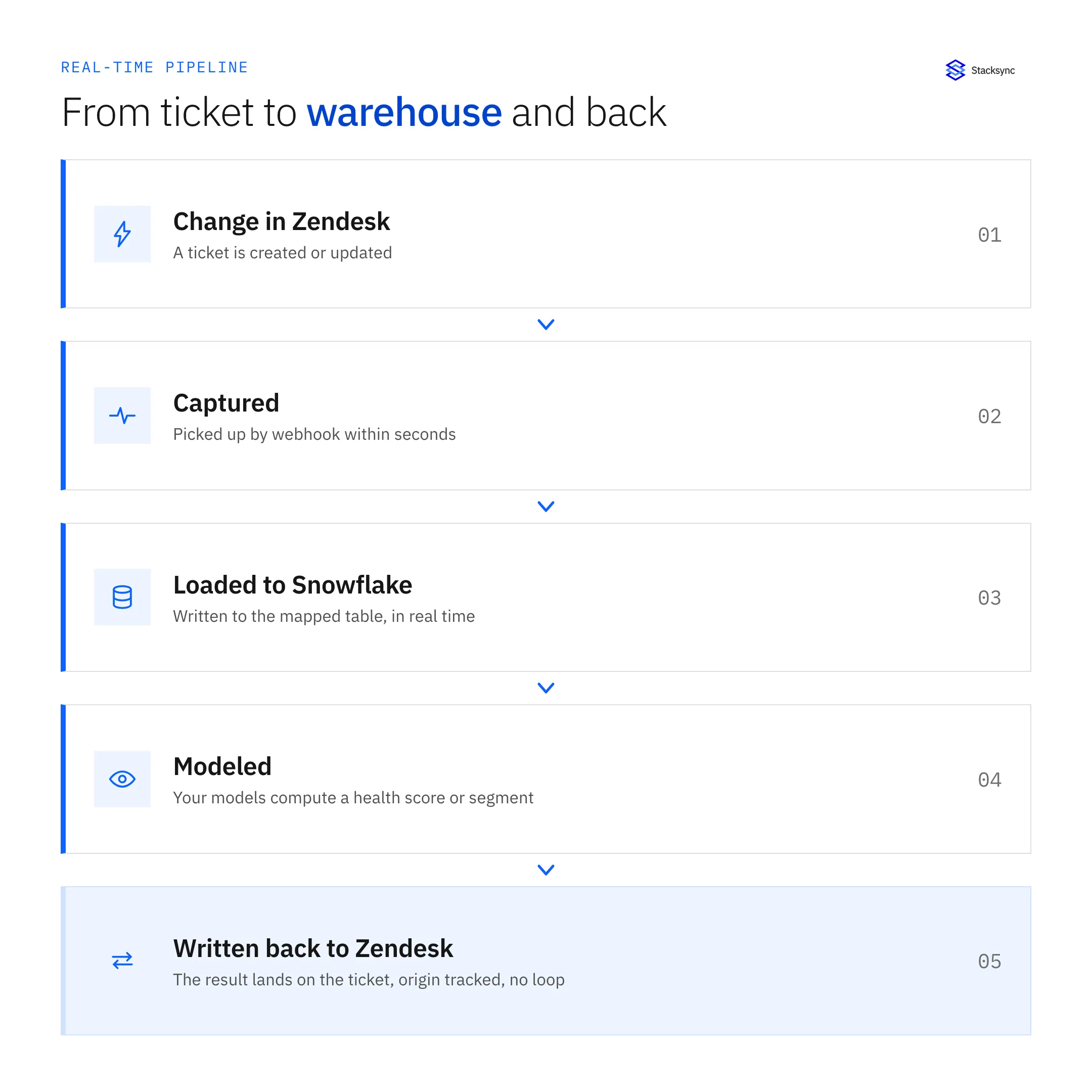
The step that separates this from a plain export is the last one. Loading to Snowflake is the easy, well-trodden part; writing a modeled value back onto the right Zendesk ticket, safely and without looping, is what makes it two-way. That write-back is matched on the same key used to load the data, and origin tracked so it does not come back around as a new event.
A record's warehouse lifecycle
Underneath the pipeline, each change moves through a small set of states. It is detected, loaded, and then either produces a computed result that gets written back, needs no change, or fails and retries. Seeing the states makes the failure and conflict handling explicit rather than assumed.
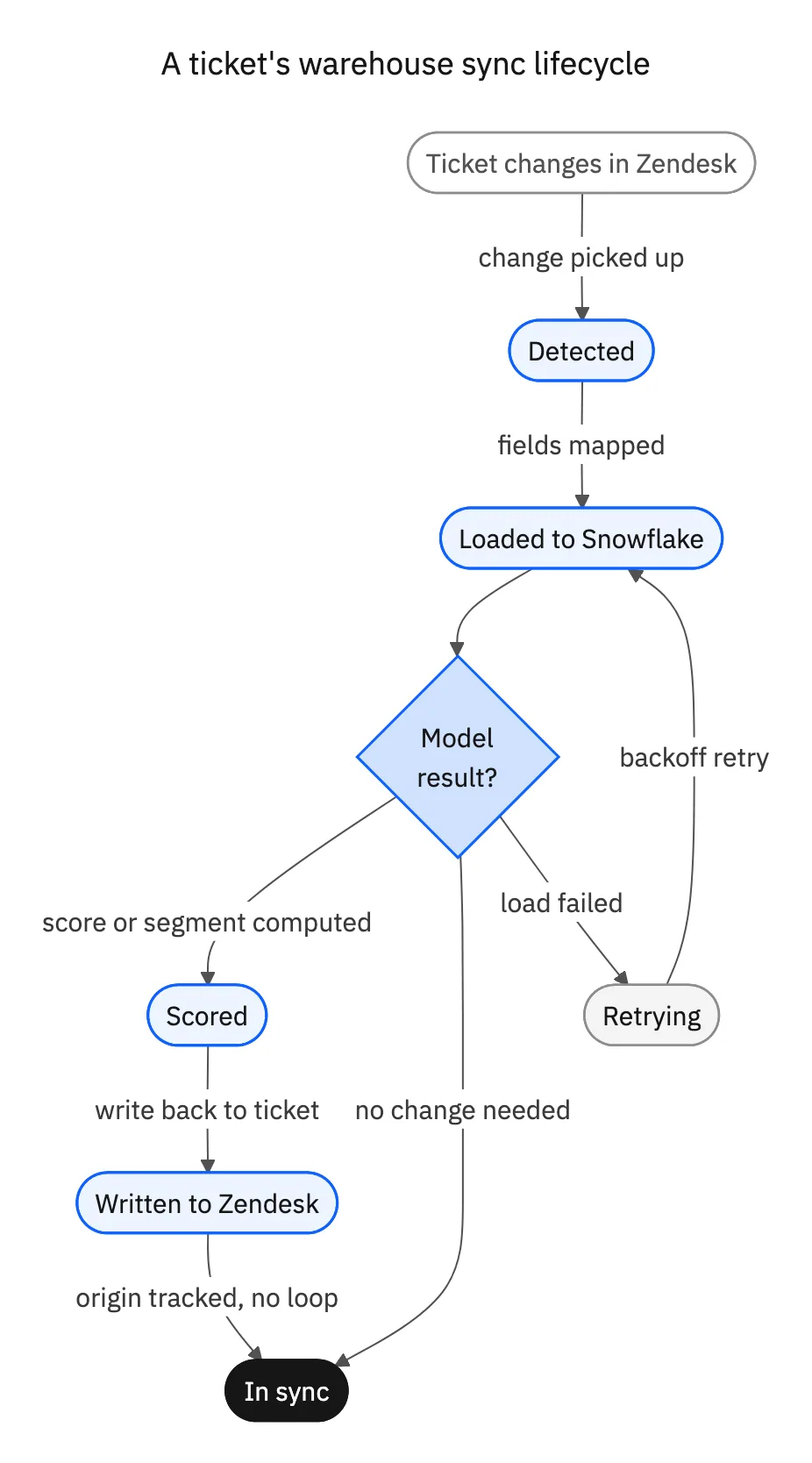
Two states carry the weight. Retrying handles a failed load with backoff so a transient warehouse hiccup does not drop the change. Scored, then written back is the return path, with origin tracking so the write onto the Zendesk ticket is not re-loaded to Snowflake as a fresh event. When neither applies, the record is simply in sync and the engine moves on.

Setting up the Zendesk and Snowflake sync
The setup is a short sequence, and it replaces both your load job and any separate reverse-ETL step.
- 01Connect Zendesk and SnowflakeAuthorize both to the sync layer; the warehouse needs a database and schema for the synced tables.
- 02Map tickets, users, and orgs to tablesDefine the Snowflake tables and column mapping for the Zendesk objects and fields you want to analyze.
- 03Choose the write-back fieldsPick the small set of computed columns, such as a health score or segment, and the Zendesk fields they land in.
- 04Set the match keyUse the ticket or user ID so each write-back lands on the exact record it came from.
- 05Turn on real-time two-way syncEnable the sync so changes stream to Snowflake and computed values flow back, with origin tracking preventing loops.
If you are also connecting Zendesk to operational systems, the same engine handles those. See an enterprise-grade iPaaS for Zendesk for the wider picture, or syncing Zendesk with Salesforce for the CRM side.
Bringing it together
A two-way sync between Zendesk and Snowflake replaces the nightly export and the separate reverse-ETL job with one real-time link. Ticket changes reach the warehouse in seconds so analysis runs on current data, and the scores and segments you compute there flow back onto the ticket so agents act on them. Match on a stable key, keep the write-back set small, and use origin tracking so nothing loops.
To connect Zendesk and Snowflake with real-time two-way sync, see how two-way sync works or book a demo.

FAQ
Frequently asked questions










Explore these integrations and topics
- connectorZendesk integrations
- connectorSnowflake integrations
- platformTwo-way sync
- platformWarehouse data flows
- Two-way sync guidesUnderstand two-way sync, record matching, field ownership, and production readiness.
- Warehouse data flows guidesChoose between ingestion, reverse ETL, and operational write-back for warehouse data.
Related articles