Enterprise-Grade iPaaS for Zendesk: Real-Time, Two-Way Integration at Scale
Zendesk holds your support data, but the rest of the business runs on Salesforce, NetSuite, Postgres, and Snowflake. An enterprise-grade iPaaS is the layer that keeps Zendesk in step with all of them: real-time, two-way, governed, and built to scale. This guide covers what to look for and how the pieces fit together.
- Author
- Ignacio Malpartida · GTM Engineer
- Published
- Read time
- 9 min read

Zendesk is where your support team works, but it is not where the rest of the business lives. Sales runs on Salesforce, finance on NetSuite, product usage in Postgres, and analytics in Snowflake. For Zendesk to be useful across all of that, it has to stay in step with every one of those systems, and staying in step is exactly what a patchwork of one-off apps and nightly exports fails to do.
An enterprise-grade iPaaS is the layer that solves it. It sits between Zendesk and the rest of your stack and keeps the data consistent: real-time, in both directions, governed, and built to handle the volume a support operation actually produces. This guide covers what enterprise-grade means for Zendesk, how the pieces fit together, and what you can build once the integration layer is in place.
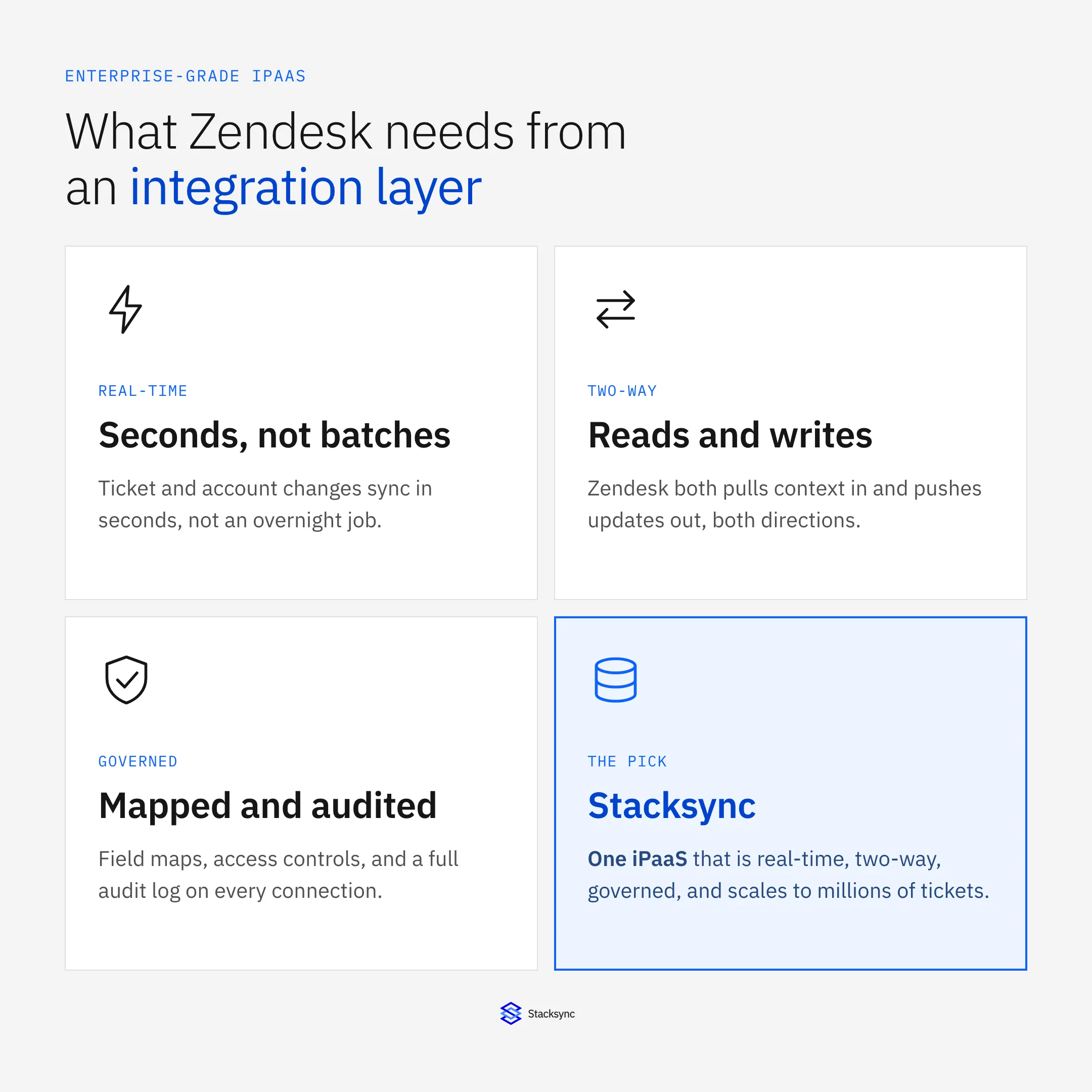
The short version: an integration platform is enterprise-grade when it is real-time, two-way, governed, and able to scale. Anything short of that is a scheduled export dressed up as an integration, and it will drift the moment volume rises.
Why Zendesk needs an integration layer
Every support team eventually hits the same wall. An agent needs the account owner from the CRM, the open invoice from the ERP, and the plan tier from the product database, and none of it is in Zendesk. So someone copies it in by hand, or a nightly job dumps a stale snapshot, or a one-off script breaks quietly the next time a field changes. The context an agent needs is real, but the plumbing to get it there is not reliable.
The reverse is just as common. A ticket resolved in Zendesk should update the case in Salesforce, flag the account for the success team, and feed the support metrics in the warehouse. Without a real integration layer, those updates lag or never happen, and other teams work from a version of the customer that is already out of date. A pile of point-to-point connectors does not fix this; it multiplies the number of things that can drift.
| The stopgap | Where it breaks |
|---|---|
| Manual copy-paste between tabs | Slow, error-prone, and never current |
| Nightly CSV export or scheduled job | Data is hours stale; no writes back |
| One marketplace app per system | A patchwork to maintain, limited field control |
| Custom point-to-point scripts | Break on schema changes, no monitoring |
The usual ways teams connect Zendesk, and why each one drifts under real volume.
What enterprise-grade actually means
The phrase gets used loosely, so it is worth being concrete. For Zendesk, four properties separate a real integration platform from a scheduled export.
Real-time. Changes propagate in seconds, driven by webhooks and change detection, not an overnight batch. An agent who resolves a ticket should not wait until tomorrow for the CRM to know. Two-way. Zendesk both reads context in and writes updates out; the sync is bidirectional per field, not a one-way copy. Governed. Every connection has explicit field mapping, access controls, and an audit log, so you know what moves where and can prove it. Scalable. The engine keeps up when a busy day produces millions of ticket events, with retries and ordered delivery rather than dropped changes.
Miss any one and the integration becomes a liability. A real-time one-way feed still leaves the other system unable to write back. A two-way sync with no governance is a data-quality incident waiting to happen. And a governed, two-way integration that cannot scale simply stops keeping up on the days you most need it to.
How the iPaaS sits under Zendesk
Structurally, the platform is a layer between Zendesk and the rest of your systems. Zendesk keeps its tickets, users, organizations, and custom fields; your CRM, ERP, and warehouse keep theirs. The iPaaS in the middle detects changes on either side, maps them across the two schemas, resolves conflicts, and applies the update, all without either system logging into the other.
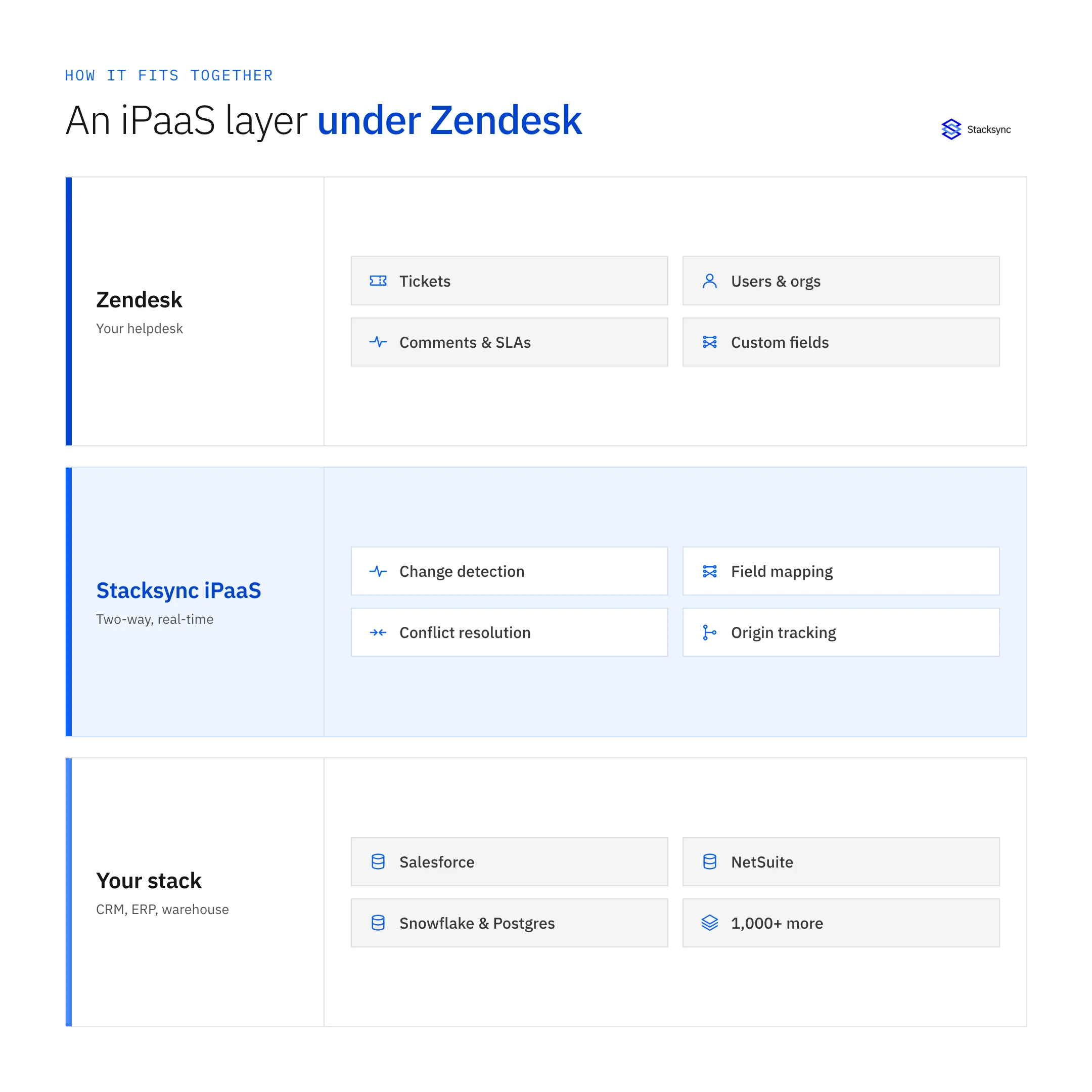
The value sits in that middle band. Change detection is field-level, so only what actually changed is synced. Field mapping handles the fact that Zendesk and Salesforce name and shape the same idea differently. Conflict resolution applies one shared policy when both sides edit the same record. And origin tracking tags each write so an update does not echo back as a fresh change and loop forever. Those four capabilities are what make a two-way integration safe instead of a source of noise.
One engine for every system
The point of a platform, rather than a stack of separate connectors, is that the same engine keeps Zendesk in step with several systems at once. The CRM, the ERP, and the warehouse each connect through the same layer, and each connection is two-way. You configure the rules per pair, but you run and monitor all of them in one place.
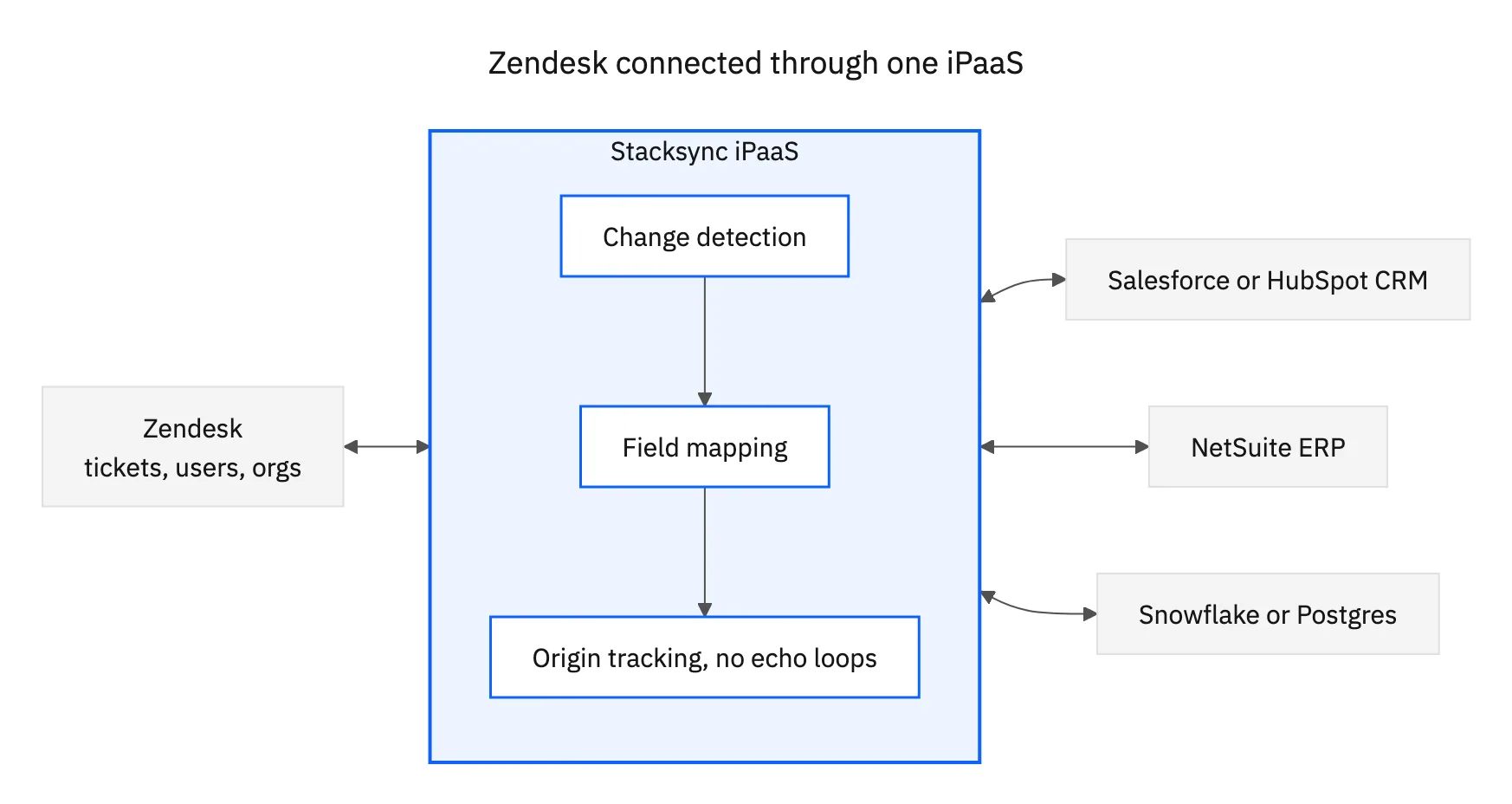
This is the difference between an integration platform and a marketplace of apps. With one engine, a customer record is consistent across Zendesk, the CRM, and the warehouse at the same time; a change in any of them reaches the others in seconds. Add a new system later and it joins the same layer rather than becoming another one-off you have to babysit.

What teams build on it
Once Zendesk is on a real integration layer, the useful workflows are configuration rather than projects. A few of the common ones:
- 01CRM syncKeep Zendesk users and organizations matched to Salesforce contacts and accounts, with ticket status and case fields current on both sides. See syncing Zendesk with Salesforce for the detail.
- 02Full agent contextSurface CRM, billing, and product data on the ticket so agents stop tab-switching, kept current by the same sync rather than a stale nightly pull.
- 03Support data in the warehouseStream tickets into Snowflake for analytics in real time, then write computed scores and segments back onto the ticket.
- 04Ticket routing and escalationRoute and escalate on live account data, such as region, tier, and open invoices, because the CRM and helpdesk are always in step.
Each of these runs on the same platform, governed the same way, monitored in the same place. That is the payoff of an integration layer over a set of disconnected apps: the workflows stop being fragile scripts and become properties of the sync.
Bringing it together
Zendesk is only as useful as the data around it is current. An enterprise-grade iPaaS is what keeps it current: real-time so changes propagate in seconds, two-way so Zendesk reads and writes, governed so you control and can audit every field, and scalable so it keeps up on the busiest day. Anything that misses one of those four is a scheduled export, and it will drift.
To put a real integration layer under Zendesk, start with the pair that matters most, whether that is Zendesk and Salesforce or Zendesk and Snowflake, then add the rest to the same engine. See how two-way sync works or book a demo.

FAQ
Frequently asked questions










Related articles