Two-Way Sync for CPG Master Data: NetSuite, Postgres, and Field Ownership
Postgres holds the channel SKU aliases, pack conversions and account crosswalks CPG teams keep in spreadsheets, while NetSuite stays the owner of the ERP fields it mirrors.
- Author
- Ruben Burdin · Founder & CEO
- Published
- Read time
- 5 min read

The operating decision
Use a Postgres operational model to make CPG master-data relationships explicit, with NetSuite remaining authoritative for the ERP records it owns. Two-way sync is useful when approved changes must travel back, but mirrored ERP data and proposed corrections should have different permissions. Model channel SKUs, pack conversions, and account crosswalks as governed relationships.
Explore the complete consumer packaged goods integration and automation hub for the systems and processes around this guide.
What this looks like in consumer packaged goods
A CPG operations team keeps SKU aliases in spreadsheets because each marketplace and distributor calls the same product something different. The team wants a shared application backed by Postgres. If that application writes directly into mirrored ERP rows without review, a typo can become an operational change before anyone checks the affected channels.
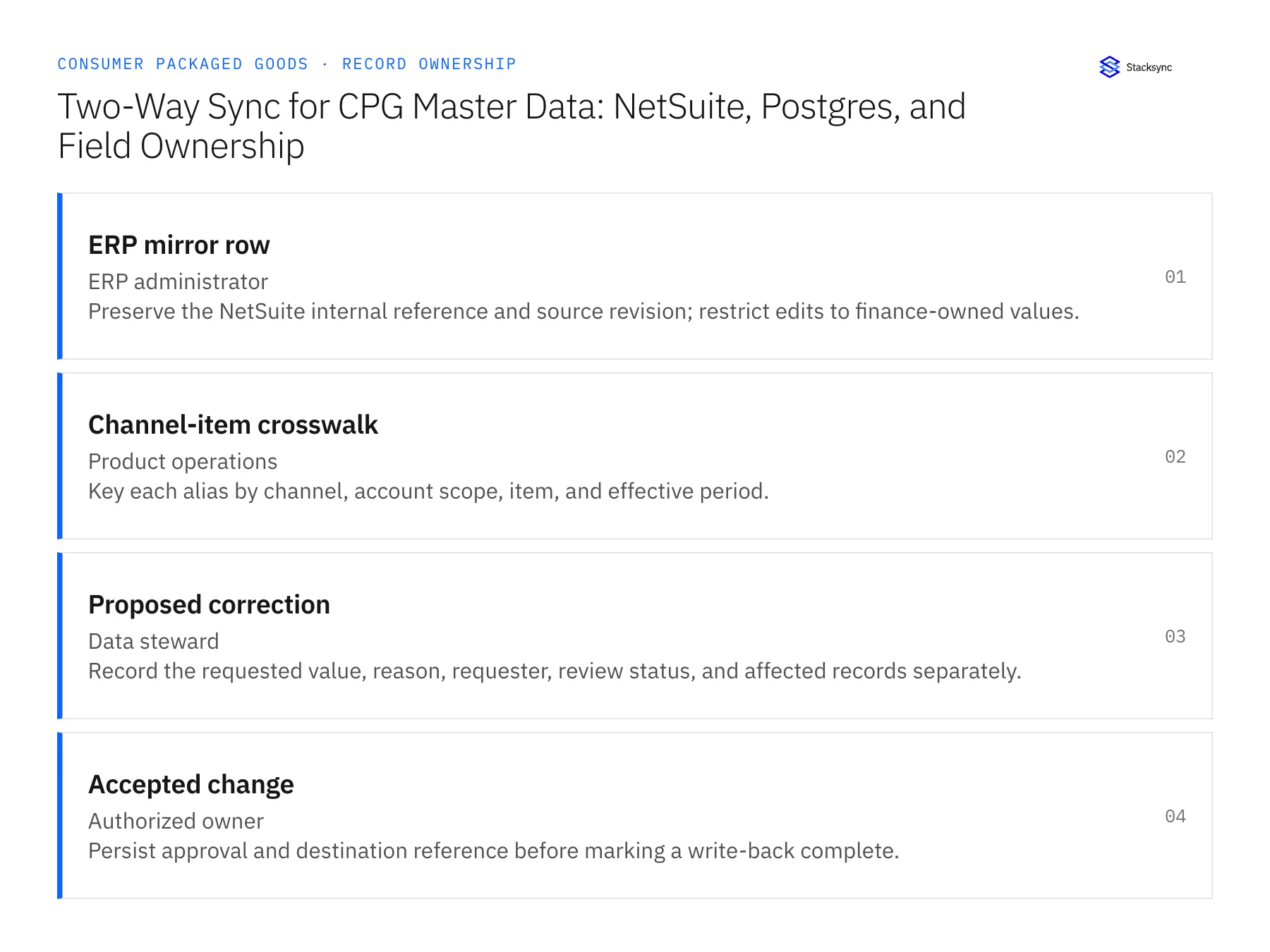
Records, ownership, and update rules
| Record | Owner | Operating rule |
|---|---|---|
| ERP mirror row | ERP administrator | Preserve the NetSuite internal reference and source revision; restrict edits to finance-owned values. |
| Channel-item crosswalk | Product operations | Key each alias by channel, account scope, item, and effective period. |
| Proposed correction | Data steward | Record the requested value, reason, requester, review status, and affected records separately. |
| Accepted change | Authorized owner | Persist approval and destination reference before marking a write-back complete. |
Work through the process
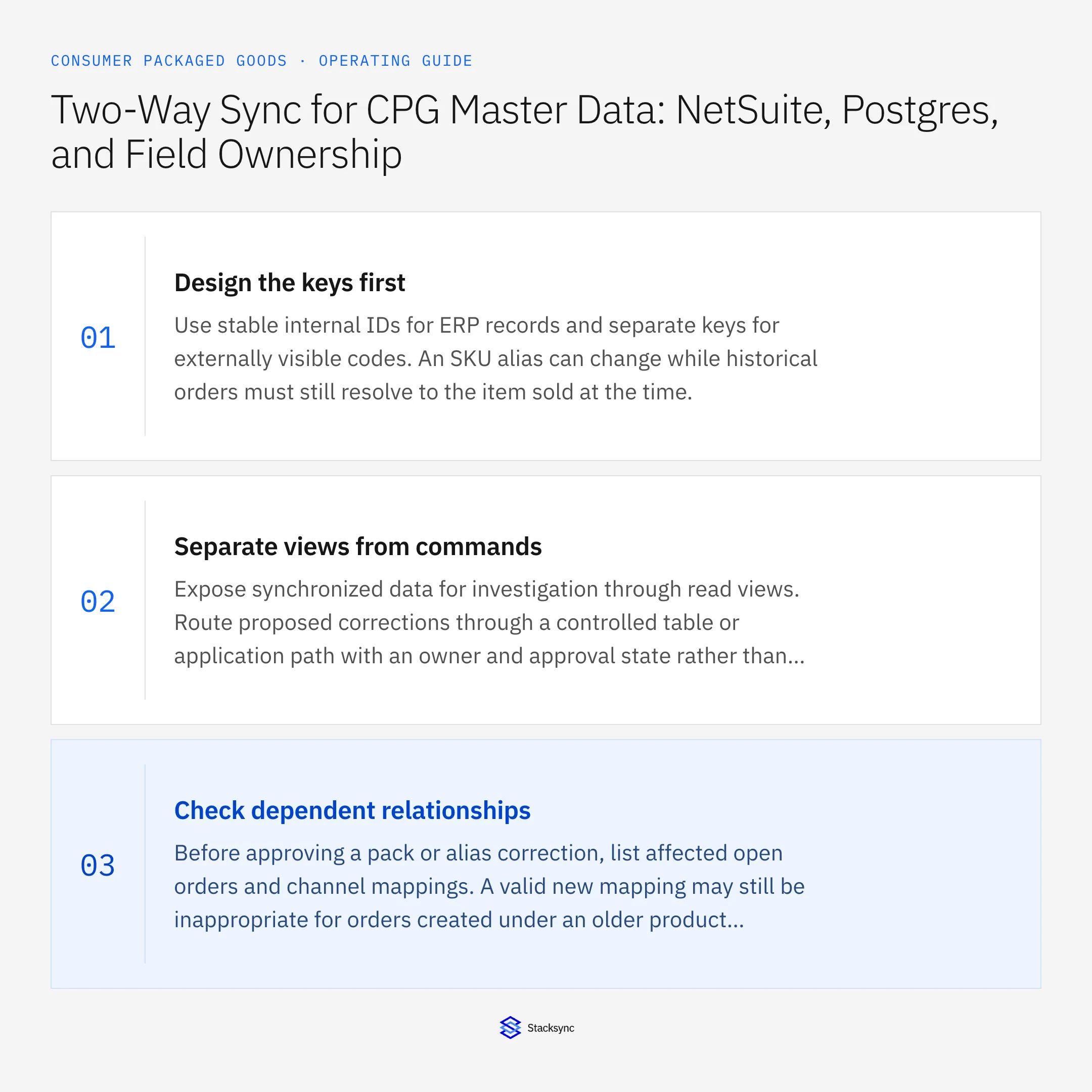
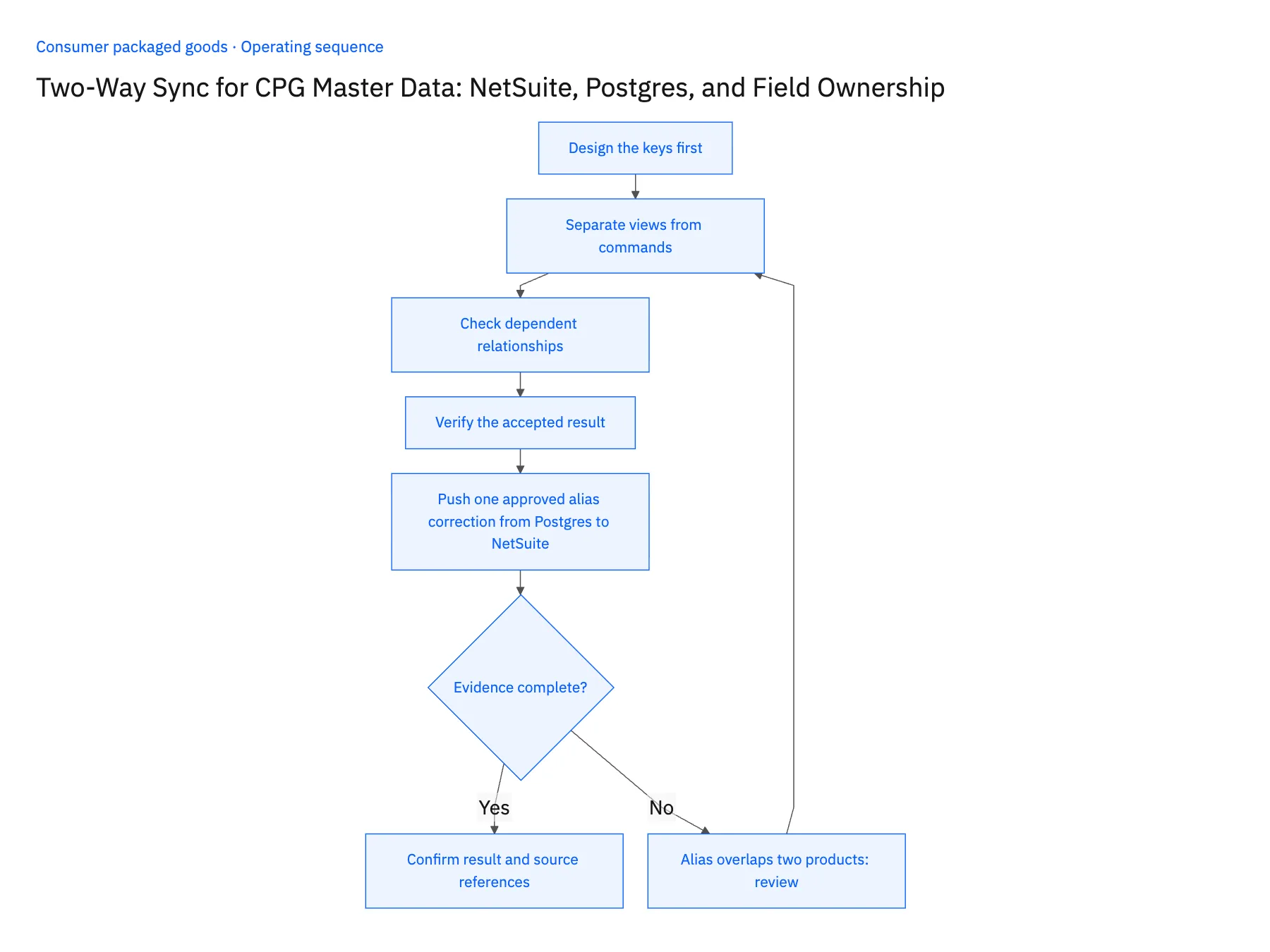
- 01Design the keys firstUse stable internal IDs for ERP records and separate keys for externally visible codes. An SKU alias can change while historical orders must still resolve to the item sold at the time.
- 02Separate views from commandsExpose synchronized data for investigation through read views. Route proposed corrections through a controlled table or application path with an owner and approval state rather than treating every database update as permission to write to the ERP.
- 03Check dependent relationshipsBefore approving a pack or alias correction, list affected open orders and channel mappings. A valid new mapping may still be inappropriate for orders created under an older product revision.
- 04Verify the accepted resultAfter an approved write, read the destination record and compare the owned fields. Preserve both the proposed and accepted value if the ERP normalizes or rejects part of the request.
- 05Push one approved alias correction from Postgres to NetSuiteChange one marketplace SKU alias through the proposed-correction table in Postgres, with requester, reason and effective date. After the steward approves it, read the NetSuite item: only the alias field may change; internal ID, revision and finance-owned values must be untouched. Query an order created before the effective date: it must still resolve to the earlier alias revision. Then submit an alias already owned by a second product; the mapping must move to suspended with both items listed for the steward. Stop the rollout if a direct mirror-table update reaches NetSuite, if the old order shows the new alias, or if the overlap was applied to either product.
Handle the exceptions explicitly
Alias overlaps two products
Suspend the ambiguous mapping and ask the steward to establish scope and effective dates.
Database user edits a protected mirror
Block or disregard unauthorized write-back according to the configured ownership model.
ERP rejects an approved value
Keep the change pending with the rejection evidence; approval is not proof of acceptance.
What to verify before expanding
- Historical orders retain the correct mapping revision.
- Only approved, permitted fields can produce an ERP write.
- A protected ERP mirror field cannot be changed through an unauthorized database edit during the pilot.
- An approved correction rejected by NetSuite remains pending with its rejection detail and cannot appear as accepted.

Connect this process to the rest of your operation
Explore Stacksync two-way sync and scope the records and actions against your actual systems. Book a demo with a real ERP mirror row example and the exception your team handles most often, for example alias overlaps two products.
- Shopify–NetSuite Two-Way Sync for CPG Brands Selling DTC and Wholesale
- CPG Fulfillment Workflows With NetSuite, Shopify, and Extensiv
- CPG Credit-Hold Release Workflows: Keep Finance Approval and Fulfillment in Step
- API Ownership: Who Really Controls Your Data?
- Shopify–NetSuite Integration: Orders, Inventory, and Setup
The shared architecture guide covers record matching, ownership, and recovery across systems.
Technical references
FAQ
Frequently asked questions










Explore these integrations and topics
- integrationNetSuite and PostgreSQL integration
- connectorNetSuite integrations
- connectorPostgreSQL integrations
- platformTwo-way sync
- platformDatabase synchronization
- Two-way sync guidesUnderstand two-way sync, record matching, field ownership, and production readiness.
- Database synchronization guidesWork through database change capture, application writes, and reliable record reconciliation.
Related articles