






















Billing Reality in HubSpot the Moment Campfire Posts It
Sales and customer success act on billing information they usually cannot see. This guide covers syncing Campfire and HubSpot in real time: which Campfire objects map to HubSpot companies, deals, and properties, why webhooks beat a scheduled export for anything a rep acts on, how to stop a two-way sync from looping, and which workflows become possible once collection status lives in the CRM. Includes what to do when both sides edit the same contact.
- Author
- Ruben Burdin · Founder & CEO
- Published
- Read time
- 9 min read

There is a specific, avoidable moment that happens in most companies. A customer success manager opens a renewal conversation with an account that is 70 days past due, because HubSpot has no idea. Or a rep chases an upsell the day after finance wrote off the last invoice. The information existed, in Campfire, and it just never made it to the place where the conversation happens.
Fixing that is not a reporting project. It is a sync: take the facts Campfire already knows, put them on the HubSpot company as properties, and keep them current in seconds rather than overnight. Then let the CRM side flow back, because the billing contact and the company details change in HubSpot far more often than in the ledger.
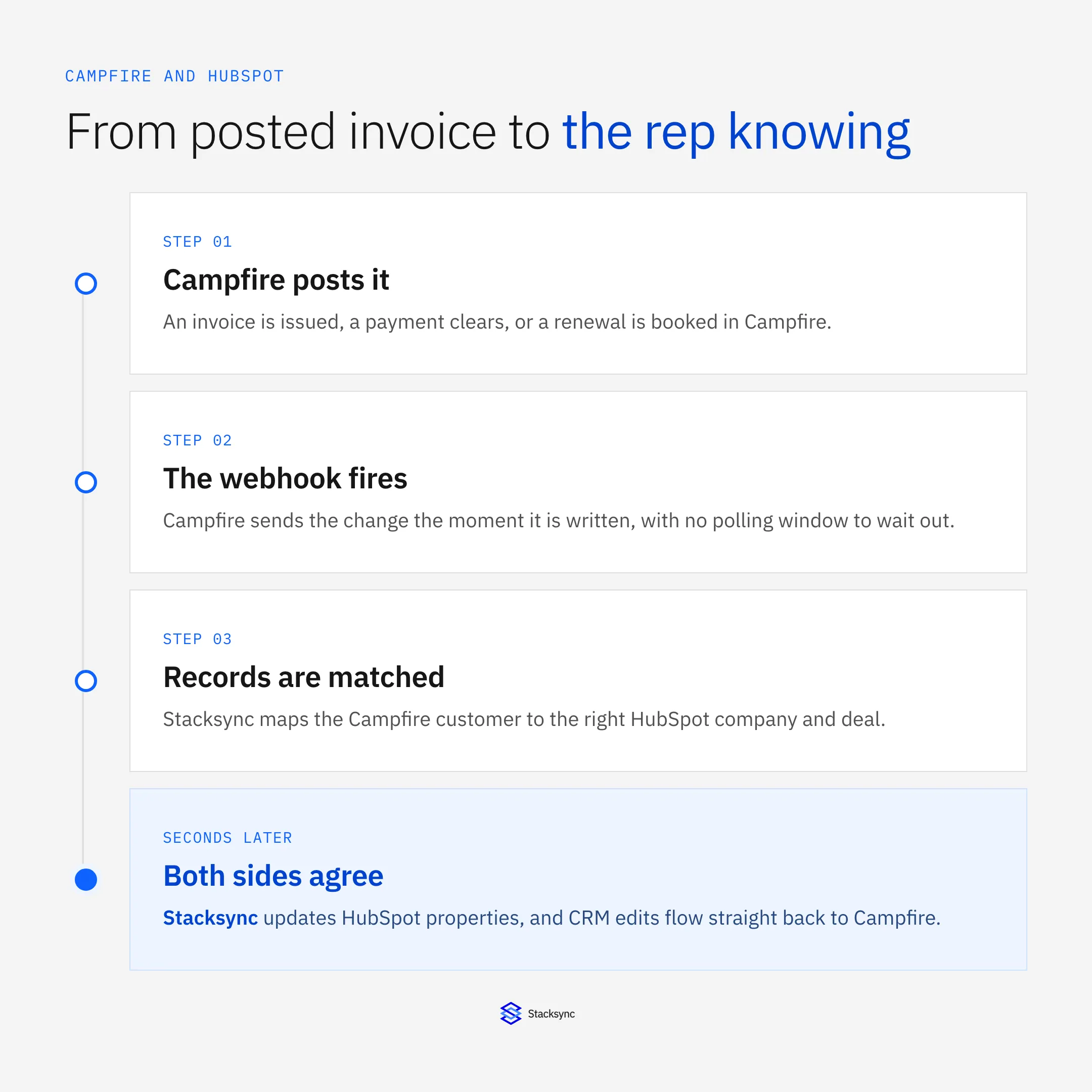
The whole path takes seconds when it is driven by webhooks. The rest of this guide covers the mapping, why the scheduled alternative fails specifically for CRM data, and what to do when both sides edit the same field.
What belongs in HubSpot, and what does not
The rule that keeps this clean: the ledger owns the numbers, the CRM displays them. Anything a rep would otherwise ask finance for belongs in HubSpot as a read-only property on the company. Anything a rep legitimately maintains belongs in HubSpot as the owner and flows back to Campfire.
| Fact | Where it lives in HubSpot | Who owns it |
|---|---|---|
| Latest invoice number and date | Company property, read-only | Campfire |
| Outstanding balance and days past due | Company property, read-only | Campfire |
| Payment status on the last invoice | Company property, read-only | Campfire |
| Revenue schedule end or renewal date | Company or deal property | Campfire |
| Billing contact, company name, address | Contact and company records | HubSpot |
Ownership per field is the decision that matters. The object list is the easy part.
Match Campfire customers to HubSpot companies on a stable id stored on both sides, not on the company name. Campfire supports custom fields on its objects, which is the natural home for the HubSpot record id, and the same trick in reverse gives you a HubSpot property holding the Campfire customer id. Skip this and you will be merging duplicate companies within a month.
Why a schedule fails specifically for CRM data
A stale warehouse is an inconvenience. A stale CRM is a bad conversation with a customer, because a rep opens a record and acts on whatever it says right then. That is the difference that makes scheduling the wrong tool here, no matter how short the interval.
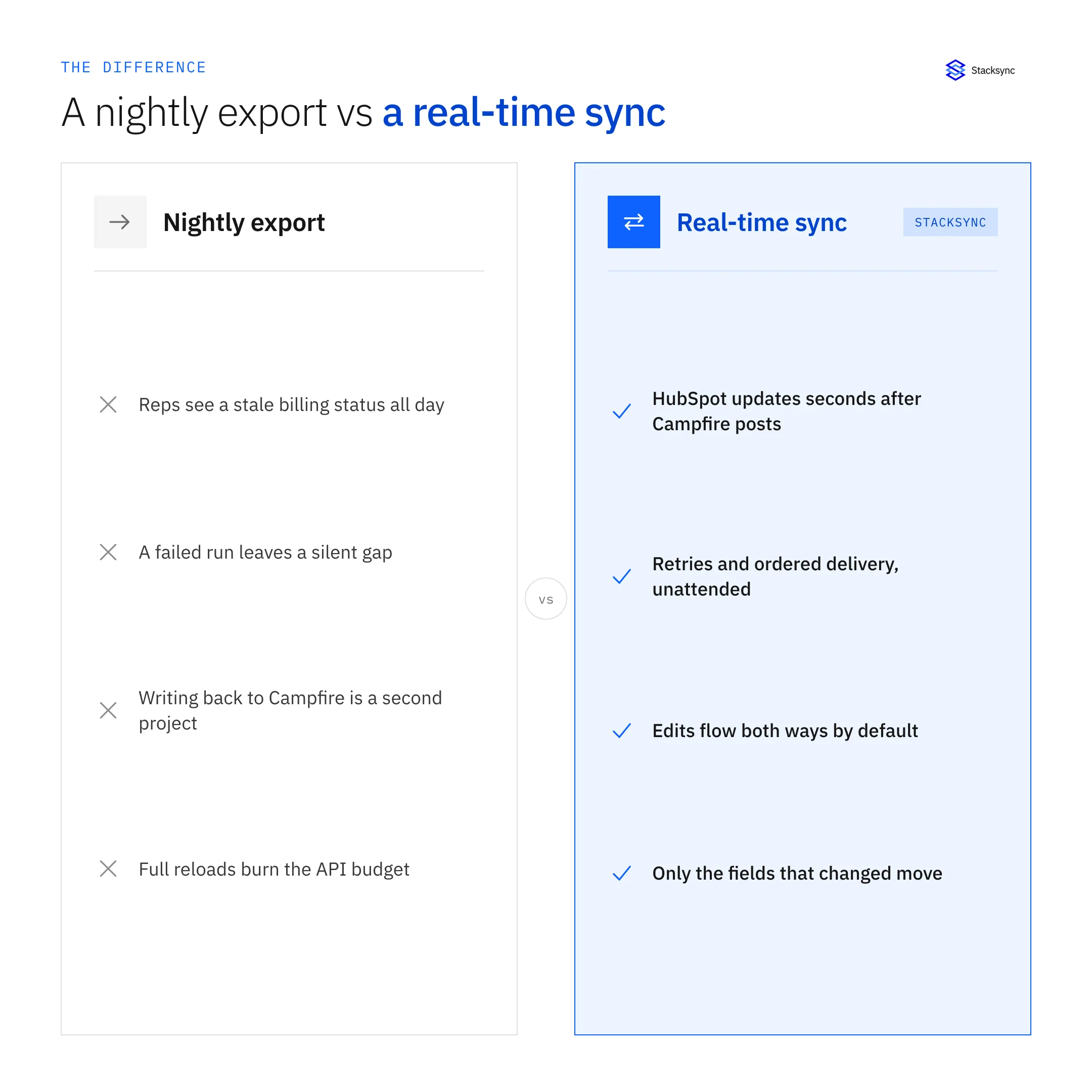
Campfire supports webhooks, so the change is pushed the moment the invoice posts or the payment clears. Its list endpoints also support last_modified_at filtering, which handles the initial backfill and quietly catches anything a webhook delivery missed. HubSpot provides its own change notifications on the other side. Between them there is no reason for a timer to be involved in the operational path at all.
Making it two-way without creating a loop
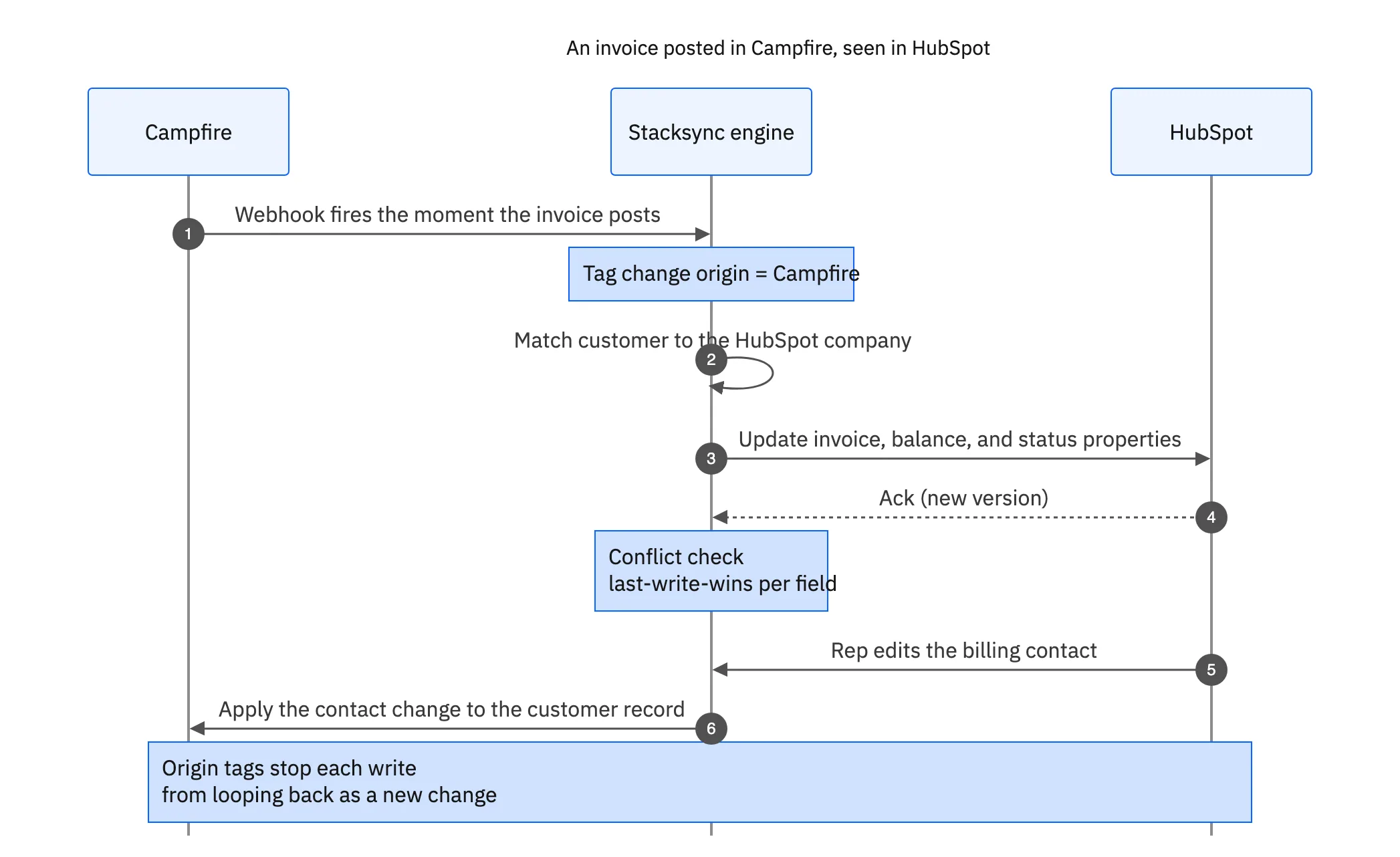
Once both sides can write, two problems appear. The first is echo: the engine writes a balance into HubSpot, HubSpot reports a change, and the engine reads it back and writes it into Campfire, forever. Origin tracking solves this by tagging every write the engine makes so it can recognise and ignore its own reflection.
The second is genuine conflict: finance corrects a billing contact in Campfire the same hour a rep corrects it differently in HubSpot. A field-level policy decides the winner for that field only, rather than one record overwriting the other wholesale, and it records the decision so somebody can review it later. Whole-record last-write-wins is what causes the classic complaint that the sync ate an edit.
Both of these are unglamorous and both are the reason homegrown scripts get abandoned around month four. They are also worth testing in a sandbox before you commit: edit the same field on both sides at once and see what the platform does. We cover the general mechanics in our guide to two-way sync.

What becomes possible once the data is current
The payoff is not the properties, it is what HubSpot can do with them once they are trustworthy.
- Hold the upsell. Suppress an expansion sequence automatically for any company past due beyond your threshold.
- Alert on cash. Notify the account owner when a large invoice clears, which is a better trigger for a check-in than a calendar reminder.
- Renewals from the schedule. Create the renewal task from the revenue schedule end date in the ledger rather than from a manually maintained field.
- Report on paid revenue. Segment pipeline reporting by what was actually collected, not only by what was marked closed-won.
- Route collections. Let the AR team work exceptions in the CRM, since the customer conversation is already there.
None of these need new tooling. They are ordinary HubSpot workflows that only work if the underlying properties are current, which is the entire argument for doing this in real time. For the collections side specifically, see automated invoice reconciliation.
Put the ledger's answer where the question is asked
Campfire already knows whether the customer paid. HubSpot is where somebody decides how to talk to that customer. Connecting the two is a small integration with an outsized effect, as long as it runs on webhooks rather than a timer, keeps ownership clear per field, and does not loop.
Stacksync syncs Campfire and HubSpot in real time and in both directions, with field-level conflict resolution, origin tracking, and an audit log per record, on the same engine that connects the rest of your stack. To see it against your own properties, book a demo, or start from the Campfire integration platform guide.

FAQ
Frequently asked questions










Related articles





