






















Pet Food Lot-Hold Workflows: Carry Approved Quality Decisions Into Order Operations
A quality manager's hold on one lot at two warehouses becomes a checklist of confirmed NetSuite actions, open manual tasks, and escalations for goods already gone.
- Author
- Ignacio Malpartida · GTM Engineer
- Published
- Read time
- 5 min read

The operating decision
A lot-hold workflow should carry an authorized quality decision into verified operational controls and confirm the resulting state. The quality owner defines the affected product, lot, location, and action. The workflow does not diagnose a concern or decide product safety; it coordinates the accepted decision and records whether each required operational step actually succeeded.
Explore the complete pet food and treats integration and automation hub for the systems and processes around this guide.
What this looks like in pet food and treats
A quality manager approves a hold for a specific lot at two warehouses. Operations has several open orders and one shipment already released. The workflow needs to identify the affected records using reliable lot associations, apply only confirmed supported actions, and route already-shipped or ambiguous cases to the responsible team.
Records, ownership, and update rules
| Record | Owner | Operating rule |
|---|---|---|
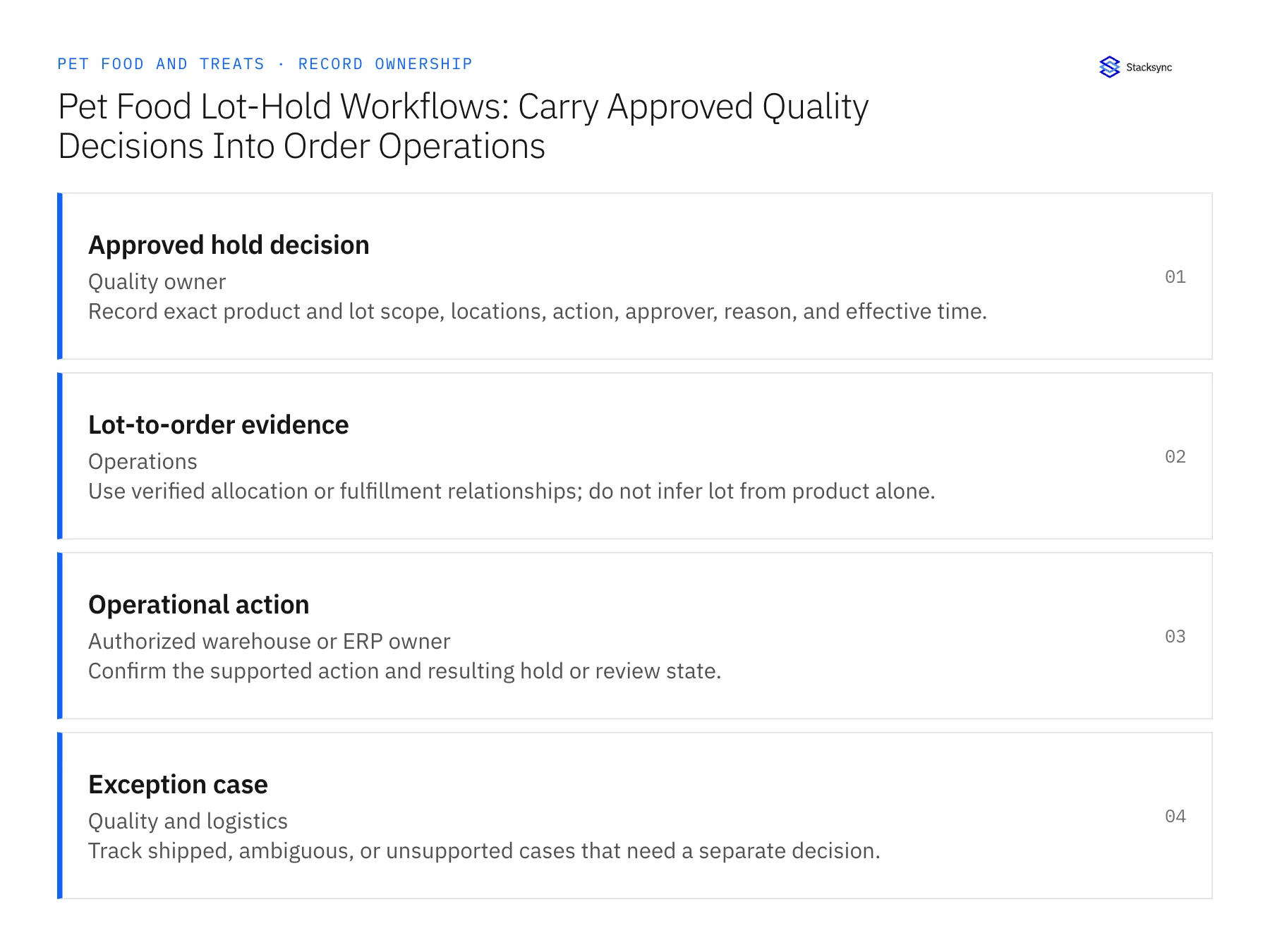
| Approved hold decision | Quality owner | Record exact product and lot scope, locations, action, approver, reason, and effective time. |
| Lot-to-order evidence | Operations | Use verified allocation or fulfillment relationships; do not infer lot from product alone. |
| Operational action | Authorized warehouse or ERP owner | Confirm the supported action and resulting hold or review state. |
| Exception case | Quality and logistics | Track shipped, ambiguous, or unsupported cases that need a separate decision. |
Work through the process
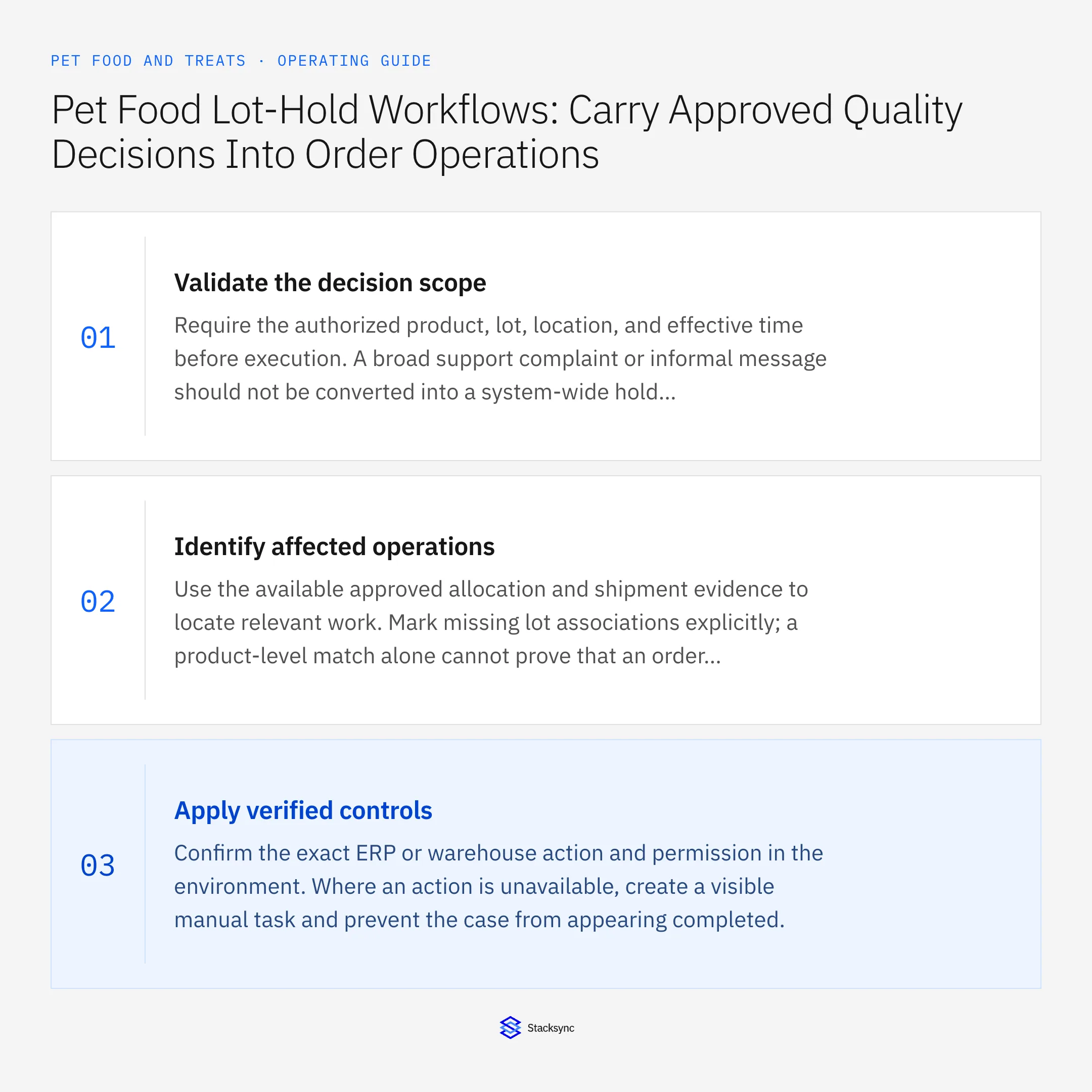
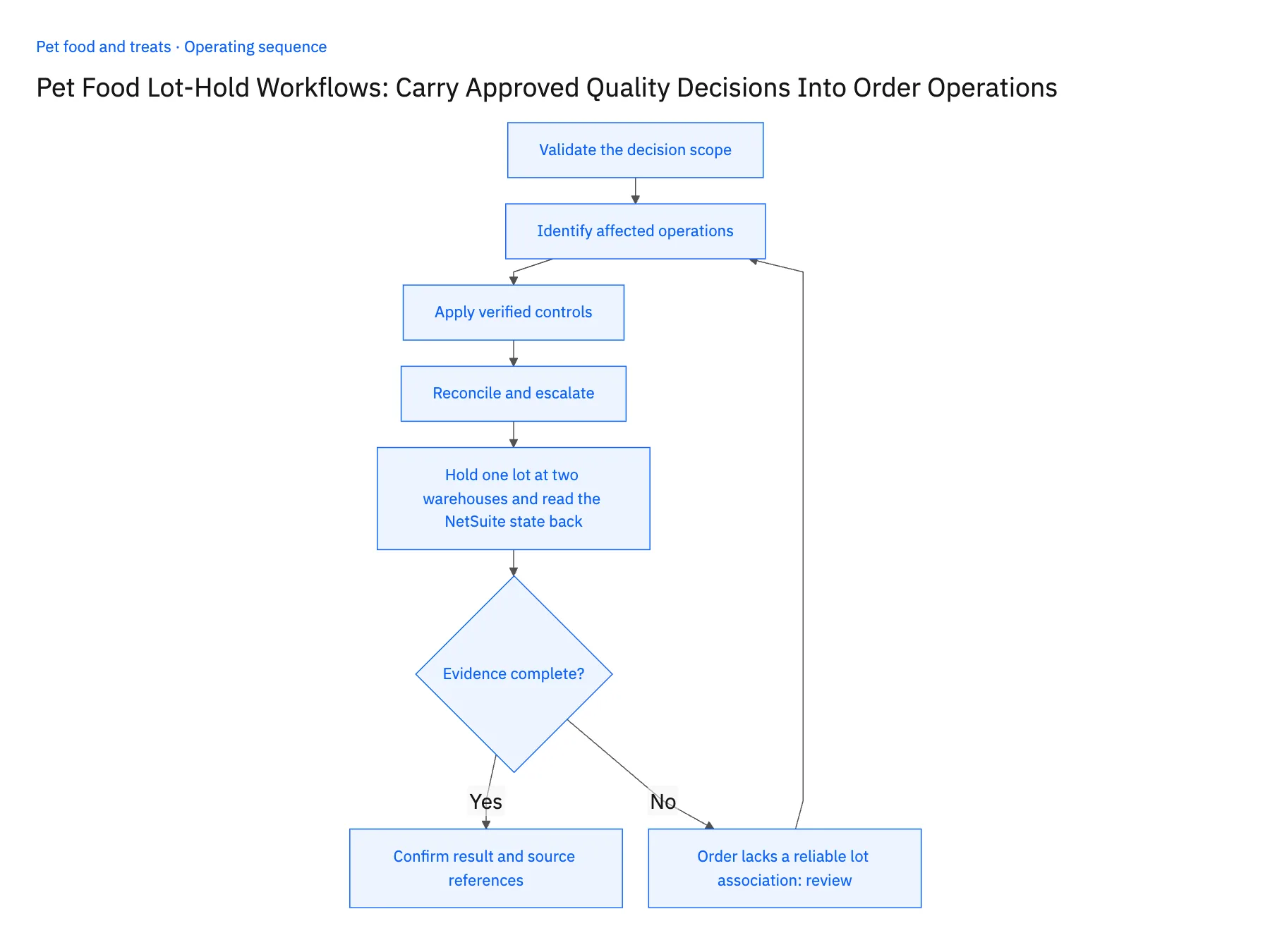
- 01Validate the decision scopeRequire the authorized product, lot, location, and effective time before execution. A broad support complaint or informal message should not be converted into a system-wide hold instruction.
- 02Identify affected operationsUse the available approved allocation and shipment evidence to locate relevant work. Mark missing lot associations explicitly; a product-level match alone cannot prove that an order contains the affected lot.
- 03Apply verified controlsConfirm the exact ERP or warehouse action and permission in the environment. Where an action is unavailable, create a visible manual task and prevent the case from appearing completed.
- 04Reconcile and escalateRead back each intended operational state. Route already-shipped goods, conflicting allocations, and failed controls to the quality and logistics owners with the original decision attached.
- 05Hold one lot at two warehouses and read the NetSuite state backHave the quality owner approve a test hold for one lot at two warehouses and record it in Postgres. Run the workflow and open each NetSuite record it touched: each hold flag must carry that decision's ID, and any order that could not be tied to the lot through allocation or fulfillment data must appear as an escalation to quality, neither held nor cleared. Then pick one location where the hold action is unsupported or fails; the case must stay open with a manual task in Slack. A record held without a decision ID, an unmatched order treated as held, or a failed action that reads complete stops the rollout.
Handle the exceptions explicitly
Order lacks a reliable lot association
Escalate the ambiguity and follow the quality owner’s policy rather than guessing.
Shipment already left
Route the case to the authorized team; do not claim that an internal hold stopped it.
Hold is later released
Require a new approved decision and verify each release action independently.
What to verify before expanding
- Every operational action traces to an authorized lot-specific decision.
- Unsupported or failed actions remain visibly incomplete.
- An already dispatched shipment is routed to the authorized exception process and is not reported as stopped by an internal hold.
- Releasing a held lot requires a new approved decision and verified operational results for the exact affected scope.

Connect this process to the rest of your operation
Explore Stacksync workflows and scope the records and actions against your actual systems. Book a demo with a real approved hold decision example and the exception your team handles most often, for example order lacks a reliable lot association.
- Approved Lot-Hold Automation for Pet Food Operations
- Pet Food Wholesale Workflows: Route Minimum-Order and Freight Exceptions
- AI Agents for Pet Food Brands: Trace Customer Complaints to Orders and Production Lots
- Incomplete Lot Codes and Mixed Recipes: Exception Handling for Pet Food Agents
- Give Support Agents Full Customer Context in the Helpdesk (No Tab-Switching)
- Automate Shopify Order Status Replies in Slack
The shared architecture guide covers record matching, ownership, and recovery across systems.
Technical references
FAQ
Frequently asked questions










Related articles






