






















HubSpot to Snowflake Sync: Instant Bi‑Directional Integration
Sync HubSpot and Snowflake in real time, both ways, in minutes with no code, unlike HubSpot native Data Sync or slow ETL/reverse-ETL jobs.
- Author
- Ruben Burdin · Founder & CEO
- Published
- Updated
- Read time
- 8 min read

In today's data-driven world, connecting your HubSpot customer data with your Snowflake data warehouse isn't just an advantage it's essential. Unifying these platforms allows you to unlock advanced analytics, create a single source of truth for all customer activity, and power your business intelligence with live data. Yet, many businesses are stuck using outdated methods like manual CSV uploads or slow, batch-based data pipelines. These approaches are plagued by delays, errors, and high maintenance costs.
It's time to move beyond clunky, unreliable integrations. The modern solution is a real-time, bi-directional sync that transforms HubSpot and Snowflake into a single, perfectly unified system.
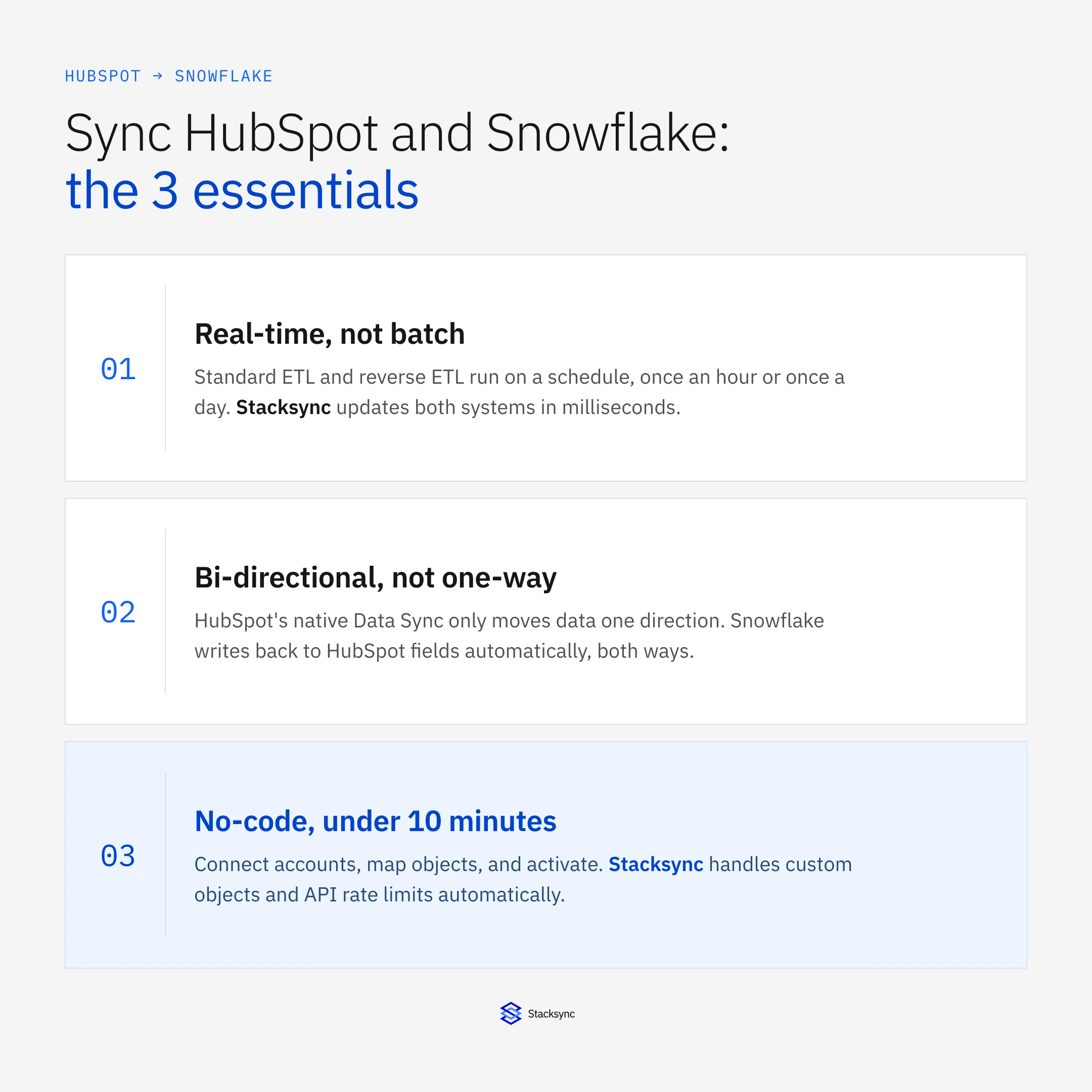
Why Traditional HubSpot-to-Snowflake Integration Falls Short
Many companies try to connect HubSpot and Snowflake with traditional methods, only to find they create more problems than they solve. These approaches are inefficient, don't scale, and fail to provide the real-time data modern teams need to succeed.
Limitations of One-Way ETL/Reverse ETL
Most data tools offer simple, one-way data pipelines. ETL (Extract, Transform, Load) tools move data from HubSpot to Snowflake, while Reverse ETL tools push it back. This immediately creates two significant problems:
- Data Latency: These tools run on schedules, meaning your data is updated in batches—every hour, or sometimes only once a day. This delay means your analytics and reports are always based on old information, making it impossible to react to customer needs in real time.
- Complexity and Cost: To even attempt a two-way flow, you need to buy, manage, and maintain two separate tools and pipelines. This doubles the cost, complexity, and potential points of failure in your data stack.
Challenges of Native or Manual Integrations
Using HubSpot’s built-in sync features or relying on manual exports introduces its own set of critical issues [6]. While these methods might seem cheap at first, they quickly become a major bottleneck for growth.
- Limited Scope: They often lack support for your custom objects and properties, leaving you with an incomplete picture of your customer data.
- API Quota Issues: Manual scripts and basic connectors can easily overwhelm HubSpot's API limits, causing syncs to fail and data to be lost.
- No Error Handling: When an integration fails, it often does so silently. You get no alerts and have no easy way to fix the problem, leading to data you can't trust.
- Not Scalable: These processes are labor-intensive and simply can't keep up as your business and data volumes grow, tying up your engineering team with manual data tasks instead of high-value work.
The Stacksync Advantage: True Bi-Directional, Real-Time Sync
Instead of just moving data between systems, imagine if HubSpot and Snowflake operated as one. That is the power of a true bi-directional, real-time sync. Stacksync was built from the ground up to deliver this, transforming your separate tools into a single, powerful, and cohesive data ecosystem.
What is Bi-Directional Sync?
True bi-directional, or two-way, sync means that any data created, updated, or deleted in HubSpot is instantly reflected in Snowflake, and any changes in Snowflake can be mirrored back to HubSpot in milliseconds. This isn't just two separate one-way pipelines; it's a single, intelligent sync that guarantees your data is always consistent across both platforms. The result is a perpetually up-to-date, single source of truth for your entire organization. You can learn more in our complete guide to bidirectional integration.
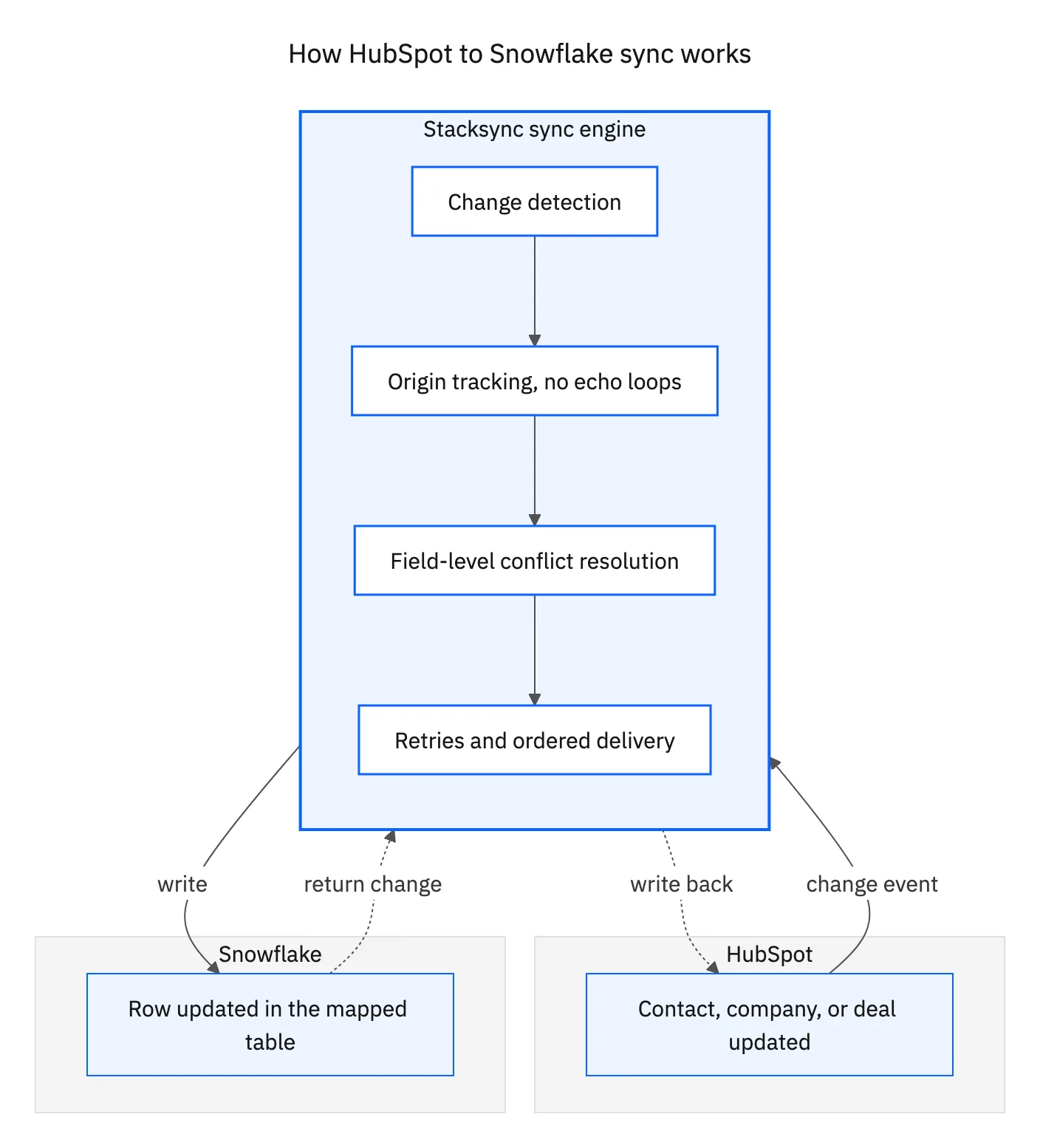
Key Features of Stacksync for HubSpot & Snowflake
Stacksync delivers an enterprise-grade solution that is powerful yet surprisingly simple.
- Real-Time Speed: Data syncs in milliseconds, not hours. This enables mission-critical use cases like live operational dashboards, instant marketing personalization, and sales insights that are impossible with slow, batch-based tools.
- Effortless No-Code Setup: Forget long implementation projects. You can set up your HubSpot to Snowflake sync in minutes through an intuitive interface, with zero code required.
- Infinite Scalability: Our platform is designed to handle millions of records and thousands of updates per minute from day one. Stacksync scales with you automatically, so you never have to worry about managing infrastructure.
- Automated Reliability: Our "Smart API Rate Limits" feature intelligently manages API calls to prevent you from hitting quotas. The advanced Issue Management dashboard provides instant alerts and one-click fixes for any sync errors, ensuring your data integrity is always protected.
"Complete Data Sync, Guaranteed: Stacksync provides out-of-the-box support for all your HubSpot data, including standard objects, custom objects, and custom properties. Your entire data model is synced completely and accurately, with no exceptions."
Unlock the full potential of your data by creating a seamless, real-time sync between HubSpot and Snowflake.
How to Set Up Your HubSpot to Snowflake Sync in Minutes
Stop waiting for engineering resources. With Stacksync, you can launch a production-ready, bi-directional sync in less time than it takes to make a cup of coffee.
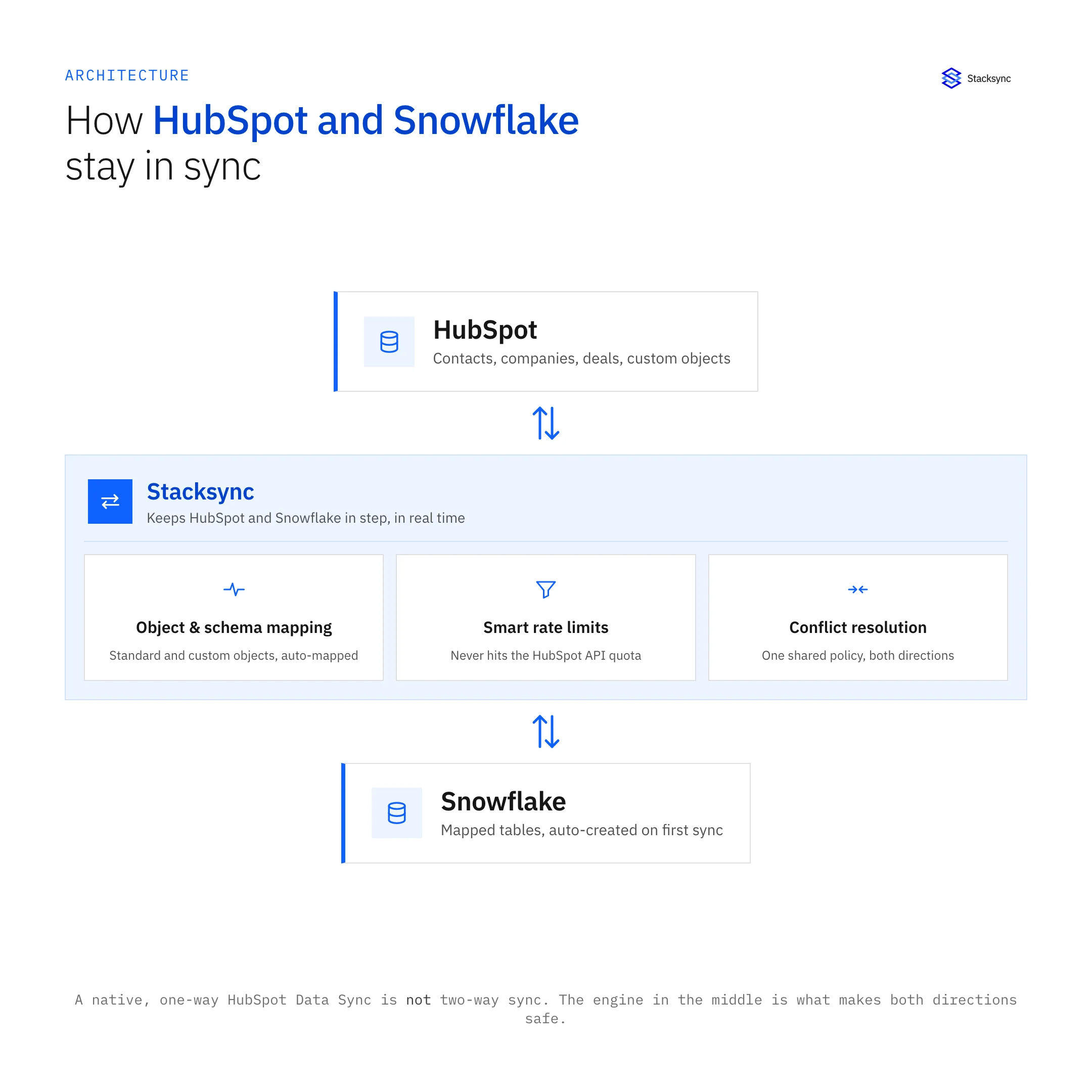
- 01Step 1: Connect Your Apps: Securely link your HubSpot and Snowflake accounts with a single click using OAuth 2.0. Stacksync is SOC 2 Type II, GDPR, and HIPAA compliant, so your data is always protected.
- 02Step 2: Choose Objects & Map Fields: Select the HubSpot objects you want to sync, like Contacts, Companies, Deals, and all your custom objects. Stacksync automatically discovers your data structure and maps the fields. It can even create perfectly organized tables in Snowflake for you.
- 03Step 3: Activate & Monitor: Start your sync and watch your data flow in real-time from the Stacksync dashboard. That's it. Your HubSpot and Snowflake systems are now perfectly unified.
See how easy it is for yourself by joining one of our live technical demos and watch the platform in action.
Top Use Cases for a Bi-Directional HubSpot-Snowflake Sync
When HubSpot and Snowflake are perfectly in sync, you unlock powerful new capabilities for every team in your organization.
Empower Data & Analytics Teams
Free your data team from the tedious work of building and maintaining fragile data pipelines. With a live stream of HubSpot data flowing directly into Snowflake, they can build a true real-time data warehouse. This lets them focus on what they do best: finding valuable insights with BI tools like Tableau or Power BI, instead of fixing broken pipelines.
Supercharge Revenue Operations (RevOps)
Create a true 360-degree view of your customers. RevOps teams can enrich HubSpot records with product usage data, financial information, or lead scores calculated in Snowflake. This valuable data can then be synced back to HubSpot in real time, empowering your sales team with the latest information, automating lead scoring with incredible accuracy, and building hyper-targeted account lists.
Drive Personalized Marketing Automation
Deliver highly personalized customer experiences at scale. Marketing teams can use the live data sync to trigger automated campaigns based on real-time customer behavior. For example, you could instantly trigger a re-engagement email in HubSpot the moment a customer's activity in your product (tracked in Snowflake) signals they might be losing interest, or automatically deliver marketing materials based on their updated HubSpot subscription status.

Comparing HubSpot to Snowflake Integration Solutions
Choosing the right tool is critical. While many platforms claim to offer integration, their capabilities and limitations vary widely. Here’s a quick comparison:
| Feature | Stacksync | ETL Tools (e.g., Hevo, Rivery) | Manual / Native Sync |
|---|---|---|---|
| Sync Type | Real-time, bi-directional | One-way, batch or near-real-time | One-way, manual or scheduled |
| Latency | Milliseconds | Minutes to hours | Hours to days |
| Setup | No-code, under 10 minutes | Low-code, requires configuration | Manual, high effort |
| Reliability | Automated error handling & rate limit management | Basic error logging, risk of API failures | Prone to human error, no monitoring |
| Scalability | Built for millions of records | Can become expensive at scale | Not scalable |
| Use Case | Operational & Analytical | Primarily Analytical | Basic reporting only |
Key Takeaways
Stacksync provides real-time, bi-directional data synchronization across operational systems with zero-code setup and built-in error handling — designed for both analytical and live operational use.
ETL Tools like Hevo or Rivery excel in analytical data movement, but operate primarily in batch mode and can become costly when scaling for operational sync.
Manual or Native Sync options require ongoing effort, lack monitoring, and are prone to delays and data inconsistencies, making them unsuitable for mission-critical operations.
For teams seeking seamless, scalable, and reliable sync between CRMs, ERPs, and databases, Stacksync offers the most efficient and future-ready solution.
While other tools can move data around, Stacksync is the only solution built to truly unify HubSpot and Snowflake into a single, cohesive system that is always in sync.
Conclusion: Stop Moving Data, Start Syncing It
The limits of traditional, one-way data pipelines are clear. They are slow, unreliable, and hold your business back. To compete today, your teams need access to live, consistent data across all their tools. A real-time, bi-directional HubSpot to Snowflake sync is no longer a "nice-to-have"—it's a core requirement for operational excellence.
Stacksync provides the most robust, scalable, and easy-to-use platform to achieve this unification. Empower your teams, supercharge your analytics, and build a truly data-driven organization. Explore our HubSpot two-way sync integration and discover what's possible.
Ready to unlock the true power of your data? Book a Demo or Start Your Free Trial Today.

FAQ
Frequently asked questions










Explore these integrations and topics
- connectorHubSpot integrations
- connectorSnowflake integrations
- platformTwo-way sync
- platformCRM synchronization
- platformWarehouse data flows
- Two-way sync guidesUnderstand two-way sync, record matching, field ownership, and production readiness.
- CRM synchronization guidesConnect customer records across sales, marketing, and operational systems.
- Warehouse data flows guidesChoose between ingestion, reverse ETL, and operational write-back for warehouse data.
Related articles





