How to Track and Cap Salesforce Flex Credit Spend on AI Agents
Digital Wallet shows Flex Credit use by agent and sends threshold alerts, but documents no hard cap. A checklist to track, alert on, and cap agent spend.
- Author
- Ignacio Malpartida · GTM Engineer
- Published
- Read time
- 5 min read

How do you track and cap Flex Credit spend on agents?
Short answer: Track spend in Digital Wallet, which shows Flex Credit consumption down to the agent, action, and channel, and set threshold alerts at 50%, 80%, and 100% of your monthly budget. Salesforce doesn't document a hard spending cap, so build one yourself: limit calls per conversation and per day in your agent harness, give every agent its own credentials, and keep a way to cut an agent off. Do it before Salesforce starts metering Headless Platform Interactions (HPIs).
Checked against Salesforce's Digital Wallet and pricing pages on October 24, 2026. HPIs aren't metered yet.
What does Digital Wallet show you?
- Balance: credits consumed, credits remaining, and when usage was last processed.
- Usage type: the rate card lists Headless Platform Interaction as its own usage type, separate from Agentforce actions.
- Attribution: Salesforce says Digital Wallet gives insight down to the agent, action, and channel.
- Custom tags: you can tag usage by environment, agent, or feature and use the tags for internal chargebacks.
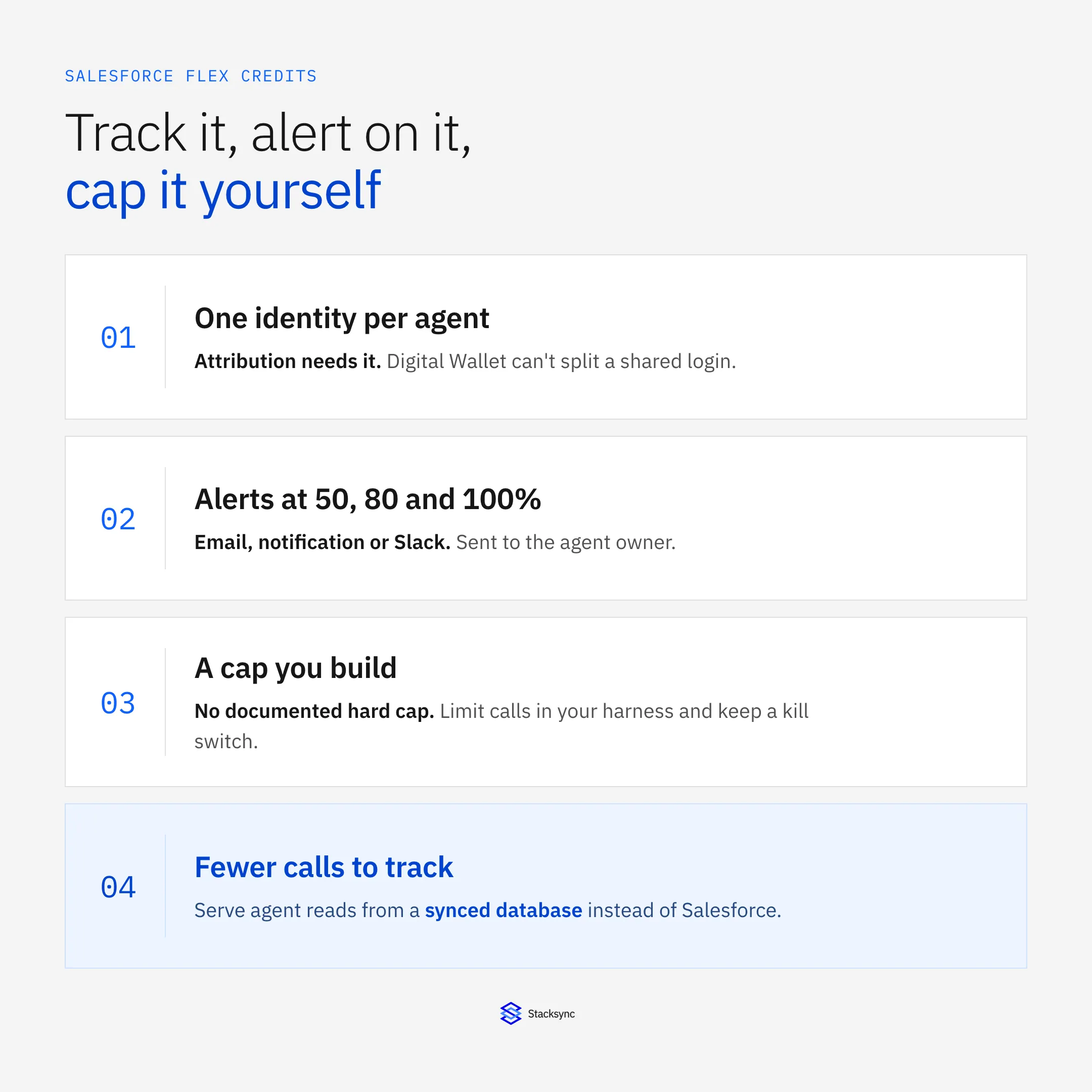
Attribution only works if each agent has its own identity. If three agents share one login, Digital Wallet can't split their spend. Registering each agent separately under Agentic Identity fixes that. See the Agentic Identity checklist.
The checklist
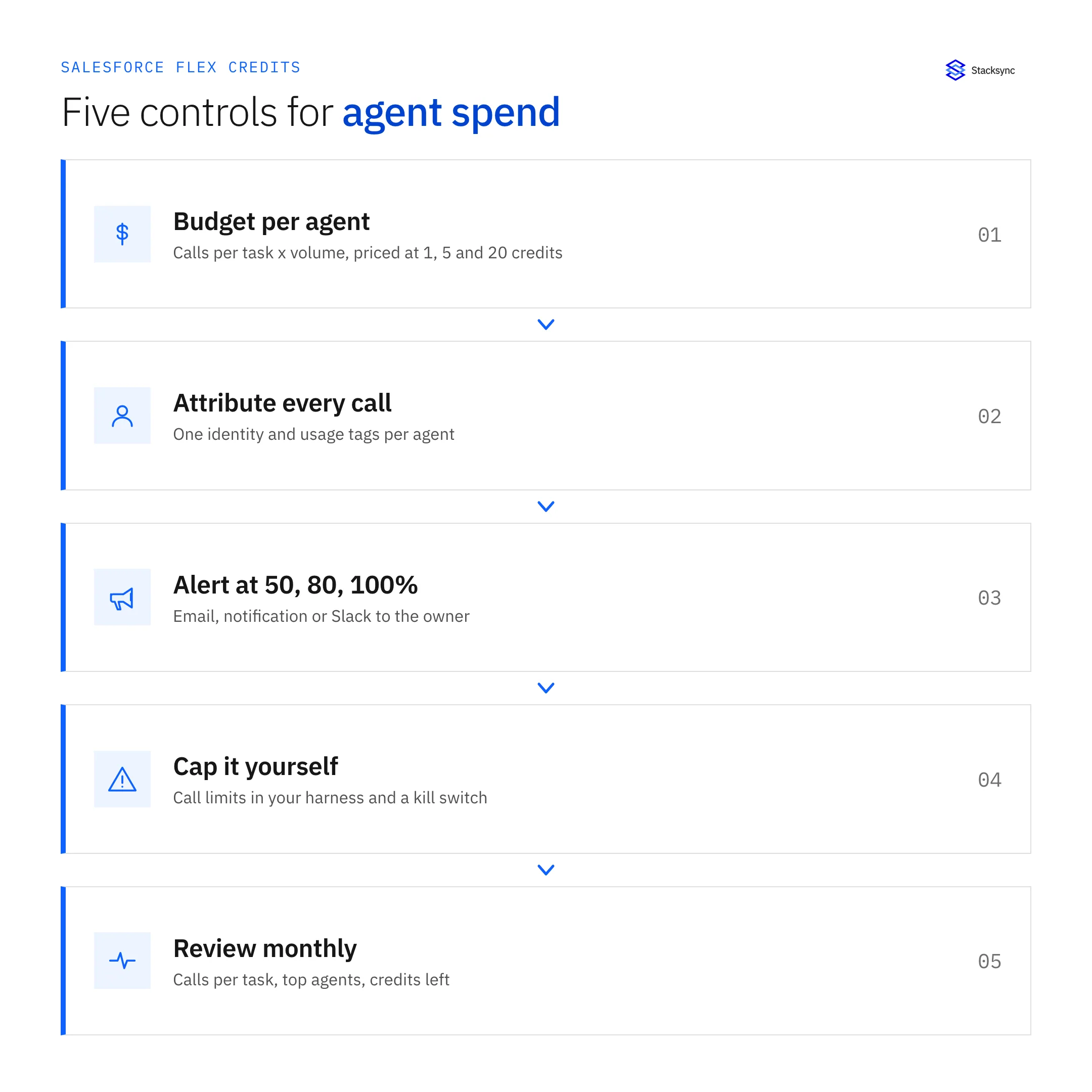
1. Set a monthly budget per agent
Count calls per task in a sandbox, multiply by expected volume, and price it at 1, 5, and 20 credits per HPI, since Salesforce hasn't published the rate. Our cost estimates have the formula and a worksheet. Give each budget a named owner.
2. Make every call attributable
- One registered identity and one External Client App per agent.
- Usage tags in Digital Wallet that match your cost centers.
- Agent logs that record each tool call with the agent, task, and user.
- For hosted MCP traffic, filter event logs on
API_CLIENT_CATEGORY=SALESFORCE_HOSTED_MCP.
3. Set threshold alerts
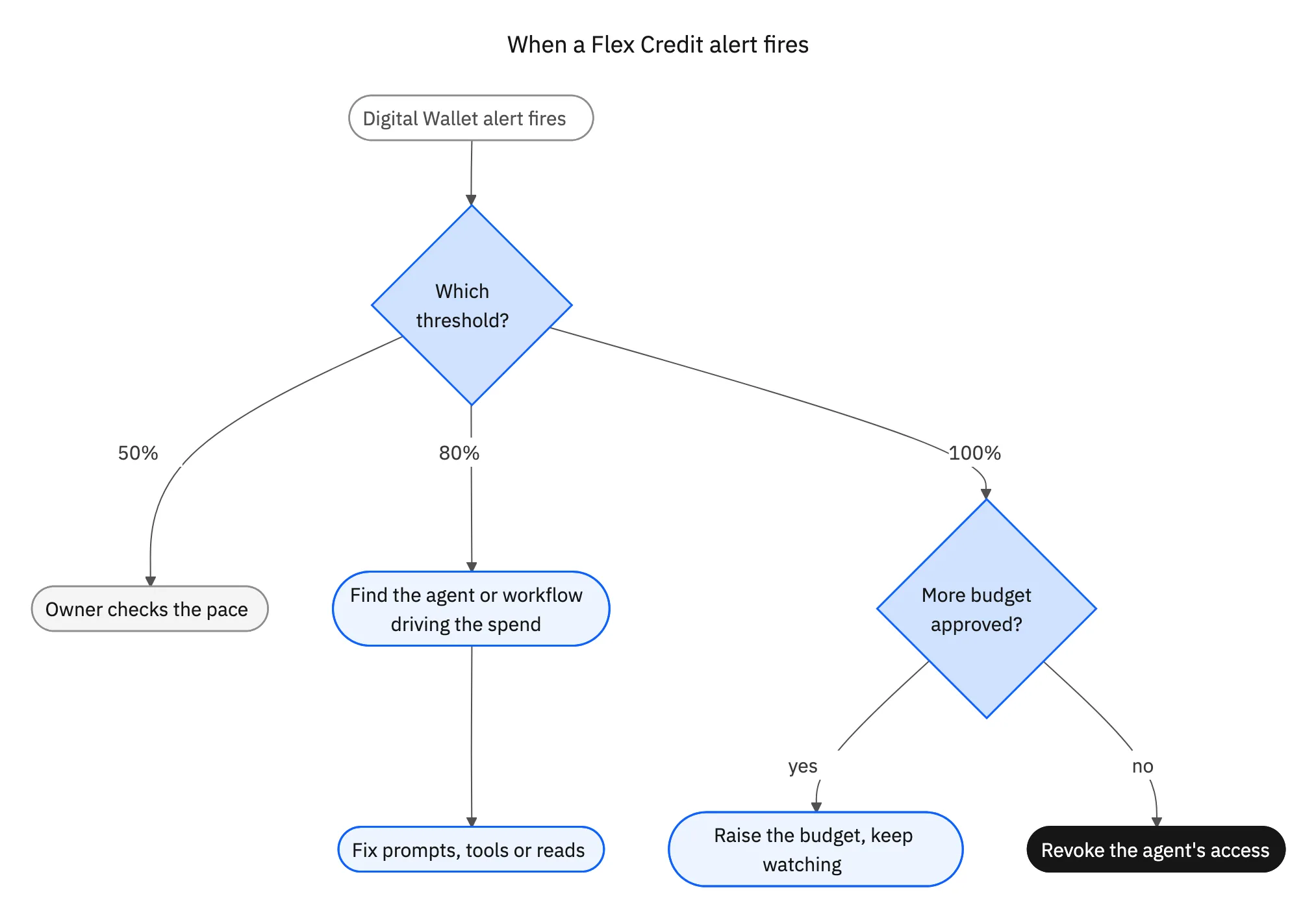
Digital Wallet alerts trigger on a percentage or a number of units, and send by email, system notification, or Slack. Salesforce provides a Consumption Threshold Alerts flow template to set them up. Set three levels and send each one to the agent owner as well as finance:
| Threshold | Who hears | What they do |
|---|---|---|
| 50% of monthly budget | Agent owner | Check the date. Halfway through the month is fine. Day 8 is not |
| 80% | Agent owner and admin | Find the agent or workflow driving the spike and fix it |
| 100% | Owner, admin, and budget holder | Pause the agent or approve more spend |
4. Build the cap yourself
Salesforce's pricing FAQ says there is no overage penalty and tells customers to prevent overages with Digital Wallet alerts. An alert doesn't stop an agent at 2 a.m. Add your own limits:
- Per conversation: cap tool calls, for example 15, and stop after two failed queries.
- Per day: keep a running count of successful Salesforce calls per agent, and refuse new calls past the daily budget.
- Kill switch: know how to revoke one agent's access in Salesforce, by removing its permission set or disabling its app, without touching anyone else.
5. Review monthly
- Calls per task by workflow. A rise after a prompt change shows up here first.
- Top five agents by credits.
- Credits remaining against the order end date.
- Reads that could move to a synced database instead. See how to move agent reads off the Salesforce API.
Which buying model fits?
| Model | How it bills | Fits when |
|---|---|---|
| Pay-as-you-go | Monthly at list price, no minimums | You haven't measured HPI volume yet |
| Pre-commit | You commit to a volume. Salesforce invoices any shortfall | Volume is steady and measured |
| Pre-purchase | Upfront | You want a fixed budget and have measured volume |
Flex Credits must be used before the order end date, and unused credits don't roll over. Extra usage on pre-commit and pre-purchase bills at your contracted rate. Start on pay-as-you-go or a small commitment until you have three months of HPI data, then negotiate a named rate.

How do you lower the number you're tracking?
Tracking tells you where the credits go. To spend fewer, cut calls per task and keep reads off Salesforce. Start with seven ways to cut Salesforce agent costs and what stays off the HPI meter.
Sources
- Salesforce, Digital Wallet
- Trailhead, Optimize Resource Consumption and Control Costs Effectively
- Salesforce Help, Change a Consumption Threshold for a Specific Card
- Salesforce, Agentforce Pricing
- Salesforce, Flexible Buying Models
- Salesforce, Flex Credits Rate Card (updated August 31, 2026)
- Salesforce Help, Understand AIforce Impact (Knowledge Article 005360285)
- Salesforce Developers, Security Best Practices for Hosted MCP Servers

FAQ
Frequently asked questions










Explore these integrations and topics
- connectorSalesforce integrations
- platformDatabase synchronization
- platformAI agent operations
- Database synchronization guidesWork through database change capture, application writes, and reliable record reconciliation.
- AI agent operations guidesExplore practical Genies workflows across industries, with source evidence, human approvals, and confirmed outcomes.
Related articles