Should You Move Salesforce Integrations to MCP? A Migration Guide
Which Salesforce REST, Bulk and Apex integrations belong on the hosted MCP servers, which should stay put, and how HPI metering changes the decision.
- Author
- Ignacio Malpartida · GTM Engineer
- Published
- Read time
- 6 min read

Should you move Salesforce integrations to MCP?
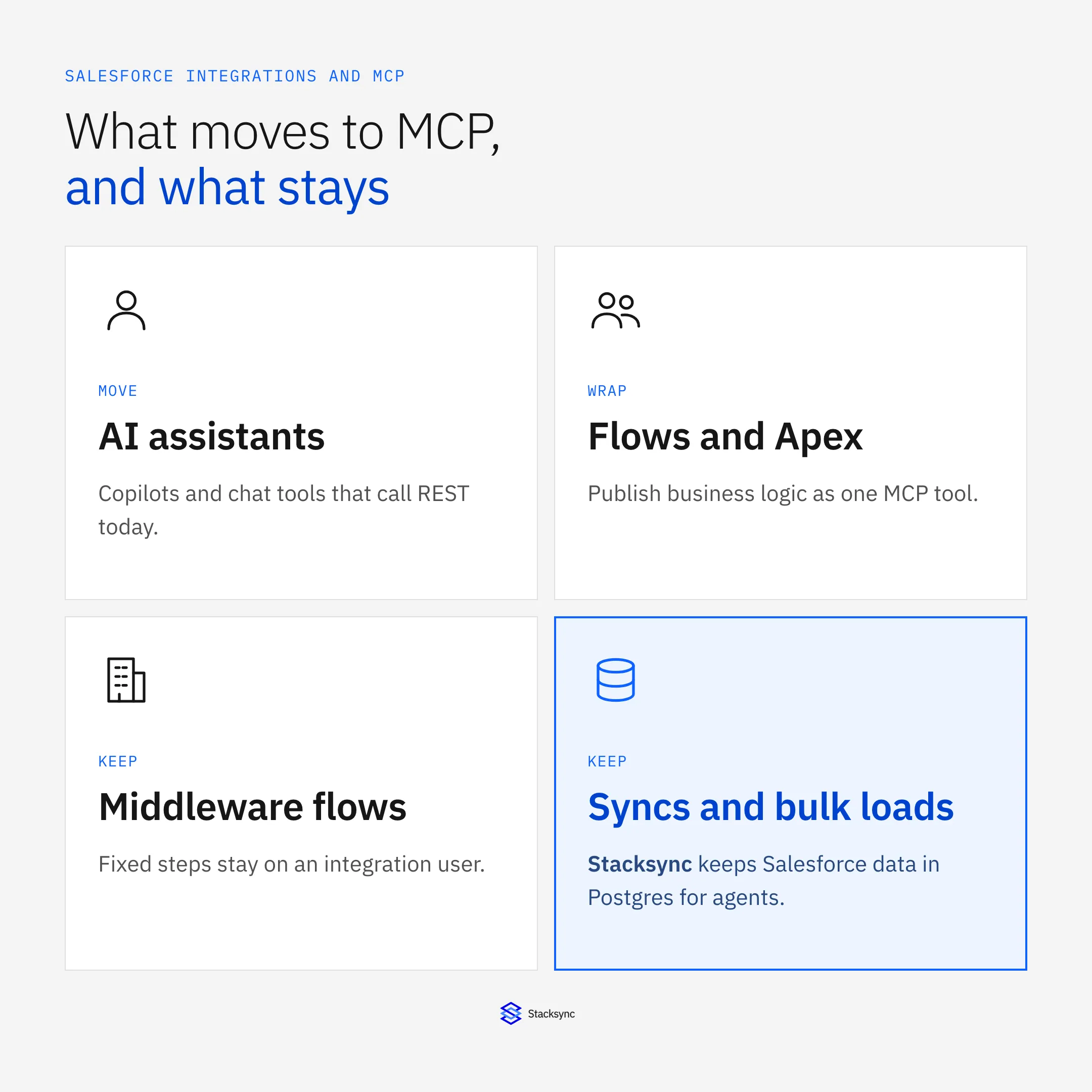
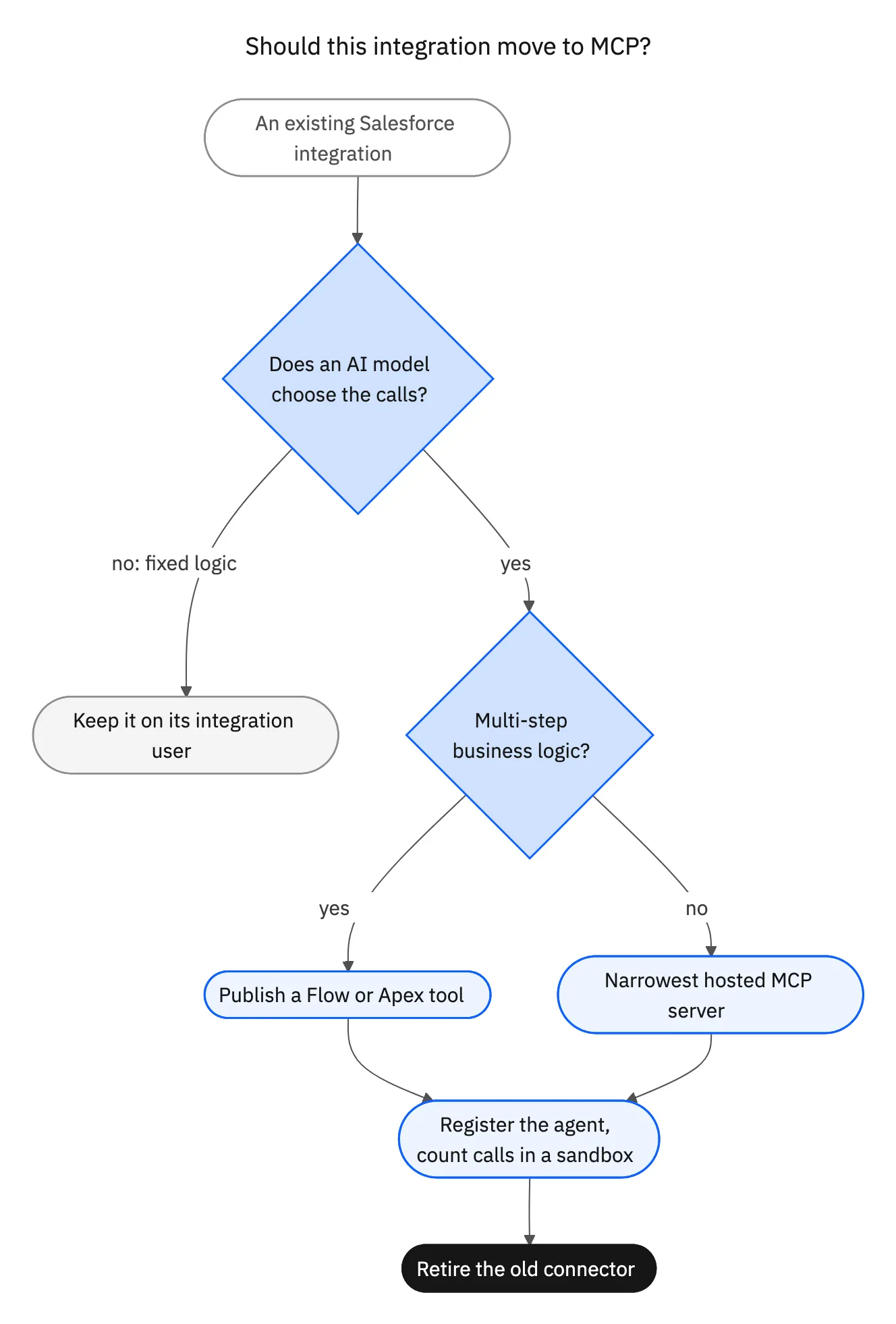
Short answer: Move the integrations an AI model drives, and leave the rest where they are. MCP gives a model a standard way to discover and call Salesforce tools. A scheduled sync, an ETL job, or a middleware flow doesn't need that: its logic is fixed, it moves more data than MCP allows, and Salesforce says traditional integrations keep their current pricing. Rebuilding one as an agent would put its traffic on the Headless Platform Interaction (HPI) meter.
Based on Salesforce's hosted MCP documentation and its announced metering rules as of October 24, 2026.
What changes when an integration moves to MCP?
Three things change, and only the first is technical.
- Who decides the calls. A REST integration runs the calls a developer wrote. An MCP client lets the model pick tools at run time, so the number of calls per task varies.
- Whose identity runs them. Integrations run on integration users. Agents will register under Agentic Identity with their own credentials. See the Agentic Identity checklist.
- How Salesforce bills them. Registered agent calls in production become HPIs billed in Flex Credits. Integration traffic stays on today's terms. Our pricing explainer covers the meter.
That last point settles most migration questions. Moving fixed-logic traffic into an agent adds a per-call charge and buys no new capability.
Which integrations should move?
| Integration today | Move to MCP? | Why |
|---|---|---|
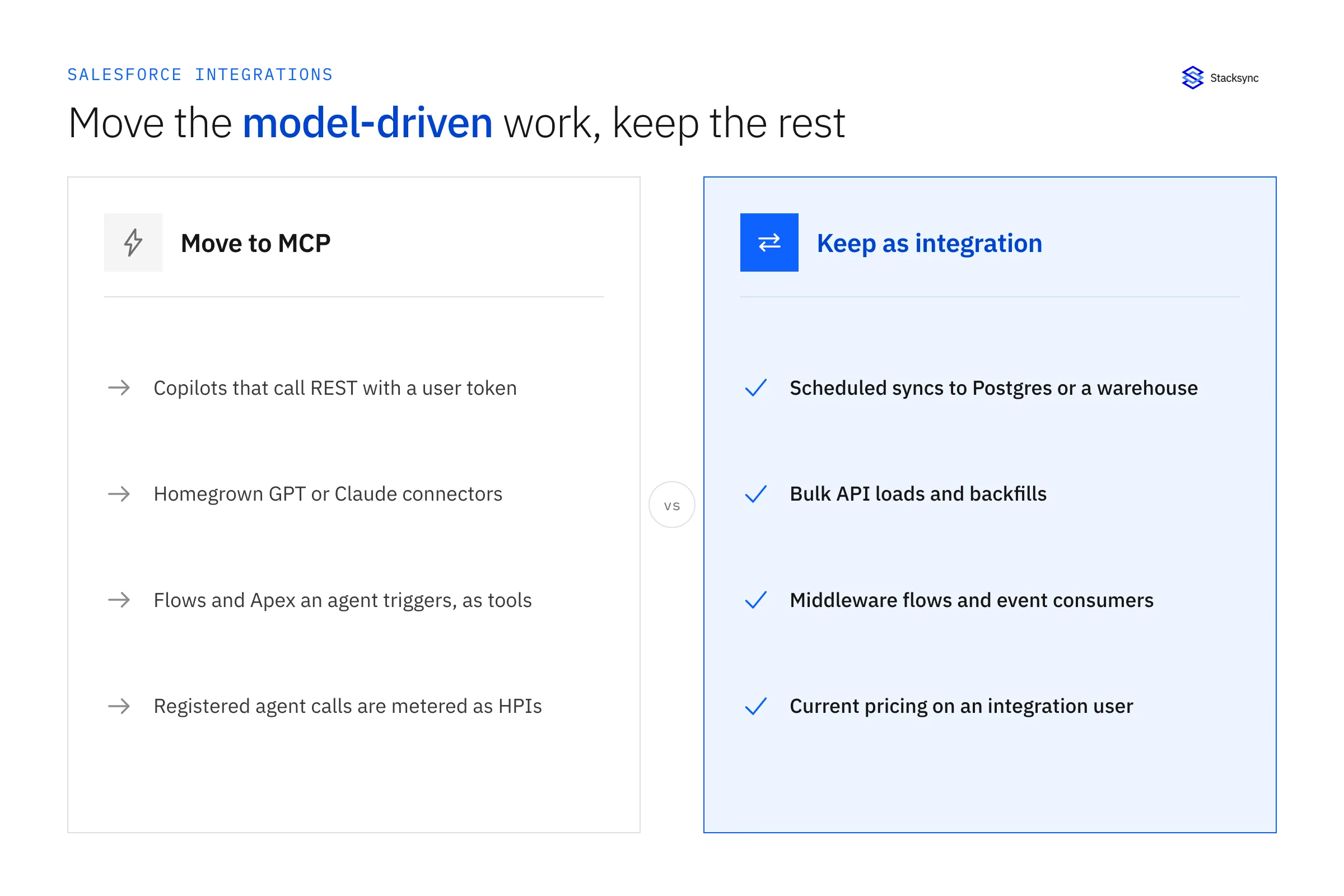
| Chat assistant or copilot calling REST with a user's token | Yes | A model already drives it. MCP replaces hand-written tool wrappers and enforces the user's permissions |
| Custom GPT or Claude project with a homegrown Salesforce connector | Yes | The hosted servers replace code you maintain |
| Apex or Flow business logic an agent should trigger | Yes, as a custom tool | Publish it as an MCP tool and keep its validation and approvals |
| Scheduled sync to a database or warehouse | No | Fixed logic, high volume, integration pricing |
| Bulk API loads and backfills | No | MCP caps queries at 50,000 records per transaction |
| Middleware flows (order to cash, lead routing) | No | Deterministic steps. Keep them on the integration user |
| Platform Events and Change Data Capture consumers | No | Event streams have no MCP equivalent |
How do you migrate an agent integration to MCP?
For each integration that passes the test above:
- 01List the calls it makes today. Map each REST endpoint to an MCP tool: SOQL queries to
soqlQuery, record creates tocreateSobjectRecord, and so on. The endpoint guide has the full tool list. - 02Enable the server. Standard servers ship disabled. An admin turns each one on in Setup.
- 03Pick the narrowest server. A read-only assistant goes on
sobject-reads. One that logs work goes onsobject-mutations. Avoidsobject-allunless a trusted user needs everything. - 04Turn custom logic into tools. Anything your integration did in several REST calls, such as create an opportunity and its line items, becomes one Flow or Apex invocable action published as a tool.
- 05Switch auth. The hosted servers accept only the OAuth authorization code flow with PKCE, through an External Client App with the
mcp_apiscope. They don't support connected apps, service accounts, or machine-to-machine flows. Move from the shared token to per-user OAuth, then to the agent's registered credentials when Agentic Identity applies to your org. - 06Test in a sandbox and count calls. Salesforce doesn't meter sandboxes. Compare calls per task before and after.
- 07Retire the old connector and revoke its connected app so nothing keeps calling the REST path.
What should you do with the integrations that stay?
Leaving them alone is correct, but tidy them up so Salesforce can tell them apart from agents.
- Give each integration its own integration user and connected app. Enterprise, Unlimited, and Performance Edition orgs come with five API-only Salesforce Integration user licenses.
- Remove any agent that shares those credentials.
- Document what each one does, in case Salesforce asks how you classified it.
Some of these integrations can also help your agents. A sync that keeps Salesforce data in Postgres gives agents a place to read without calling Salesforce at all. That is the subject of our guide to moving agent reads to a synced database.

Common mistakes
- Rebuilding a nightly sync as an agent because MCP is new. You add a per-call charge and lose bulk throughput.
- Switching from MCP back to REST to dodge the meter. Salesforce meters registered agent calls on both.
- Porting call-by-call. A one-to-one port of ten REST calls gives you ten metered calls. Wrap multi-step work in one Flow tool.
- Leaving the old connector running. Two paths double your calls and blur your audit trail.
If you're also deciding between Salesforce's hosted servers and a self-hosted MCP server, see self-hosted vs hosted Salesforce MCP.
Sources
- Salesforce Developers Blog, Salesforce Hosted MCP Servers Are Now Generally Available (April 29, 2026)
- Salesforce Developers, Standard MCP Servers Reference
- Salesforce Developers, SObject All MCP Server
- Salesforce Developers, Products Supporting MCP
- Salesforce Developers Blog, Invoke REST APIs with the Salesforce Integration User and OAuth Client Credentials (February 8, 2024)
- Salesforce Ben, Salesforce Will Charge Flex Credits for Agentic MCP and API Calls (September 24, 2026)
- Vantage Point, Salesforce Will Meter Agentic MCP and API Calls: What to Do Now (updated October 10, 2026)

FAQ
Frequently asked questions










Related articles