






















Supplier-delay workflows for manufacturers: connect PO confirmations to customer commitments
A supplier-delay workflow keeps requested, confirmed and accepted dates apart, finds supply already on its way and prepares expedite or transfer options for the owner to approve.
- Author
- Ignacio Malpartida · GTM Engineer
- Published
- Read time
- 4 min read

The operating decision
A manufacturing supplier-delay workflow should connect a changed purchase-order confirmation to the jobs and customer commitments that depend on it. Keep requested, supplier-confirmed and internally accepted dates separate. Automation can collect current supply, demand and follow-up history, then route a recovery decision to purchasing and planning. It should not create another purchase order or promise expedited delivery merely because a component appears late in one system.
Explore the complete manufacturing integration and automation hub for the systems and processes around this guide.
What this looks like in manufacturing
A machine builder receives a supplier email moving a motor delivery by a week. Purchasing knows the delay, but the project planner still sees the old date in a spreadsheet and customer service has already promised installation. There is also an open transfer from another site that could cover part of the shortage. A useful workflow links the supplier’s revised confirmation to the purchase line, identifies the affected machines, checks existing incoming supply and prepares choices for the owner who can approve cost and schedule tradeoffs.
Records, ownership, and update rules
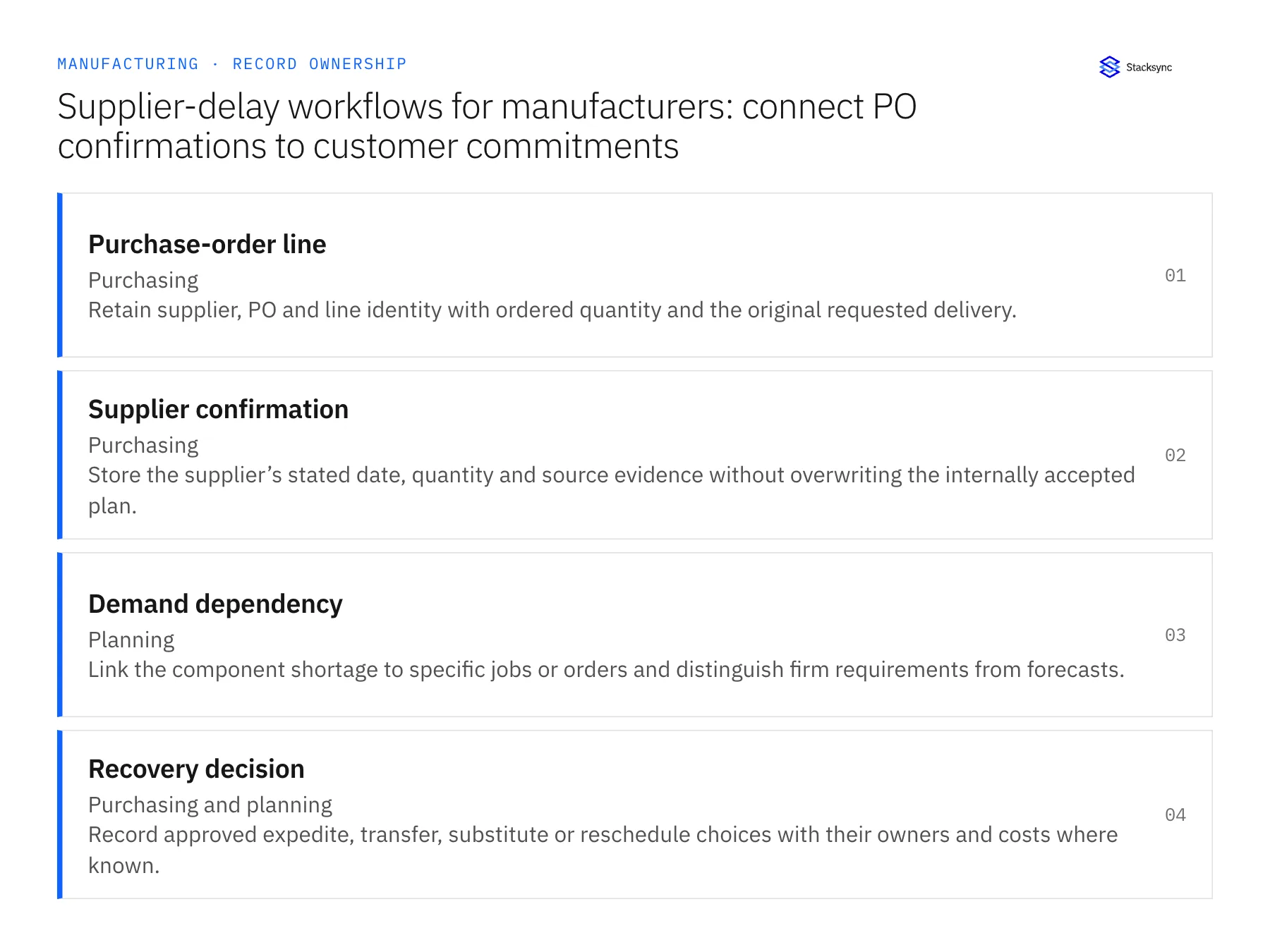
| Record | Owner | Operating rule |
|---|---|---|
| Purchase-order line | Purchasing | Retain supplier, PO and line identity with ordered quantity and the original requested delivery. |
| Supplier confirmation | Purchasing | Store the supplier’s stated date, quantity and source evidence without overwriting the internally accepted plan. |
| Demand dependency | Planning | Link the component shortage to specific jobs or orders and distinguish firm requirements from forecasts. |
| Recovery decision | Purchasing and planning | Record approved expedite, transfer, substitute or reschedule choices with their owners and costs where known. |
Work through the process
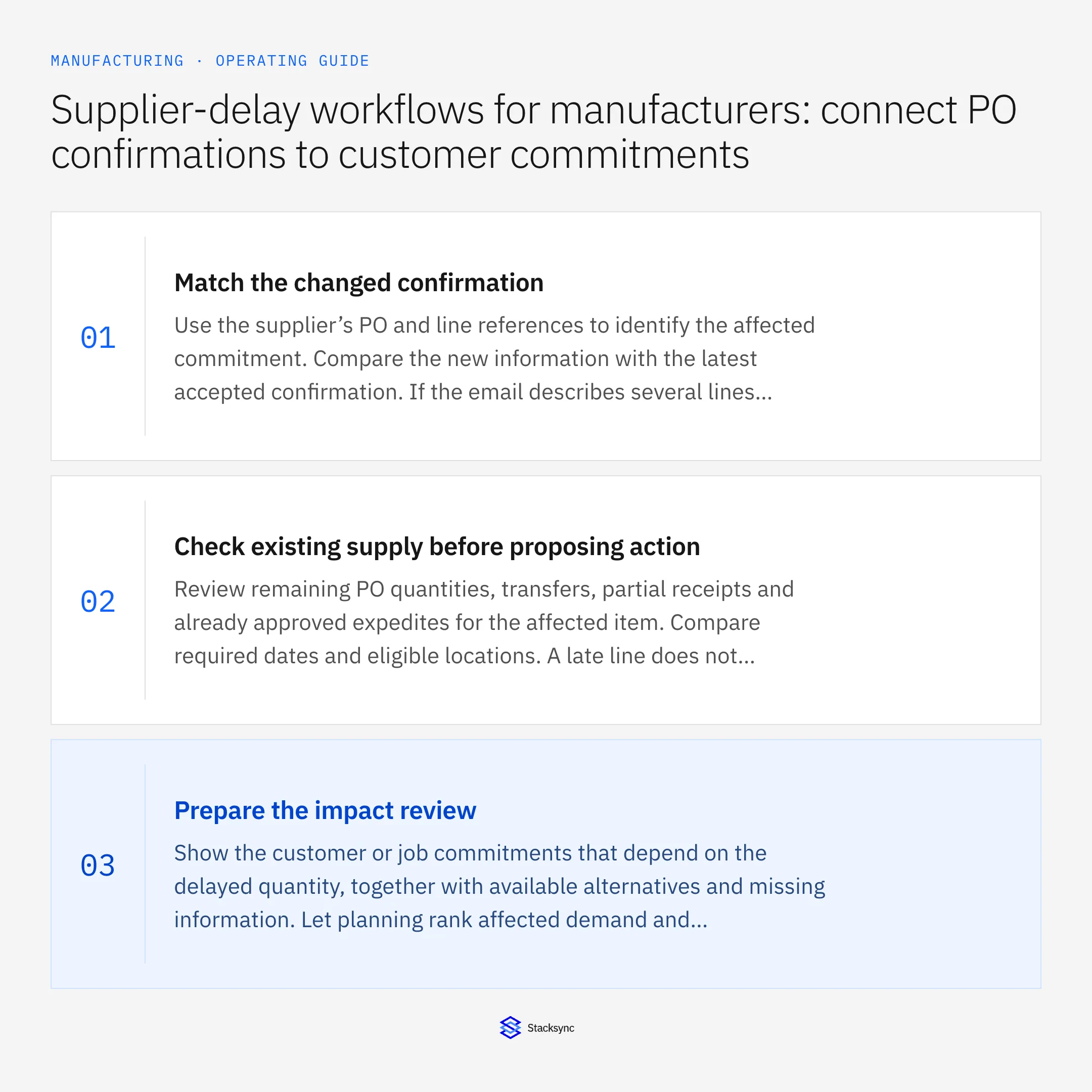
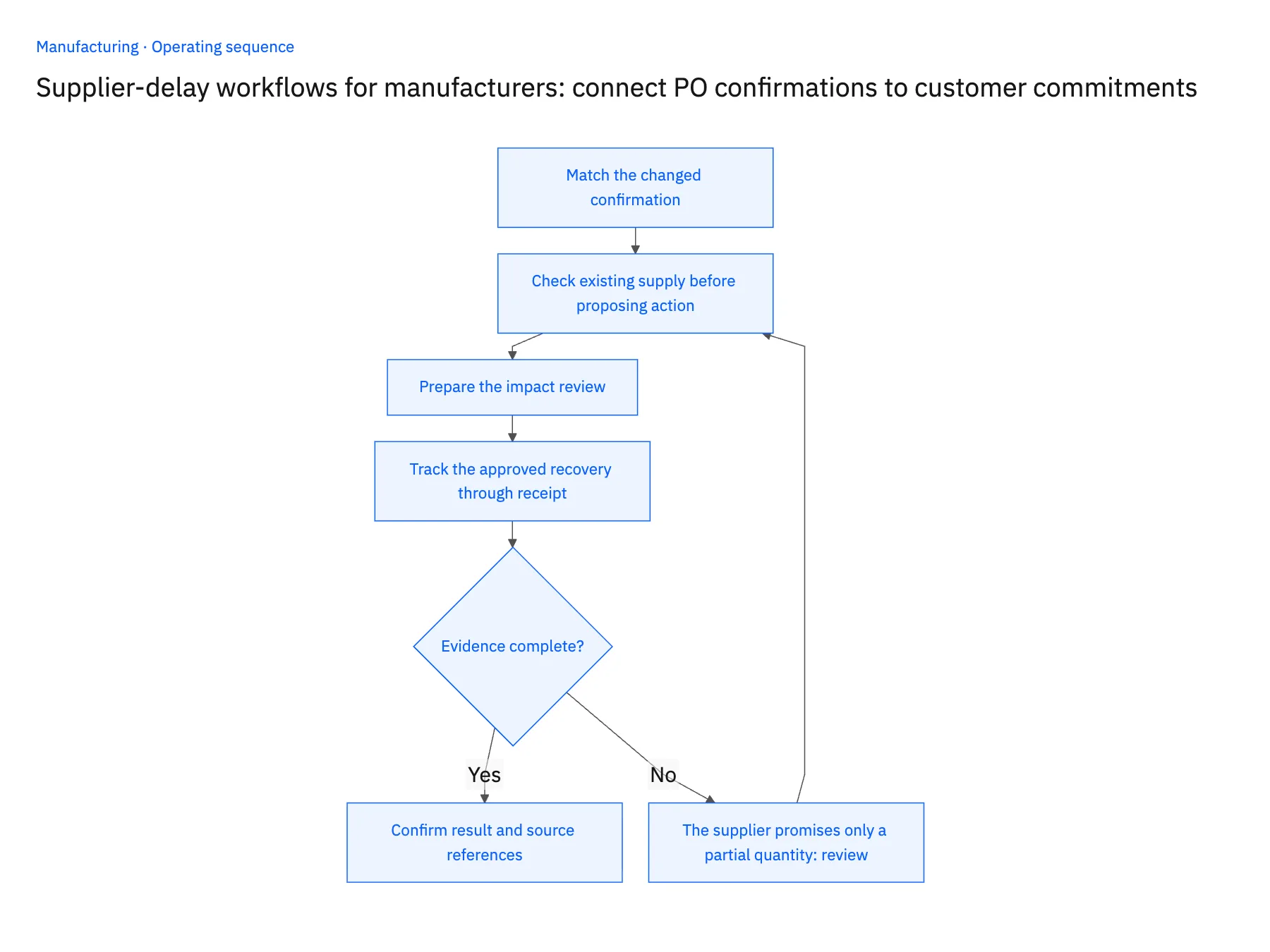
- 01Match the changed confirmationUse the supplier’s PO and line references to identify the affected commitment. Compare the new information with the latest accepted confirmation. If the email describes several lines ambiguously, request clarification rather than moving every line on the order.
- 02Check existing supply before proposing actionReview remaining PO quantities, transfers, partial receipts and already approved expedites for the affected item. Compare required dates and eligible locations. A late line does not imply that another order is needed if suitable supply is already incoming.
- 03Prepare the impact reviewShow the customer or job commitments that depend on the delayed quantity, together with available alternatives and missing information. Let planning rank affected demand and purchasing validate supplier options. Keep technical substitutions subject to the appropriate engineering or quality decision.
- 04Track the approved recovery through receiptUpdate the agreed operational records and schedule follow-up against the revised confirmation. An expedite approval is not a receipt. Close the delay case only when the required quantity is received or the affected demand has an accepted alternative disposition.
Handle the exceptions explicitly
The supplier promises only a partial quantity
Split the confirmation into the quantities and dates actually offered. Do not mark the whole purchase line recovered because one shipment has a tracking number.
A transfer is already covering the shortage
Link the existing transfer to the case and remove the duplicate proposal from consideration. Retain who approved the allocation.
A substitute is available but unapproved
Present it as a candidate with compatibility evidence. Keep purchasing action blocked until the technical owner approves its use for the affected demand.
What to verify before expanding
- A revised confirmation identifies the exact purchase line and affected quantity.
- Open transfers and incoming supply are considered before another purchase proposal is prepared.
- The customer-facing promise changes only after planning accepts the recovery plan.
- A case cannot close solely because an email was sent or an expedite was requested.

Connect this process to the rest of your operation
Explore Stacksync workflows and scope the records and actions against your actual systems. Book a demo with a real purchase-order line example and the exception your team handles most often, for example the supplier promises only a partial quantity.
- Manufacturing warranty parts: connect service requests to an approved replacement order
- AI agents for manufacturing order intake: turn email and PDFs into reviewable ERP drafts
- Manufacturing AI order intake exceptions: SKU, unit-of-measure and duplicate checks
- Real-Time Data Integration for Accurate Manufacturing
- Acumatica to Salesforce Sales Order Sync: Mapping, Status, and Backfill
The shared architecture guide covers record matching, ownership, and recovery across systems.
Technical references
FAQ
Frequently asked questions










Related articles





