






















AI agents for manufacturing order intake: turn email and PDFs into reviewable ERP drafts
Instead of rekeying distributor PDFs, order intake gets a proposed NetSuite order with each value traced to the document or item master and unresolved lines held for a person.
- Author
- Ignacio Malpartida · GTM Engineer
- Published
- Read time
- 4 min read

The operating decision
A manufacturing order-intake Genie should read customer email and purchase-order documents, match them to approved business records and prepare an order draft with source evidence. The workflow needs explicit checkpoints for customer identity, part references, units, delivery requirements and duplicates. Keep uncertain extraction separate from accepted data. The first useful result is a reviewable, traceable handoff to order management; production release and customer commitments should follow the manufacturer’s existing approval rules.
Explore the complete manufacturing integration and automation hub for the systems and processes around this guide.
What this looks like in manufacturing
Consider a manufacturer receiving distributor orders as PDF attachments. One document lists a customer part number, another refers to a prior quote, and a third contains a handwritten delivery note. An employee currently finds the account, looks up item cross-references and rekeys each line before asking a colleague about the ambiguous note. A Genie can assemble the same evidence and proposed mapping, but the reviewer must see what came from the document, what came from the item master and which values remain unresolved.
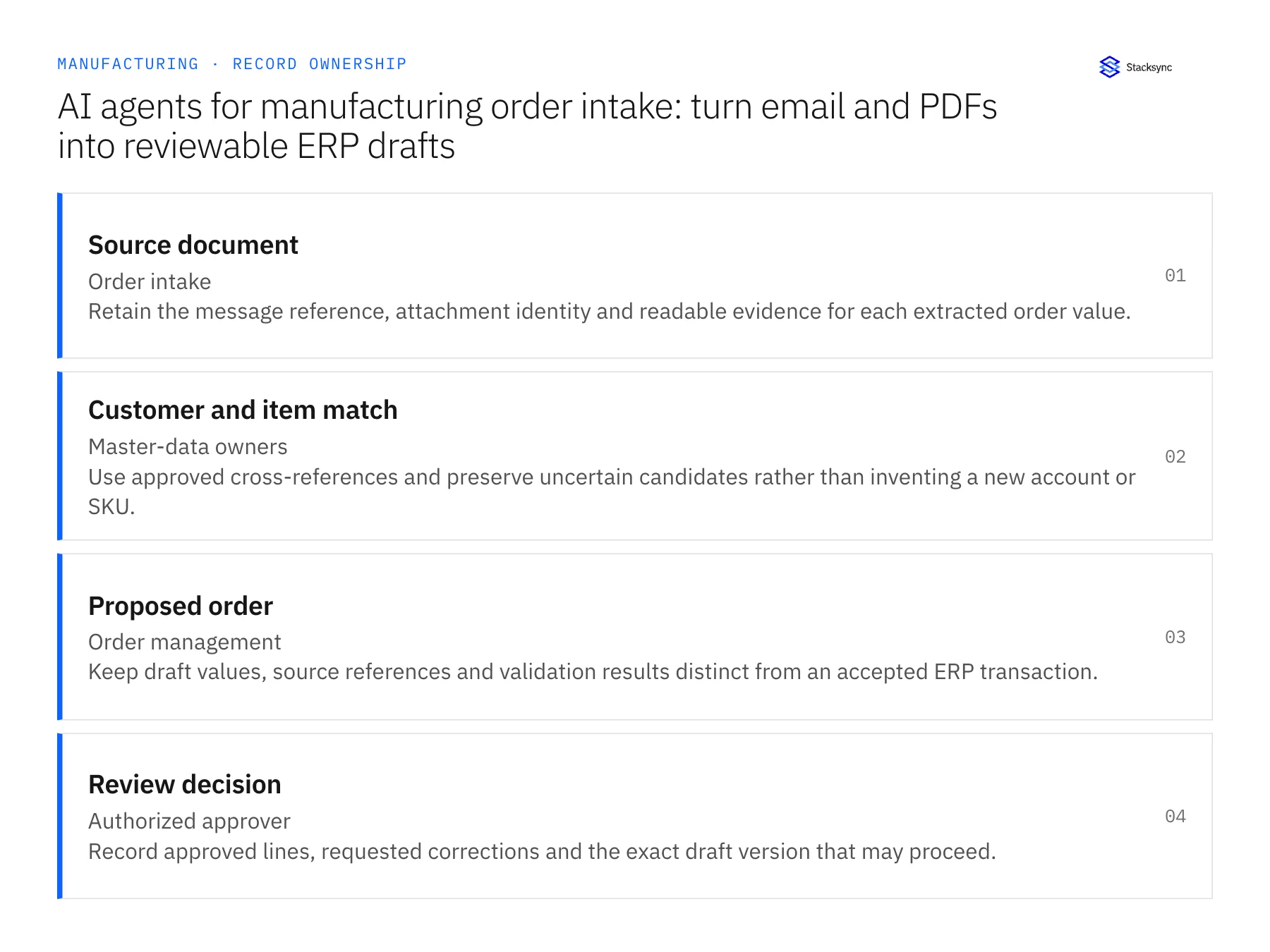
Records, ownership, and update rules
| Record | Owner | Operating rule |
|---|---|---|
| Source document | Order intake | Retain the message reference, attachment identity and readable evidence for each extracted order value. |
| Customer and item match | Master-data owners | Use approved cross-references and preserve uncertain candidates rather than inventing a new account or SKU. |
| Proposed order | Order management | Keep draft values, source references and validation results distinct from an accepted ERP transaction. |
| Review decision | Authorized approver | Record approved lines, requested corrections and the exact draft version that may proceed. |
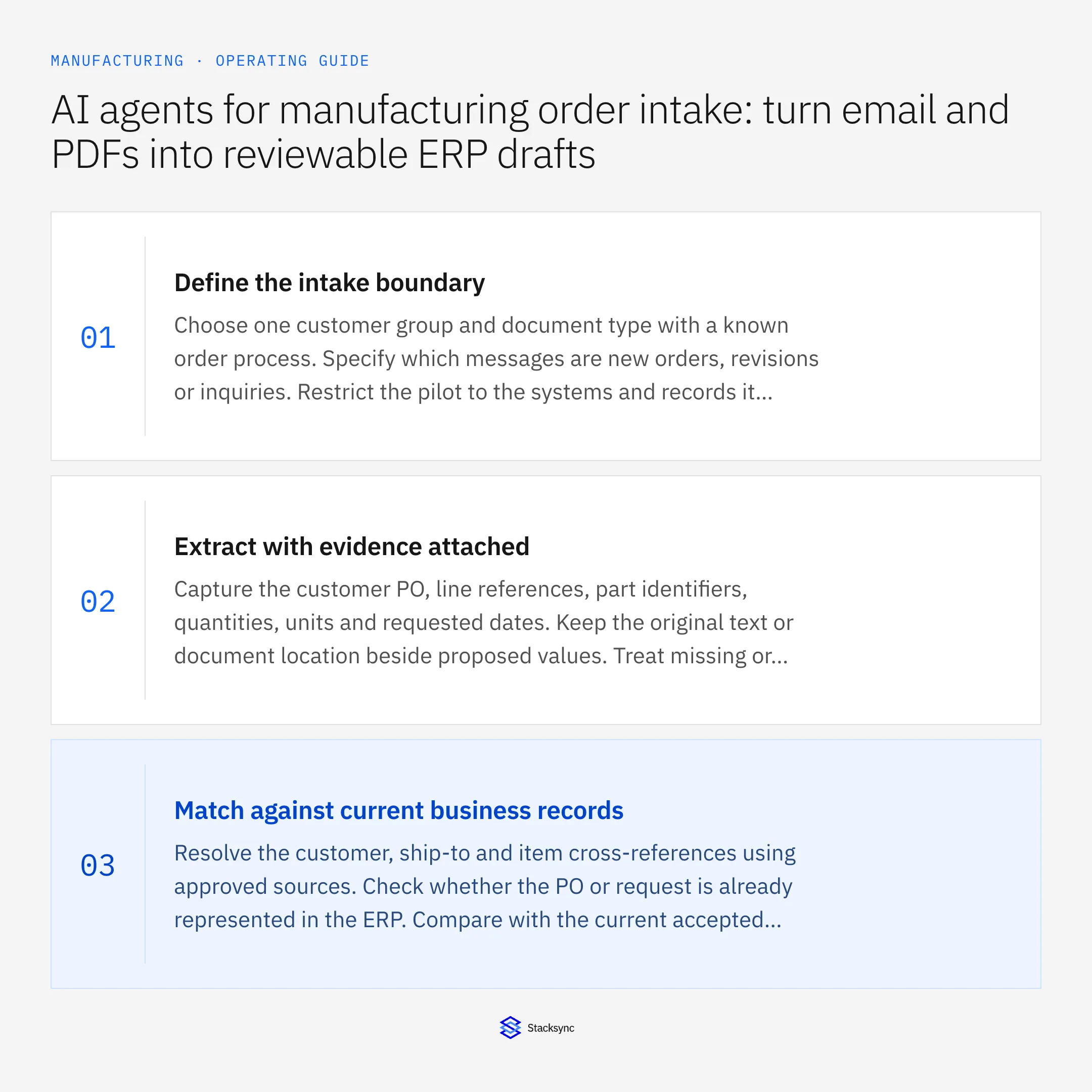
Work through the process
- 01Define the intake boundaryChoose one customer group and document type with a known order process. Specify which messages are new orders, revisions or inquiries. Restrict the pilot to the systems and records it needs, and decide who reviews messages the workflow cannot classify confidently.
- 02Extract with evidence attachedCapture the customer PO, line references, part identifiers, quantities, units and requested dates. Keep the original text or document location beside proposed values. Treat missing or contradictory information as a question for review rather than completing it from a plausible guess.
- 03Match against current business recordsResolve the customer, ship-to and item cross-references using approved sources. Check whether the PO or request is already represented in the ERP. Compare with the current accepted revision so a resend or revised attachment does not become a separate new order.
- 04Prepare and execute an approved draftShow the reviewer the proposed order, exceptions and supporting evidence. If the exact destination operation is supported, apply only the approved draft version and retain the accepted ERP reference. Otherwise deliver the reviewed handoff to the responsible order-entry process and track completion.
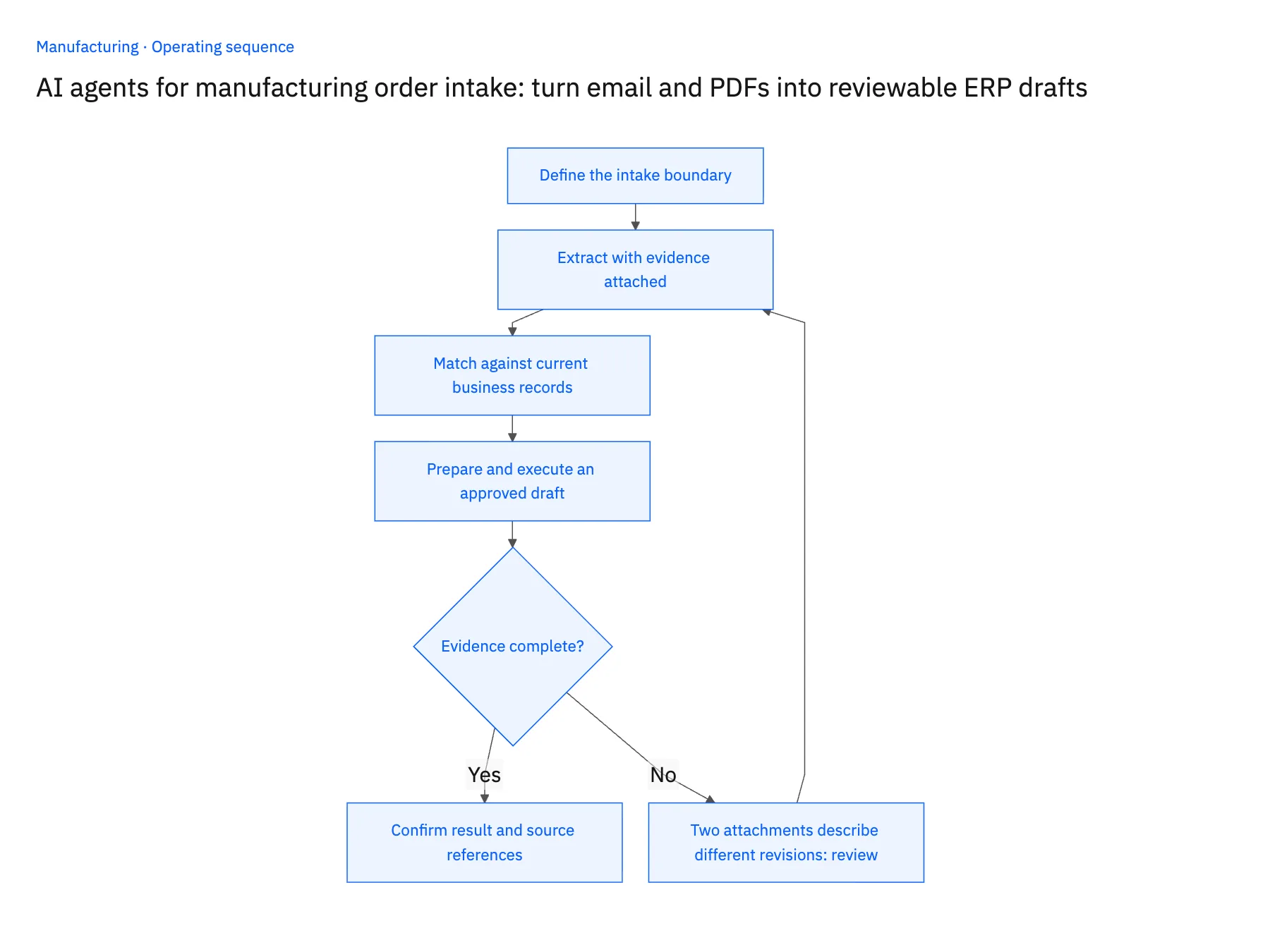
Handle the exceptions explicitly
Two attachments describe different revisions
Keep both sources and ask which revision governs. Do not combine the lower price from one file with the later quantity from another.
A requested item has several possible matches
Present the candidates and their supporting references to product operations. The Genie should not create a cross-reference solely from text similarity.
The destination response is uncertain
Search for the approved external request reference before retrying. An interrupted response is not proof that the order was never created.
What to verify before expanding
- Every proposed quantity and item can be traced to its document evidence or approved cross-reference.
- A repeated email links to the existing intake case or order rather than creating another transaction.
- Reviewers can approve a defined draft version while unresolved lines remain blocked.
- The accepted ERP identifier is recorded only after the destination operation or manual handoff is confirmed.

Connect this process to the rest of your operation
Explore Stacksync AI agents (Genies) and scope the records and actions against your actual systems. Book a demo with a real source document example and the exception your team handles most often, for example two attachments describe different revisions.
- Manufacturing AI order intake exceptions: SKU, unit-of-measure and duplicate checks
- Manufacturing EDI 850 and 860: accept orders and revisions without duplicate demand
- Salesforce and Acumatica for manufacturing: turn an approved quote into a traceable order
- NetSuite AI Agents: Building SLMs for Instant Insights
- Choosing an Enterprise iPaaS for Dynamics 365 Finance & Operations
The shared architecture guide covers record matching, ownership, and recovery across systems.
Technical references
FAQ
Frequently asked questions










Related articles




