






















Household Product Return Workflows: Route Damaged and Unsellable Goods for Review
A leaking case returned by a distributor is counted and dispositioned before any credit or stock movement, with support, warehouse, and finance each owning their own step.
- Author
- Ignacio Malpartida · GTM Engineer
- Published
- Read time
- 5 min read

The operating decision
Connect household-product returns to the original sold pack, actual receiving evidence, and approved disposition and remedy. A customer’s damage report starts a case; it does not establish returned inventory or a completed credit. Keep warehouse condition decisions and finance authorization separate so damaged goods do not automatically re-enter available stock.
Explore the complete household consumables integration and automation hub for the systems and processes around this guide.
What this looks like in household consumables
A distributor returns a case containing leaking refills and intact outer cartons. Support approves review, while the warehouse receives fewer usable packages than the original case count. The workflow must preserve the actual contents and disposition rather than add one complete case back to stock because the return reference says case.
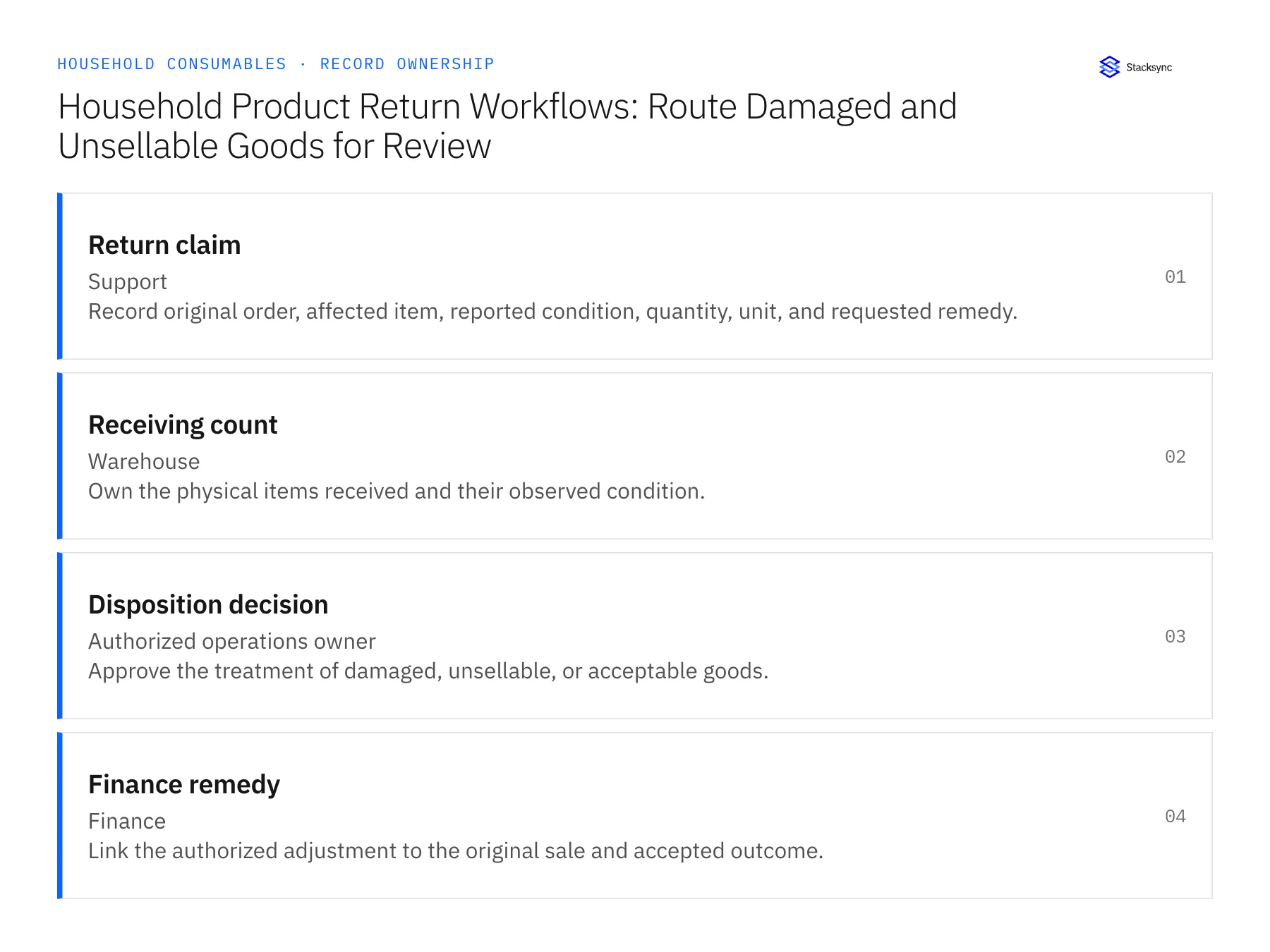
Records, ownership, and update rules
| Record | Owner | Operating rule |
|---|---|---|
| Return claim | Support | Record original order, affected item, reported condition, quantity, unit, and requested remedy. |
| Receiving count | Warehouse | Own the physical items received and their observed condition. |
| Disposition decision | Authorized operations owner | Approve the treatment of damaged, unsellable, or acceptable goods. |
| Finance remedy | Finance | Link the authorized adjustment to the original sale and accepted outcome. |
Work through the process
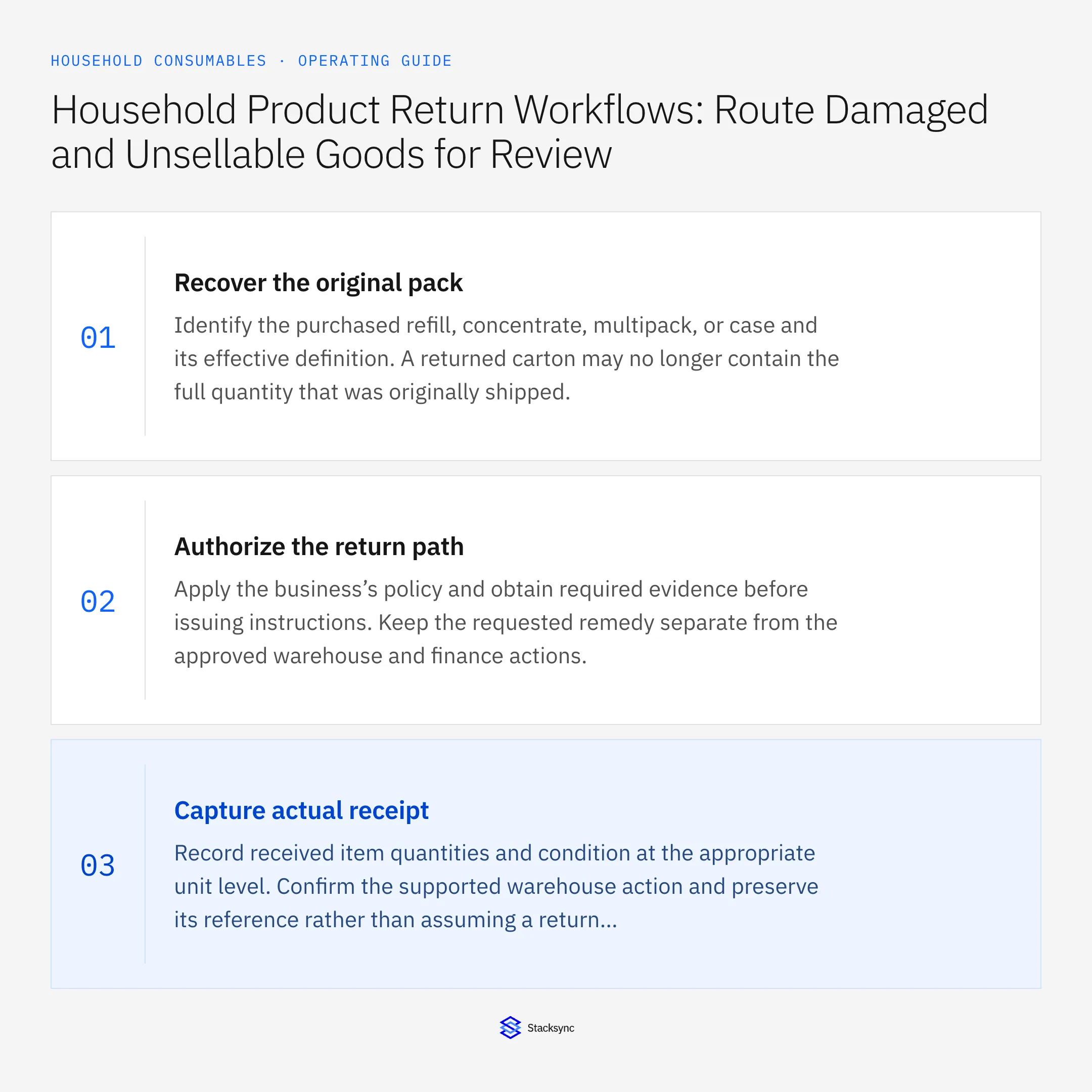
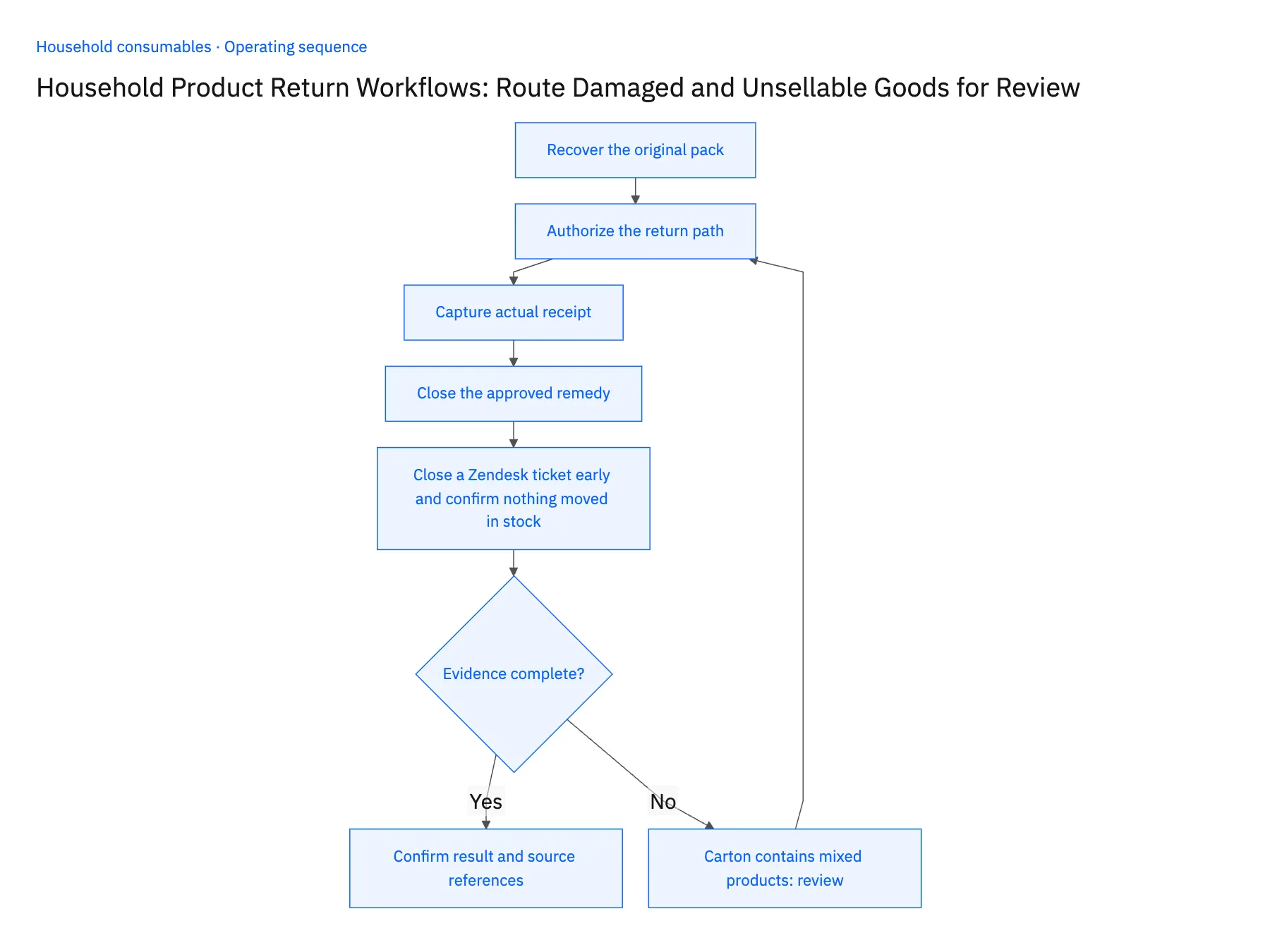
- 01Recover the original packIdentify the purchased refill, concentrate, multipack, or case and its effective definition. A returned carton may no longer contain the full quantity that was originally shipped.
- 02Authorize the return pathApply the business’s policy and obtain required evidence before issuing instructions. Keep the requested remedy separate from the approved warehouse and finance actions.
- 03Capture actual receiptRecord received item quantities and condition at the appropriate unit level. Confirm the supported warehouse action and preserve its reference rather than assuming a return authorization changed stock.
- 04Close the approved remedyReconcile the disposition and accepted financial result. Support should communicate what actually completed, including any unresolved quantity difference, instead of closing all states from a single ticket update.
- 05Close a Zendesk ticket early and confirm nothing moved in stockUse a returned case that holds leaking refills alongside intact cartons of a different product. Let the warehouse record the item-by-item count in Extensiv, then have support close the Zendesk ticket before operations enters a disposition. In NetSuite, on-hand inventory for both items should be unchanged and no adjustment should exist against the original sale. Only after the disposition owner marks the intact cartons acceptable and the leaking refills unsellable should the adjustment appear, and it should cite the return authorization and the accepted quantities. Available stock rising on ticket closure, an adjustment without that reference, or a receipt logged as one whole case stops the rollout.
Handle the exceptions explicitly
Carton contains mixed products
Count and identify actual items before disposition or financial reconciliation.
Received quantity differs from authorization
Route the discrepancy to the owner and preserve both values.
No return is required by policy
Record the explicit decision without creating a fictional warehouse receipt.
What to verify before expanding
- Unsellable goods cannot become available stock through ticket closure.
- The finance remedy references the approved and accepted return outcome.
- A mixed-product return retains separate observed item quantities before disposition or financial calculation.
- A no-return policy decision creates no fictional receipt, while a received-count mismatch remains visible against the authorized quantity.

Connect this process to the rest of your operation
Explore Stacksync workflows and scope the records and actions against your actual systems. Book a demo with a real return claim example and the exception your team handles most often, for example carton contains mixed products.
- Wholesale Replenishment Automation for Household Brands
- Household Product Replenishment Workflows: Prevent Duplicate Wholesale Orders
- AI Agents for Household Brands: Investigate Refill and Case-Quantity Disputes
- Missing Conversions and Mixed Pack Sizes: Exceptions for Household Order Agents
- How to Sync Zendesk with Salesforce: A Two-Way Integration Guide
- Beat Shopify API Rate Limits with Stacksync Real‑Time Sync
The shared architecture guide covers record matching, ownership, and recovery across systems.
Technical references
FAQ
Frequently asked questions










Related articles






