






















Household Product Replenishment Workflows: Prevent Duplicate Wholesale Orders
One shared replenishment case shows the approver what is already ordered and in transit before a second distributor request turns into a second wholesale order.
- Author
- Ignacio Malpartida · GTM Engineer
- Published
- Read time
- 5 min read

The operating decision
A household replenishment workflow should check accepted orders, pending requests, and incoming deliveries before authorizing another wholesale order. Keep the customer’s request distinct from an approved commitment and use a stable replenishment case reference. Similar products and dates are signals to inspect, not proof that two orders are duplicates.
Explore the complete household consumables integration and automation hub for the systems and processes around this guide.
What this looks like in household consumables
A distributor asks its account manager for another case shipment because stock looks low. A previous request is already approved but has not arrived, and another rep receives the same request by email. Without a shared case, the team may create two additional orders while the original delivery is still in transit.
Records, ownership, and update rules
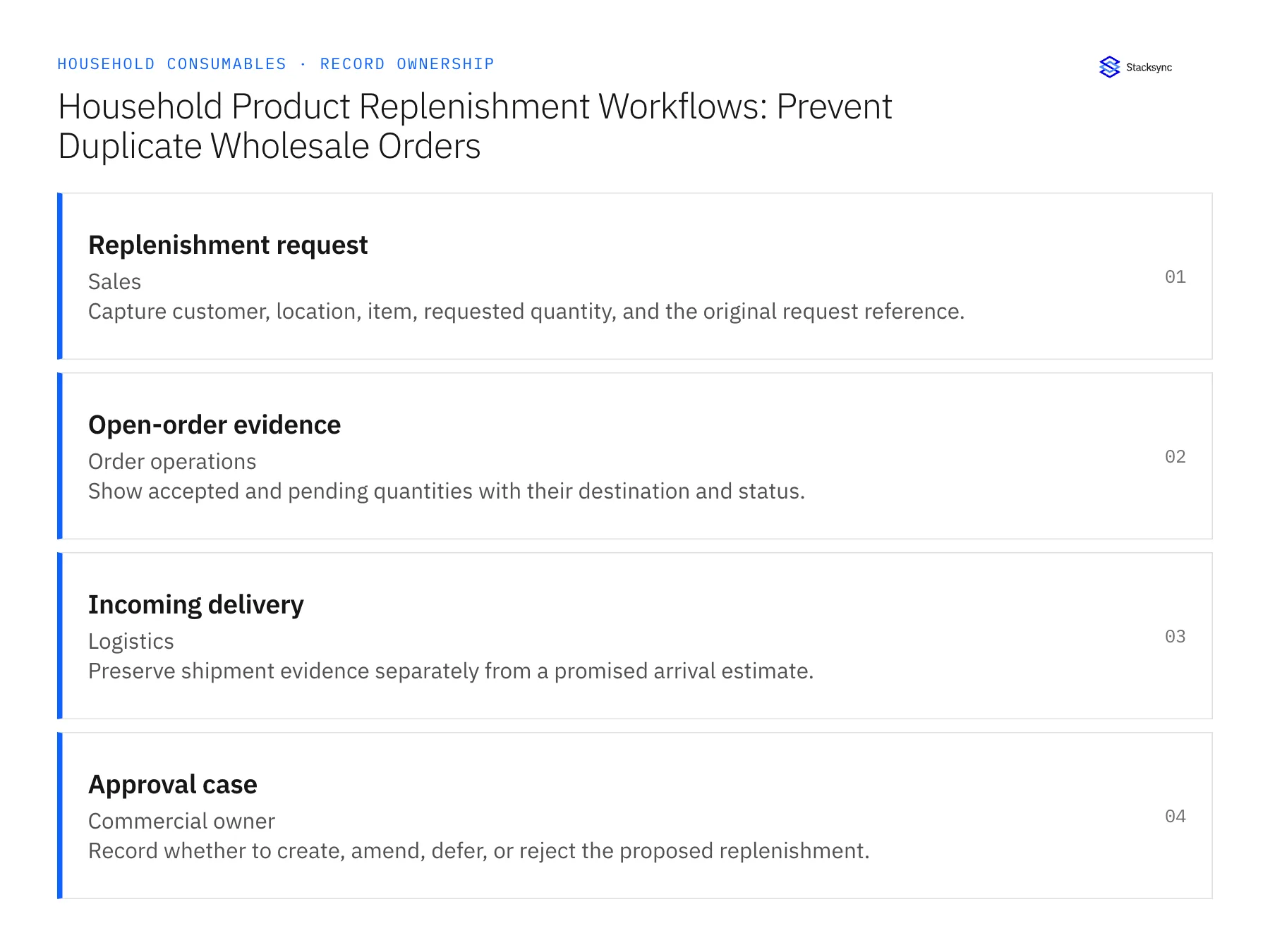
| Record | Owner | Operating rule |
|---|---|---|
| Replenishment request | Sales | Capture customer, location, item, requested quantity, and the original request reference. |
| Open-order evidence | Order operations | Show accepted and pending quantities with their destination and status. |
| Incoming delivery | Logistics | Preserve shipment evidence separately from a promised arrival estimate. |
| Approval case | Commercial owner | Record whether to create, amend, defer, or reject the proposed replenishment. |
Work through the process
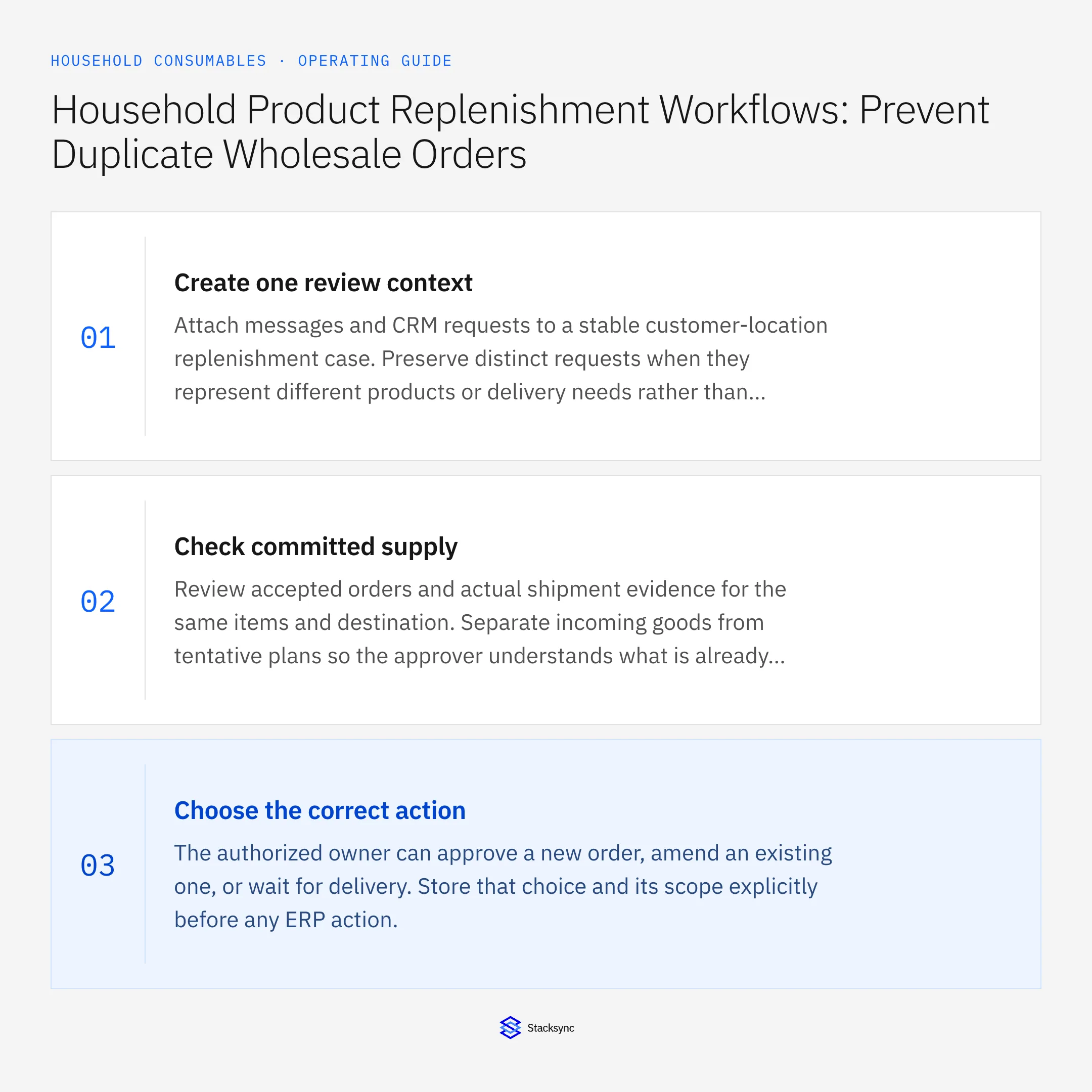
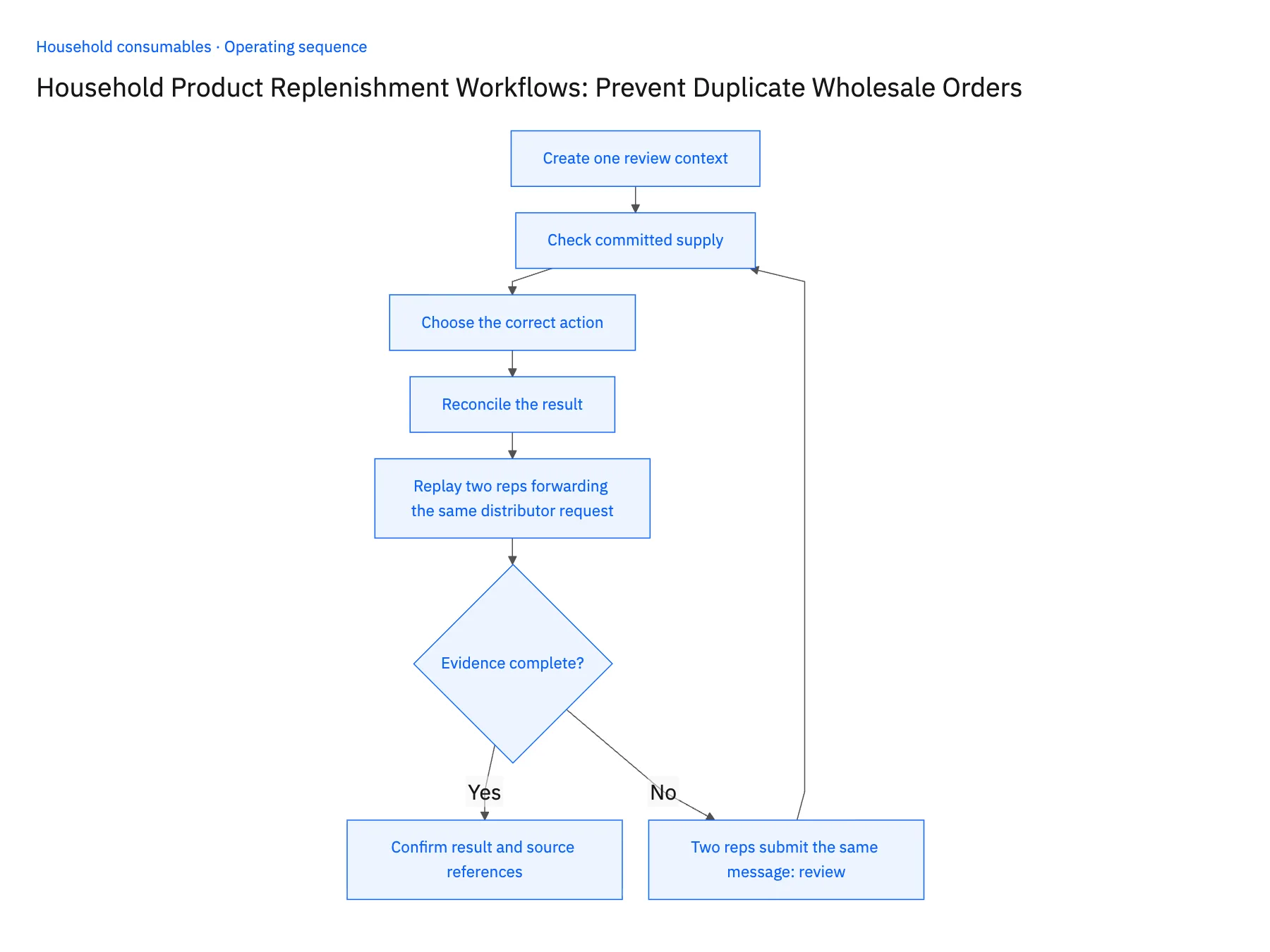
- 01Create one review contextAttach messages and CRM requests to a stable customer-location replenishment case. Preserve distinct requests when they represent different products or delivery needs rather than merging by date alone.
- 02Check committed supplyReview accepted orders and actual shipment evidence for the same items and destination. Separate incoming goods from tentative plans so the approver understands what is already committed.
- 03Choose the correct actionThe authorized owner can approve a new order, amend an existing one, or wait for delivery. Store that choice and its scope explicitly before any ERP action.
- 04Reconcile the resultLink the accepted destination order or amendment to the case. A timeout or repeated message should trigger a lookup for the prior result before another create action is attempted.
- 05Replay two reps forwarding the same distributor requestHave two account managers submit the same distributor request from Salesforce a few minutes apart while a prior replenishment for that location is still in transit. The workflow should attach the second submission to the open case instead of opening a new one, and the approver's view of that case should list the in-transit shipment with its NetSuite order reference. Approve the case once. NetSuite should then hold exactly one new or amended sales order linked back to the case ID. Two cases for one request, an approval screen without the incoming delivery, or two NetSuite orders from one approval each stop the rollout.
Handle the exceptions explicitly
Two reps submit the same message
Attach both to the existing case after confirming the shared request identity.
Existing order serves another location
Keep it separate and do not incorrectly suppress the new requirement.
Incoming delivery is delayed
Route a fresh commercial decision rather than automatically duplicating the order.
What to verify before expanding
- One approved replenishment decision produces one accepted operational result.
- Incoming deliveries remain visible when evaluating a new request.
- A second request for another location remains a separate requirement even when its product and quantity match the first request.
- An incoming delivery delay opens a new commercial decision and does not automatically authorize another replenishment order.

Connect this process to the rest of your operation
Explore Stacksync workflows and scope the records and actions against your actual systems. Book a demo with a real replenishment request example and the exception your team handles most often, for example two reps submit the same message.
- Wholesale Replenishment Automation for Household Brands
- Household Product Return Workflows: Route Damaged and Unsellable Goods for Review
- AI Agents for Household Brands: Investigate Refill and Case-Quantity Disputes
- Missing Conversions and Mixed Pack Sizes: Exceptions for Household Order Agents
- Real-Time Data Integration for Accurate Logistics Ops
- How to Sync Zendesk with Salesforce: A Two-Way Integration Guide
The shared architecture guide covers record matching, ownership, and recovery across systems.
Technical references
FAQ
Frequently asked questions










Related articles





