






















HIPAA-Compliant HubSpot and Supabase Sync for Regulated Data
A guide for healthcare and regulated teams: how to keep a HubSpot and Supabase sync HIPAA-compliant. Why HIPAA is a chain across every system that touches PHI, what to require of the sync layer in the middle, how to route patient data through Supabase or MongoDB safely, and how to sync only the fields you need.
- Author
- Alexis Favre · Co-Founder & CTO
- Published
- Read time
- 5 min read

Healthcare and other regulated teams run into the same wall when they try to modernize their stack. They want HubSpot for the front office and a database like Supabase or MongoDB behind their apps, and they want the two kept in sync. But the records include protected health information, and the moment PHI moves between systems, HIPAA is in scope. The question is not whether the sync works; it is whether routing patient data through a database keeps compliance intact.
It can, but only if you treat compliance as an end-to-end property of the whole path, not a badge on one product. This guide covers what a HIPAA-compliant HubSpot and Supabase sync actually requires: business associate agreements across every hop, what to demand of the sync layer in the middle, how routing through Supabase or MongoDB works, and how to move only the data you are allowed to.
HIPAA is a chain, not a checkbox
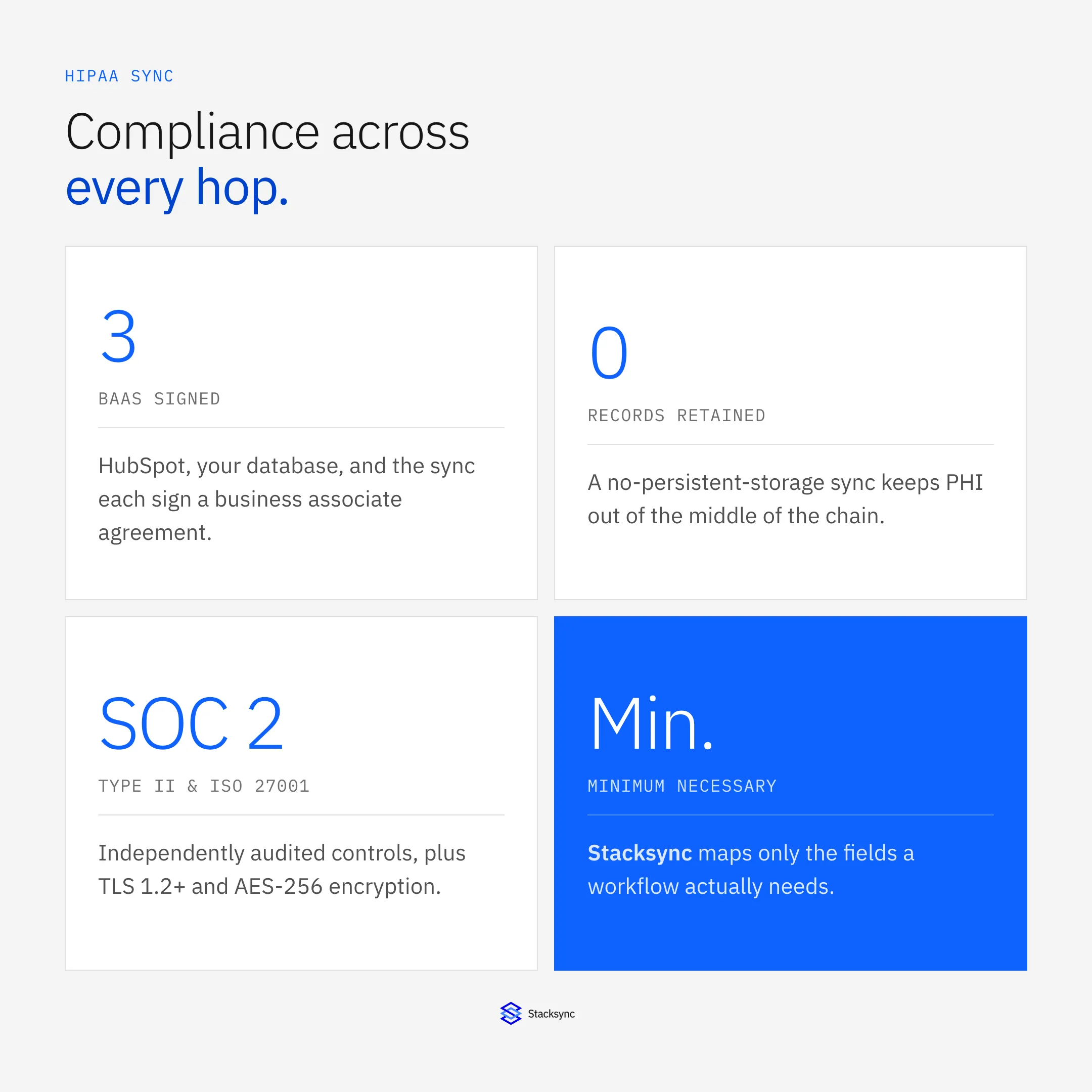
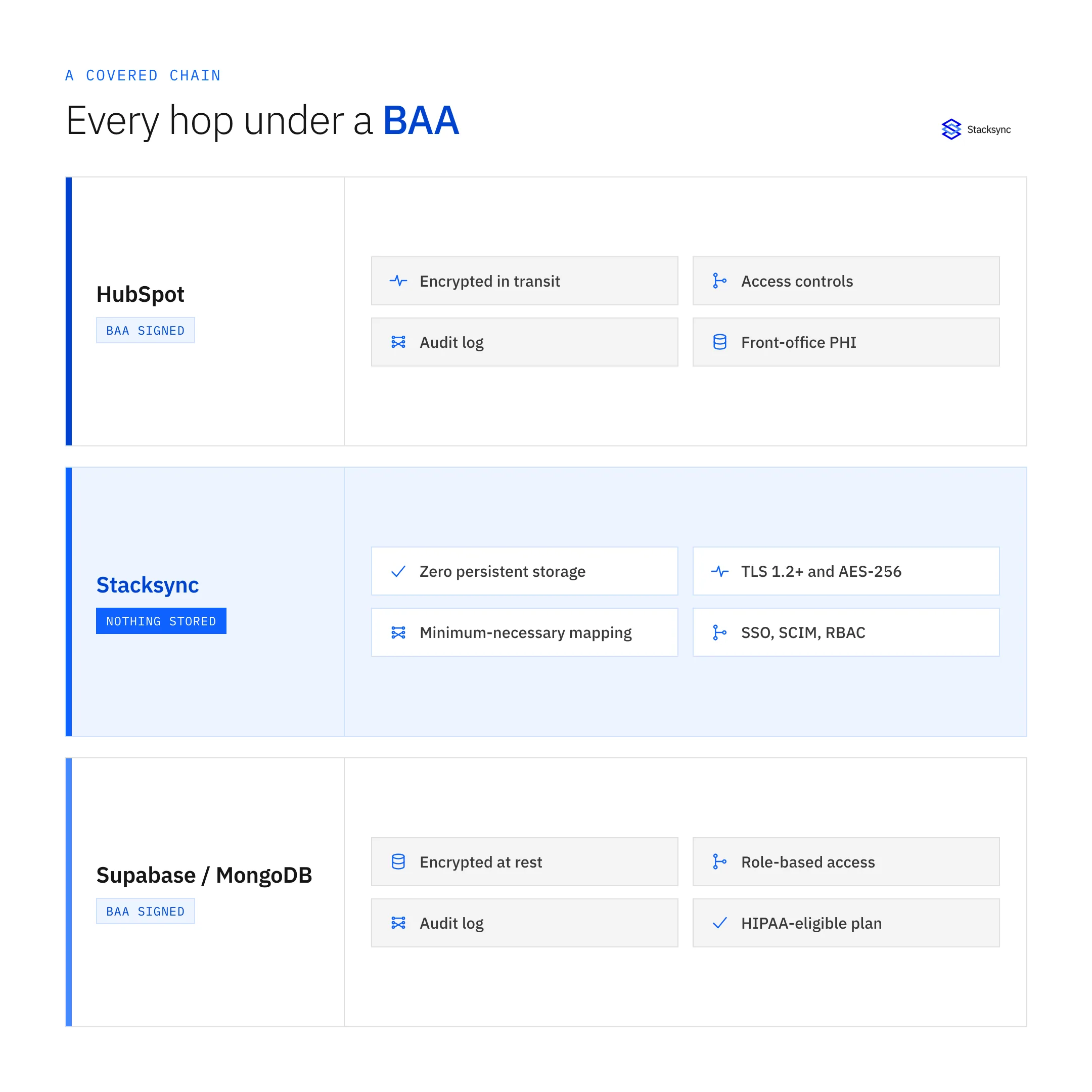
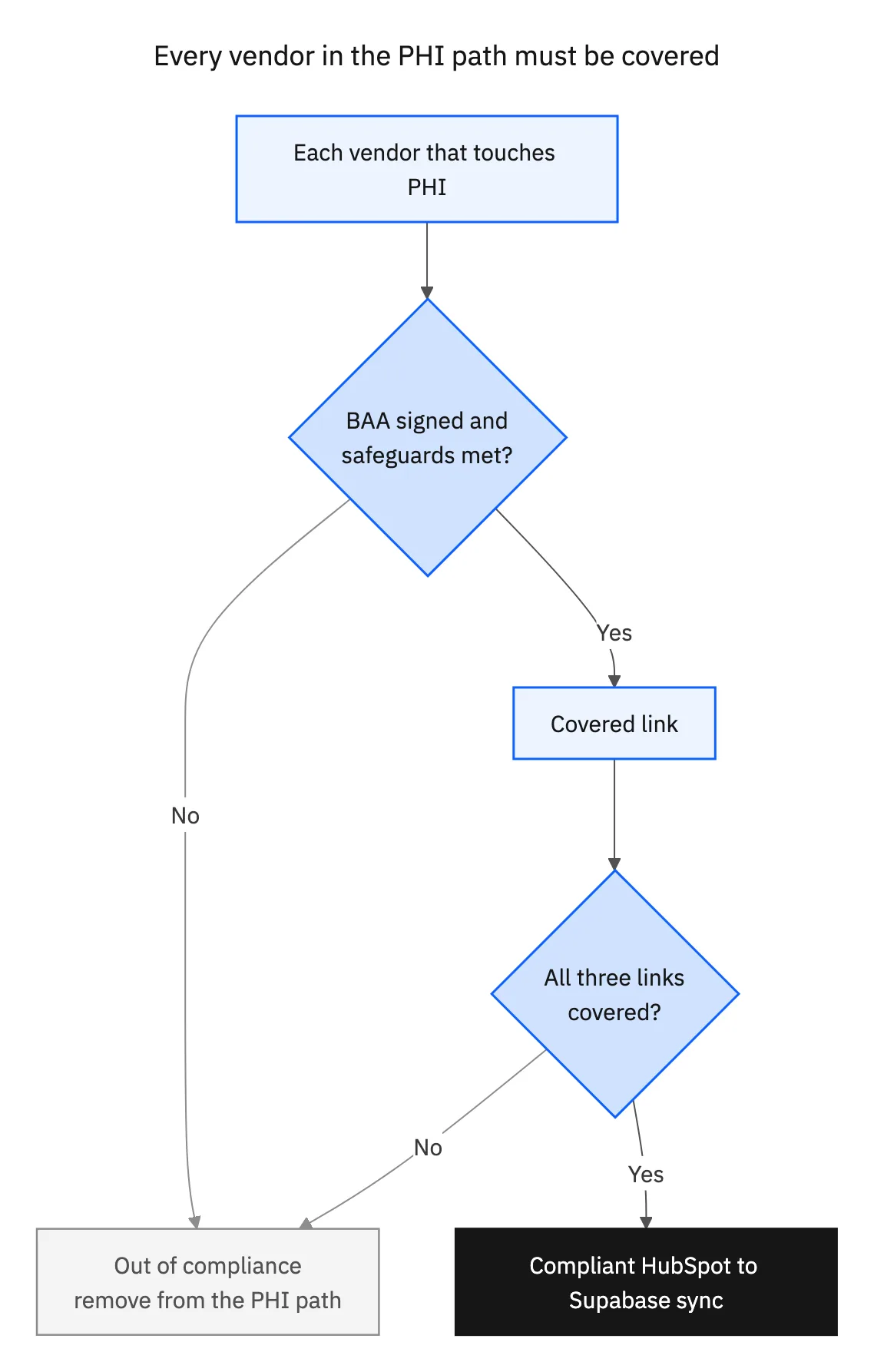
Under HIPAA, every vendor that creates, receives, maintains, or transmits PHI on your behalf is a business associate, and each one must sign a business associate agreement (BAA) with you. In a HubSpot to Supabase sync there are three such vendors: HubSpot at one end, your database at the other, and the integration platform moving data between them. If any one of them is not covered by a BAA and the right safeguards, the whole path is out of compliance, no matter how good the other two are.
That is the mental model to carry into an evaluation. You are not asking "is this tool HIPAA compliant" in isolation. You are asking whether every system that will touch a patient record is under a BAA, encrypts the data, controls who can access it, and logs what happened. The sync layer is the link people forget, because it is easy to think of it as a pipe rather than a system that handles PHI. It handles PHI.
What the sync layer in the middle must do
The integration platform is the most exposed link because it sees data from both sides. For it to be safe to put in the path of PHI, it needs to meet the same HIPAA safeguards you would demand of any system of record, plus one property that specifically shrinks your risk: not keeping the data.
| HIPAA safeguard | What to require of the sync layer |
|---|---|
| Business associate agreement | A signed BAA is available and in place before PHI flows |
| Encryption in transit | TLS 1.2 or higher on every connection |
| Encryption at rest | AES-256 for anything stored |
| Data retention | No persistent storage of record data after sync |
| Access control | SSO, SCIM, role-based access, IP allowlisting |
| Auditability | Full audit logs of access and sync activity |
The HIPAA safeguards a sync platform must meet to sit in the path of PHI.
Stacksync meets these: it is SOC 2 Type II and ISO 27001 certified, HIPAA compliant with a BAA, encrypts data in transit with TLS 1.2 or higher and at rest with AES-256, and runs a zero-persistent-storage architecture so records are not retained after a sync. Combined with SSO, SCIM, IP allowlisting, and audit logging, that makes the middle of the chain a covered link rather than a gap.
Routing PHI through Supabase, MongoDB, and others
The endpoints carry their own responsibility. Supabase and MongoDB Atlas can both be run in HIPAA-eligible configurations on plans that offer a BAA, and that is a precondition for putting PHI in them. Once each store is covered, the sync's job is to move data between HubSpot and the database without becoming a third place PHI lives.
This is why the no-persistent-storage property matters so much for regulated data. A sync that warehouses a copy of every record becomes another database to secure, audit, and answer for in a breach analysis. One that passes data through, encrypted, and retains nothing keeps your PHI footprint to the two endpoints you already control. The compliance question then reduces to the endpoints and their BAAs, not to a hidden store inside the integration.
Sync only what you need: the minimum-necessary rule
HIPAA's minimum-necessary principle is a design tool, not just a policy. It says you should not use or move more PHI than a task requires. In a sync, that translates directly into field mapping: you map the specific HubSpot properties and Supabase columns a workflow actually needs, and you leave the rest out of the sync entirely.
Done deliberately, this shrinks both risk and audit scope. If a downstream app only needs an appointment status and a record ID, there is no reason for a diagnosis field to travel with it. Per-field control is how you enforce that at the sync layer; the mechanics of mapping fields, including how types are handled, are covered in the field mapping guide. The compliance point is simpler: the smallest set of fields that does the job is also the safest one.

A HIPAA sync evaluation checklist
Before you put PHI through a HubSpot and Supabase sync, confirm each link:
- 01Get a BAA from every vendorHubSpot, the database (Supabase or MongoDB), and the sync provider each sign a business associate agreement before any PHI flows.
- 02Confirm the sync retains nothingVerify a no-persistent-storage architecture so PHI is not warehoused in the integration layer, keeping your data footprint to the endpoints.
- 03Check encryption end to endTLS 1.2 or higher in transit and AES-256 at rest across HubSpot, the sync, and the database.
- 04Lock down access and auditRequire SSO, SCIM, role-based access, IP allowlisting, and full audit logs on the sync platform.
- 05Map minimum-necessary fields onlySync just the properties and columns the workflow needs, keeping PHI out of systems that do not require it.
Bringing it together
A HubSpot and Supabase sync can carry regulated data and stay HIPAA compliant, but only when the whole path is covered: a BAA with every vendor, encryption and access control at each hop, a sync layer that retains nothing, and field mapping that moves only the minimum necessary. Miss one link and the badge on the other two does not save you.
For the security details behind this, see the Stacksync security and compliance pages. For the surrounding build decisions, compare a real-time sync layer to HubSpot's native Data Sync and see how teams use Supabase as their HubSpot data layer. To scope a compliant sync on your own data, see the HubSpot and Supabase integration or book a demo.

FAQ
Frequently asked questions










Explore these integrations and topics
- connectorHubSpot integrations
- connectorSupabase integrations
- platformCRM synchronization
- platformDatabase synchronization
- CRM synchronization guidesConnect customer records across sales, marketing, and operational systems.
- Database synchronization guidesWork through database change capture, application writes, and reliable record reconciliation.
Related articles





