Amazon Meters Every Call. Your Integration Layer Has to Plan for It.
A buyer's guide to choosing an integration platform for Amazon Seller Central. It explains what separates an enterprise iPaaS from a point connector, why the Selling Partner API is harder to integrate against than an ordinary SaaS API, and the coverage, reliability, and security an ecommerce deployment should hold a platform to. Covers rate limits and asynchronous reports, where Seller Central data has to land, and how a sync engine keeps the marketplace in step with your ERP, accounting system, warehouse, and CRM.
- Author
- Ruben Burdin · Founder & CEO
- Published
- Read time
- 9 min read

Most SaaS integrations start from a comfortable assumption: the API is there when you need it, and if you need more of it you ask for a higher limit. Amazon does not work that way. The Selling Partner API hands out quota per operation, refills it slowly, and answers with an error code the moment you ask for more than your share. That is not a flaw to work around. It is the design, and it is the single biggest thing that shapes what an Amazon integration can look like.
Which is why the integration layer matters more here than in most places. Seller Central is where the orders land, but almost nothing about running the business happens there. Stock is managed in the ERP, the books close in the accounting system, reporting lives in the warehouse, and customer questions land in a support tool. Every one of those needs marketplace data, and Amazon will only give it to you at the pace it decides.
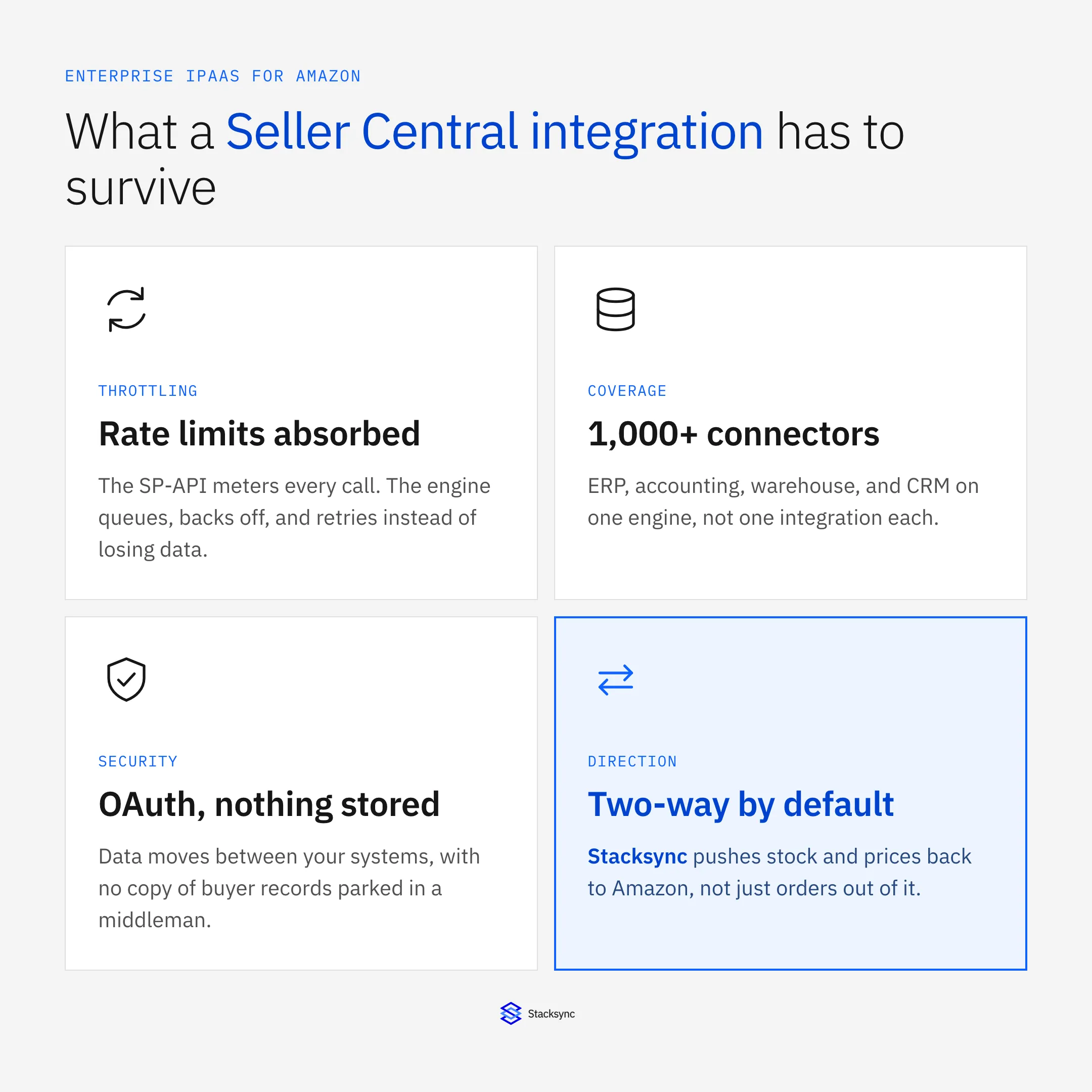
This guide covers what to hold an integration platform to before you connect it to Seller Central: what an enterprise iPaaS actually is, why Amazon's API is harder to build against than an ordinary SaaS one, the five capabilities that separate a real platform from a connector, and where marketplace data has to end up in practice.
What an enterprise iPaaS actually is
An integration platform as a service is a hosted layer that sits between your systems, watches for changes, and applies them where they belong. You configure it rather than build it: authenticate the systems, map the records and fields, choose a direction and a conflict policy, and the platform runs the plumbing, including the retries, the rate limiting, and the monitoring nobody enjoys writing twice.
The word enterprise is doing real work in that phrase. Plenty of tools will move an order from Amazon into a spreadsheet. What distinguishes a platform you can put underneath a live sales channel is that it handles the ugly cases: a quota exhausted at the worst possible moment, the same SKU edited in two systems in the same minute, a bulk price update across forty thousand listings, a finance team that wants to know which system wrote a value and when.
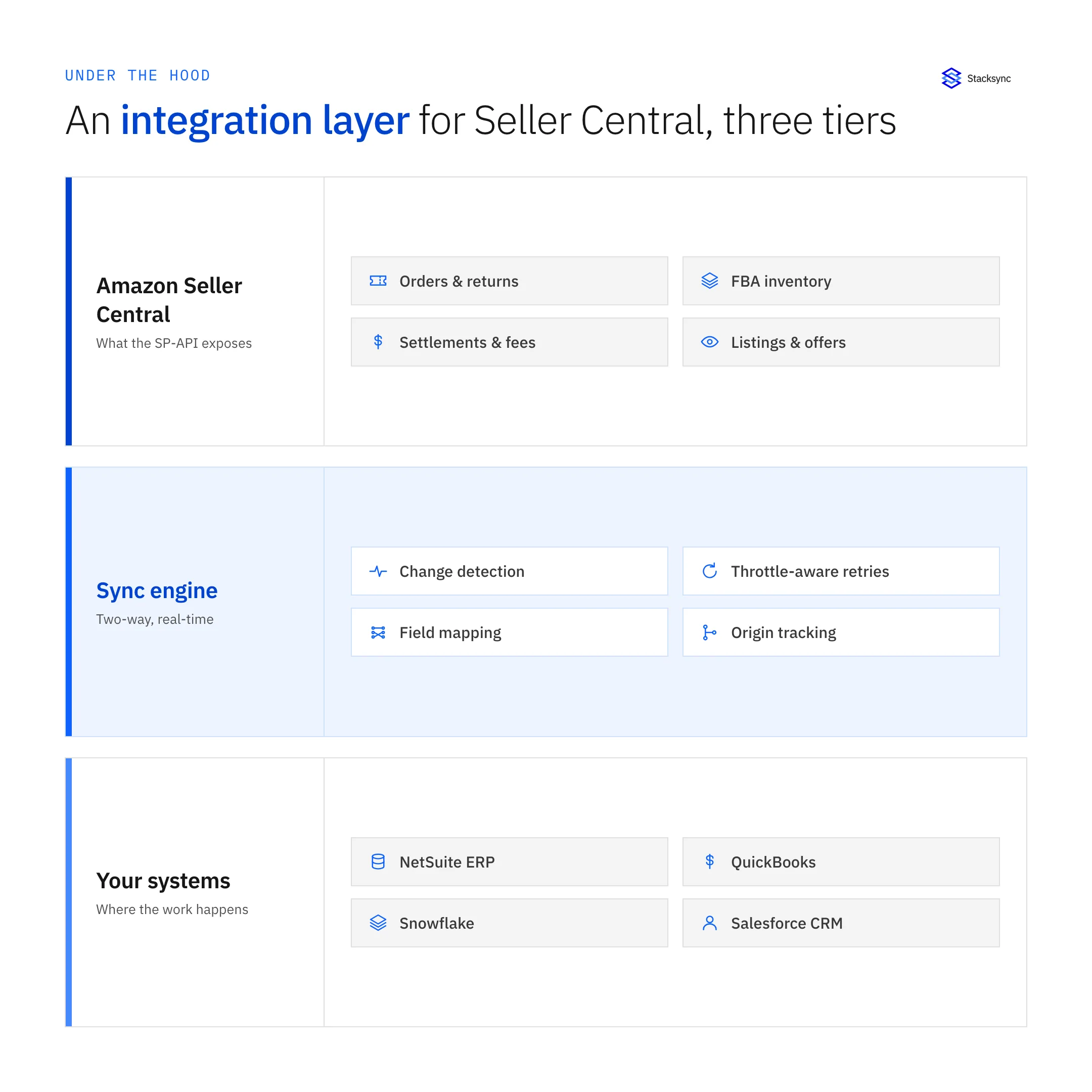
Drawn as a stack it looks obvious, but it is worth stating: the sync engine is a tier in its own right. When it is instead a set of scheduled scripts attached to whichever system was convenient, the failure modes become somebody's afternoon rather than a monitored, retried, logged event. On Amazon those failures are expensive, because a stale listing keeps selling stock you no longer have.
Why Seller Central is harder than a normal SaaS API
Four things about the Selling Partner API change how an integration has to be built, and none of them show up in a vendor's feature list.
- Quota is per operation, not per account. Each call has its own refill rate and burst allowance. The operations an integration leans on hardest, such as listing orders, are among the slowest to refill, so a job that polls in a tight loop spends most of its budget collecting HTTP 429s.
- Reports are asynchronous. You do not request a settlement report and receive it. You create a report job, poll until Amazon marks it done, fetch a document reference, then download and decompress the file. Every step is its own call against its own quota.
- Writes are asynchronous too. Stock and price updates go in through the Feeds API as submitted documents, and the result arrives later in a processing report. A write that returns cleanly has not necessarily been applied yet.
- Buyer data is restricted. Personal information on an order is only released against a restricted data token, requested separately and short-lived, and Amazon's Data Protection Policy governs what you may do with it afterwards.
Put together, that means the naive integration, a cron job that pulls everything on a schedule and pushes a full inventory file back, is the worst possible fit. Full reloads burn quota that change-only syncs would not need, they arrive as a spike rather than a stream, and when the spike hits the limit the job fails partway through with no clean way to resume.
| Scheduled batch job | Real-time sync engine | |
|---|---|---|
| Latency to your systems | Hours, or a nightly window | Seconds, as the change happens |
| What moves | Full reload of the object | Only the fields that changed |
| Hitting a rate limit | The run fails partway through | Work queues, backs off, and drains |
| Direction | One way, per job | Two way on one connection |
| Conflicts | Last job wins, silently | Resolved per field, by policy |
| Audit trail | Job logs, if any | Every write traced to its source |
The difference is not speed for its own sake. It is whether the channel and the back office agree between runs.
Five things to hold a platform to
Vendor pages all claim the same adjectives, so evaluate against capabilities you can test in a trial. These five decide whether the integration survives a peak sales week.
- Throttle-aware delivery. The platform should treat Amazon's quota as a budget to spend carefully: change-only reads, queued writes, backoff on 429, and ordering preserved so a backlog drains correctly instead of applying updates out of sequence.
- Real-time two-way sync, resolved per field. Not two one-way pipelines pointed at each other. One engine, both directions, with a policy for what happens when a SKU's price changes in the ERP and on the listing at once, and origin tracking so writes do not echo back.
- Coverage across the whole stack. The ERP, the accounting system, the warehouse, and the CRM on one engine with one operational model. A platform that covers one of them leaves you maintaining three other integrations by hand.
- Reliability you can point at. Automatic retries, monitoring that tells you a sync is behind before your account health does, and a clear answer to what happens when Amazon is degraded for two hours.
- Security that survives review. OAuth rather than stored credentials, no copy of your data parked in a middleman, encryption in transit, and handling for restricted buyer data that matches Amazon's own policy.
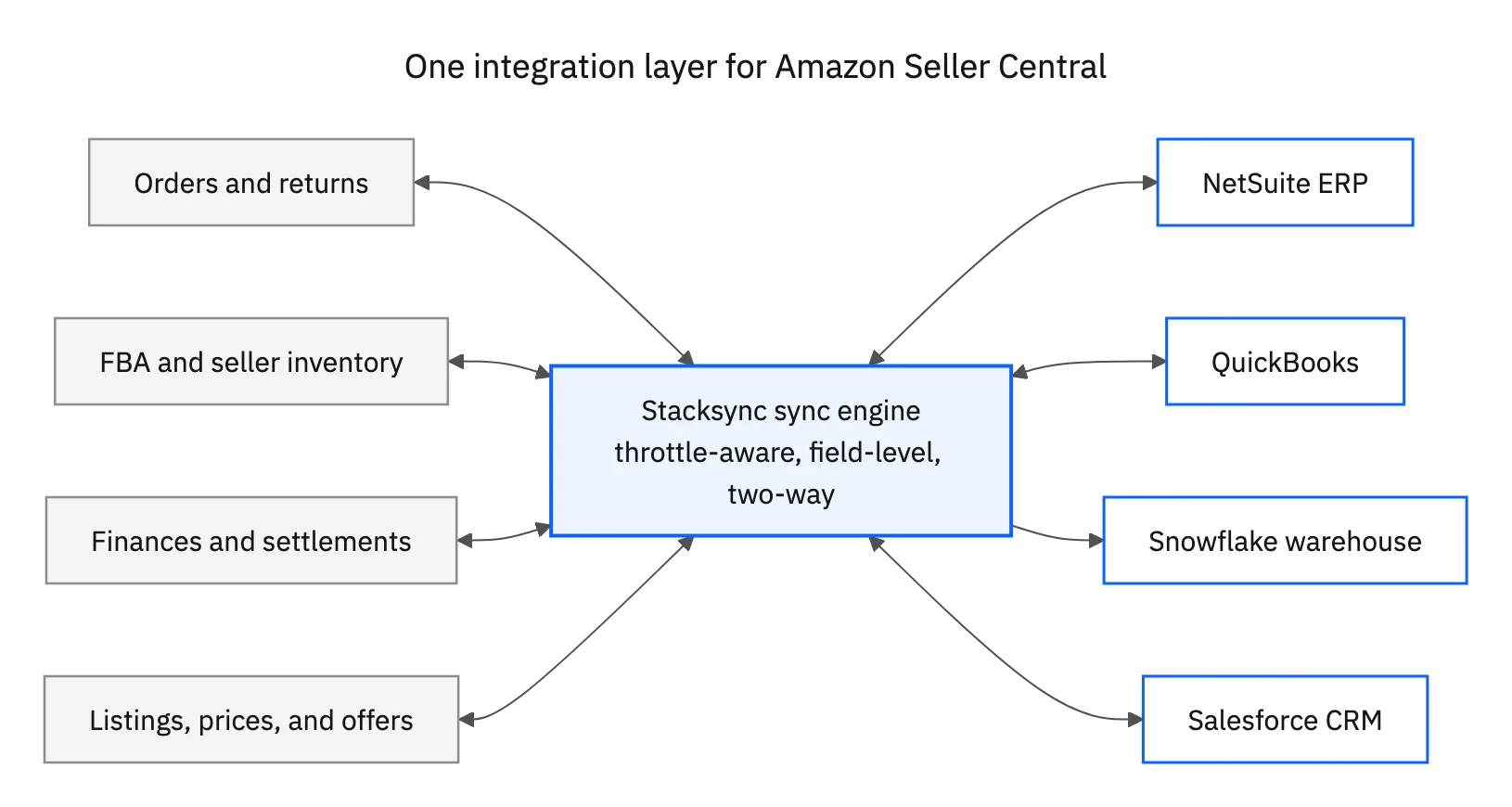
The shape above is the one to aim for. Every Seller Central surface connects to the same engine, and the engine connects to everything else. The alternative, a separate integration per system each with its own credentials, schedule, and share of the same quota, is how sellers end up with four jobs competing for the same rate limit and no idea which one caused the gap.
Where Seller Central data has to land
In practice four systems consume marketplace data, and each wants a different treatment. Getting them right individually is most of the work.
- The ERP. Orders become sales orders, stock has to reflect what the warehouse actually holds, and fulfillment has to flow back out. See two-way sync between Amazon Seller Central and NetSuite for how the inventory side is kept honest.
- The accounting system. A payout is not a sales figure, and booking it as one hides every fee. See how to sync Amazon Seller Central with QuickBooks for splitting settlements properly.
- The warehouse. Snowflake or BigQuery is where marketplace performance gets compared against every other channel, which only works if the marketplace data arrives on the same cadence as the rest.
- The CRM. Support and account teams need to see the order a buyer is asking about without another login and another search.
The pattern worth noticing is that none of these is purely one way. The ERP receives orders and sends stock. The accounting system receives settlements and often sends item and price changes. Even the warehouse tends to acquire enriched attributes that belong back in the operational systems. Choose a platform that treats two-way as the default rather than as a second pipeline you configure later.

Security, and the restricted-data problem
Marketplace integrations trigger a security review sooner than most, and the review usually turns on one question: where does the data rest. A platform that copies your orders into its own store has just become another system holding buyer names and shipping addresses. Stacksync connects over OAuth and moves data between systems without keeping a copy, so the answer is that it rests where it always did.
Amazon adds its own layer on top. Personal information on an order counts as restricted data, released only against a short-lived token and governed by a policy that covers how it is stored, transmitted, and eventually deleted. Any integration touching orders inherits those obligations. The less of that data a platform retains, the less of the policy you are on the hook for demonstrating.
Worth checking on any shortlist: SOC 2 and GDPR posture, whether access can be scoped per connection, whether the audit log is exportable, and what the platform does when a write is rejected downstream. The last one separates products built for operational systems from products adapted to them.
Match the integration to the channel
Amazon is a demanding channel to integrate because it is a demanding channel to sell on. The API is rationed, the reports arrive when they arrive, the buyer data comes with strings attached, and the penalty for a stale listing is measured in cancelled orders and account health rather than in a failed job alert. An integration layer that delivers data nightly, in one direction, with no record of what wrote what, gives that away before anyone notices.
Stacksync connects Amazon Seller Central to more than 1,000 systems on a single engine, in real time and both ways, over OAuth and without storing a copy of your data. To see it running against your own catalog, book a demo, or read more about the Amazon Seller Central connector and the Amazon Seller Central and NetSuite integration.

FAQ
Frequently asked questions










Explore these integrations and topics
Related articles