






















Enrich Inbound Leads Without Duplicates or Overwriting Verified Data
Enrich an inbound lead by matching it to existing company and relationship records first.
- Author
- Ignacio Malpartida · GTM Engineer
- Published
- Read time
- 6 min read

Duplicate prevention begins before enrichment writes
Enrich an inbound lead by matching it to existing company and relationship records first. Search the business domain, known aliases, linked contacts, and approved account identifiers before creating anything. If two plausible companies remain, route the ambiguity for review rather than forcing a match to make the enrichment appear complete.
Normalize domain formatting, such as protocol and a leading www, without assuming every subdomain belongs to one commercial account. A shared email service is not a business identity. Requests from personal email addresses need the supplied company website or clarification; do not research the email provider as the prospect.
Evidence needed to resolve the exception
Use this exception guide when reviewing a proposed Genie workflow or investigating a case that cannot proceed confidently. The tables describe operational decisions to configure in your environment. They are not claims that a connected application automatically supplies your organization’s policies, identity mappings, or approval process.
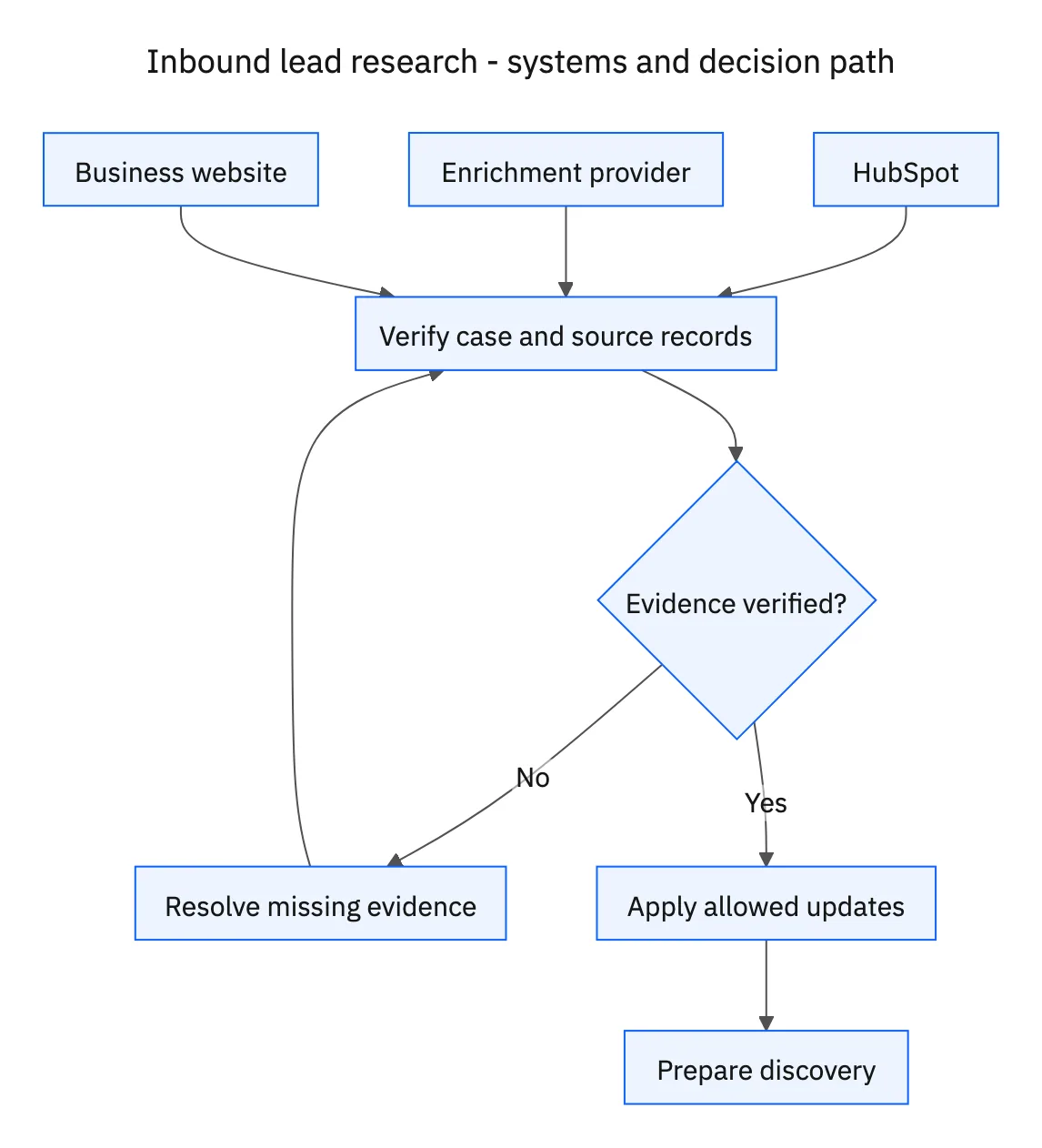
| System or owner | Evidence and responsibility |
|---|---|
| HubSpot | Demo request, existing customer or prospect relationships, verified properties, and owner assignment. |
| Enrichment provider | Sourced company attributes with observation dates. |
| Business website | Public first-party context for the company and discovery briefing. |
Required context for this workflow design.
Define field ownership before comparing values
Treat verified CRM fields as protected. An enrichment result can populate an allowed empty field or become a proposed update with its source. It should not overwrite verified values just because a provider returned a different answer. Retain the distinction between unknown, estimated, and confirmed information.
For conflicting facts, keep the existing value and add a review note identifying both sources. For example, a provider’s employee range may describe a global parent while the account represents a small subsidiary. That is an entity-resolution question, not a contest to choose the most recently fetched number.
Prevent duplicate work when a form is submitted twice
Use the demo request identifier and existing account links to distinguish a new submission from a new organization. A returning visitor can submit twice while still belonging to the same customer account. Update the briefing for the latest request and apply the existing owner rules instead of creating two companies and two competing follow-up assignments.
Make the reviewer’s next step explicit when data cannot be trusted. An ambiguous domain may need the company’s legal name; a missing owner rule may need an operations decision. The briefing can still summarize verified public facts while those items remain unresolved. Do not invent an account owner, customer status, purchase intent, or technology choice to fill every field.
Decision table for common exceptions
Use the condition in the first column to choose the next action. The final column describes the boundary that must remain true while the case is unresolved. Apply the organization’s actual policy and source records to the live case; do not treat an illustrative condition as proof that the condition exists.
| Observed condition | Next action | Required boundary |
|---|---|---|
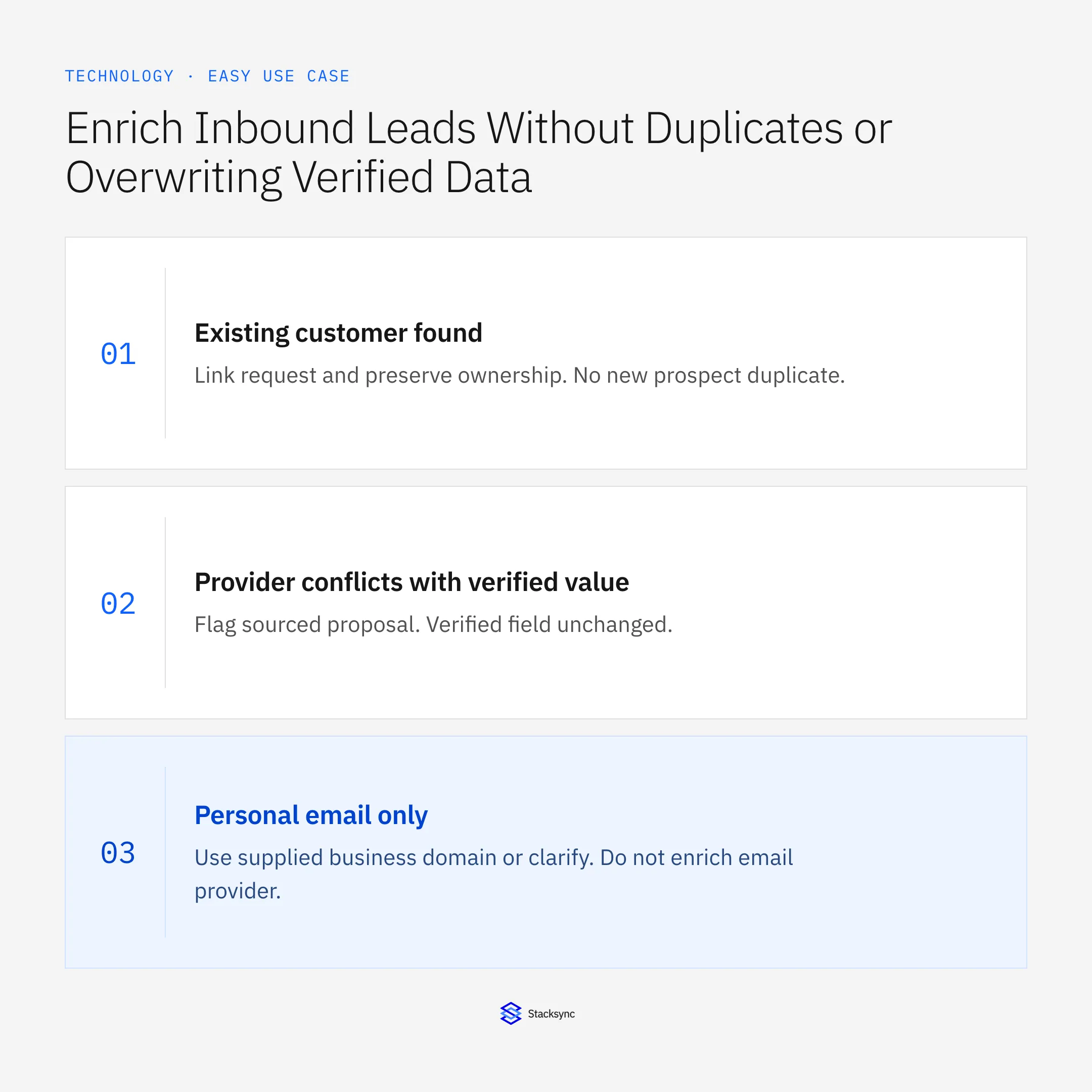
| Existing customer found | Link request and preserve ownership | No new prospect duplicate |
| Provider conflicts with verified value | Flag sourced proposal | Verified field unchanged |
| Personal email only | Use supplied business domain or clarify | Do not enrich email provider |
| Repeated demo submission | Update request context on existing account | No duplicate company |
Exception decisions for inbound lead research.
Illustrative exception and recovery
An enrichment provider reports the headcount of a global parent, while HubSpot represents a regional subsidiary. The existing verified value stays intact and the briefing flags the entity mismatch instead of replacing it.
This example uses fictional records to show the decision logic. It is not a customer case study or a claim of measured results. In a live case, retain the actual record IDs and evidence behind each statement, and replace all illustrative quantities or timing assumptions with the approved operational inputs.
What to record before resuming
A HubSpot request linked to the correct company and owner, plus a briefing that separates sourced business facts, existing relationships, and unanswered discovery questions.
Preserve the original finding and the evidence that resolves it. Record which person or system supplied the clarification, which proposal it applies to, and the action now permitted. Do not erase the uncertainty from the history: a later reviewer needs to understand why the case paused and why it resumed.
Boundaries that remain in force
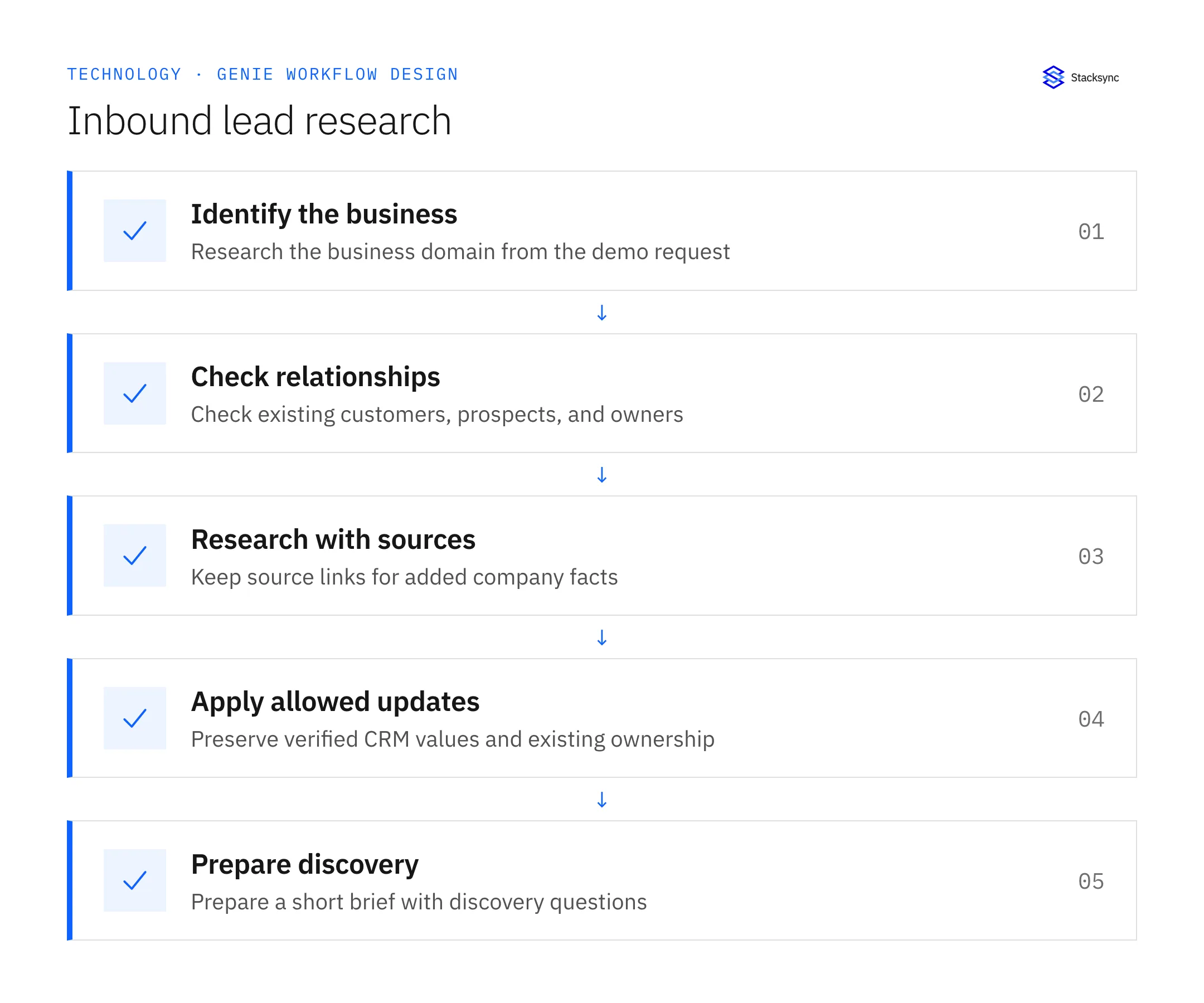
- Check existing customers and prospects before creating records.
- Attach source references to added company information.
- Preserve verified values and surface conflicting enrichment as a review item.
- Apply existing account ownership and prepare grounded discovery questions.

Review the case before restarting
First verify that the new evidence resolves the original blocker rather than a different issue. Then check whether the case, source records, or proposed action changed during the wait. A response attached to the right ticket can still be insufficient if it refers to an earlier proposal or leaves a required quantity, identity, or approval unresolved.
Run the relevant row from the decision table as a review scenario. Confirm that the job stops at the required boundary, asks for the specified information or decision, and resumes from the confirmed state. If a write or message may already have succeeded, inspect its destination before repeating it; if this job only prepares a draft or report, verify that it stays within that output scope.
- Requests linked to the correct existing account
- Added attributes with a recorded source
- Duplicate records or verified-field overwrites
Track unresolved cases by their actual blocker and owner. A case waiting for clarification needs a different next action from one waiting for a confirmed result. Review the evidence when the state changes, and keep any still-unresolved completion condition visible instead of treating a successful intermediate step as the end of the work.
Give your Genie a job description
Copy the job description below. It preserves the scope and decision boundaries of this use case. Configure the referenced systems, record relationships, policies, and approval owners in your workspace before enabling the job.
Paste this into “Give your Genie a job description.” Explore Stacksync Genies.
Implementation references
These first-party references document the underlying records and interfaces. The cross-system sequence, approvals, and completion rules in this article are a proposed operational configuration; validate them against your connected workspace before enabling it.

FAQ
Frequently asked questions










Related articles






