






















Coordinate Delayed-Order Recovery Across Shopify and NetSuite
Delayed-order recovery connects detection to a confirmed fulfillment outcome.
- Author
- Stacksync · App tips writer
- Published
- Read time
- 6 min read

Recovery begins after the risk is understood
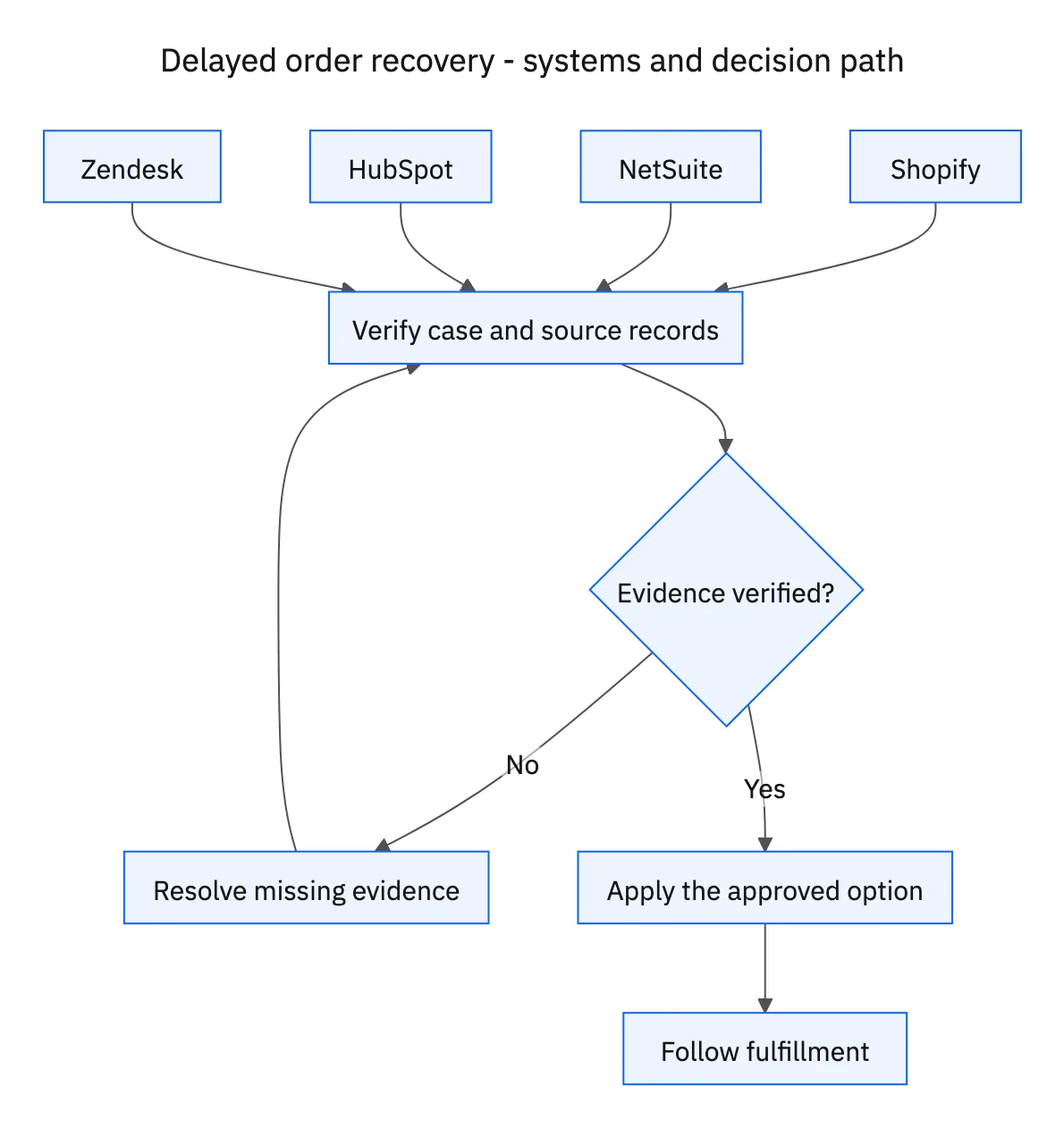
Delayed-order recovery connects detection to a confirmed fulfillment outcome. Each morning, compare unfulfilled Shopify orders with NetSuite inventory and inbound purchase orders, then examine the customer commitments recorded in HubSpot. The purpose is to propose an achievable next step and carry the approved decision through the existing Zendesk case.
Start by searching for a case for the same order and issue. Read previous proposals, messages, approvals, and replacement records before opening anything. A daily schedule should update the ongoing recovery effort, not restart it every morning with a fresh customer message.
Systems and prerequisites
This is a workflow design to configure with Stacksync Genies and your existing systems. Connecting an application does not by itself establish the permissions, record mappings, approval routing, or operational process described here. Before enabling the job, confirm which records the Genie can read, which actions it can take, and who receives clarification or approval requests.
| System or owner | Evidence and responsibility |
|---|---|
| Shopify | Unfulfilled demand, promises, approved order changes, and fulfillment confirmation. |
| NetSuite | Location-level usable stock, inbound purchase orders, and costed supply alternatives. |
| HubSpot | Customer commitments used to assess recovery options. |
| Zendesk | Existing cases, customer consent, approved communications, and follow-up history. |
Required context for this workflow design.
Compare options on the same basis
Prepare another warehouse, an available substitute, and a revised delivery date when evidence supports them. For each option, show the relevant units, location or variant, estimated timing, extra cost, source timestamp, and decision needed. Check that the alternative warehouse has usable stock and that the transport plan can meet the commitment. A stock count alone cannot establish a recovery date.
Evaluate options against HubSpot commitments as well as the order promise. A substitute that arrives quickly may be unsuitable for a launch requiring the original product. A revised date may be acceptable when a customer has flexible demand. Present that context to the approver without making the commercial decision yourself.
Separate cost approval from substitution consent
Obtain the merchant’s approval for extra costs. Obtain the customer’s explicit consent before substituting items. One decision does not replace the other. Record the approved quantities, variant, cost, and timing, then recheck availability before changing the order. If the proposal changes materially, route the new version back through the necessary decisions.
Update the approved records and communicate through Zendesk using confirmed results. Keep the case active while waiting for fulfillment and revisit open actions on subsequent runs. A replacement order ID or shipping label is an intermediate result. Confirm fulfillment for the affected quantities before declaring the recovery complete.
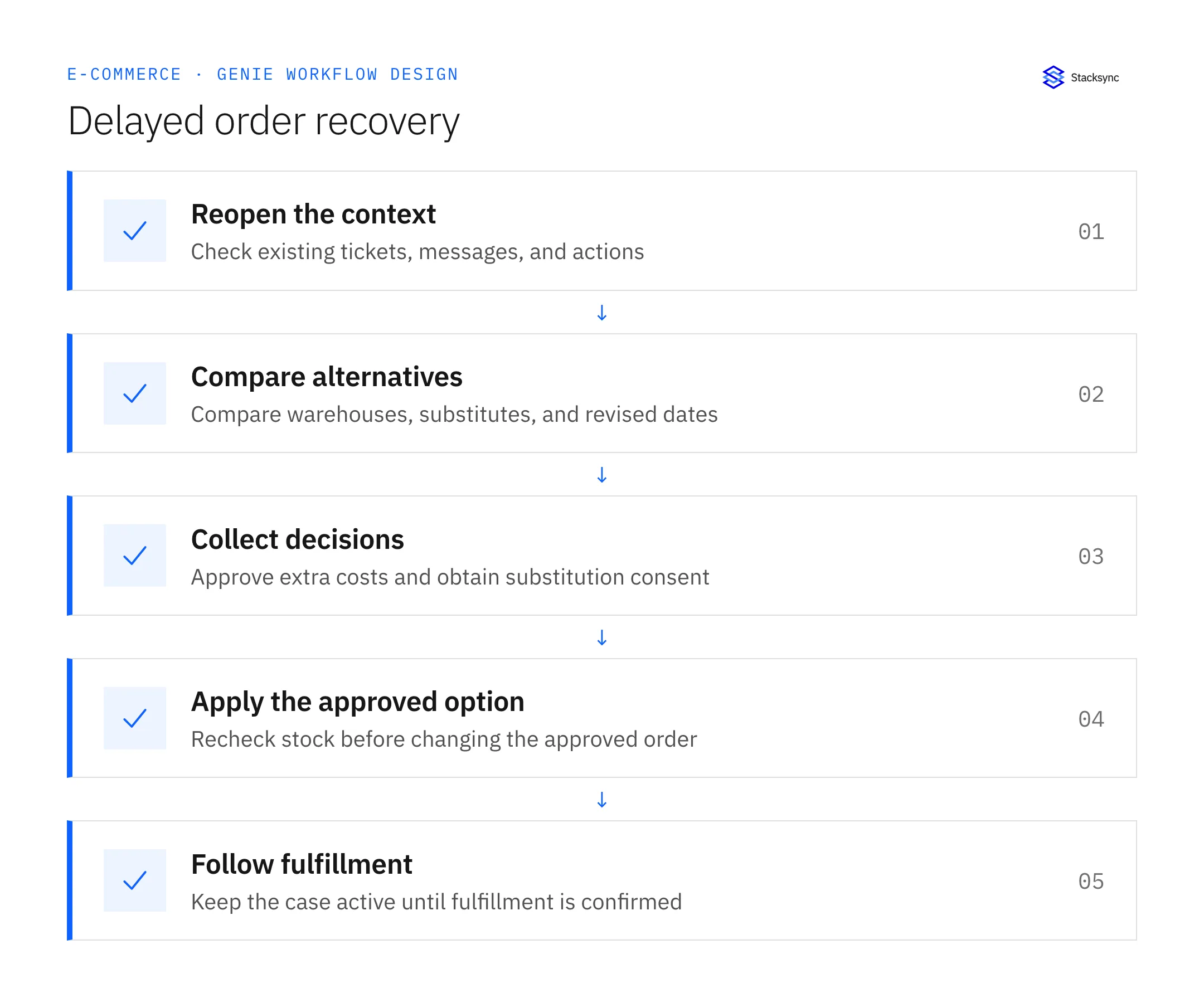
A five-step operating sequence
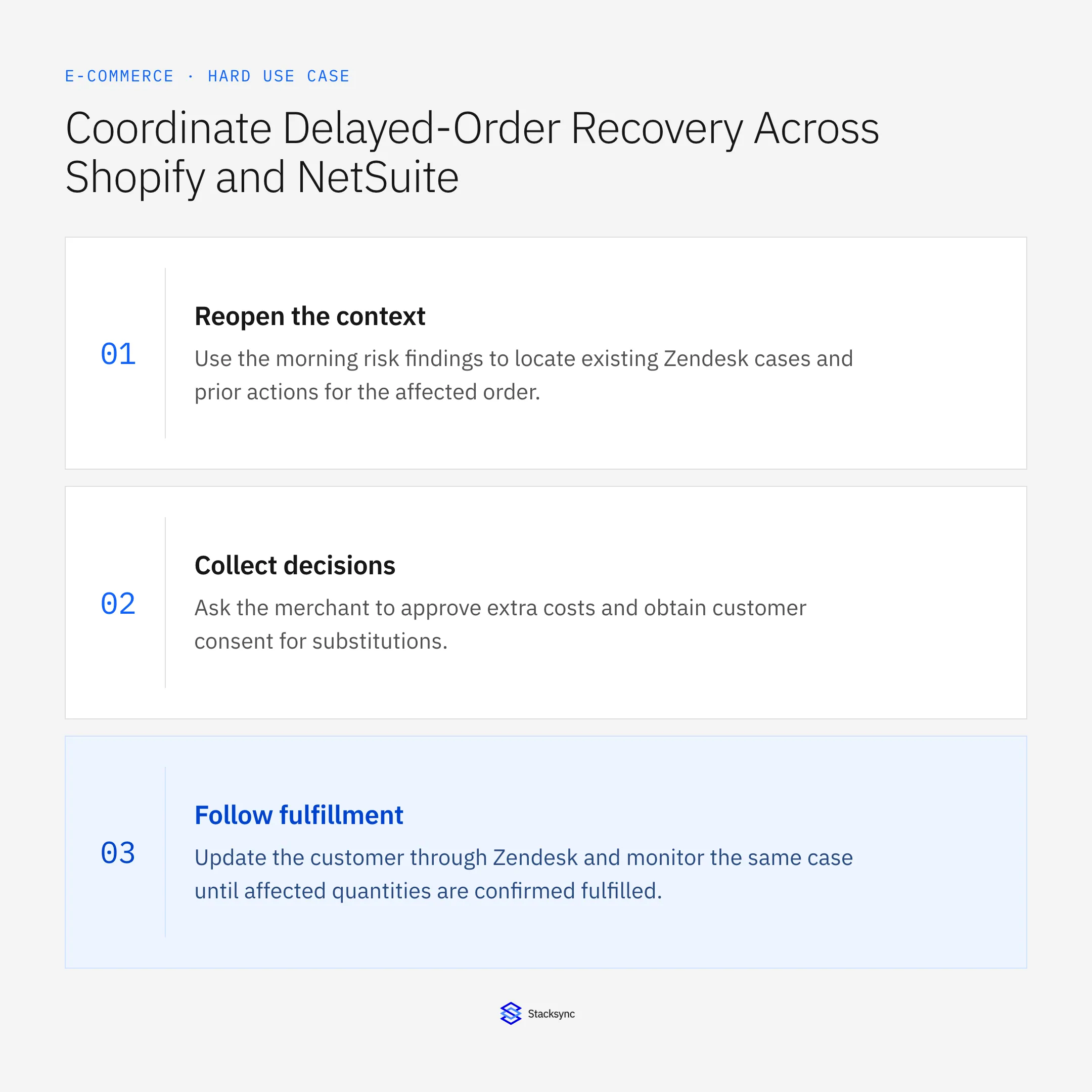
- 01Reopen the contextUse the morning risk findings to locate existing Zendesk cases and prior actions for the affected order. Continue the current recovery attempt where appropriate. A daily run should preserve consent, rejected options, and confirmed replacement references.
- 02Compare alternativesEvaluate another warehouse, available substitute, and revised delivery date against NetSuite supply and HubSpot commitments. Include cost and timing assumptions. Omit an option when the required stock or operational evidence does not support it.
- 03Collect decisionsAsk the merchant to approve extra costs and obtain customer consent for substitutions. Store the exact option and quantities each decision covers. A cost approval cannot authorize a different product, and customer consent cannot authorize internal extra spending.
- 04Apply the approved optionRecheck current availability, prior writes, and proposal scope before updating Shopify. Record confirmed results and any unresolved operation. If a response is lost, inspect destination records before repeating a change that may already have succeeded.
- 05Follow fulfillmentUpdate the customer through Zendesk and monitor the same case until affected quantities are confirmed fulfilled. New delays can require another proposal. Suppress duplicate notifications for unchanged evidence while preserving meaningful progress updates.
Illustrative workflow example
Four units cannot ship from the original location in time for a customer launch. Another warehouse has the same SKU with an added transport cost. The merchant approves that cost, the order is updated, and the Zendesk case remains active until the affected units are confirmed fulfilled.
This example uses fictional records to show the decision logic. It is not a customer case study or a claim of measured results. In a live case, retain the actual record IDs and evidence behind each statement, and replace all illustrative quantities or timing assumptions with the approved operational inputs.
What the handoff should contain
One Zendesk recovery case per order issue, with costed alternatives, versioned decisions, customer consent where required, confirmed changes, and fulfillment evidence.
Keep the evidence reference, observation time, current owner, and outstanding decision with the case. A colleague taking over should be able to distinguish a proposal from a confirmed result without reading every previous message. If a source value changes while the case is waiting, recheck the affected decision before proceeding.
Approval and completion checklist
- Search existing tickets, customer messages, and replacement actions before each run.
- Require merchant approval for extra costs and customer consent for substitutions.
- Recheck the selected inventory and apply only the approved order changes.
- Communicate through Zendesk and keep following until fulfillment is confirmed.

Validate the job before enabling it
Start with a small reviewed set of cases from the systems above. Include a complete case, an ambiguous match, a missing source record, and an interrupted action where the result is uncertain. Use a draft or test environment for validation and compare the output with the source records before allowing the configured production actions.
For this job, the most important checks are search existing tickets, customer messages, and replacement actions before each run. Communicate through Zendesk and keep following until fulfillment is confirmed. Record the expected result before the trial, then compare both the proposed action and the final evidence. A fluent message is not a passing result if it skips one of these conditions.
- At-risk cases reaching confirmed fulfillment
- Recovery actions with matching cost approval and substitution consent
- Duplicate customer messages or replacement orders
Use these as operating measures, not promised performance improvements. Establish the current baseline and review exceptions with the team that owns the process. Investigate an increase in incorrect matches, unauthorized actions, or premature closure before expanding the job’s scope.
Give your Genie a job description
Copy the job description below. It preserves the scope and decision boundaries of this use case. Configure the referenced systems, record relationships, policies, and approval owners in your workspace before enabling the job.
Paste this into “Give your Genie a job description.” Explore Stacksync Genies.
Implementation references
These first-party references document the underlying records and interfaces. The cross-system sequence, approvals, and completion rules in this article are a proposed operational configuration; validate them against your connected workspace before enabling it.

FAQ
Frequently asked questions
Explore these integrations and topics
Related articles




