






















Construction Installation Readiness: Coordinate Parts, Site Access, and Crew Release
Check installation dependencies independently before releasing crews or making customer commitments.
- Author
- Ignacio Malpartida · GTM Engineer
- Published
- Read time
- 5 min read

The operating decision
An installation-readiness workflow should compare the approved work package with material allocation, site-access evidence and crew-release decisions. Each dependency needs its own owner and current status. An installation date in the CRM does not prove parts are available or a site is accessible. Use the workflow to collect evidence, identify blockers and route decisions. Purchasing, site coordination and dispatch retain authority over inventory commitments, access confirmation and actual crew assignment.
Explore the complete construction services and installation integration and automation hub for the systems and processes around this guide.
What this looks like in construction services and installation
A commercial equipment installer plans three jobs next week. One has equipment in stock but reserved for another customer. Another has all materials allocated but no confirmed loading-dock window. The third has a crew tentatively assigned while a required subcontractor remains unavailable. A single green scheduled field hides three different risks. A useful readiness view shows which condition is missing and what decision would make the job releasable.
Records, ownership, and update rules
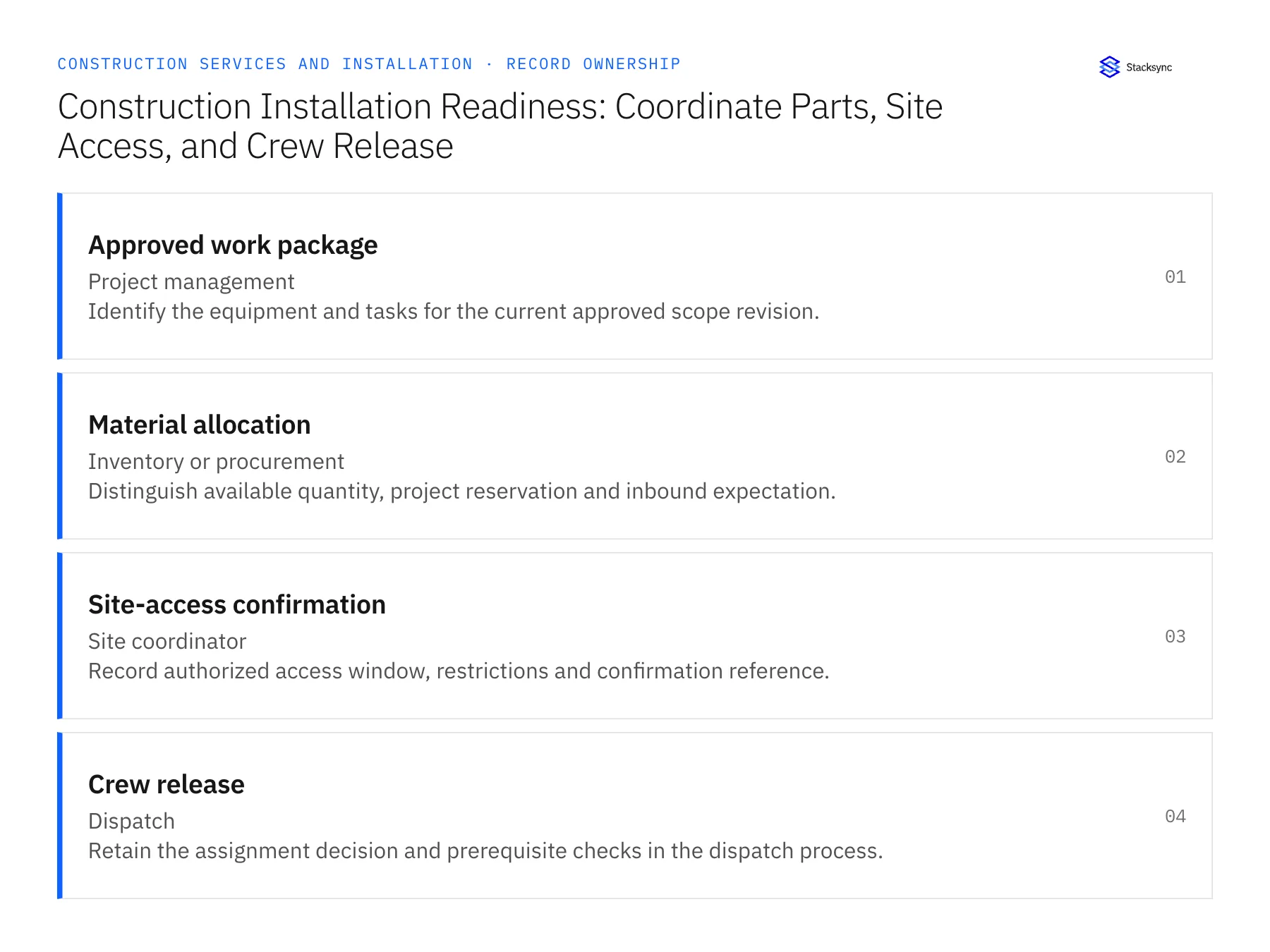
| Record | Owner | Operating rule |
|---|---|---|
| Approved work package | Project management | Identify the equipment and tasks for the current approved scope revision. |
| Material allocation | Inventory or procurement | Distinguish available quantity, project reservation and inbound expectation. |
| Site-access confirmation | Site coordinator | Record authorized access window, restrictions and confirmation reference. |
| Crew release | Dispatch | Retain the assignment decision and prerequisite checks in the dispatch process. |
Work through the process
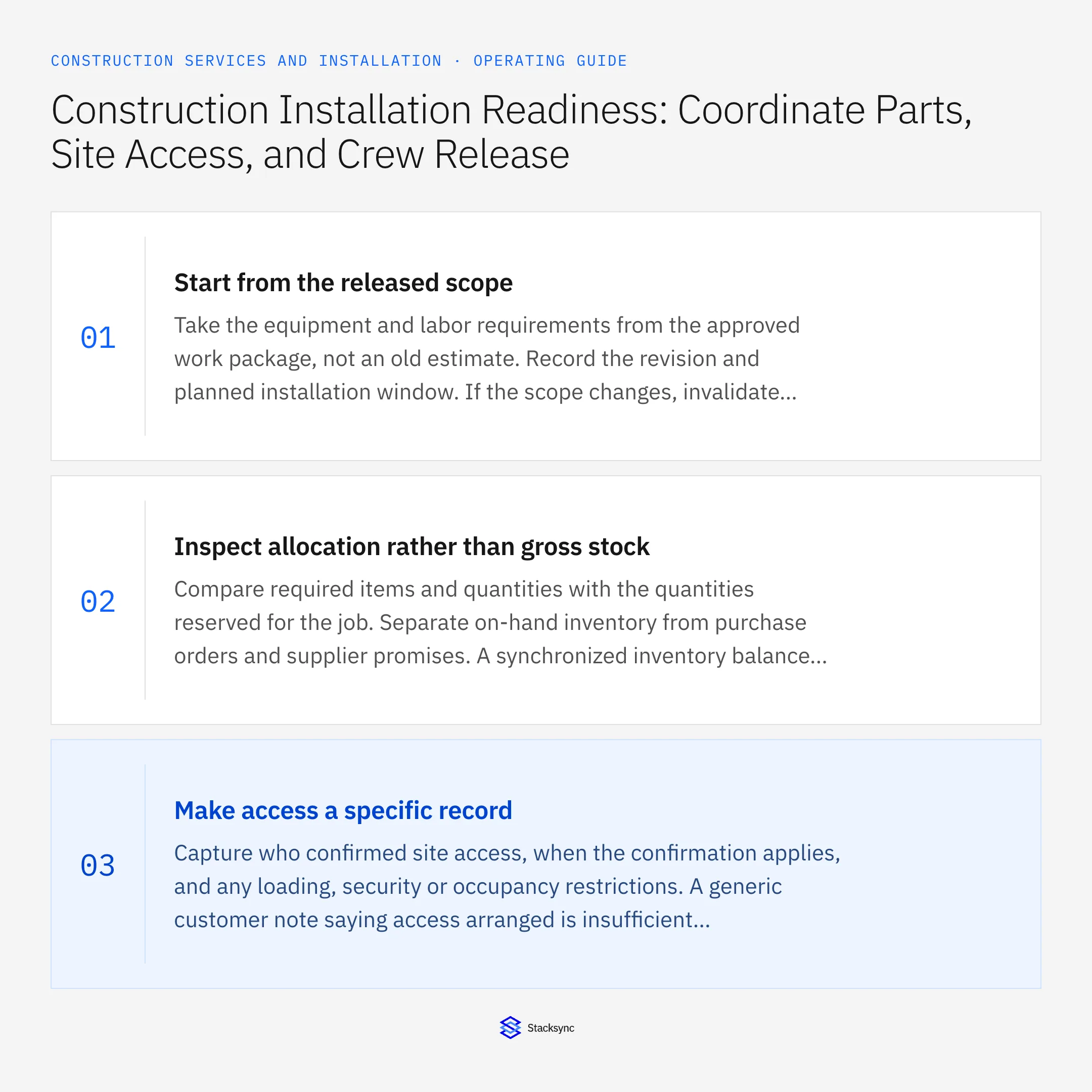
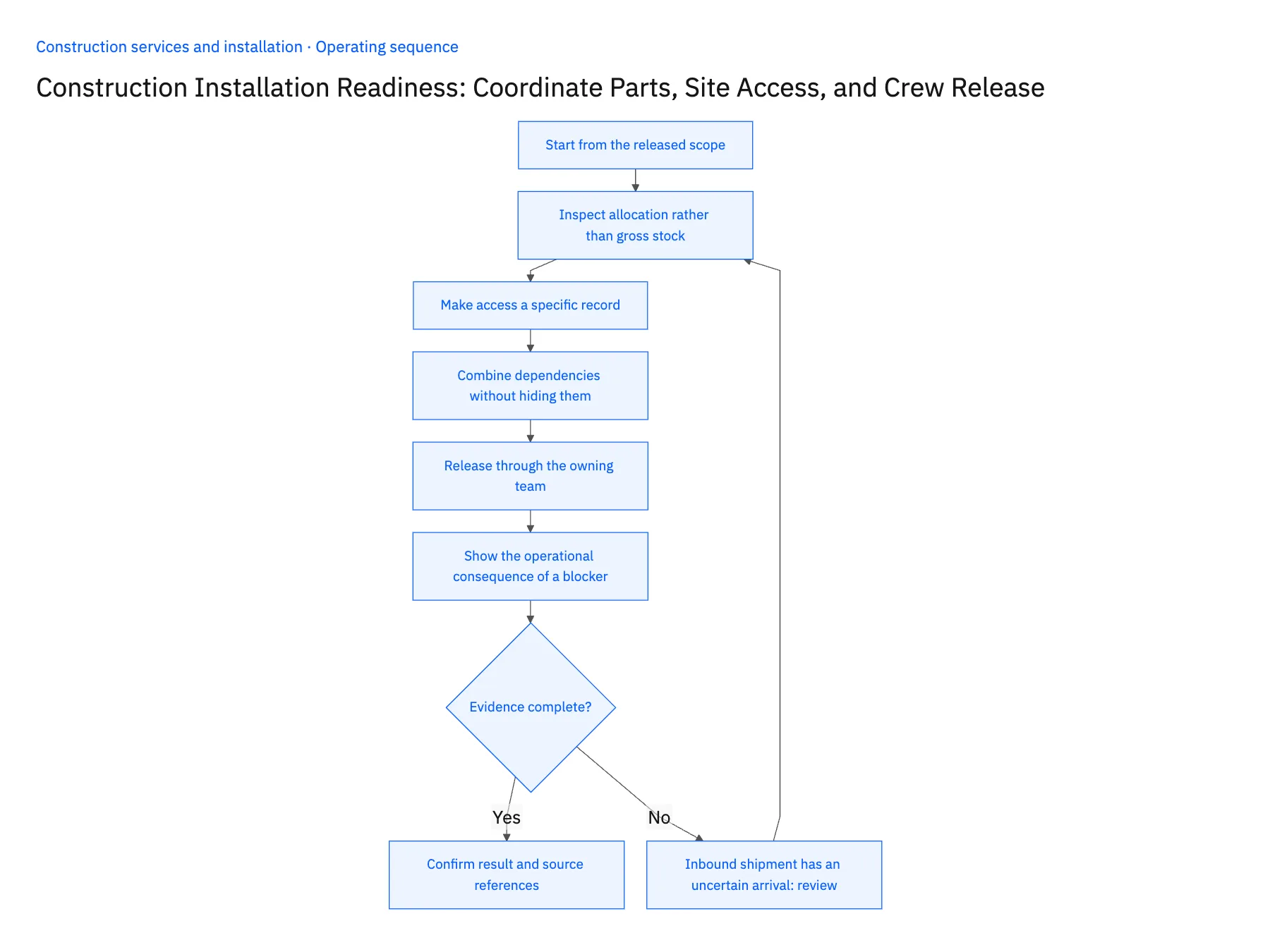
- 01Start from the released scopeTake the equipment and labor requirements from the approved work package, not an old estimate. Record the revision and planned installation window. If the scope changes, invalidate the affected readiness checks so the team does not reuse a material approval for equipment that is no longer required.
- 02Inspect allocation rather than gross stockCompare required items and quantities with the quantities reserved for the job. Separate on-hand inventory from purchase orders and supplier promises. A synchronized inventory balance supports visibility, but reserving material or moving it between jobs is a separate action that the inventory owner must control.
- 03Make access a specific recordCapture who confirmed site access, when the confirmation applies, and any loading, security or occupancy restrictions. A generic customer note saying access arranged is insufficient when the crew needs a particular dock or shutdown window. Route missing or expired confirmation to the site coordinator.
- 04Combine dependencies without hiding themShow a job-level readiness result alongside the individual checks. One unresolved condition should keep the job in a review state, while the other evidence remains visible. Avoid replacing detailed reasons with a red icon that forces the coordinator to repeat the same investigation.
- 05Release through the owning teamWhen prerequisites are met, route a release recommendation to dispatch or the project manager. Record the actual decision and the evidence version used. Recheck material and access changes before departure. The workflow should not make an external promise merely because all last-known fields appeared green.
- 06Show the operational consequence of a blockerAdd the planned release window and the latest decision time to each dependency. A part arriving after the crew's departure may be physically available later that day but still block the planned job. The coordinator needs that consequence beside the source fact. Keep the schedule decision with dispatch, and use the readiness view to make the timing conflict explicit before the customer receives a confirmed commitment.
Handle the exceptions explicitly
Inbound shipment has an uncertain arrival
Keep the job conditionally ready and assign procurement to confirm the delivery evidence.
Site moves the access window
Invalidate the previous access check and send the changed window to dispatch.
Equipment is reassigned to another job
Reopen readiness for the original job and preserve the reason for the allocation change.
What to verify before expanding
- Gross stock cannot substitute for a job allocation.
- The readiness record identifies the current work-package revision.
- Every blocker has an owner and a next decision.
- A changed access window withdraws the earlier release recommendation.

Connect this process to the rest of your operation
Explore Stacksync workflows and scope the records and actions against your actual systems. Book a demo with a real approved work package example and the exception your team handles most often, for example inbound shipment has an uncertain arrival.
- Construction Invoice Readiness: Match Work Completion, Customer Sign-Off, and Billing Evidence
- AI Invoice and Expense Processing for Construction Services: Prepare Job-Cost Evidence for Finance
- Construction Invoice and Expense Exceptions: Missing Cost Codes, Duplicate Receipts, and Unapproved Work
- How to Sync HubSpot and Supabase in minutes with Stacksync
- Real-Time HubSpot Database Integration and Salesforce Sync with Stacksync
The shared architecture guide covers record matching, ownership, and recovery across systems.
Technical references
FAQ
Frequently asked questions










Related articles





