






















Automotive release AI exceptions: stale versions, plant mappings and part changes
When a late release file carries an old plant alias or a superseded part reference, the Genie shows which facts conflict and who has to confirm them.
- Author
- Ignacio Malpartida · GTM Engineer
- Published
- Read time
- 4 min read

The operating decision
Automotive release exceptions should identify whether the problem is version order, customer-plant identity, part applicability or unresolved demand meaning. A Genie can investigate the sources and assemble a focused review, but it should not manufacture a missing business rule. Preserve both the incoming request and the current accepted state. The right outcome may be a corrected mapping, a customer clarification or a rejected stale update rather than another production change.
Explore the complete automotive components integration and automation hub for the systems and processes around this guide.
What this looks like in automotive components
A customer sends a release file after a newer correction has already been reviewed. The late file uses an older plant alias and a part reference recently superseded for a specific program. A system that simply selects the latest arrival can roll demand backward and assign it to the wrong receiving site. The exception process needs the customer’s version convention, approved plant aliases and engineering applicability. The Genie should show which facts conflict and what the designated owner must confirm before the request can affect planning.
Records, ownership, and update rules
| Record | Owner | Operating rule |
|---|---|---|
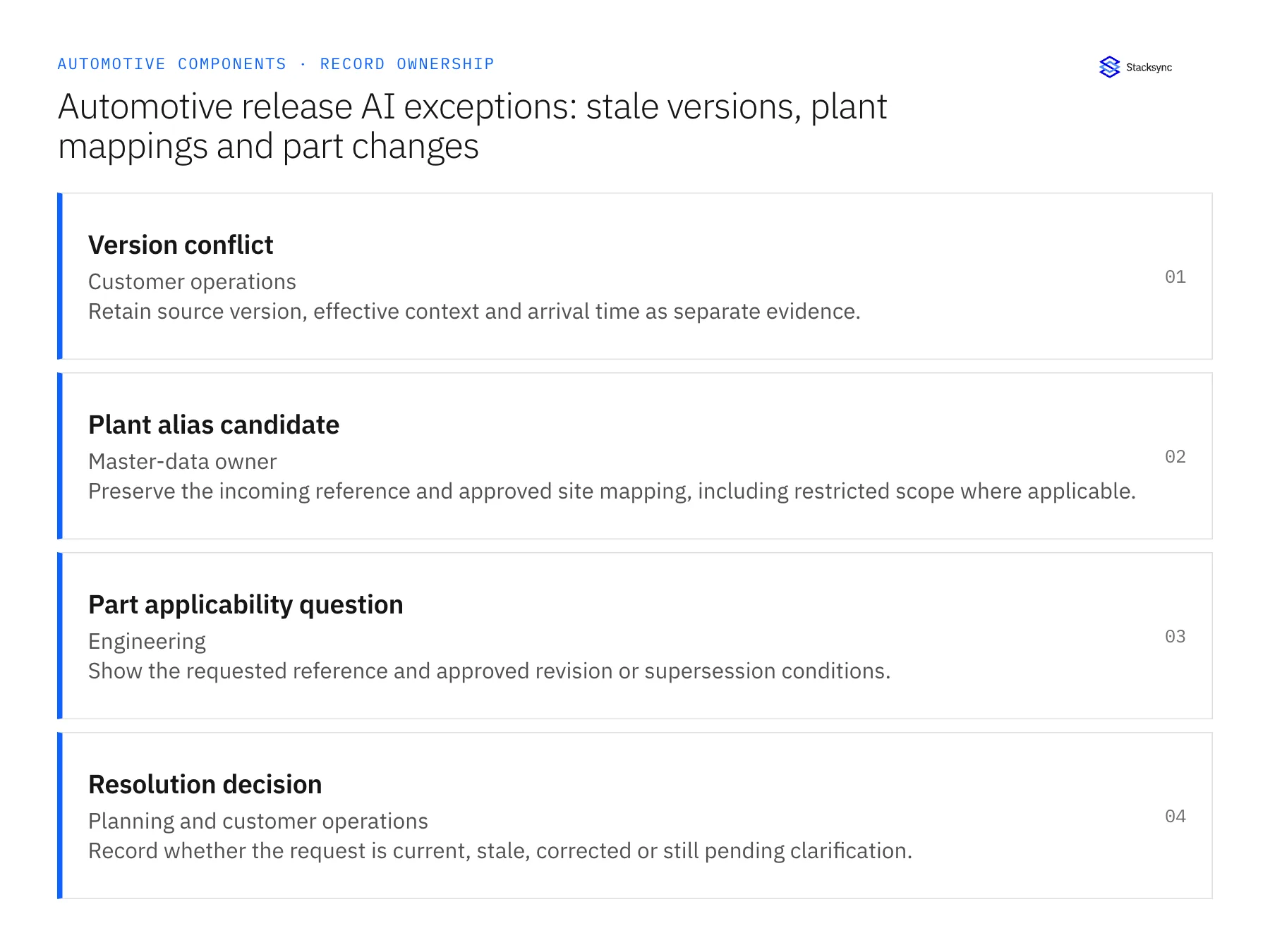
| Version conflict | Customer operations | Retain source version, effective context and arrival time as separate evidence. |
| Plant alias candidate | Master-data owner | Preserve the incoming reference and approved site mapping, including restricted scope where applicable. |
| Part applicability question | Engineering | Show the requested reference and approved revision or supersession conditions. |
| Resolution decision | Planning and customer operations | Record whether the request is current, stale, corrected or still pending clarification. |
Work through the process
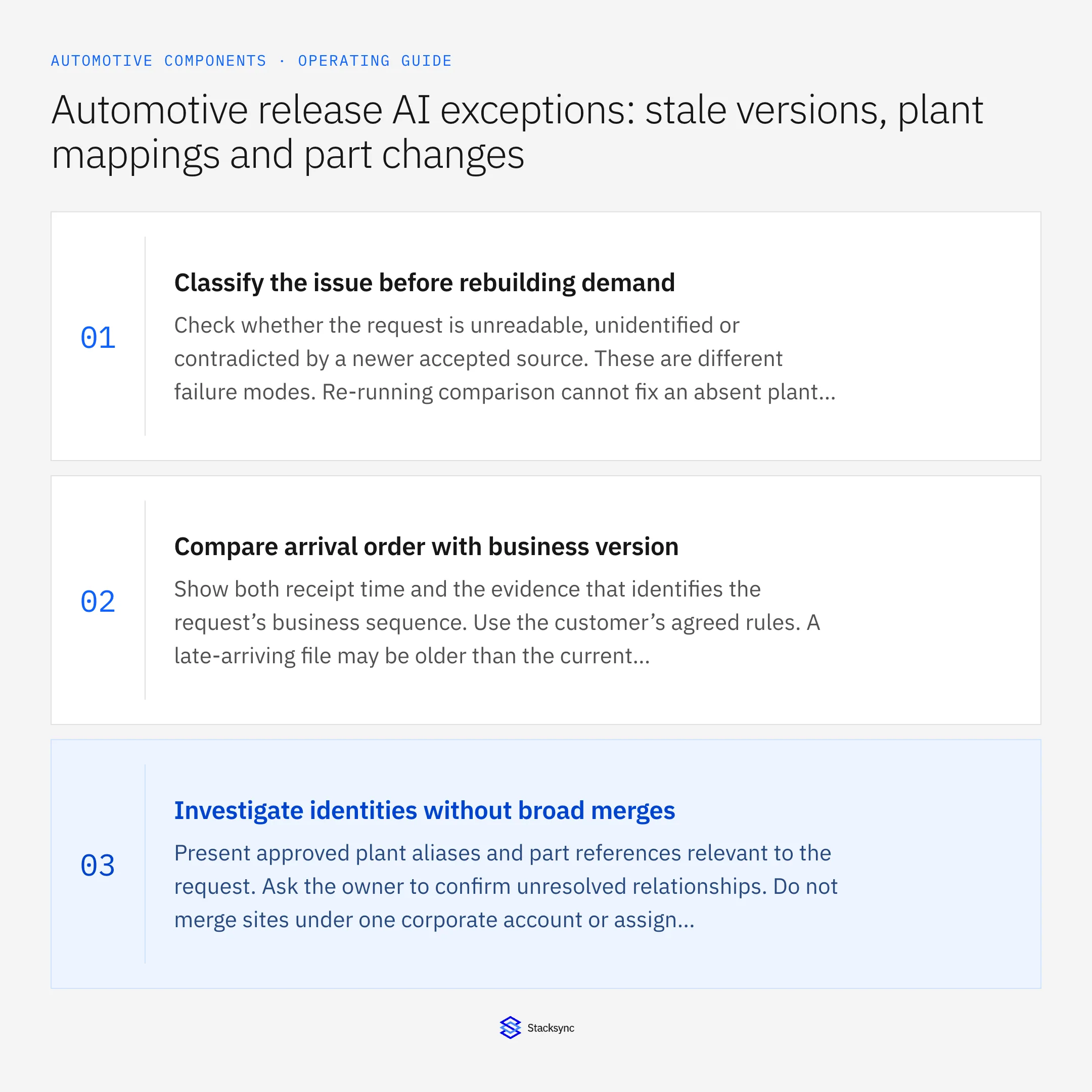
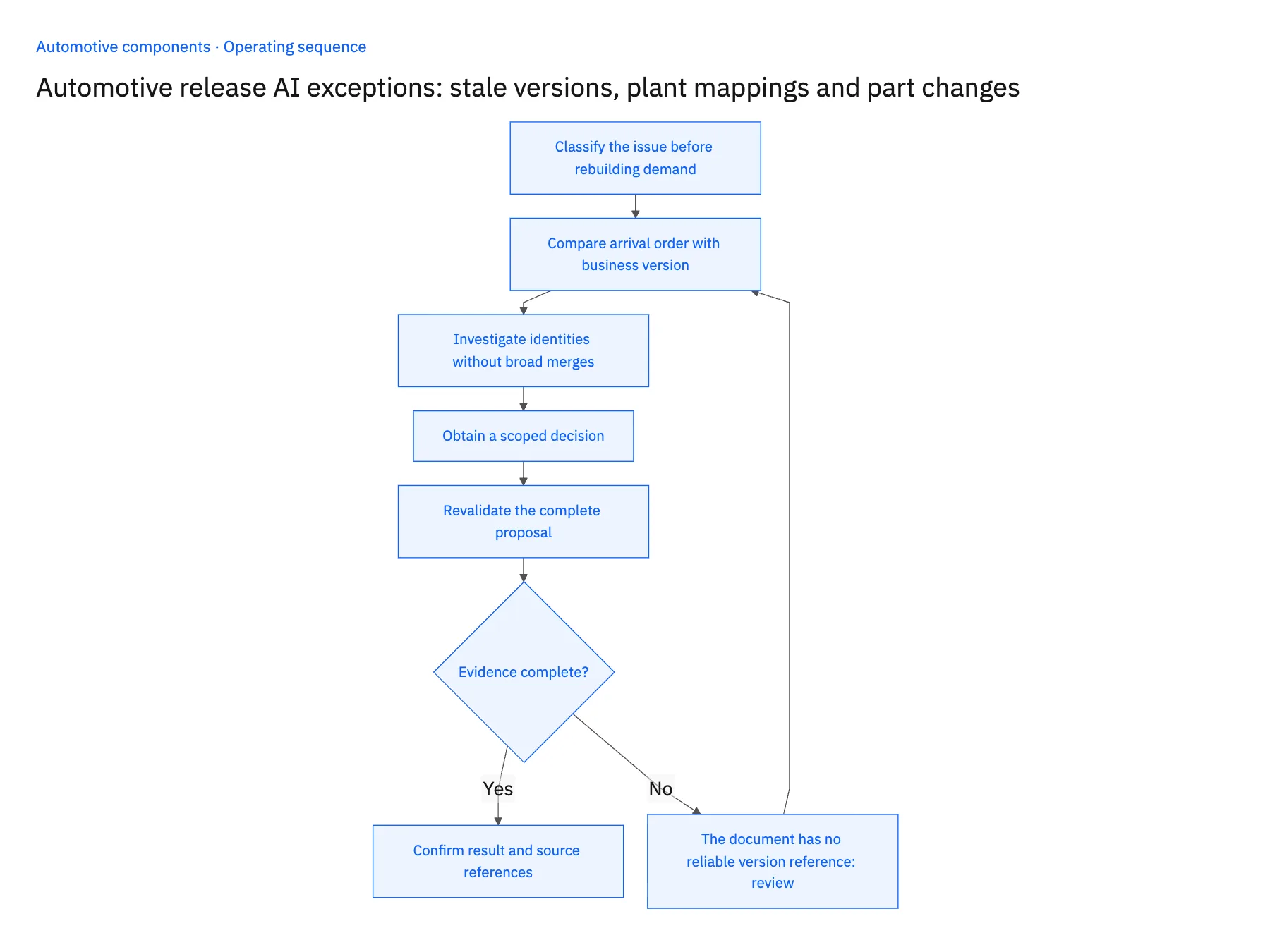
- 01Classify the issue before rebuilding demandCheck whether the request is unreadable, unidentified or contradicted by a newer accepted source. These are different failure modes. Re-running comparison cannot fix an absent plant mapping or unclear customer sequence convention.
- 02Compare arrival order with business versionShow both receipt time and the evidence that identifies the request’s business sequence. Use the customer’s agreed rules. A late-arriving file may be older than the current commitment, while a corrected document may legitimately need attention despite similar labels.
- 03Investigate identities without broad mergesPresent approved plant aliases and part references relevant to the request. Ask the owner to confirm unresolved relationships. Do not merge sites under one corporate account or assign a new part to all old releases because the names resemble one another.
- 04Obtain a scoped decisionRoute the specific question to customer operations, planning or engineering. Record whether the answer applies to one document, one program or a reusable mapping. Keep technical approval separate from acceptance of quantity and timing changes.
- 05Revalidate the complete proposalAfter resolving the original issue, rerun the comparison against the current accepted state. Another update may have arrived during review. Apply only the approved current proposal, preserving the stale or rejected request as evidence rather than deleting it.
Handle the exceptions explicitly
The document has no reliable version reference
Use the agreed clarification or reconciliation process. Do not use arrival time as a silent substitute for business sequence.
A plant alias was reused for a new site
Require effective scope and source evidence before updating historical relationships.
A part change is approved for future releases only
Keep existing accepted demand under its applicable revision and apply the new reference only at the approved boundary.
What to verify before expanding
- A late older request cannot roll back the current accepted release.
- Plant and part corrections retain their approved scope.
- The reviewer sees which unresolved fact blocks the proposal.
- A resolution triggers comparison with the latest accepted state before execution.

Connect this process to the rest of your operation
Explore Stacksync AI agents (Genies) and scope the records and actions against your actual systems. Book a demo with a real version conflict example and the exception your team handles most often, for example the document has no reliable version reference.
- AI agents for automotive release review: assemble quantity, date and revision differences
- Automotive component EDI 850 and 860: preserve firm orders and approved revisions
- Automotive component suppliers: connect Salesforce program awards and NetSuite demand
- Keeping Dynamics 365 Finance & Operations and PostgreSQL in Step
- EDI for Automotive Suppliers and OEMs: Powering Real-Time Manufacturing Communication
The shared architecture guide covers record matching, ownership, and recovery across systems.
Technical references
FAQ
Frequently asked questions










Related articles





