







Preserve approved configuration
Connect accepted options and module quantities to the released design and order references.
Stacksync MCP is here. Give Claude, Cursor, and any MCP client governed access to your syncs, workflows, and connections.
Set up MCP Salesforce
  HubSpot
  NetSuite
  Zendesk
  Microsoft Dynamics 365 Sales
  Dynamics 365 F&O
  Attio
Attio  Pipedrive
  Zoho CRM
  Campfire
  Rillet
  Front
Front  Shopify
  Amazon Seller Central
  SendGrid
 Modular and prefab building supply and installation
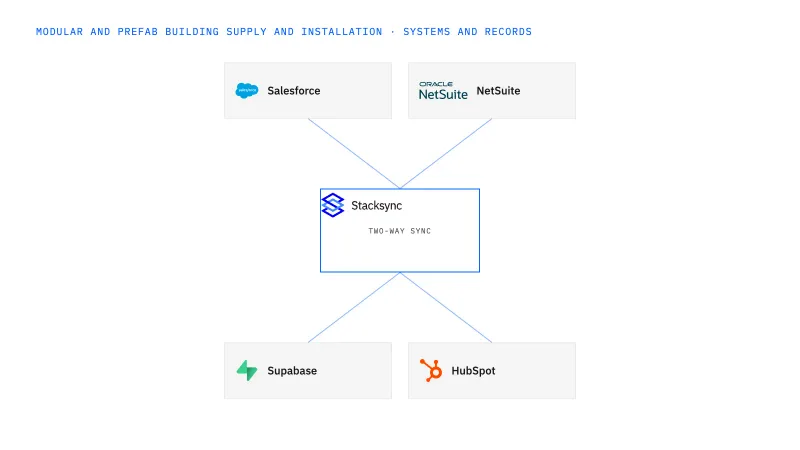
Connect Salesforce commercial configuration with NetSuite order and project context for modular and prefab building companies. Keep factory scope, delivery and site installation distinguishable, and preserve the approved design revision. Customer-facing teams receive verified status while technical, production and finance owners retain their decisions.
A sales option change, factory completion and site acceptance can all appear as one updated project status.
Explore your process in a demo, or get our shared two-way sync architecture guide.
When this fits
US modular and prefab building companies with 100–1,000 employees that combine manufacturing or supply with onsite delivery and installation.
Connect accepted options and module quantities to the released design and order references.
Show factory, shipment and site states separately so a customer summary does not imply more progress than the evidence supports.
Route new requests with procurement and production commitments before changing released scope.
The process, end to end
a modular supplier manufactures buildings and installs them onsite. The customer adds an option after factory release. The connection preserves the accepted baseline and exposes the proposed revision for the required reviews.
Scope your implementation
Review current platform pricing alongside the records, volume, and actions in your process. Use your own operating baseline to evaluate the economics.
Explore your process in a demo, or get our shared two-way sync architecture guide.
From foundation to action
Keep shared customer, order, and operational records aligned, with clear field ownership.
Explore two-way sync 02Move approved work between systems, assign exceptions, and confirm the result.
Explore workflows 03Investigate cross-system questions, assemble the evidence, and prepare the next action.
Explore ai agents (genies) 04Connect trading-partner documents to operational records and exception handling.
Explore ediGo deeper
Link Salesforce module options to the released design revision and NetSuite order so sales edits cannot rewrite released scope or blur factory and site milestones.
Track module identity through factory release, shipment, site receipt and acceptance without treating those events as equivalent.
Connect prefab buyer and project context to a portal with explicit dealer, contractor and owner access.
Explore all modular and prefab building supply and installation integration and automation guides ↗
No. Share approved configuration and decision-relevant status while production control remains with its owning process.
Yes. Preserve module or deliverable scope beneath the project summary.
A design revision, partial delivery and separate site acceptance, all linked to the same commercial project.
Start with two-way sync between Salesforce and NetSuite so the approved configuration, released design revision, order and project references and milestone states share one identity in both systems. Add workflows when a postrelease option change needs routing through procurement and production before released scope moves. Genies come next, assembling factory, shipment and site acceptance evidence into a progress-billing packet that finance approves. EDI arrives last, as a separate transport for component supplier documents that reach NetSuite purchase lines and receipts.


