







Keep the approved configuration visible
Connect the accepted drawing and scope revision to the order reference sales and production can recognize.
Stacksync MCP is here. Give Claude, Cursor, and any MCP client governed access to your syncs, workflows, and connections.
Set up MCP Salesforce
  HubSpot
  NetSuite
  Zendesk
  Microsoft Dynamics 365 Sales
  Dynamics 365 F&O
  Attio
Attio  Pipedrive
  Zoho CRM
  Campfire
  Rillet
  Front
Front  Shopify
  Amazon Seller Central
  SendGrid
 Fencing fabrication and installation
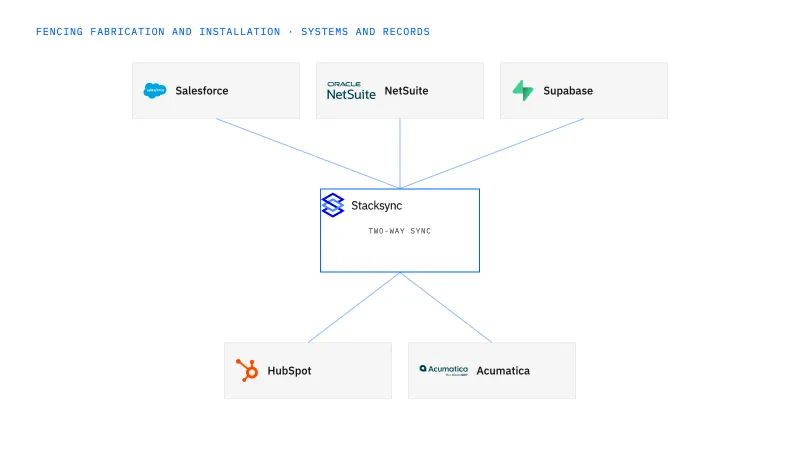
Keep Salesforce commercial scope aligned with NetSuite order context for fencing businesses that fabricate, supply and install. Preserve configuration attributes, drawing references and accepted quantities while treating postrelease edits as proposed revisions. Technical release and commercial approval retain their own owners.
A customer changes one gate or fence section, but sales, the shop and billing no longer agree on the accepted version.
Explore your process in a demo, or get our shared two-way sync architecture guide.
When this fits
US commercial fencing and gate businesses with 100–1,000 employees that fabricate or supply materials and install projects.
Connect the accepted drawing and scope revision to the order reference sales and production can recognize.
Route later requests with the affected lines and work-in-progress context rather than overwriting the active specification.
Review transaction and custom-field support in the selected objects before enabling writes.
The process, end to end
a fencing contractor supplies several custom gates, and the customer widens one opening after approval. The integration makes that local revision visible without changing every similar gate or erasing the original accepted order.
Scope your implementation
Review current platform pricing alongside the records, volume, and actions in your process. Use your own operating baseline to evaluate the economics.
Explore your process in a demo, or get our shared two-way sync architecture guide.
From foundation to action
Keep shared customer, order, and operational records aligned, with clear field ownership.
Explore two-way sync 02Move approved work between systems, assign exceptions, and confirm the result.
Explore workflows 03Investigate cross-system questions, assemble the evidence, and prepare the next action.
Explore ai agents (genies) 04Connect trading-partner documents to operational records and exception handling.
Explore ediGo deeper
Keep approved fence and gate configurations linked to the correct NetSuite order revision.
Show fence-material commitments by job without treating a shared planning board as an inventory reservation engine.
Connect fencing sales contacts to the right site, customer and project without confusing access with purchasing authority.
Explore all fencing fabrication and installation integration and automation guides ↗
No. It preserves and distributes the approved decision from the technical and commercial owners.
Yes, if the record model fits. The custom-configuration controls matter most where revisions affect production or price.
A change to one assembly, an existing order reference and unchanged scope on the other lines.
Begin with two-way sync so the approved configuration and drawing revision recorded in Salesforce resolve to the NetSuite order that holds the accepted quantities and price, the same reference the shop and billing use. Add workflows when a postrelease change needs a route: affected lines to the technical owner, price to the commercial owner. Genies come after that, gathering the changed attributes, the released baseline and work-in-progress context into a packet a reviewer approves. EDI arrives last and separately, carrying steel and fencing supplier documents into NetSuite as a transport rather than sync.


