






















Your CRM in a Table You Own: Sync Amazon RDS With Salesforce
A practical guide to syncing Amazon RDS with Salesforce in both directions and in real time. It covers the three approaches teams try and why two of them break, the RDS parameter group and network prerequisites that have to be right first, the setup steps in order, how a field-level sync stays inside the Salesforce API allocation, per-field conflict resolution when both sides edit the same record, and how to validate that the sync is actually correct.
- Author
- Ruben Burdin · Founder & CEO
- Published
- Read time
- 10 min read

An Amazon RDS instance and a Salesforce org usually hold the same customers under two different shapes. The database has tables, foreign keys, and whatever the application writes. Salesforce has accounts, contacts, and opportunities, plus whatever an admin added last quarter. Getting the two to agree is the part nobody scopes properly.
This guide walks through how to sync Amazon RDS with Salesforce in both directions and in real time: CRM objects landing in Postgres or MySQL tables you can query, and application data going back into Salesforce without a nightly job. It covers the three approaches teams try, the RDS settings that have to be right before any of them work, the setup steps in order, and what to do when both sides edit the same record.
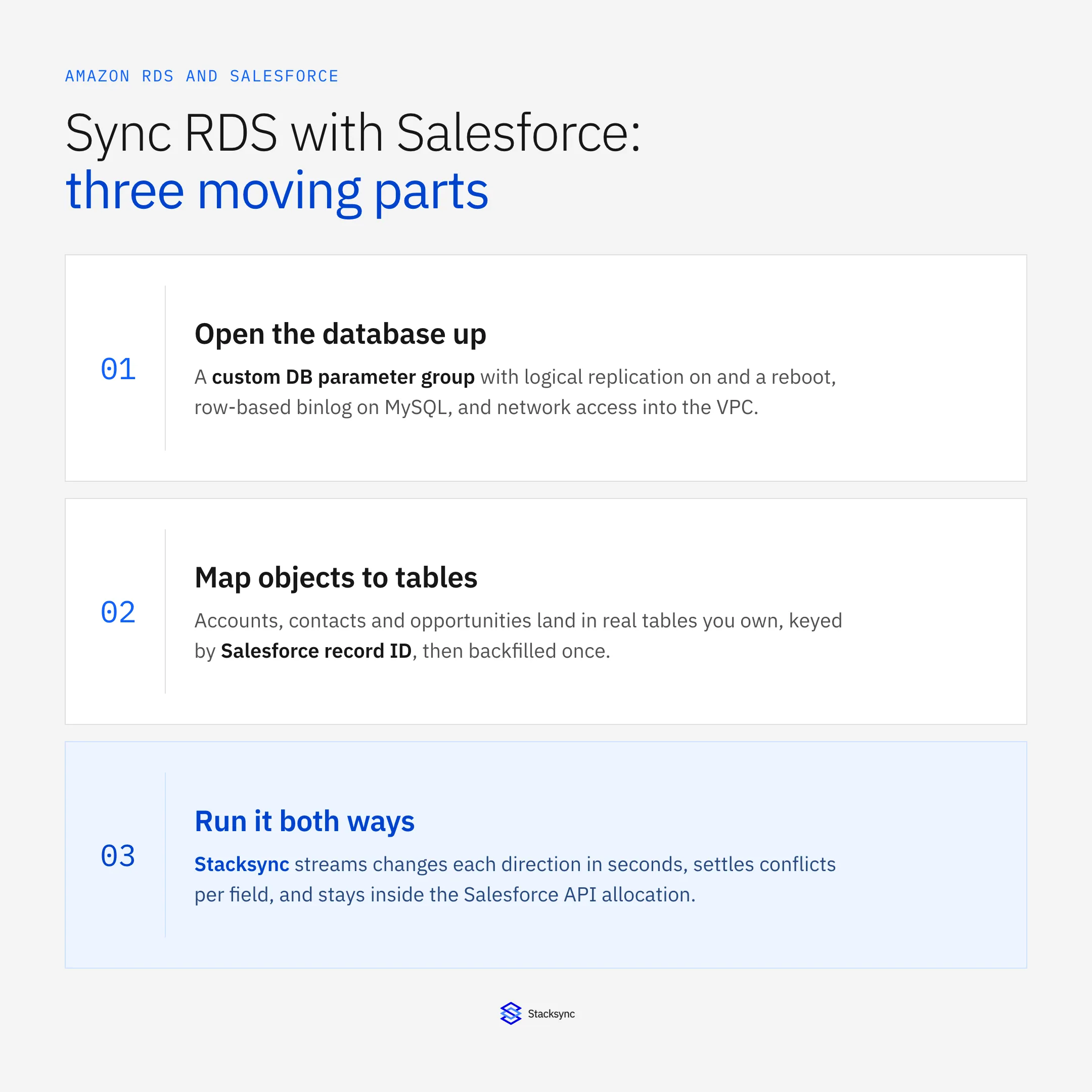
If you are still weighing platforms rather than wiring one up, start with the wider guide to an enterprise iPaaS for Amazon RDS. This post assumes the decision is made and you want the mechanics.
Why Salesforce and Amazon RDS drift apart
RDS is where the product lives: sessions, usage, entitlements, subscription state, whatever the application writes to Postgres or MySQL. Salesforce is where the commercial relationship lives. Both describe the same customer, and neither knows what the other did five minutes ago.
The usual patch is a report. Someone exports Salesforce accounts to CSV every week and loads them into a staging table, or a scheduled job queries RDS and pushes a summary field back into the CRM. That holds until the export drifts, a field is renamed, the job fails quietly on a Sunday, or two people edit the same record and one edit disappears. By then support is quoting an entitlement that expired and a rep is calling an account that churned.
What makes this harder on RDS than on a database you run yourself is that RDS is managed. There is no superuser account. You get the rds_superuser role, a fixed set of AWS-supported extensions, and configuration through DB parameter groups instead of a postgresql.conf you can edit. Any design that assumes shell access, an arbitrary extension, or hand-rolled replication hits that wall on day one.
Three ways to move data between RDS and Salesforce
In practice this takes one of three shapes, and they are not equivalent.
| Apex and API polling | AWS DMS or Glue plus reverse ETL | Managed two-way sync | |
|---|---|---|---|
| Directions | Both, if you build both | One way per tool, two tools | Both, one configuration |
| Latency | The poll interval, often 15 minutes to hourly | Batch window plus warehouse load | Seconds |
| Salesforce API cost | Every poll re-reads records that did not change | Bulk extracts out, a second tool writing back | Only changed fields move |
| Conflict handling | Whatever you code, usually last job wins | Undefined across two pipelines | One policy, resolved per field |
| RDS work | A connection per job, no change capture | Parameter group, replication slot, DMS task, warehouse | Parameter group and replication slot, managed by the platform |
| Who maintains it | Your engineers, indefinitely | Two vendors and a schedule | Configuration, not code |
The three common routes between an RDS instance and a Salesforce org.
The first option looks cheapest on a whiteboard. A scheduled job, a SOQL query, an upsert into Postgres, done. The cost is not writing it, it is the second year. Polling spends Salesforce API requests on records that have not changed, the field mapping lives in code one person understands, and every new field is a deploy. Two-way makes it worse: now there are two jobs that can overwrite each other with no shared idea of which write is newer.
The second option is the AWS-native one, and it is a good tool pointed at a different problem. AWS DMS is built for migration and ongoing replication between databases, so an AWS RDS migration to a new engine version or region is exactly what it is for, and it will stream RDS changes into a warehouse when Amazon RDS ETL into analytics is what you actually want. What it does not do is treat Salesforce as a writable system with its own validation rules, required fields, and request allocation. So teams bolt a reverse-ETL tool onto the return path: two pipelines, two schedules, two failure modes, and a warehouse parked in the middle of what should be a direct link. If the warehouse is part of the plan, fine. If you only wanted the CRM and the database to agree, see real-time sync versus batch ETL for where the line sits.
The third option is a platform that treats both sides as live systems: it reads RDS changes off the replication stream, reads Salesforce changes off Change Data Capture, and applies each to the other under a single conflict policy. That is the setup the rest of this guide describes.
What to set up on the RDS side first
Most stalled projects stall here, before any mapping happens. The database has to be able to emit changes, and something outside the VPC has to be able to reach it. Amazon RDS replication is configured through parameter groups rather than a config file, so both halves are AWS console or CLI work, not database work.
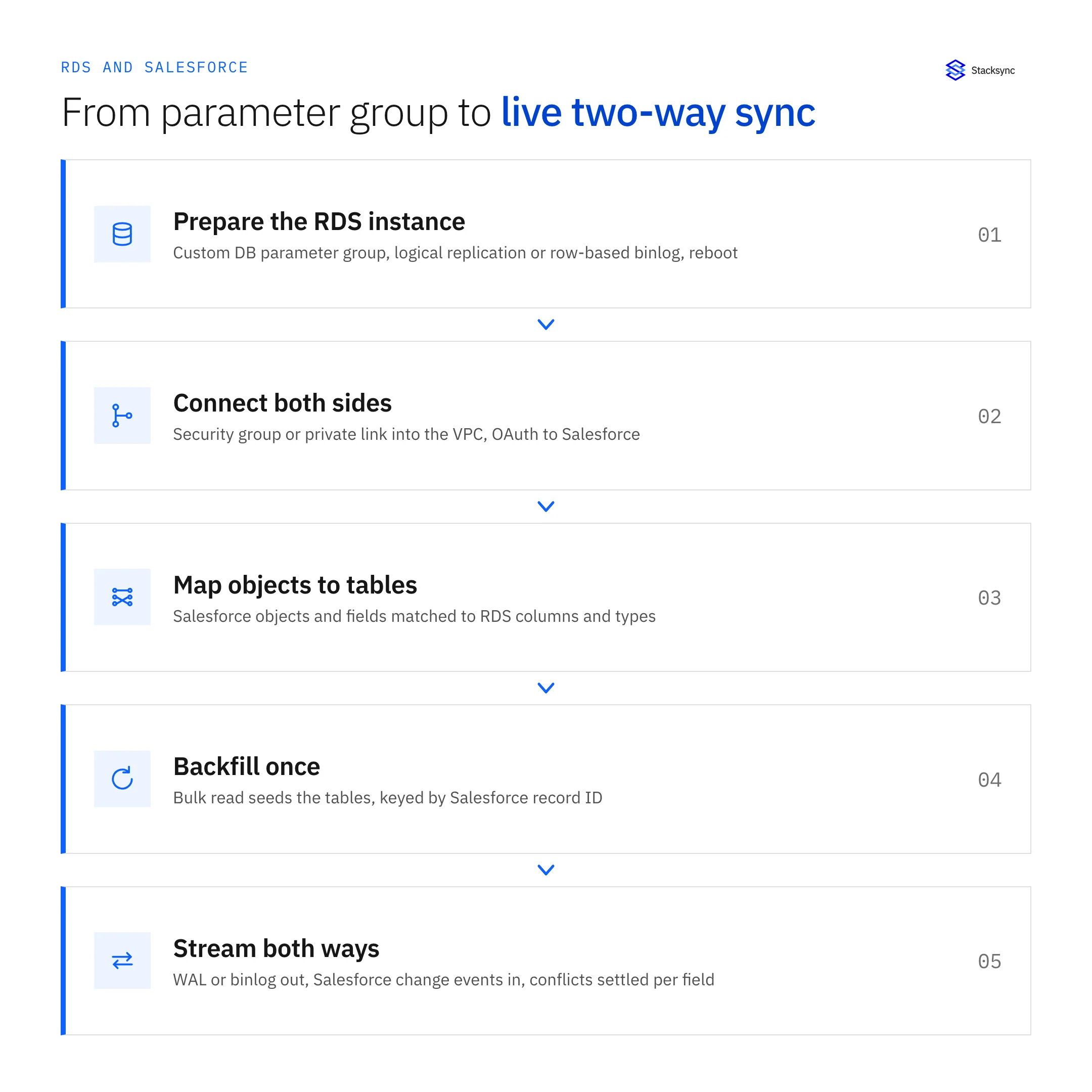
On RDS for PostgreSQL, change capture runs on logical replication, and logical replication is off by default. Turning it on means creating a custom DB parameter group, setting rds.logical_replication to 1, attaching the group to the instance, and rebooting. The parameter is static, so the reboot is not optional. The database user the sync connects with also needs the rds_replication role granted to it, on top of read and write permissions on the tables in scope.
On RDS for MySQL or MariaDB the equivalent is binary logging in row format, again set through a parameter group, plus a retention window so the log is still there when a connector reconnects. That one is a stored procedure rather than a parameter: CALL mysql.rds_set_configuration('binlog retention hours', 24); Set it too low and a connector that pauses for maintenance comes back to a gap it cannot recover from without a fresh backfill.
The failure mode worth putting in a runbook is the stalled replication slot. A logical slot holds WAL until its consumer confirms it has read past it. If the consumer stops, WAL accumulates on the instance, and on a small instance class that can fill storage and take the database down. Alarm on replication slot lag and free storage, and drop slots you are no longer consuming. Teams who have run RDS Postgres replication on their own hardware are the ones most likely to be caught out, because there the disk was theirs to fill.
Network access is the other half. RDS sits in a VPC, so the sync platform needs a route in: a security group rule scoped to its published address ranges, or a private connection if policy forbids a public endpoint. Use a dedicated database user rather than the master account and keep its grants to the tables in scope. IAM database authentication and KMS encryption at rest are both available and both easier to turn on now than during a security review.
One more thing that bites: max_connections on RDS scales with the instance class, not with your plans for it. A sync connection is one more consumer competing with the application. If you are already near the ceiling, put RDS Proxy in front for AWS RDS connection pooling rather than sizing the instance up for the sake of a few sessions. For the mechanics of the replication stream itself, the guide to Postgres change data capture goes deeper than this post needs to, and the Amazon RDS connector page lists what the platform expects on the instance.
How to sync Amazon RDS with Salesforce, step by step
With the instance ready, the rest is configuration. The order matters, because a backfill started before the mapping is settled has to be run again.
- Connect Salesforce. Authenticate over OAuth with a dedicated integration user, and give that user access to exactly the objects and fields in scope so the sync cannot write somewhere nobody expected.
- Connect the RDS instance. Host, port, database, and the dedicated user you created, over TLS, with the security group rule in place. The connection is verified against the replication stream before anything else happens.
- Choose objects and tables. Start narrow. Account, Contact, and Opportunity cover most first projects. Each becomes a table in RDS, or maps onto a table you already have.
- Map fields and types. Picklists, currencies, and datetimes each need a decision on the database side. Keep the Salesforce record ID as the key column, unique and indexed, because it is what every later upsert matches on.
- Set the direction per object. Not everything should be two-way. Product usage can run from RDS to Salesforce only, case status from Salesforce to RDS only, while shared account fields go both ways. Being explicit here prevents most conflicts before they can happen.
- Run the initial backfill. A bulk read seeds the tables, keyed by record ID. Let it finish and reconcile row counts against Salesforce before enabling live sync.
- Turn on change capture both ways. Salesforce changes arrive as change events, RDS changes arrive from the replication slot or binlog, and each is applied to the other side within seconds with its origin recorded.
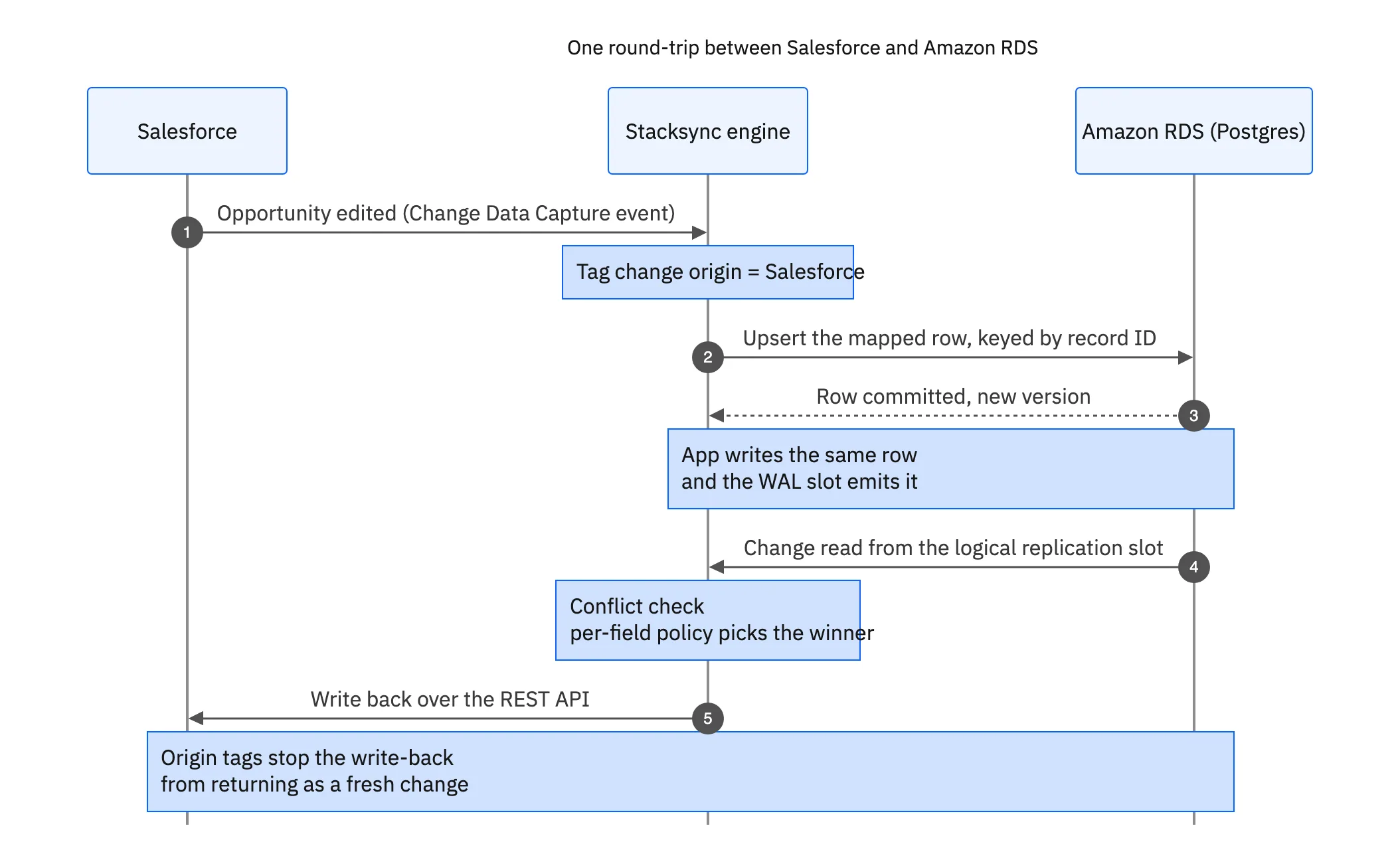
That round trip is what separates a sync from two scheduled jobs pointed at each other. The origin tag on every write is what stops a write-back being read a second later as a fresh change and pushed straight back, which is how naive two-way links turn into loops inside an hour.

API limits, conflicts, and checking the sync is right
Salesforce meters API requests per org over a rolling 24 hours, and the allocation depends on edition and licence count. Enterprise Edition, for instance, adds 1,000 requests per user licence on top of a base allocation. That sounds generous until a nightly full export re-reads every account, contact, and opportunity whether or not anything changed, and does it again tomorrow.
A field-level sync sidesteps the problem by not re-reading anything. Change Data Capture and Platform Events push changed records out, so request volume tracks how much business happened rather than how large the org is. Bulk API 2.0 covers the one-off backfill, where it chunks large extracts for you instead of making you page through them by hand. The arithmetic is worked through in the guide to syncing Salesforce and Postgres without hitting API limits.
Conflicts are the second question everyone asks. Both sides can edit the same record and no amount of good intent prevents it: a rep updates a billing address in Salesforce while a support tool updates it in the database. A per-field policy keeps the outcome predictable. Last write wins is a reasonable default for most fields. For fields where one system is authoritative, pin the direction instead: subscription state always from RDS, account owner always from Salesforce. Doing it per field rather than per record means you never declare a single winner for a whole object. Bidirectional sync explained walks through what that looks like on real records.
Validating the result is unglamorous and worth an afternoon. Count rows per object and compare against Salesforce. Take twenty records at random, edit them on one side, and confirm they arrive on the other with the right values. Then edit the same field on both sides within a few seconds and confirm the policy did what you said it would. Finally break something on purpose: pause the connection or revoke the database user briefly, and watch the sync catch up rather than skip. Alarm on replication slot lag, on Salesforce API usage as a percentage of the allocation, and on sync error counts, and you will hear about problems before a rep does.
Getting it running
Syncing Amazon RDS with Salesforce is mostly a sequencing problem. Get the parameter group and the network right, map a small set of objects properly, backfill once, then let change capture carry the rest in both directions. The genuinely hard parts, conflict policy and API budget, are decisions rather than code, provided the layer underneath handles the replication stream and the change events for you.
To see it running against a real instance, book a demo, look at the Amazon RDS and Salesforce integration, or read the companion guides on an enterprise iPaaS for Amazon RDS and two-way sync between Amazon RDS and NetSuite.

FAQ
Frequently asked questions










Explore these integrations and topics
- connectorSalesforce integrations
- connectorAmazon RDS integrations
- platformCRM synchronization
- platformDatabase synchronization
- CRM synchronization guidesConnect customer records across sales, marketing, and operational systems.
- Database synchronization guidesWork through database change capture, application writes, and reliable record reconciliation.
Related articles






