






















Prefab Design Freeze to Factory Release: Route Approved Revisions Through Procurement and Scheduling
Coordinate prefab design release with approved scope, material commitments and factory scheduling decisions.
- Author
- Ignacio Malpartida · GTM Engineer
- Published
- Read time
- 5 min read

The operating decision
A prefab design-to-factory workflow should connect the controlled design revision, commercial approval, material requirement and production-release decision. Design freeze must identify the exact configuration covered; it should not be a loose project status that survives later changes. Procurement and scheduling need the approved version and any release conditions. Qualified technical and production owners decide readiness, while the workflow routes evidence and records the permitted handoff.
Explore the complete modular and prefab building supply and installation integration and automation hub for the systems and processes around this guide.
What this looks like in modular and prefab building supply and installation
A modular manufacturer has a customer-approved layout, but a late option change affects material procurement and factory sequencing. Sales considers the project won, engineering has a revised drawing, and purchasing has already ordered against the earlier version. A workflow should expose those differences before factory release. It should show which revision is approved, what commitments exist and who must accept the impact of the proposed change.
Records, ownership, and update rules
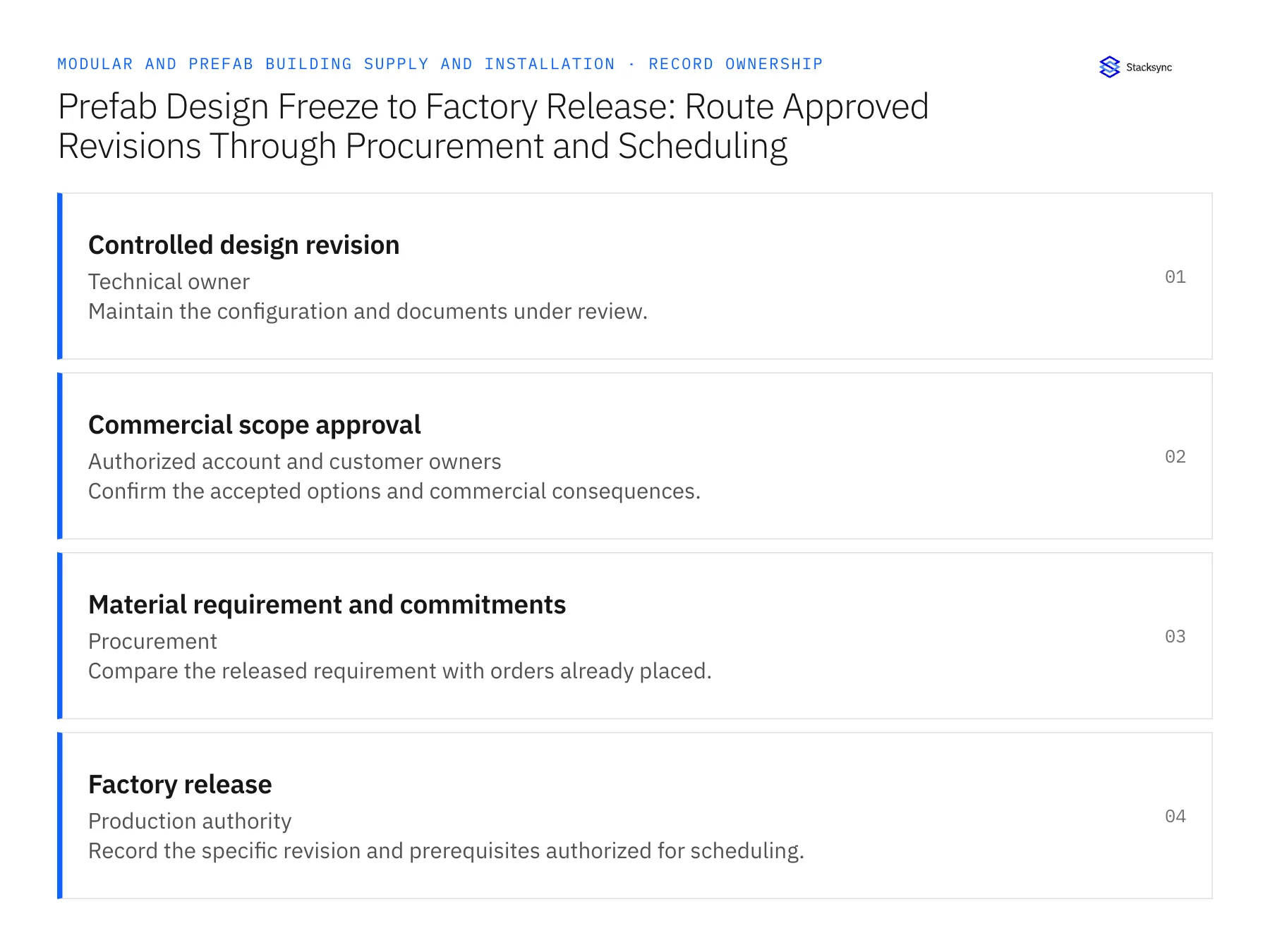
| Record | Owner | Operating rule |
|---|---|---|
| Controlled design revision | Technical owner | Maintain the configuration and documents under review. |
| Commercial scope approval | Authorized account and customer owners | Confirm the accepted options and commercial consequences. |
| Material requirement and commitments | Procurement | Compare the released requirement with orders already placed. |
| Factory release | Production authority | Record the specific revision and prerequisites authorized for scheduling. |
Work through the process
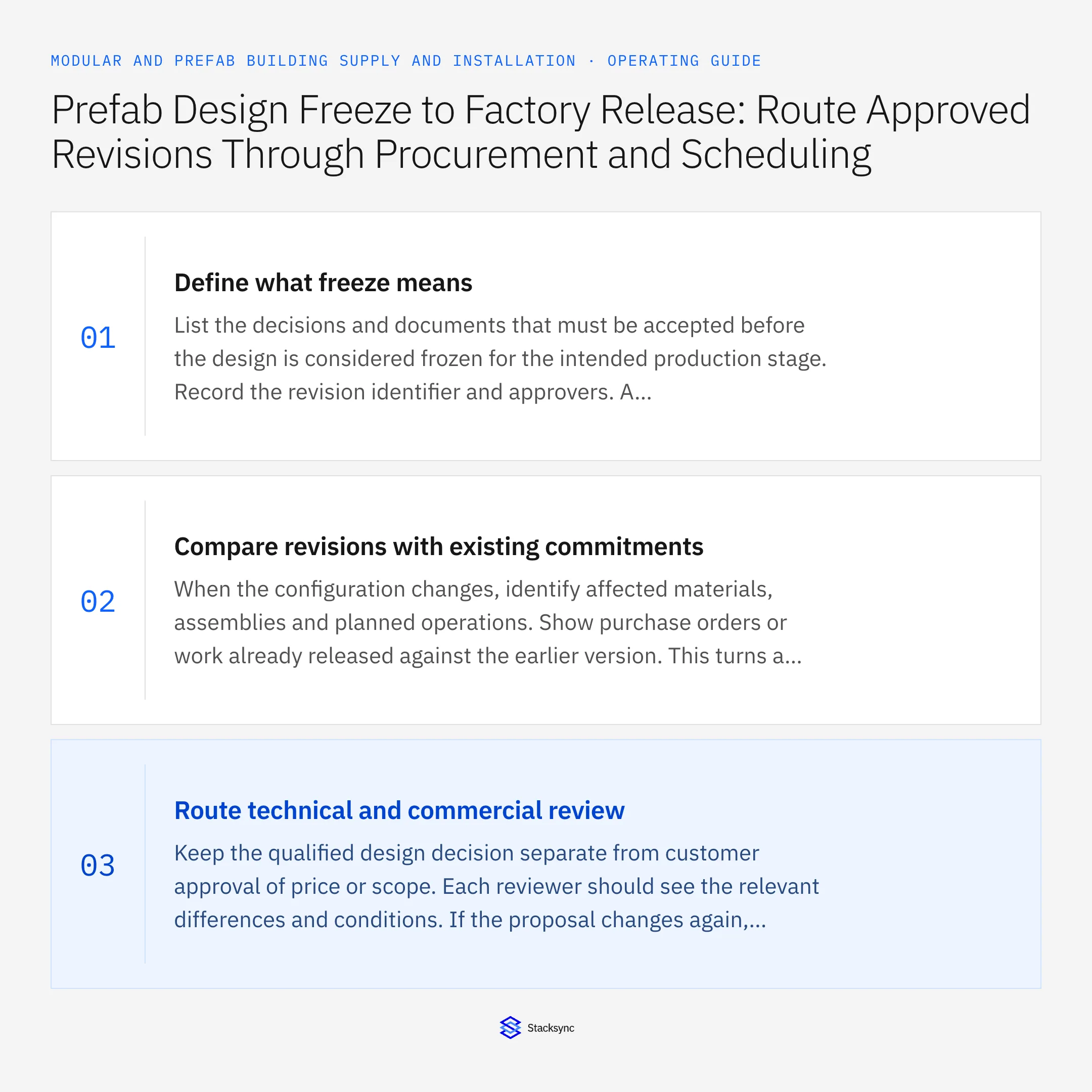
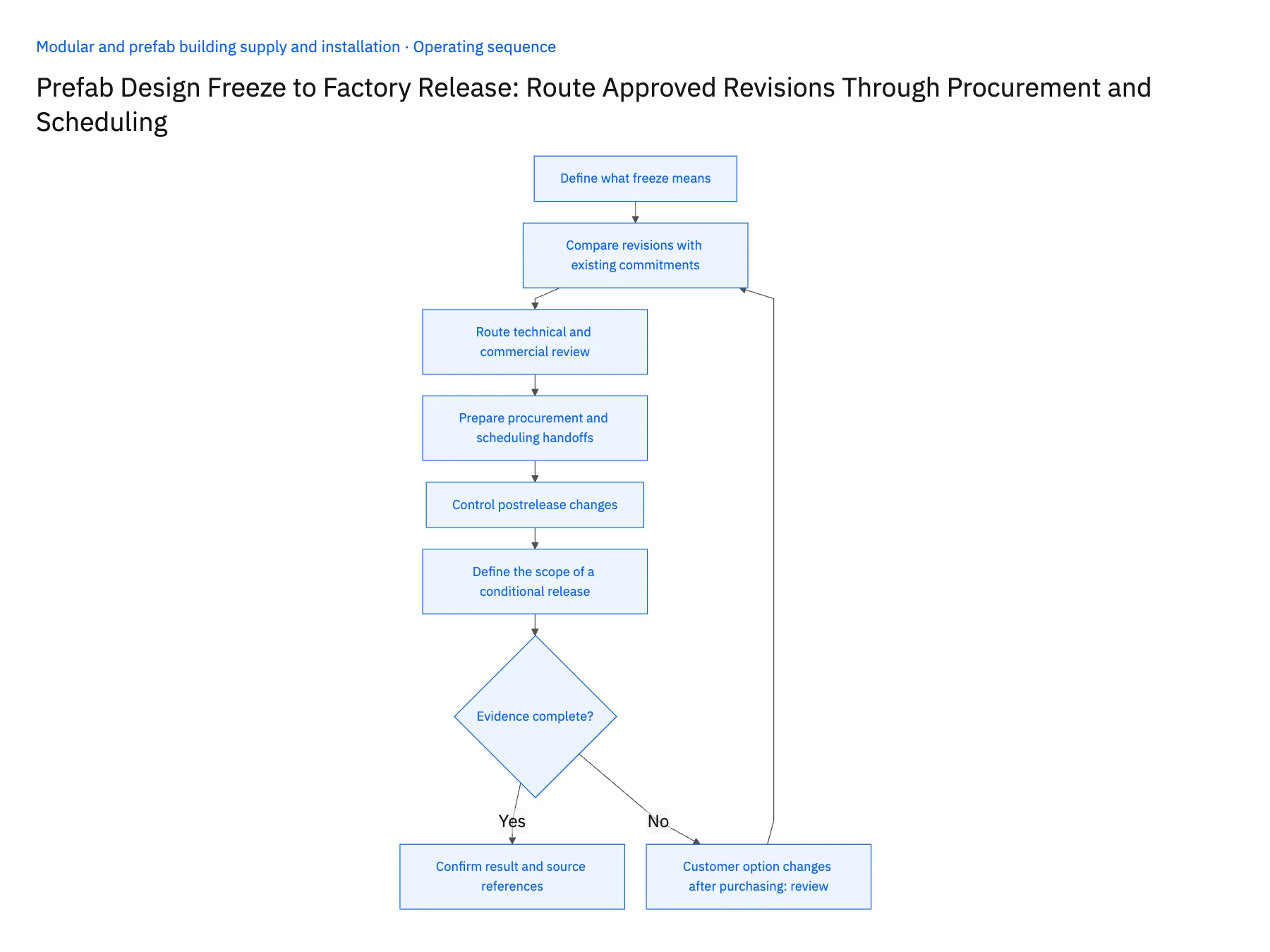
- 01Define what freeze meansList the decisions and documents that must be accepted before the design is considered frozen for the intended production stage. Record the revision identifier and approvers. A customer accepting a layout may not complete every technical or procurement prerequisite needed for release.
- 02Compare revisions with existing commitmentsWhen the configuration changes, identify affected materials, assemblies and planned operations. Show purchase orders or work already released against the earlier version. This turns a vague revised drawing notification into a concrete decision about what must change and what can remain.
- 03Route technical and commercial reviewKeep the qualified design decision separate from customer approval of price or scope. Each reviewer should see the relevant differences and conditions. If the proposal changes again, invalidate approvals tied to changed details rather than carrying them forward automatically.
- 04Prepare procurement and scheduling handoffsAfter the required reviews, provide the accepted requirement and revision to procurement and production planning. Invoke only verified system actions; otherwise create an owned release task. Keep the destination references so each team can confirm that it is acting on the same configuration.
- 05Control postrelease changesAny later request should create a new change record with the released baseline and work-in-progress evidence. Route the impact review before altering factory instructions. Preserve the prior release and its scope so the team can reconstruct which version governed each production decision.
- 06Define the scope of a conditional releaseProduction may authorize a limited stage while another design detail remains under review. Record exactly which assemblies, operations or material commitments may proceed and which remain blocked. A conditional release should not be translated into a general released status in the CRM or planning board. The downstream owner needs the conditions alongside the revision reference. When the missing decision is resolved, issue the next explicit release rather than assuming the remaining scope became authorized because some work had already started.
Handle the exceptions explicitly
Customer option changes after purchasing
Identify affected commitments and route disposition or revised buying decisions.
Technical approval applies to an older drawing
Reopen the affected review for the current revision.
Only part of the design can be released
Record the permitted assembly or stage scope rather than marking the entire project released.
What to verify before expanding
- Factory release identifies a specific approved revision.
- Commercial acceptance cannot replace qualified technical review.
- Existing commitments are visible in revision decisions.
- Partial release cannot be mistaken for full-project release.

Connect this process to the rest of your operation
Explore Stacksync workflows and scope the records and actions against your actual systems. Book a demo with a real controlled design revision example and the exception your team handles most often, for example customer option changes after purchasing.
- Modular Factory-to-Site Delivery Workflows
- Modular Building Delivery Releases: Coordinate Site Readiness, Transport Booking, and Receiving Acceptance
- Genies for Modular Progress-Billing Reviews: Assemble Factory Milestones, Delivery Proof, and Site Acceptance
- Modular Progress-Billing Exceptions: Partial Deliveries, Unapproved Variations, and Missing Acceptance Records
- Secure EDI Processing in Multi-Cloud Environments
- Connecting Salesforce and HubSpot to Databases with Stacksync
The shared architecture guide covers record matching, ownership, and recovery across systems.
Technical references
FAQ
Frequently asked questions










Related articles






