






















Modular Building Delivery Releases: Coordinate Site Readiness, Transport Booking, and Receiving Acceptance
Connect modular factory readiness to site, transport and receiving decisions without treating delivery as project acceptance.
- Author
- Ignacio Malpartida · GTM Engineer
- Published
- Read time
- 5 min read

The operating decision
A modular delivery-release workflow should combine factory readiness, site-release evidence, transport confirmation and receiving arrangements for the specific modules being shipped. Each dependency has a separate owner. A completed module is not automatically ready to leave if the site or transport plan is unresolved. The workflow should assemble the current evidence and route the release decision; qualified logistics, project and site personnel retain authority over the physical operation.
Explore the complete modular and prefab building supply and installation integration and automation hub for the systems and processes around this guide.
What this looks like in modular and prefab building supply and installation
A modular supplier has several modules ready at the factory while the site team delays the planned receiving window. Transport is tentatively reserved, and one module has an open completion item. The commercial project still shows the original delivery date. A coordinated release view should identify which modules can be considered, whether the site has confirmed the window and who must decide the change before anyone tells the customer the shipment is released.
Records, ownership, and update rules
| Record | Owner | Operating rule |
|---|---|---|
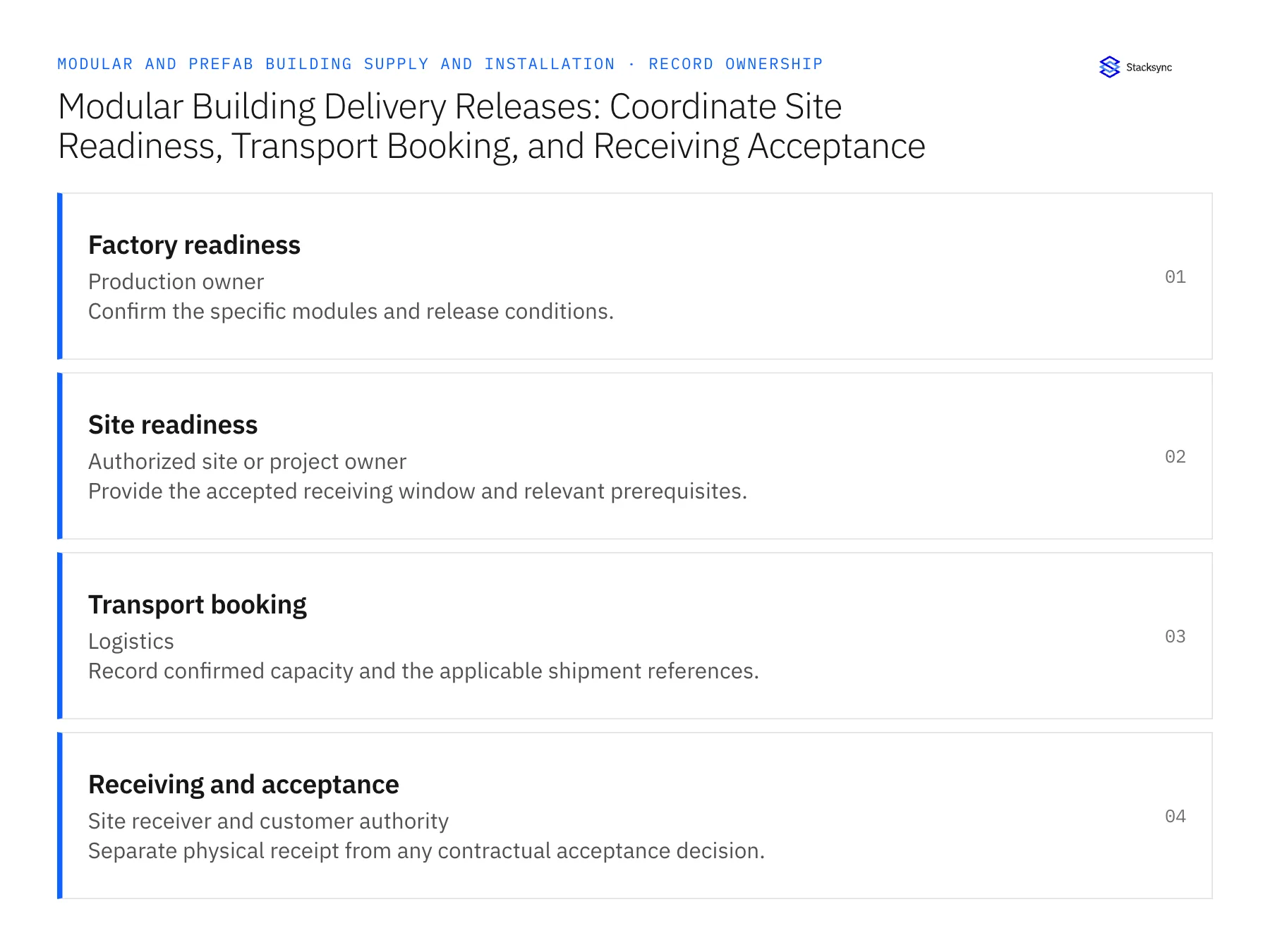
| Factory readiness | Production owner | Confirm the specific modules and release conditions. |
| Site readiness | Authorized site or project owner | Provide the accepted receiving window and relevant prerequisites. |
| Transport booking | Logistics | Record confirmed capacity and the applicable shipment references. |
| Receiving and acceptance | Site receiver and customer authority | Separate physical receipt from any contractual acceptance decision. |
Work through the process
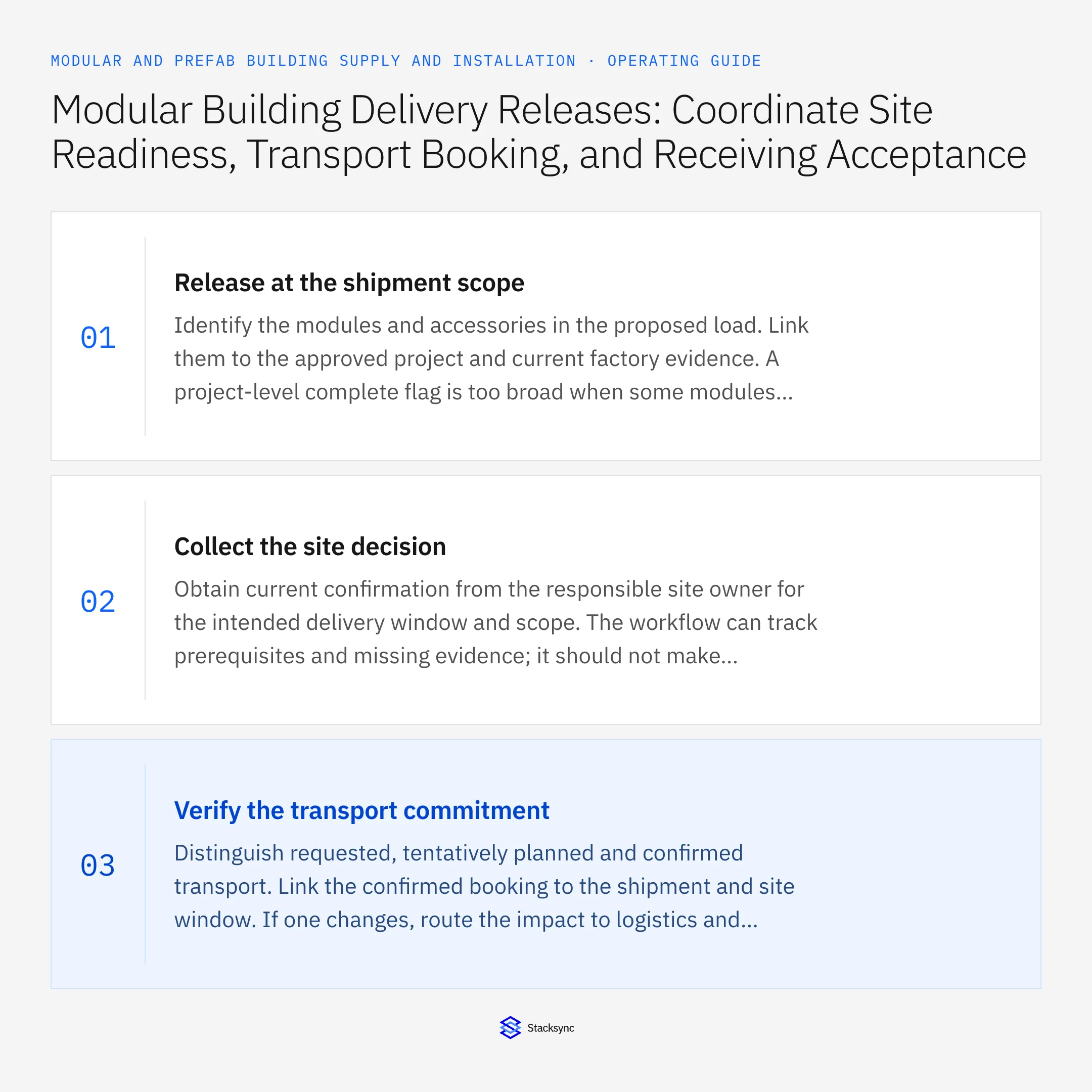
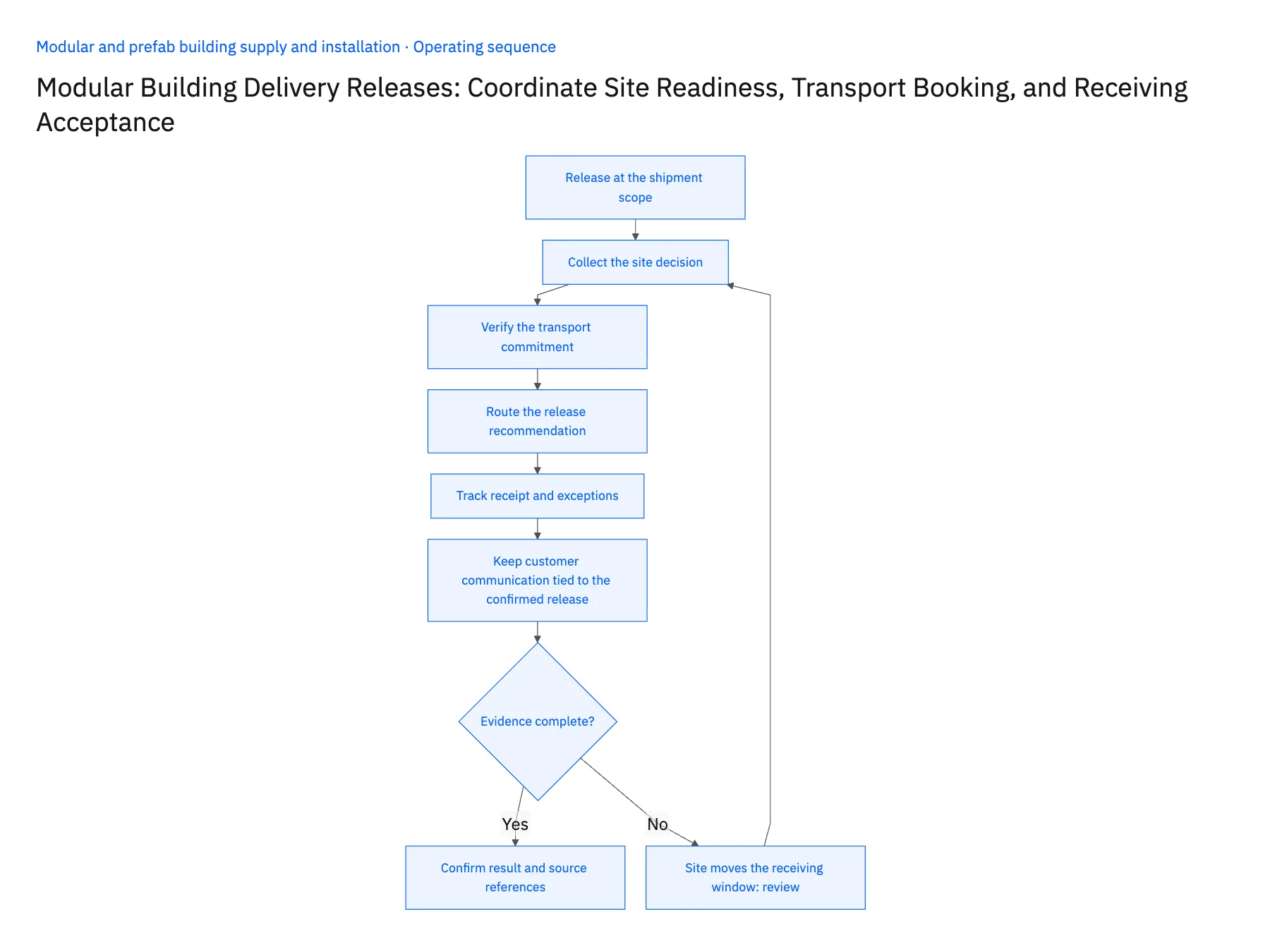
- 01Release at the shipment scopeIdentify the modules and accessories in the proposed load. Link them to the approved project and current factory evidence. A project-level complete flag is too broad when some modules are ready and others remain under review.
- 02Collect the site decisionObtain current confirmation from the responsible site owner for the intended delivery window and scope. The workflow can track prerequisites and missing evidence; it should not make technical site-readiness judgments or infer that the site is ready because the original schedule says so.
- 03Verify the transport commitmentDistinguish requested, tentatively planned and confirmed transport. Link the confirmed booking to the shipment and site window. If one changes, route the impact to logistics and project management rather than allowing stale confirmation to keep the release green.
- 04Route the release recommendationPresent the factory, site and transport evidence together, including source dates and unresolved conditions. The authorized release owner decides whether the load may proceed. Record that decision and its scope so a later change can be traced to the evidence used.
- 05Track receipt and exceptionsAfter dispatch, capture the actual receiving event for each module and any condition issue. Keep receipt separate from contractual acceptance and from a billing milestone. Route missing, partial or disputed receipt evidence to the responsible owner before downstream teams mark the delivery complete.
- 06Keep customer communication tied to the confirmed releaseA proposed delivery date, confirmed transport booking and authorized shipment release are different promises. Decide which team may communicate each state and ensure the customer-facing summary uses the corresponding evidence. If the site window changes after a message is sent, route a specific update with the affected modules and next decision owner. This keeps the workflow useful to account management without allowing a planning record to announce a shipment that logistics has not released.
Handle the exceptions explicitly
Site moves the receiving window
Withdraw the previous release recommendation and recheck transport and factory staging.
One module retains an open completion item
Limit the proposed release to the accepted scope or hold it under the production owner's decision.
Delivered module has a condition discrepancy
Record receipt and condition separately and route acceptance review.
What to verify before expanding
- The release identifies the exact shipment scope.
- Tentative transport cannot appear as confirmed capacity.
- A changed site window reopens the relevant checks.
- Physical receipt cannot automatically satisfy contractual acceptance.

Connect this process to the rest of your operation
Explore Stacksync workflows and scope the records and actions against your actual systems. Book a demo with a real factory readiness example and the exception your team handles most often, for example site moves the receiving window.
- Modular Factory-to-Site Delivery Workflows
- Prefab Design Freeze to Factory Release: Route Approved Revisions Through Procurement and Scheduling
- Genies for Modular Progress-Billing Reviews: Assemble Factory Milestones, Delivery Proof, and Site Acceptance
- Modular Progress-Billing Exceptions: Partial Deliveries, Unapproved Variations, and Missing Acceptance Records
- Connecting Salesforce and HubSpot to Databases with Stacksync
- Eliminating Duplicate Records When You Sync CRM Systems: Best Practices for Clean Data
The shared architecture guide covers record matching, ownership, and recovery across systems.
Technical references
FAQ
Frequently asked questions










Related articles






