Choosing an Integration Platform That Can Actually Handle Front
A buyer’s guide to running Front as a connected system rather than an island. It covers why the shared inbox is a data source in its own right, what enterprise-grade means when the source is a conversation, how one engine can feed a CRM, an ERP, and a warehouse at once, and the questions worth asking a vendor before you commit.
- Author
- Ignacio Malpartida · GTM Engineer
- Published
- Read time
- 8 min read

The most common question we get about Front is also the plainest one: can you connect to it at all? It comes up because teams adopt Front as the aggregate inbox for sales and support, and then notice that the customer, the intent, and the whole history of the relationship live in there and nowhere else. There is no place for a quote, a follow-up date, or a pipeline stage.
The answer is yes. Front has a documented API and webhooks, so reading a conversation is not the difficult part. The difficult part is keeping the inbox and the rest of your stack agreeing with each other every minute, with nobody copying anything by hand. That is the job an integration platform is supposed to do, and it is where most of them quietly fall short.
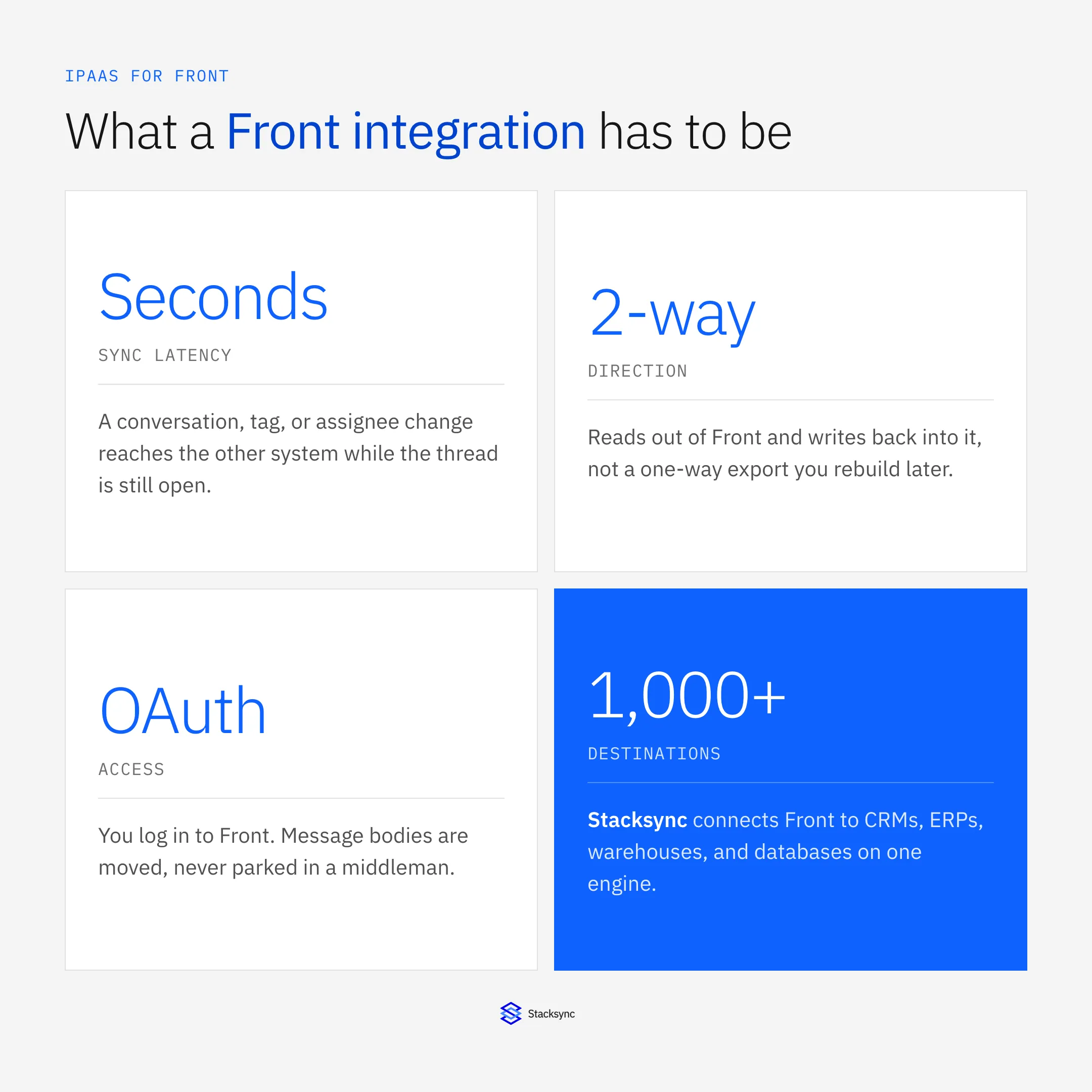
This guide covers what to demand from a platform before you wire Front into anything. If you already know which pair you need, jump straight to Front and Salesforce, Front and HubSpot, Front and NetSuite, or Front and Snowflake.
The shared inbox is a data source, not just a screen
It is easy to think of Front as a place where people work rather than a place where data lives. In practice, every conversation carries structured facts: who the customer is, which company they belong to, who owns the thread, how long it has been open, what it was tagged as, and whether anyone has replied. Those facts are exactly what a CRM, an ERP, or a reporting stack wants.
Treating the inbox as a data source changes what you ask for. You stop asking "can it export emails" and start asking whether a change to a conversation shows up elsewhere in seconds, whether an update made in the CRM comes back into the inbox, and whether the two systems can disagree without anyone noticing. Those are sync questions, not export questions.
What enterprise-grade means when the source is a conversation
An integration platform for Front has to be built in layers: the systems you connect, the engine that moves data between them, and the operational work that keeps it running when an API is slow or a token expires. If a vendor can only show you the first layer, the other two become your problem later.
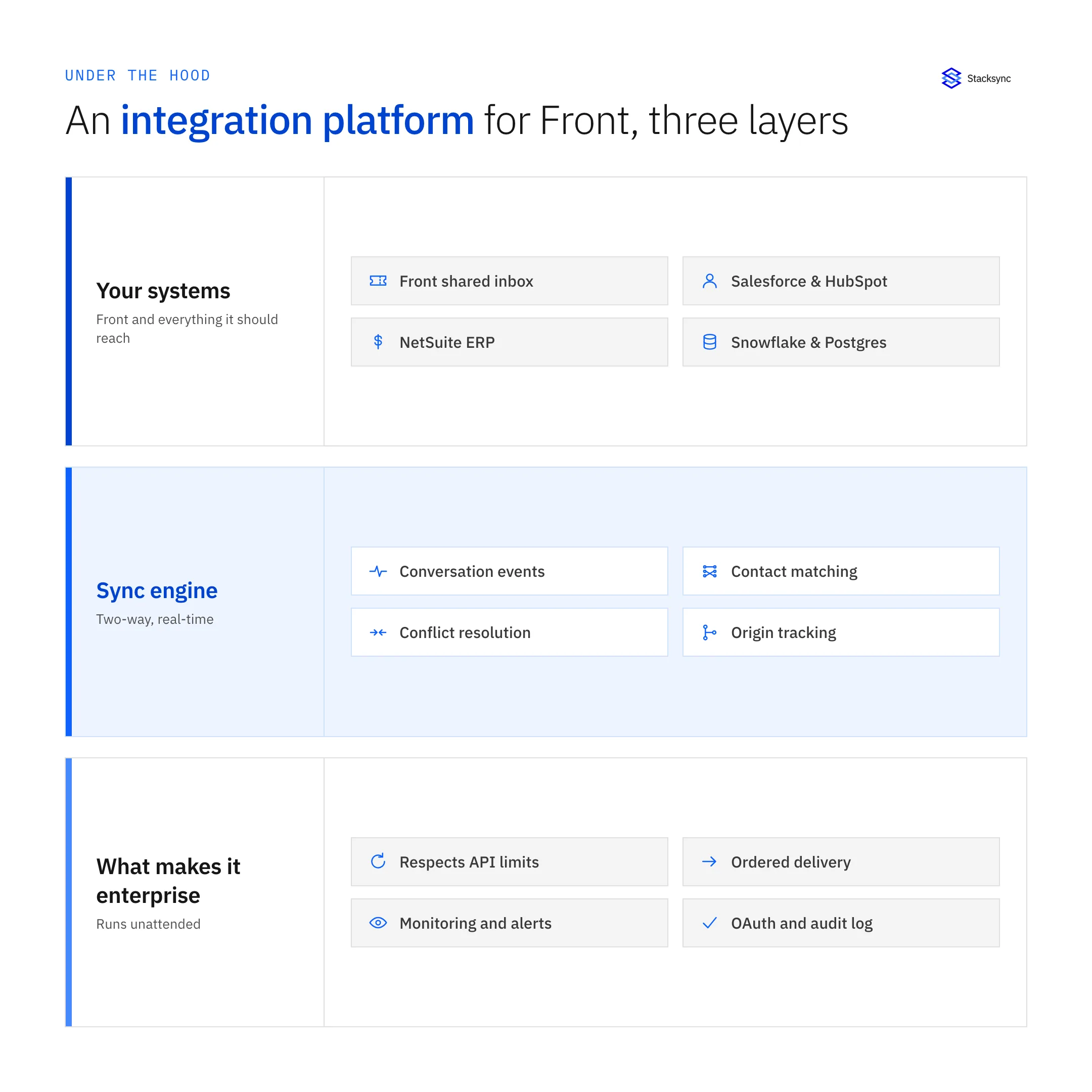
The engine layer is where a real platform separates itself. Field-level change detection means only what changed moves, which keeps you under Front’s rate limits instead of burning them on full reloads. Contact matching decides when a sender is an existing person and when they are new. Origin tracking marks which system caused a write, so an update you push into the CRM does not come back as a fresh inbound and start a loop.
One engine, several destinations
Front is rarely the only system involved. Sales wants conversations in the CRM, support wants order and invoice context from the ERP, and the data team wants the whole history in the warehouse. Running three separate tools for that means three sets of credentials, three failure modes, and three different ideas of who the customer is.
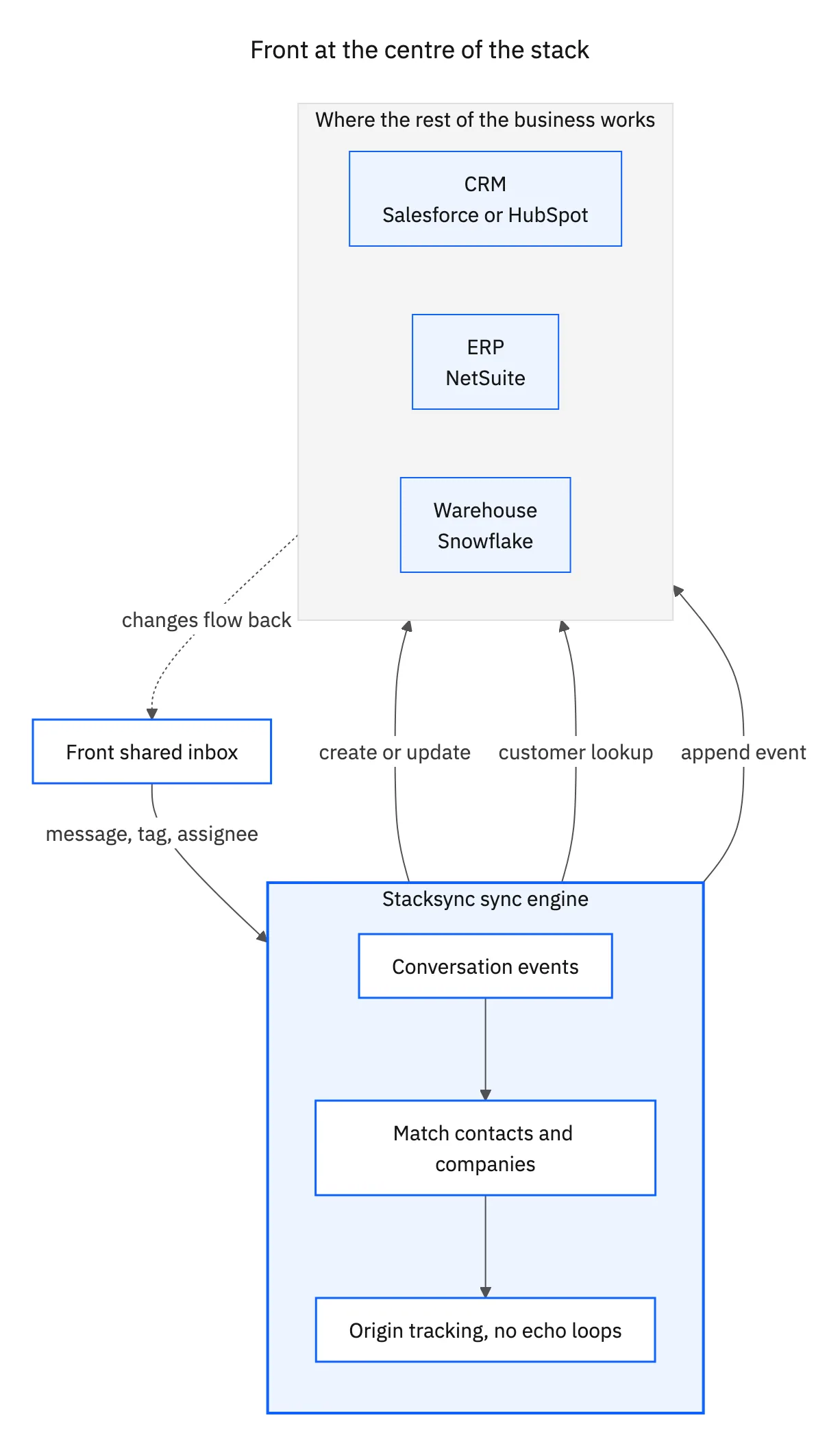
On one engine the picture is simpler. Front connects once. Each destination is configured on its own, with its own field map and its own direction, and all of them share the same change detection and the same origin tracking. Adding the warehouse later does not disturb the CRM sync you already trust.

What to check before you commit
Most integration tools will tell you they support Front. These are the questions that separate a connector from a platform.
| What to ask | A generic connector | An enterprise iPaaS |
|---|---|---|
| How fresh is the data? | Scheduled runs, often every 15 to 60 minutes | Seconds, driven by webhooks |
| Which way does it write? | Front to the other system only | Both directions, field by field |
| What happens on a conflict? | Last write wins, silently | One policy you choose, per field |
| Does it store your messages? | Often cached in the vendor’s pipeline | OAuth pass-through, nothing parked |
| What about rate limits? | Fails or backs off blindly | Delta-only writes, retries, ordering |
| How many destinations? | One integration per tool | CRM, ERP, warehouse on one engine |
The last column is what Stacksync is built to do, and it is the list worth taking into any vendor call.
Start with one pair, not a platform project
The fastest way to find out whether a platform can really handle Front is to connect the one system your team switches tabs to most and run it in production for a week. If conversations reach it in seconds, if edits come back the other way, and if nobody has to reconcile duplicates by hand, the rest of the stack is the same work again on the same engine.
Start with the pair that hurts today: Front and Salesforce, Front and HubSpot, Front and NetSuite, or Front and Snowflake. You can also see the Front connector, or book a demo and we will wire your real inbox to your real CRM on the call.

FAQ
Frequently asked questions










Explore these integrations and topics
Related articles