






















eClinicalWorks Integrations: FHIR, HL7, and Real-Time Sync
eClinicalWorks connects through its FHIR API, HL7 interfaces, and data extracts. This guide covers each interface, common targets, HIPAA posture, and why real-time two-way sync beats one-off feeds.
- Author
- Ruben Burdin · Founder & CEO
- Published
- Updated
- Read time
- 8 min read

You integrate eClinicalWorks with other systems in three main ways: through its FHIR (R4) API for structured clinical data, through HL7 v2 interfaces for lab orders, results, and ADT feeds, and through a managed sync layer that keeps eClinicalWorks and your other applications matched in both directions in real time. Which path fits depends on what data you move, how fresh it has to be, and how much protected health information (PHI) you are cleared to touch.
eClinicalWorks (often shortened to eCW) is one of the most widely used ambulatory EHRs in the United States. It holds patient records, encounters, scheduling, and billing for thousands of practices. Teams connect it to a CRM for patient outreach and revenue operations, to a data warehouse or database for analytics, and to billing tools for revenue cycle work. This guide covers the interface types, the common targets, the HIPAA posture, and why real-time two-way sync beats brittle one-off feeds.
The pattern that does not hold up is bolting on a new point-to-point feed every time a team needs eClinicalWorks data somewhere else. That works for one or two connections, then turns into a maintenance problem. The pattern that lasts is a single sync layer that reads from the FHIR API, respects HIPAA, and pushes clean records into every system that needs them.
eClinicalWorks interface types: FHIR, HL7, and extracts
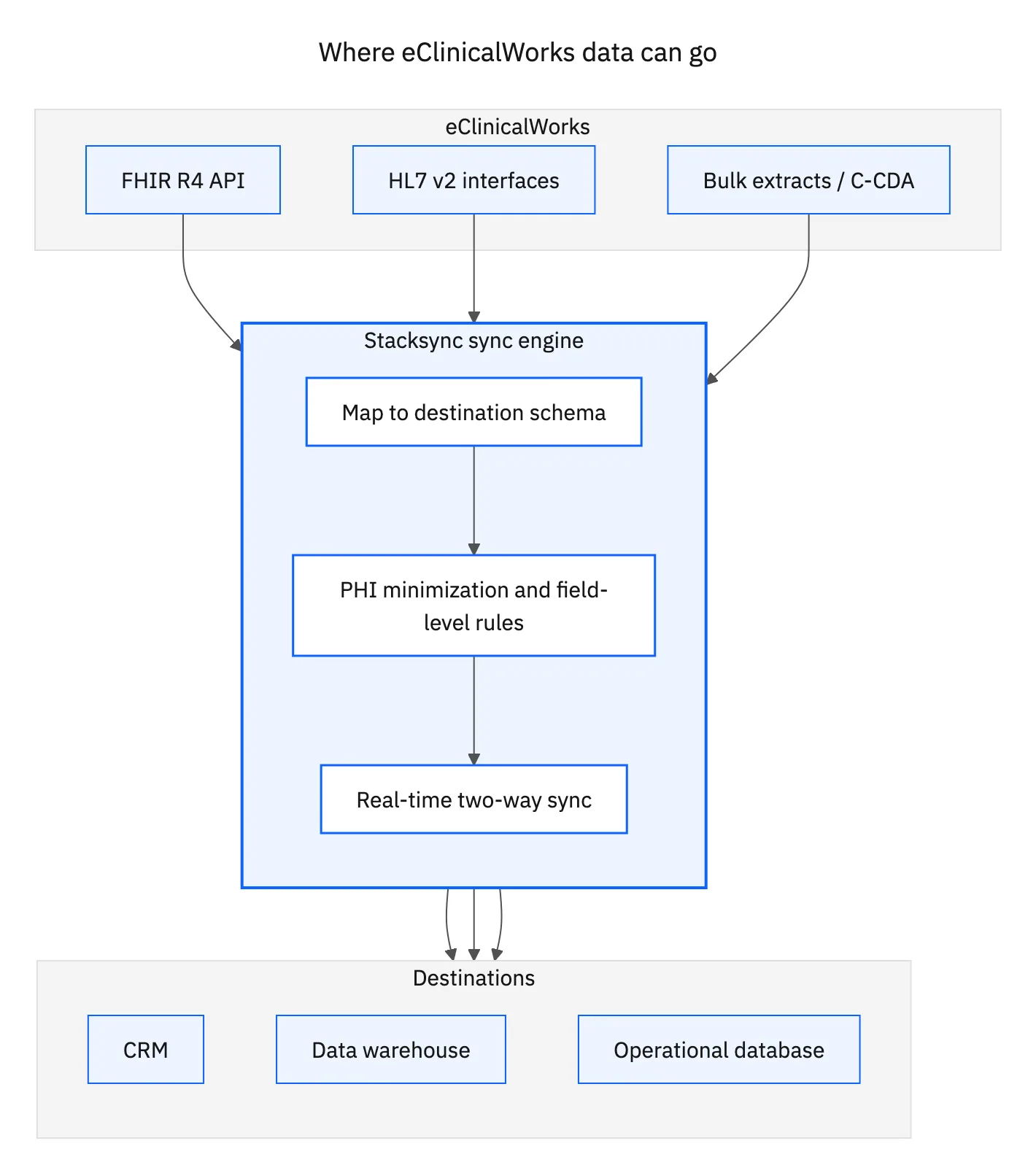
Before you pick a target system, it helps to know how eClinicalWorks exposes its data. There are four practical channels, and most real integrations use a combination of them.
FHIR (R4) API
The eClinicalWorks API follows the FHIR R4 standard with SMART on FHIR and OAuth 2.0 for authorization. It exposes resources such as Patient, Encounter, Observation, Appointment, Condition, and MedicationRequest. Read access is broad and standards based, which makes it the cleanest way to pull structured clinical data. Write-back is limited to the operations the FHIR endpoints expose, so plan around what the API actually permits rather than assuming full two-way writes on every resource.
HL7 v2 interfaces
HL7 v2 is the classic point-to-point messaging channel. ADT messages carry patient demographics and encounter events, SIU covers scheduling, ORM and ORU handle lab orders and results, and DFT carries billing detail. Each HL7 interface is a dedicated feed between two endpoints, which is powerful for real-time clinical events but grows harder to maintain as the number of connected systems climbs.
eClinicalWorks lab interface
A dedicated eClinicalWorks lab interface connects the EHR to reference labs such as Quest, LabCorp, and hospital labs. Orders flow out as HL7 ORM messages and results return as ORU messages, usually configured per lab. It is reliable once running, but every new lab is another interface to build, test, and monitor, which is where the ongoing cost of point-to-point feeds shows up.
Data extracts and reporting
For bulk historical loads, eClinicalWorks supports data extracts and eBO reporting. These batch outputs are useful for backfilling a warehouse or a one-time migration, but they are stale the moment they are generated, so they do not fit use cases that need current data.
Where eClinicalWorks data needs to go
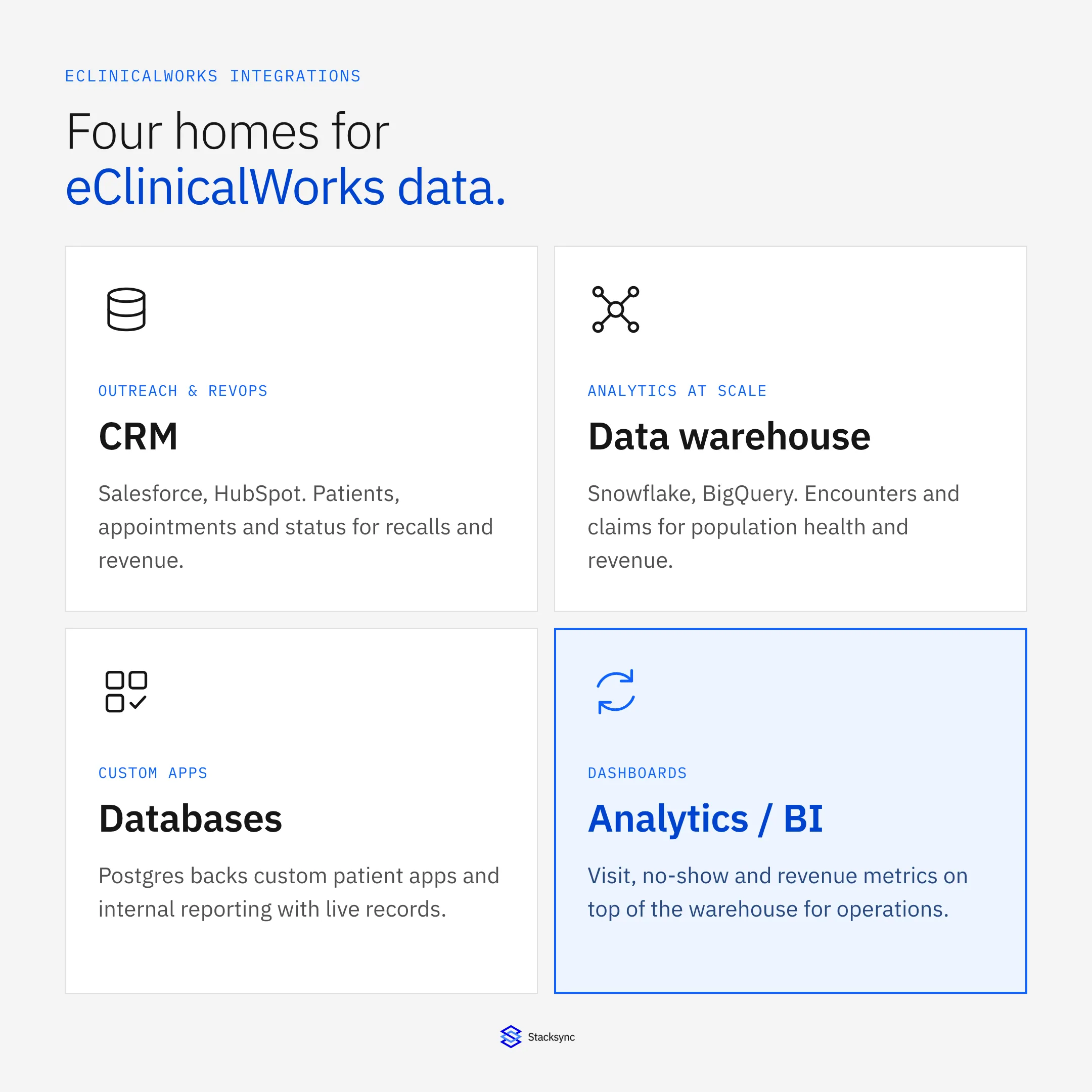
Once you can read from eClinicalWorks, the question is where the data belongs. The common targets fall into four buckets: customer systems for outreach, warehouses for analytics, databases for applications, and BI tools for reporting.
A CRM like Salesforce or HubSpot is where care coordinators, front-desk staff, and revenue operations work, so patient contact details and appointment status belong there. A data warehouse such as Snowflake or BigQuery is where analysts run population health, quality measures, and no-show trends across large volumes. A database like PostgreSQL backs custom patient apps and internal reporting. BI tools sit on top of the warehouse for dashboards.
| Target system | What syncs | Why it matters |
|---|---|---|
| CRM (Salesforce / HubSpot) | Patients, appointments, encounter status, contact details | Patient outreach, recalls, and revenue operations run on current EHR data |
| Data warehouse (Snowflake / BigQuery) | Encounters, coded observations, claims and billing records | Population health, quality measures, and revenue analytics at scale |
| Database (PostgreSQL) | Patient and scheduling records | Backs custom patient apps and internal reporting with live data |
| Analytics / BI | Aggregated visit and billing metrics | No-show, throughput, and revenue dashboards for operations teams |
Common eClinicalWorks integration targets and what each one is for.
For the highest-traffic pairs, Stacksync ships prebuilt connectors so you do not start from scratch: eClinicalWorks and Salesforce, eClinicalWorks and HubSpot, eClinicalWorks and Snowflake, and eClinicalWorks and PostgreSQL.
Why one-off HL7 feeds and manual exports break down
Point-to-point HL7 interfaces and manual CSV exports both work until you scale them. The problems tend to show up in the same places:
- Each HL7 feed is one directional, so a change in the target system never flows back to eClinicalWorks.
- CSV and extract files are stale the moment they land, which breaks any workflow that needs current patient state.
- Mappings drift as fields change on either side, and there is rarely a reconciliation step to catch it.
- Every new lab, CRM, or warehouse means another custom interface to build, secure, and monitor.
- PHI gets copied into spreadsheets and shared drives, widening the compliance surface with no audit trail.
None of these problems look dramatic on day one. They accumulate. Six months in, a practice can have a dozen interfaces, each with its own failure mode, and no single place to check whether patient data is actually consistent across systems. That hidden drift is the real cost, because stale or mismatched records affect both care coordination and billing.
Real-time two-way sync with Stacksync
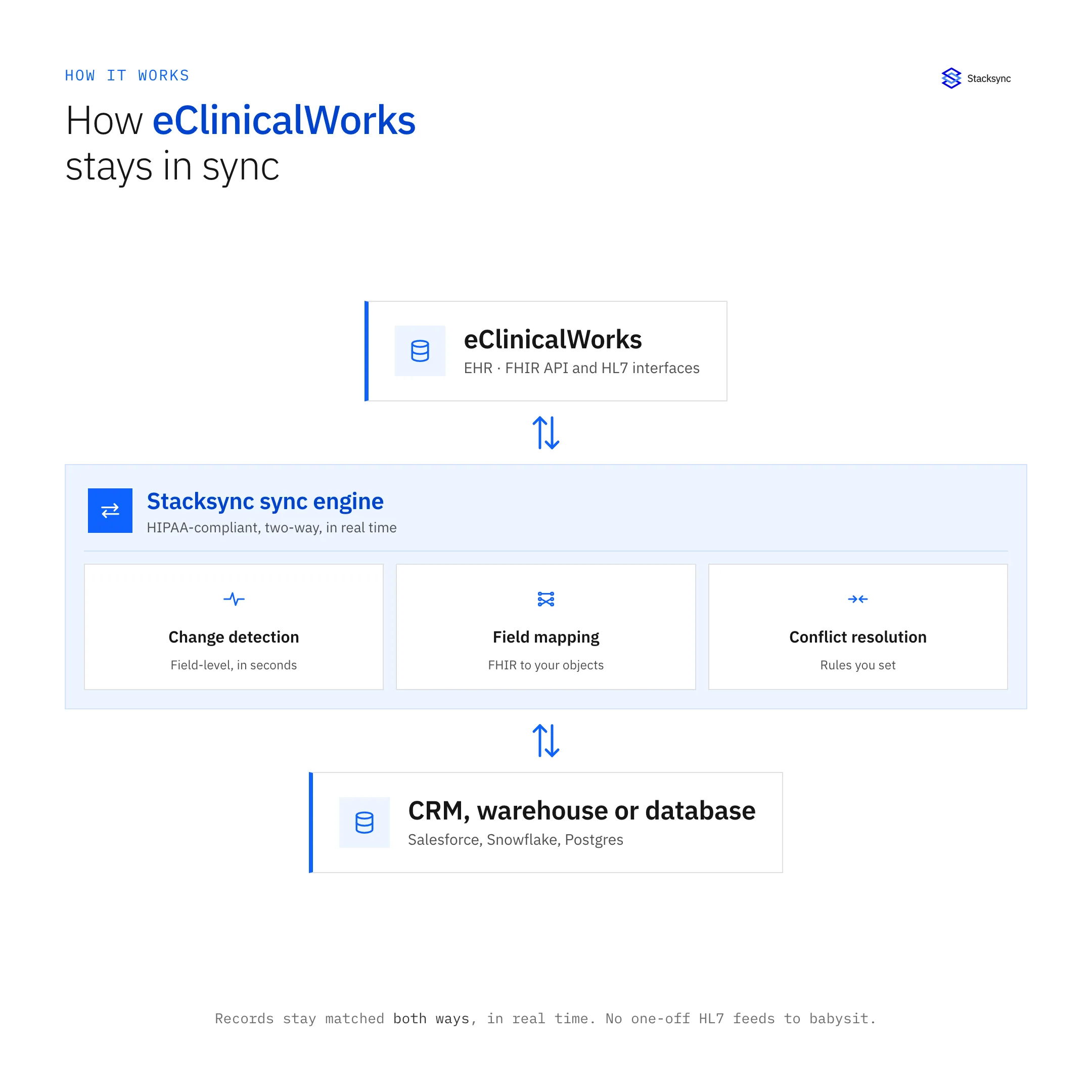
The Stacksync eClinicalWorks connector takes a different approach. Instead of building a separate feed per system, you connect eClinicalWorks once and keep records matched with your CRM, warehouse, or database in both directions in real time. When a record changes on either side, the change propagates within seconds, and conflicts are resolved by rules you set rather than by whichever export ran last.
Two-way sync means an appointment status updated in your CRM can flow back toward eClinicalWorks where the API allows it, and a new patient created in eClinicalWorks appears in the CRM without a nightly job. You configure field mappings, sync direction, and filters in one place instead of writing and babysitting integration code.
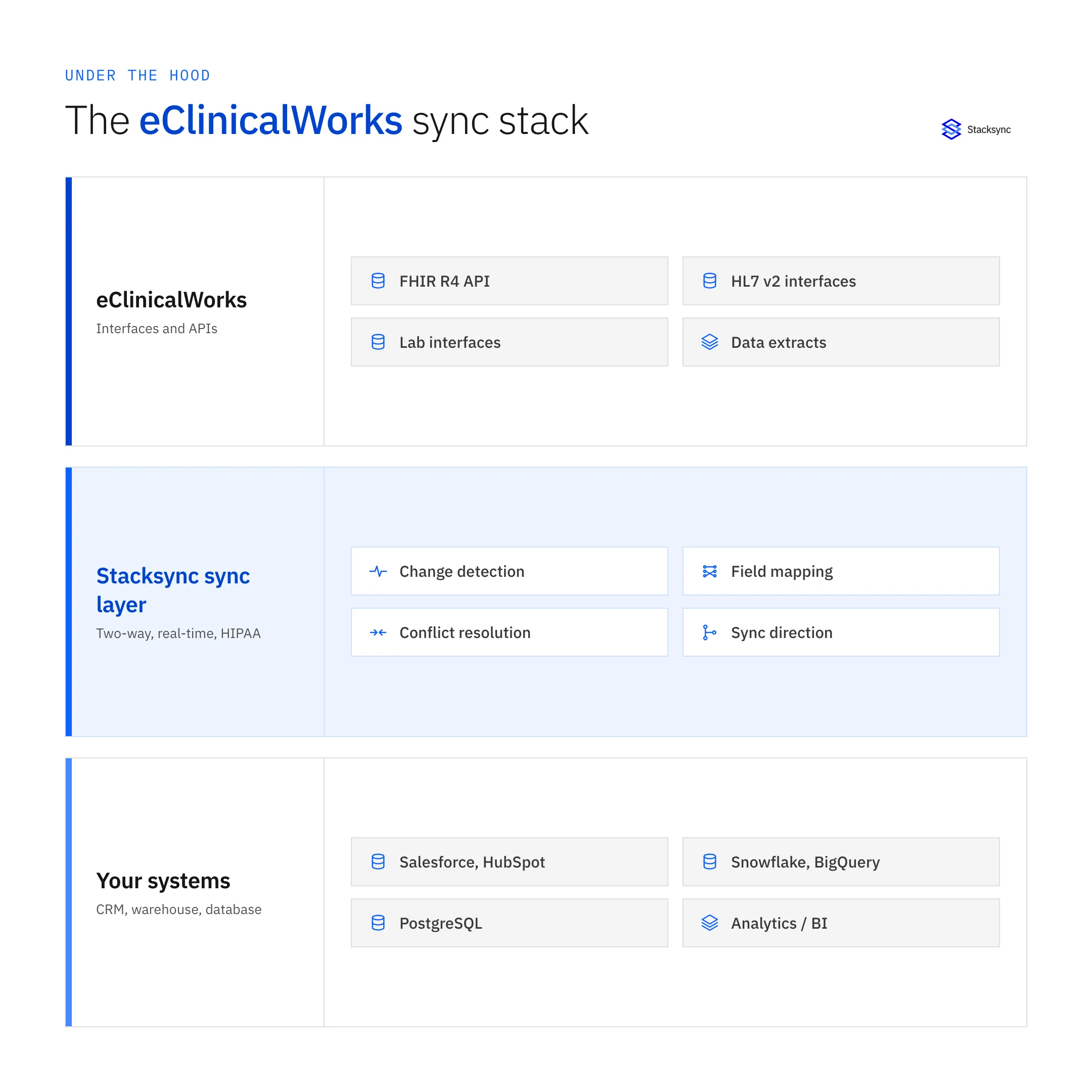
- Field-level mapping between eClinicalWorks FHIR resources and your target objects.
- Per-field sync direction, so you decide what stays read-only and what writes back.
- Real-time change detection instead of scheduled batch windows.
- Built-in retries, error handling, and monitoring across every connected system.
Because one platform manages every connection, adding a second or third target does not mean building another interface from zero. The mapping work is repeatable, and reconciliation runs the same way for every system, which is what keeps the setup stable as it grows.
Healthcare teams also get a clear separation of duties. Clinical staff keep working in eClinicalWorks, analysts query the warehouse, and RevOps lives in the CRM, all reading from the same source of truth instead of arguing over which export is newest or which spreadsheet holds the current appointment list.
HIPAA and PHI minimization
Any eClinicalWorks integration moves protected health information, so compliance is not optional. Stacksync is SOC 2 certified and supports HIPAA and GDPR requirements, including signing a Business Associate Agreement (BAA). Data is encrypted in transit and at rest, access is controlled per user and per connection, and every sync is logged for audit.
The bigger lever is PHI minimization: sync only the fields a target system genuinely needs. A marketing CRM rarely needs full clinical notes, so you might send contact details and appointment status while keeping diagnoses and medications out of scope. Narrowing the data set reduces both risk and the number of systems that ever hold sensitive records.

How to set up an eClinicalWorks integration
A production setup usually follows the same five steps, whether the target is a CRM, a warehouse, or a database.
- 01Pick the interfaceChoose FHIR for structured clinical resources or HL7 for real-time lab and ADT events, based on what the target system needs.
- 02Scope and minimize PHIList the exact fields to sync and drop anything the destination does not require, keeping sensitive data out of scope where you can.
- 03Connect the targetAuthenticate the CRM, warehouse, or database you are syncing to, using the prebuilt connector where one exists.
- 04Map fields and set directionMatch eClinicalWorks fields to target objects and decide, per field, whether the sync is read-only or two-way.
- 05Test, then go liveValidate with a small record set, confirm reconciliation, then enable real-time sync and watch the monitoring dashboard.
Bringing it together
eClinicalWorks integrates through its FHIR API, HL7 interfaces, and lab feeds, and each has a place. The difference between a fragile setup and a durable one is whether your systems stay matched in real time without a person babysitting exports. A managed two-way sync layer handles that while keeping PHI tightly scoped.
If you want to connect eClinicalWorks to your CRM, warehouse, or database without maintaining a stack of one-off HL7 feeds, book a demo and we will map your first integration with you.

FAQ
Frequently asked questions










Explore these integrations and topics
Related articles





