






















eClinicalWorks Data Migration and Integration Guide
eClinicalWorks stores clinical and billing data behind FHIR, HL7, and C-CDA interfaces. Here is how to export, migrate between EHRs, or continuously sync to a warehouse or CRM without breaking HIPAA.
- Author
- Ruben Burdin · Founder & CEO
- Published
- Updated
- Read time
- 8 min read

To export data from eClinicalWorks, you pull it through one of four standard channels: the FHIR R4 API (secured with SMART on FHIR and OAuth 2.0), HL7 v2 interface messages, C-CDA document exports, or a vendor-assisted structured extract. Which channel fits depends on the job in front of you. Are you moving records off eClinicalWorks and onto a different EHR, or keeping a live copy of clinical data flowing into a warehouse or CRM for reporting and outreach? This guide covers both, plus the field mapping, validation, and PHI safeguards that keep protected health information compliant along the way.
eClinicalWorks is an ambulatory electronic health record and practice management system used by outpatient clinics and physician groups. It holds patient demographics, encounters, problem lists, medications, allergies, lab results, orders, and billing data in one place. Because that spans clinical and financial records, any migration or sync has to preserve field-level meaning and stay inside HIPAA controls, not just copy rows from one system to the next.
How eClinicalWorks releases data
There is no single export button that covers every use case. eClinicalWorks releases data through four interfaces, and most real projects combine two or three of them depending on how complete and how fresh the data has to be.
FHIR R4 API (SMART on FHIR)
eClinicalWorks runs a FHIR R4 endpoint certified under the ONC Health IT Certification Program, part of the access requirements in the 21st Century Cures Act. Applications authenticate with OAuth 2.0 and request scoped access to US Core resources: Patient, Encounter, Condition, MedicationRequest, Observation for labs and vitals, AllergyIntolerance, and more. This is the cleanest way to read discrete, structured records. One honest caveat: this access is read-oriented. Creating or updating records back inside eClinicalWorks through FHIR is limited, so plan pipelines to read from eClinicalWorks rather than assume full write-back.
HL7 v2 interfaces
For real-time events, eClinicalWorks sends and receives HL7 v2 messages: ADT for registration and demographics, ORM for orders, and ORU for results. These run through an interface engine and suit lab feeds and downstream clinical apps that need to react the moment something changes. Each connection is point-to-point, and message profiles vary from site to site, so an HL7 interface is more setup and maintenance than a standards-based API pull.
C-CDA document export
eClinicalWorks can generate Consolidated CDA documents, usually a CCD, for each patient. These XML summaries carry problems, medications, allergies, immunizations, and recent results in a portable format that most EHRs can import directly. They are document-level rather than row-level, so if you need discrete fields for analytics you will parse the XML into columns first.
Structured, vendor-assisted extract
When you need the full historical dataset, including fields the APIs do not surface, you request a structured extract from eClinicalWorks. This is typically a one-time, database-level snapshot delivered on the vendor's schedule. It is the right tool for a migration cutover, but it is a photograph, not a live feed, so it does not keep two systems aligned over time.
Two jobs: switching EHRs or feeding analytics
The reason all of this matters is that eClinicalWorks data gets moved for two very different reasons, and the right approach for one is the wrong approach for the other.
The first job is migration between EHRs. You are switching platforms, consolidating practices, or retiring eClinicalWorks, and you need patient histories to land intact in the destination system. This is a bounded project with a cutover date, heavy on mapping and validation. The second job is continuous integration. eClinicalWorks stays in production, and you want its data mirrored into a warehouse for analytics or a CRM for patient outreach and revenue operations. This one never ends, so it lives or dies on reliability and freshness, not a single cutover.
Comparing the extraction approaches
Here is how the five common approaches stack up. Most teams use more than one: a vendor extract or C-CDA set for the bulk historical move, and FHIR or a sync platform for anything that has to stay current.
| Approach | Best for | Tradeoff |
|---|---|---|
| FHIR R4 API (SMART on FHIR / OAuth) | Reading discrete records: patients, encounters, meds, labs, problems | Read-oriented; write-back is limited; paging through full history can be slow |
| HL7 v2 interfaces | Real-time event feeds like ADT and lab results to downstream apps | Point-to-point; needs an interface engine; message formats vary by site |
| C-CDA / document export | Portable patient summaries for EHR-to-EHR transfer | Document-level, not row-level; discrete fields need parsing; weak for analytics |
| Vendor-assisted extract | Complete historical dataset, including fields APIs do not expose | One-time snapshot on the vendor's schedule; not a live feed |
| Continuous sync (Stacksync) | Keeping eClinicalWorks data live in a warehouse, database, or CRM | Governed by API scopes and rate limits; write-back constrained by FHIR |
Common ways to get data out of eClinicalWorks, and where each one fits.
Migrating eClinicalWorks to another EHR
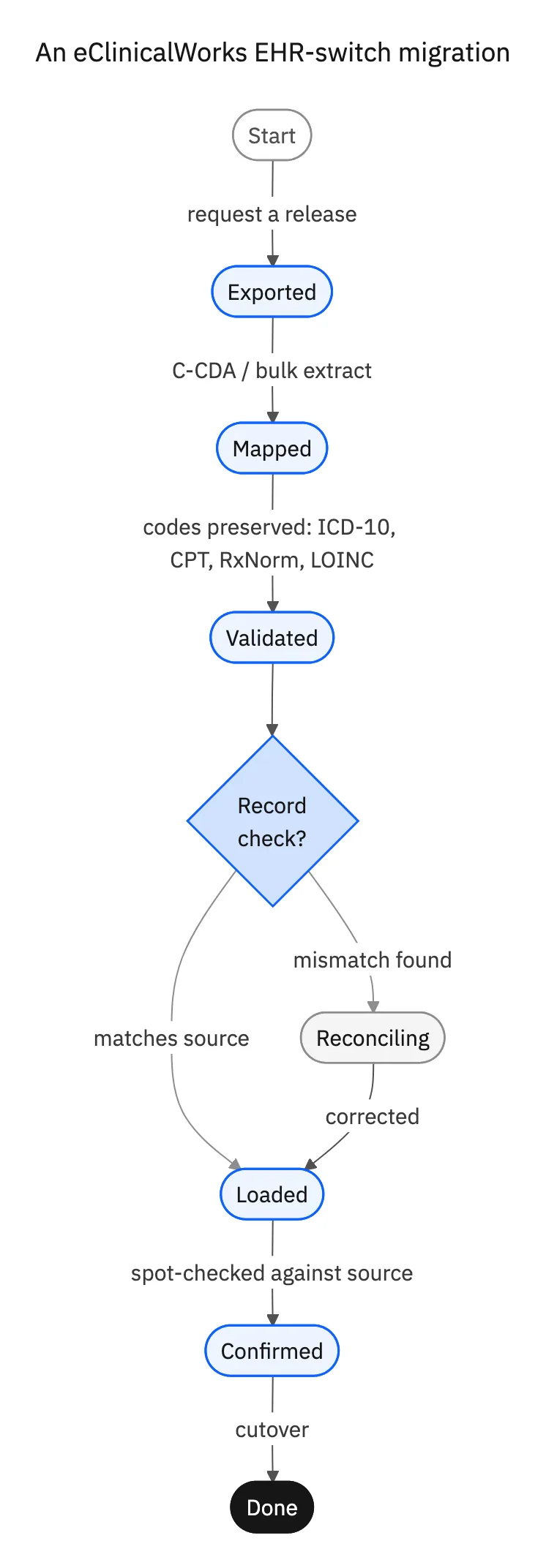
An EHR-to-EHR move usually pairs C-CDA documents for clinical summaries with FHIR reads for discrete fields, and a vendor extract when you need history the APIs will not give you. The technical risk is not moving the bytes, it is preserving meaning. eClinicalWorks encodes diagnoses, procedures, medications, and labs in standard code systems (ICD-10, CPT, RxNorm, LOINC, SNOMED CT), and the destination EHR has to receive those exact codes, not free-text approximations.
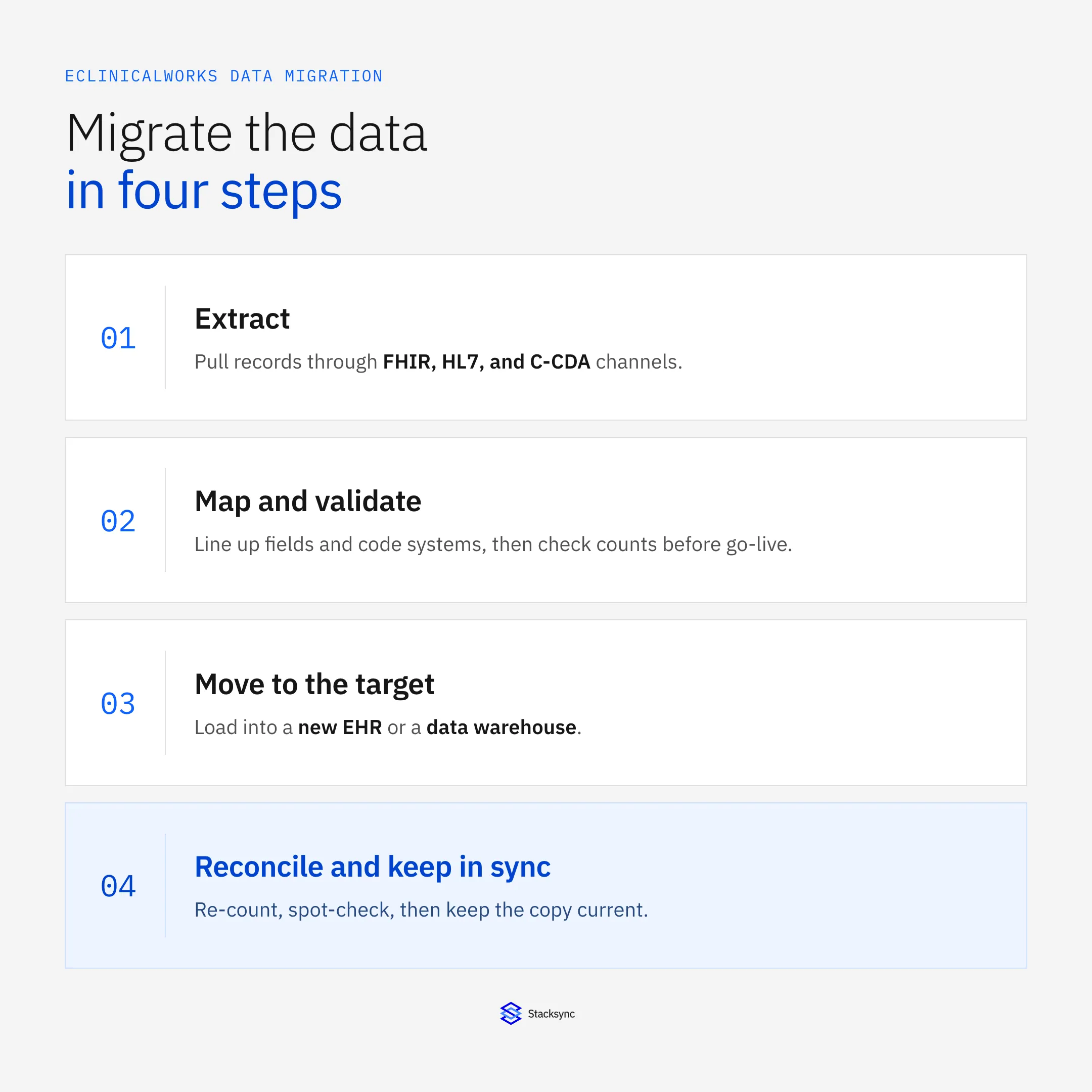
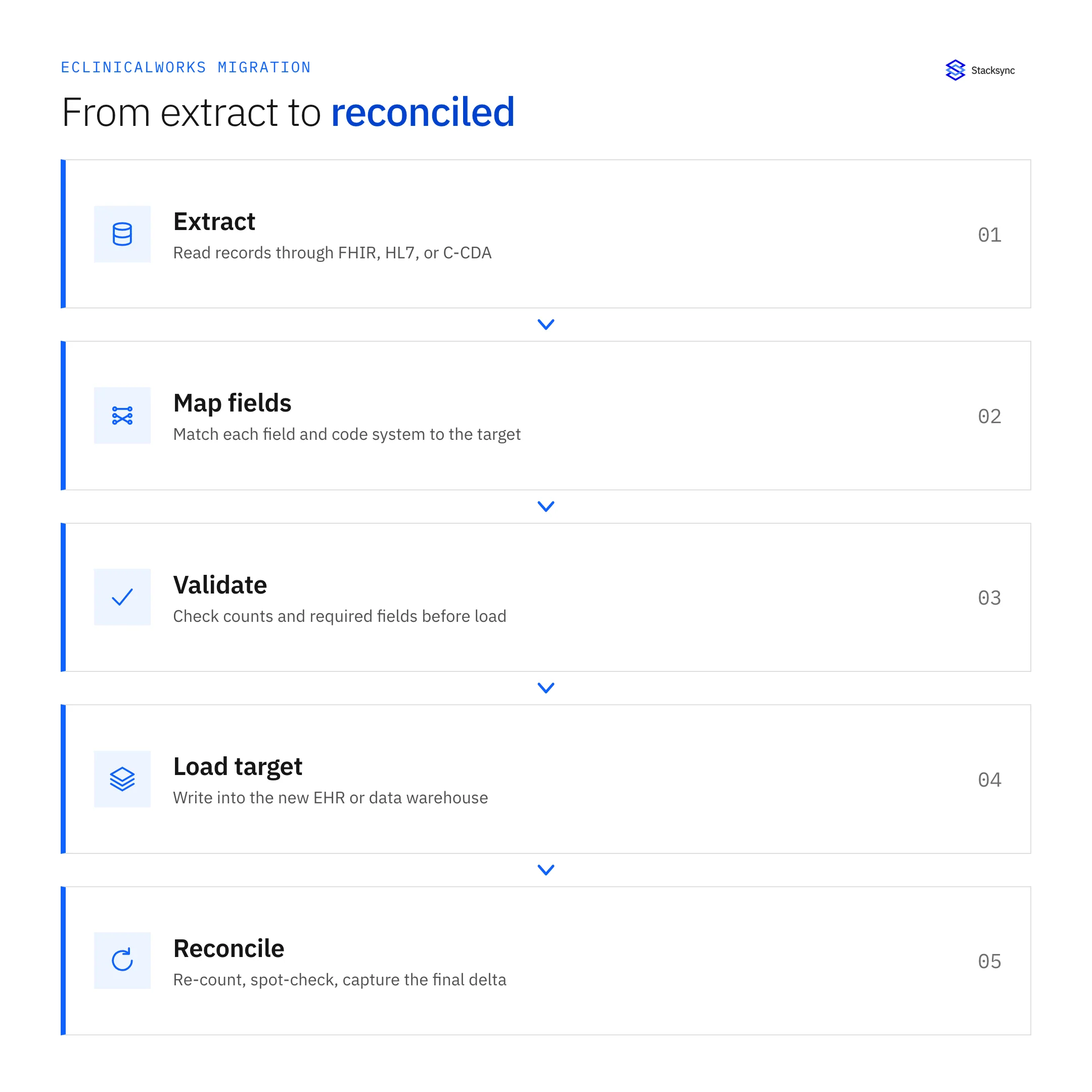
- 01Scope the datasetDecide which patients, date ranges, and record types move: active charts, closed charts, and any financial or billing records the destination needs.
- 02Map the fieldsLine up each eClinicalWorks field to the target schema, including code systems and value sets, and document every transformation so it stays auditable.
- 03ExtractPull through FHIR, C-CDA, or a vendor extract depending on how complete the source has to be for that record type.
- 04Validate before go-liveCompare record counts, check required fields, and confirm code translations against the source so errors surface before cutover, not after.
- 05Reconcile after loadRe-count and spot-check charts in the destination, then run a final delta to capture anything created during the cutover window.
Reconciliation is the step teams skip and later regret. A migration is only trustworthy when you can show the destination holds the same patients, the same encounter counts, and the same active medications as the source, with a clear record of anything that changed in between.
Keeping eClinicalWorks in sync with a warehouse or CRM
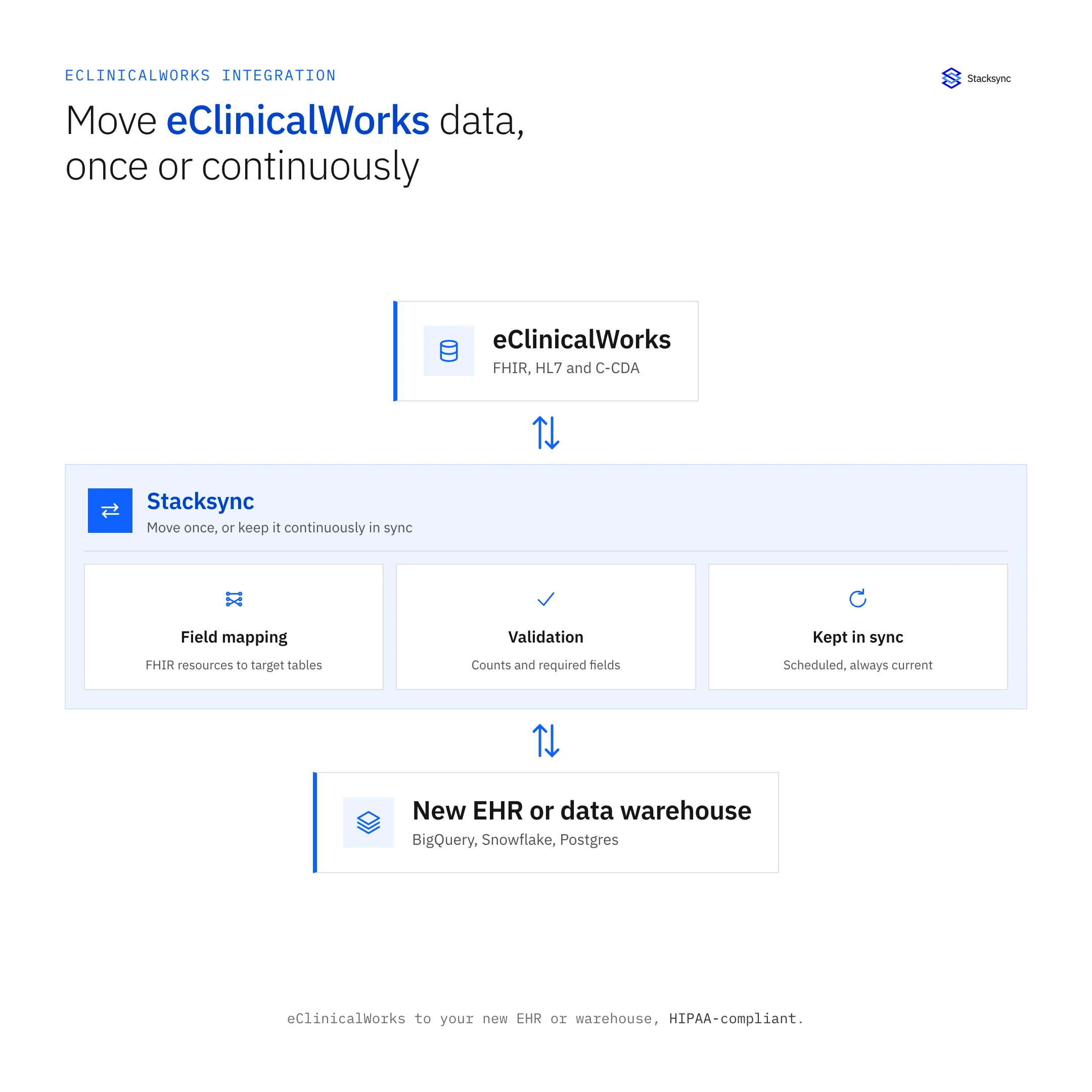
The second job is where a sync platform earns its keep. If eClinicalWorks stays live and you want its data in an analytics warehouse or a CRM, a one-time extract goes stale within a day. You need a pipeline that reads from eClinicalWorks on a schedule, maps FHIR resources to your destination tables, and keeps the copy current without anyone babysitting it.
Stacksync connects to eClinicalWorks through its eClinicalWorks connector and moves that data into the systems your teams already use. Analysts usually want it in a warehouse, so common targets are BigQuery, Snowflake, and PostgreSQL. Once clinical and scheduling data lands there, reporting on visit volume, no-show rates, or payer mix runs against a fresh copy instead of hitting the production EHR.
For patient outreach and revenue operations, the same data can flow into a CRM so recall campaigns and follow-ups fire on current clinical context. Here is where the FHIR limit matters: reads from eClinicalWorks are well supported, but write-back is constrained, so treat eClinicalWorks as the source of truth for clinical fields and push updates into it only where its interfaces genuinely allow. Where a channel does support safe two-way updates, Stacksync's two-way sync keeps both sides aligned with built-in conflict handling instead of two brittle one-way jobs that overwrite each other.

Protecting PHI through the whole move
Every channel above carries protected health information, so the security work is not optional and it is not an afterthought. The controls are straightforward, but all of them have to hold at the same time.
- Encrypt in transit and at rest: TLS for every connection, encrypted storage at the destination.
- Use least-privilege OAuth scopes: request only the FHIR resources the project needs, nothing more.
- Log every access: keep an audit trail of what was read, when, and by which service.
- Minimize fields: strip or mask PHI the destination does not require, especially in a warehouse or CRM.
- Reconcile to prove integrity: matched counts and spot checks show nothing was altered or dropped.
Conclusion
Moving eClinicalWorks data comes down to two questions: are you switching EHRs or feeding analytics, and how fresh does the copy need to be? A migration is a bounded project built on C-CDA, FHIR, and vendor extracts, where mapping and reconciliation decide whether it succeeds. Continuous integration is an ongoing pipeline where reliability and freshness matter most, and where FHIR's read-oriented limits shape what is realistic. In both cases, PHI safeguards run underneath every step.
If you want eClinicalWorks data kept current in a warehouse, database, or CRM without standing up and maintaining your own FHIR pipeline, that is exactly what Stacksync is built for. Book a demo and we will map your eClinicalWorks integration to the systems your team already runs on.

FAQ
Frequently asked questions










Explore these integrations and topics
Related articles





