







Explain the material constraint
Keep specification, dimensions and allocation visible so production can assess the actual released requirement.
Stacksync MCP is here. Give Claude, Cursor, and any MCP client governed access to your syncs, workflows, and connections.
Set up MCP Salesforce
  HubSpot
  NetSuite
  Zendesk
  Microsoft Dynamics 365 Sales
  Dynamics 365 F&O
  Attio
Attio  Pipedrive
  Zoho CRM
  Campfire
  Rillet
  Front
Front  Shopify
  Amazon Seller Central
  SendGrid
 Fencing fabrication and installation
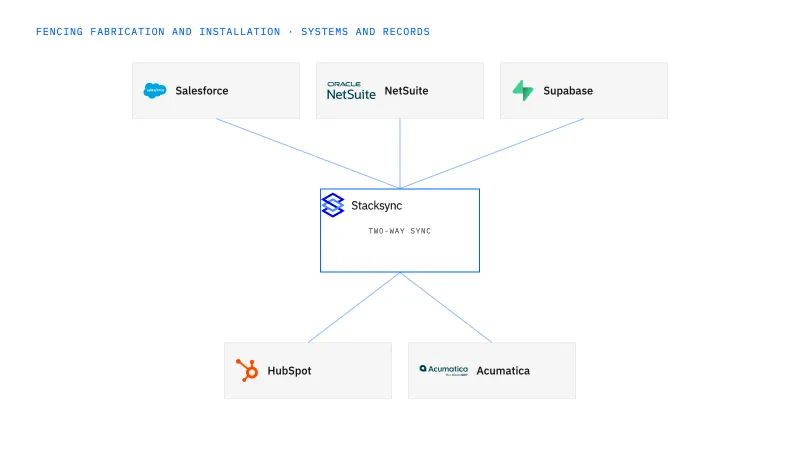
Bring NetSuite-backed job and inventory context into a Supabase planning app for fence fabrication and installation. Show raw stock, confirmed allocation, reported production progress and staged assemblies as different states. Reservation and inventory changes use verified actions; the board is not a substitute for inventory authority.
The board says material is available while the ERP shows it committed to another job or still waiting for staging.
Explore your process in a demo, or get our shared two-way sync architecture guide.
When this fits
US commercial fencing and gate businesses with 100–1,000 employees that fabricate or supply materials and install projects.
Keep specification, dimensions and allocation visible so production can assess the actual released requirement.
Distinguish requested transfers from accepted inventory results and retain rejected requests with their reasons.
Use explicit application grants and row policies alongside sync, with privileged credentials kept server-side.
The process, end to end
two gate jobs need the same steel sections. The planning app shows the competing requests, approved allocation and production state so the coordinator cannot promise both jobs the same uncommitted stock.
Scope your implementation
Review current platform pricing alongside the records, volume, and actions in your process. Use your own operating baseline to evaluate the economics.
Explore your process in a demo, or get our shared two-way sync architecture guide.
From foundation to action
Keep shared customer, order, and operational records aligned, with clear field ownership.
Explore two-way sync 02Move approved work between systems, assign exceptions, and confirm the result.
Explore workflows 03Investigate cross-system questions, assemble the evidence, and prepare the next action.
Explore ai agents (genies) 04Connect trading-partner documents to operational records and exception handling.
Explore ediGo deeper
Keep approved fence and gate configurations linked to the correct NetSuite order revision.
Show fence-material commitments by job without treating a shared planning board as an inventory reservation engine.
Connect fencing sales contacts to the right site, customer and project without confusing access with purchasing authority.
Explore all fencing fabrication and installation integration and automation guides ↗
Only when a verified inventory action and approved concurrency rule support it. A displayed balance alone is not a commitment.
Only with the dimensions and suitability evidence your inventory and production process requires.
A reliable view of jobs, confirmed allocations and staging, followed by controlled change requests.
Two-way sync is the starting point: NetSuite stock items, units and confirmed job allocations reach the Supabase board, and board requests travel back with a stable identifier and a pending state. Workflows come second, routing each allocation or transfer request to the inventory owner and returning the accepted or rejected result to the board. Genies are a later layer that gathers competing requests, offcut evidence and fabrication status so the inventory owner can rule on the allocation and production can confirm which components the offcuts suit. EDI stays separate, moving supplier bundle and piece documents into NetSuite as a transport.


