







Separate demand meanings
Keep forecast context, requested releases and accepted commitments visible before calculating the planning view.
Stacksync MCP is here. Give Claude, Cursor, and any MCP client governed access to your syncs, workflows, and connections.
Set up MCP Salesforce
  HubSpot
  NetSuite
  Zendesk
  Microsoft Dynamics 365 Sales
  Dynamics 365 F&O
  Attio
Attio  Pipedrive
  Zoho CRM
  Campfire
  Rillet
  Front
Front  Shopify
  Amazon Seller Central
  SendGrid
 Automotive components
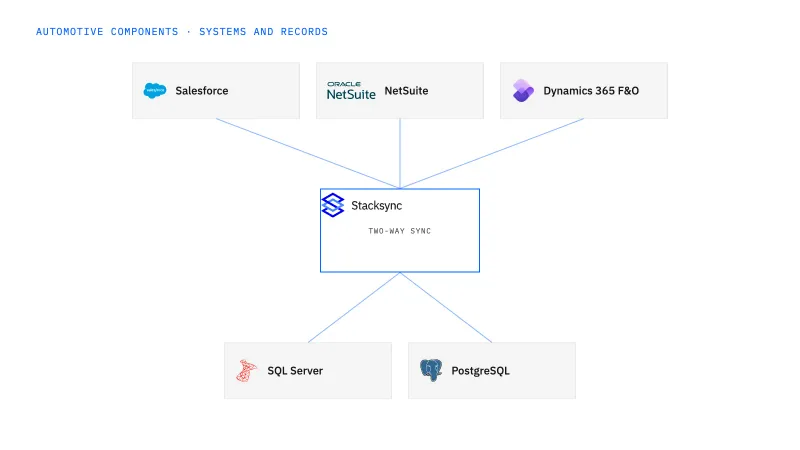
Connect selected Dynamics records to an operational SQL Server view that keeps forecasts and firm releases distinguishable. Stacksync fits automotive component suppliers whose planners reconcile customer, plant and part demand across systems. Preserve the business meaning of each source and the owner of accepted planning decisions before enabling any return updates.
A report adds forecast and firm quantities together or misses a line-level release change, leaving planners to rebuild the accepted requirement manually.
Explore your process in a demo, or get our shared two-way sync architecture guide.
When this fits
Supply-chain, quality and IT teams at US automotive component suppliers with 100–1,000 employees.
Keep forecast context, requested releases and accepted commitments visible before calculating the planning view.
Retain the references needed to distinguish similar parts and order numbers across customer sites or companies.
Validate the relevant entity and child changes, with explicit rules for proposals returned to the application.
The process, end to end
a supplier’s IT and planning teams want one explainable view of demand by customer plant. Evaluate overlapping forecast and release quantities, then deliver an older revision late. The result should preserve the agreed interpretation and current accepted state.
Scope your implementation
Review current platform pricing alongside the records, volume, and actions in your process. Use your own operating baseline to evaluate the economics.
Explore your process in a demo, or get our shared two-way sync architecture guide.
From foundation to action
Keep shared customer, order, and operational records aligned, with clear field ownership.
Explore two-way sync 02Move approved work between systems, assign exceptions, and confirm the result.
Explore workflows 03Investigate cross-system questions, assemble the evidence, and prepare the next action.
Explore ai agents (genies) 04Connect trading-partner documents to operational records and exception handling.
Explore ediGo deeper
Program identity can tie a Salesforce award to NetSuite customer, plant and part records while estimates, forecasts and accepted releases keep their own meaning.
A planning view that shows forecast, requested and accepted quantities side by side, with the accepted total explained from documented customer rules rather than a SQL sum.
Shipment evidence that answers which recorded lots supplied one NetSuite shipment line, reconciled by quantity and open about gaps in the Postgres record.
Explore all automotive components integration and automation guides ↗
Change tracking on each Dynamics 365 entity the view reads. Where an entity cannot have it enabled, the connector falls back to a periodic full sync, so write that interval next to the view as its freshness limit. Check the tracking mode too: primary-table tracking captures root-record changes only, so an edit on a line or child table by itself is not captured. Test one child-level quantity change before scoping the rest. If planners' proposals are to travel back, a DBA also enables change data capture on the SQL Server tables with the one-time setup script. The sync moves the selected records and their versions; it does not decide which of two overlapping quantities is firm, so planning's interpretation rule has to exist before the first row lands.
Deliver the older version deliberately during the evaluation. The SQL Server view should keep the corrected release as the current accepted state and retain the late arrival as history with its source version and receipt time. Then change one line quantity in Dynamics 365 and confirm the change reaches the view without altering the forecast row for the same plant, part and period. Planners review any conflict; the sync does not pick a winner by arrival order.
Compare reconciliation effort, unexplained quantity differences and stale-data corrections, separately from physical production performance.
Start with two-way sync between Dynamics 365 Finance and Operations and SQL Server, scoped to the demand source, plant-part-period key and source version records planning already trusts. Add workflows once the accepted planning interpretation needs owner sign-off, such as routing an unresolved plant code to master-data review. Genies come next when planners want a release exception assistant that assembles quantity and date differences for review. EDI comes last, when a customer’s agreed order and change documents must reach Dynamics 365; transport is not record sync.


