






















Running Rillet and NetSuite Side by Side Without Double Entry
Most teams do not switch from NetSuite to Rillet in a single weekend. They run both for a quarter or two, and that overlap is where double entry, drifting customer records, and reconciliation work come from. This guide explains what real two-way sync between Rillet and NetSuite involves, how conflicts are resolved when the same record moves on both sides, which objects are worth keeping in step during a coexistence period, and how to reach a clean cutover.
- Author
- Ruben Burdin · Founder & CEO
- Published
- Read time
- 7 min read

Almost nobody moves from NetSuite to Rillet over a weekend. The realistic version is an overlap: one entity moves first, or the new system runs in parallel for a quarter while finance builds confidence in the numbers. That overlap is where the pain lives.
For as long as both systems are live, every new customer, every corrected address, every entity change has to exist in two places. Done by hand, that is double entry plus the reconciliation work of finding the places where the two copies disagree. Two-way sync between Rillet and NetSuite is how you make the overlap uneventful.
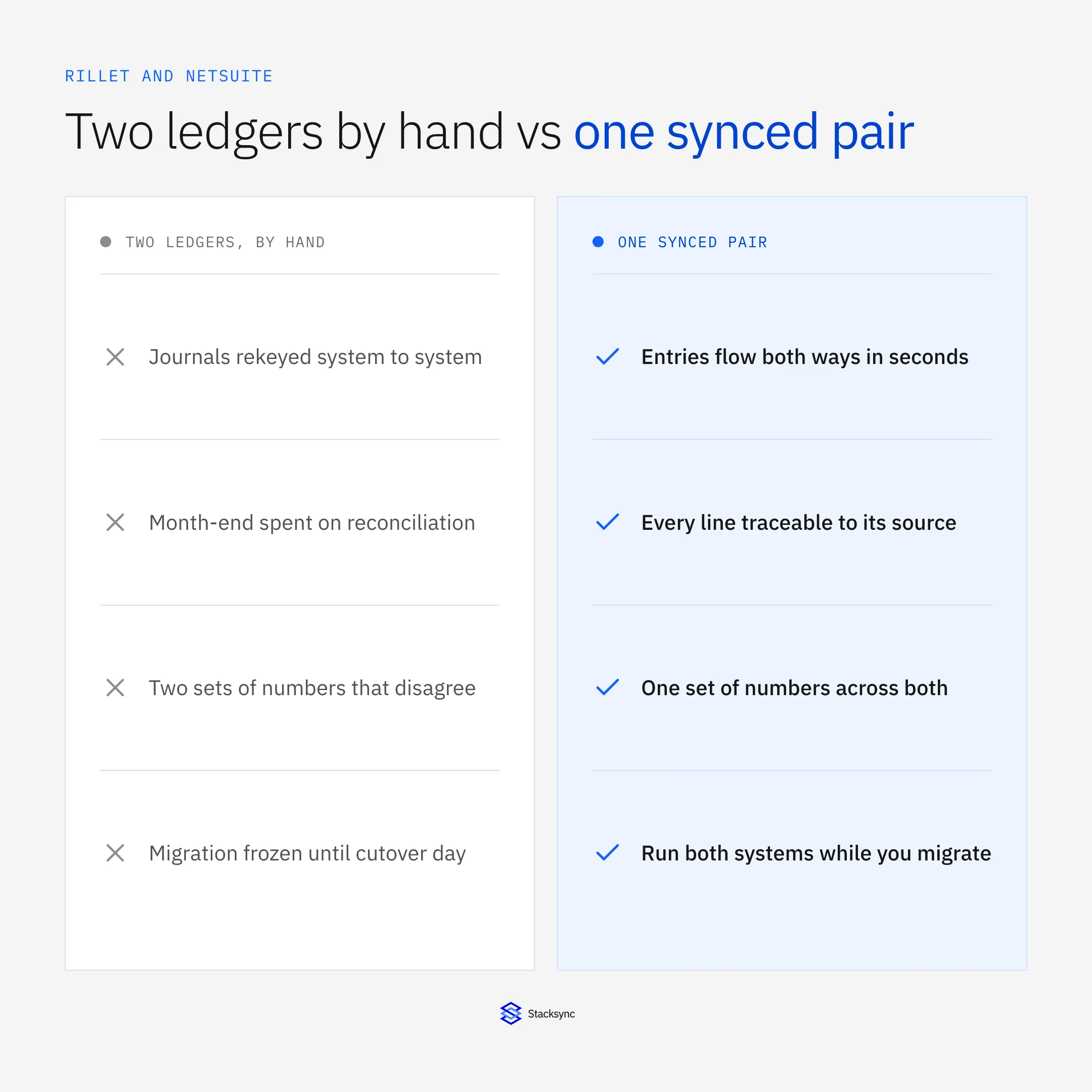
This guide covers what two-way sync actually means between two ledgers, what to keep in step during a coexistence period, how conflicts are decided, and how to get to a clean cutover. If you are earlier than that and still choosing a platform, start with the guide to an enterprise iPaaS for Rillet.
Why teams end up running both
There are three common reasons, and they are all good ones. The first is entity by entity: a group with several legal entities moves one to Rillet, proves the close works, and then moves the rest. Until the last one lands, both systems are real.
The second is a parallel quarter. Finance runs the same period in both systems and compares the output before trusting the new one. That is a sensible control, and it doubles the data entry unless something keeps the two sides aligned.
The third is dependency drag. Something else in the stack, a consolidation tool, a bank integration, a warehouse model, still points at NetSuite, and untangling it is a separate project with its own timeline. Rather than blocking the ERP migration on it, teams keep NetSuite fed until that work is done.
What two-way sync means between two ledgers
This is where the term gets abused. A vendor will call it two-way sync when what they have is one export from A to B and a second export from B to A. Those two jobs do not know about each other. When the same field changes on both sides, the later job overwrites the earlier one, and the value that survives is decided by cron scheduling rather than by anything a finance team would recognize as a policy.
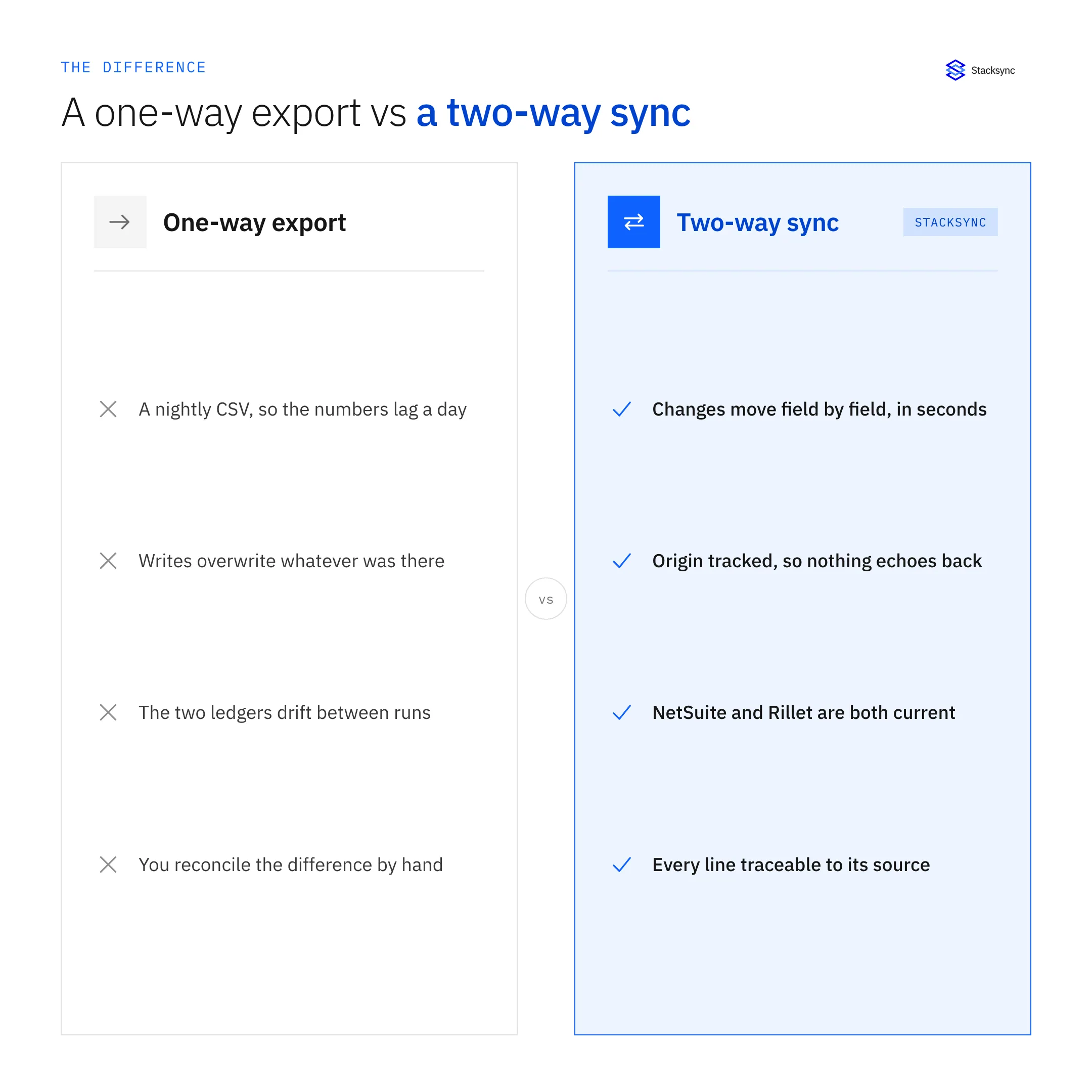
Real two-way sync is one engine watching both systems. It detects a change at the field level rather than the record level, so two people editing different fields on the same customer do not clobber each other. It resolves genuine collisions under a policy you set. And it tags the origin of every write, which is what stops a value written into Rillet from being read back a second later as a fresh Rillet change and pushed into NetSuite again.
The lifecycle of a record across both systems
It helps to think in terms of the states a shared record passes through while both systems are live, rather than in terms of jobs and schedules.
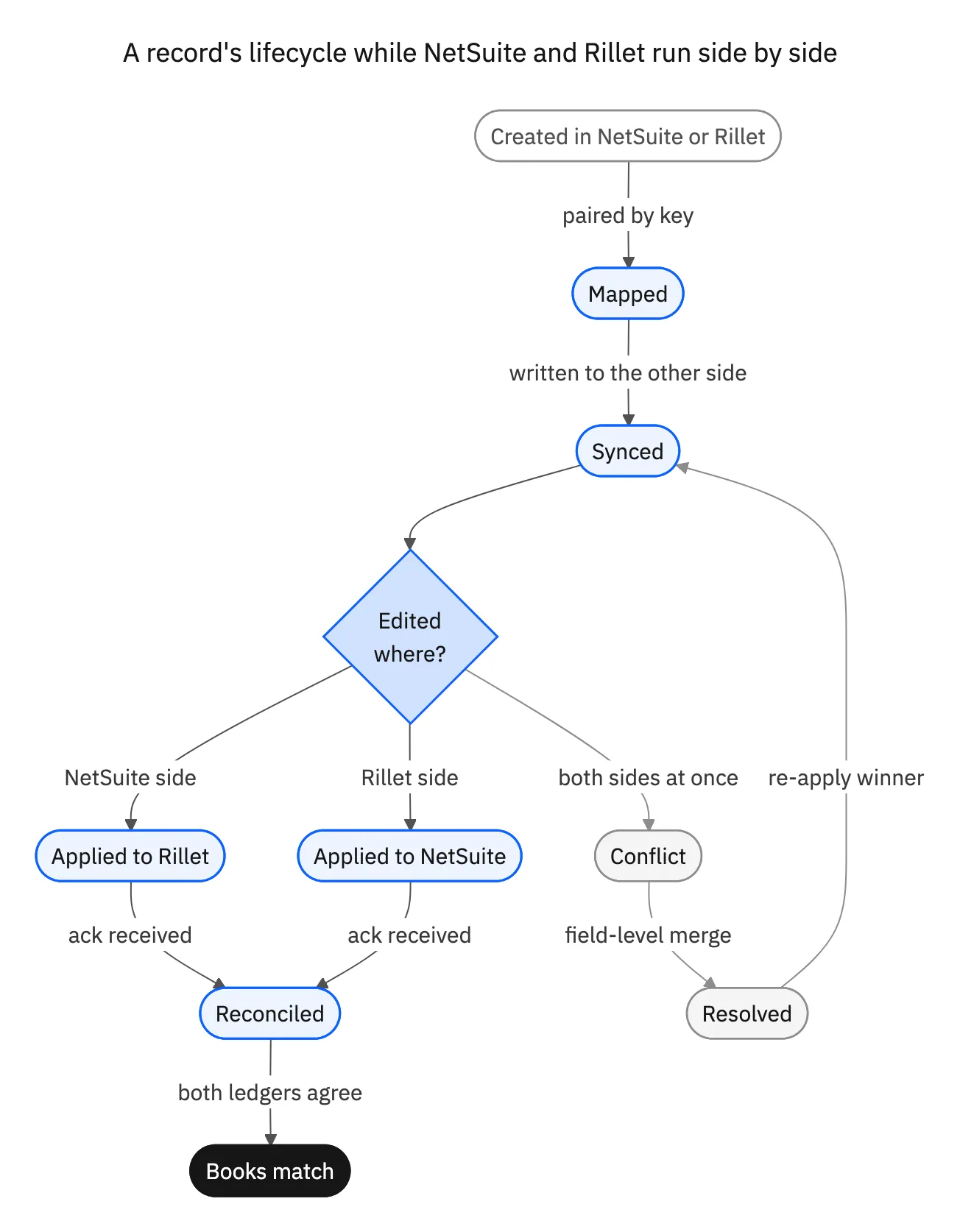
The state worth designing for is the collision. Everything else is mechanical. When a customer's billing terms are changed in NetSuite by an AR clerk at the same time a controller updates them in Rillet, you want a defined answer, applied automatically, and logged. Not a discovery three weeks later that two invoices went out on different terms.
What to keep in step, and what not to
Syncing everything is the wrong instinct. History does not change, so continuously syncing it adds volume and risk for no benefit. Focus on the records that both systems keep touching.
| Object | Sync during overlap? | Notes |
|---|---|---|
| Customers and vendors | Yes, two-way | Both teams create and edit them; the top source of drift |
| Entities and currencies | Yes, from the book of record; read-only in the other ledger | Structural data, one owner at a time |
| Chart of accounts mapping | Yes, with an authoritative source and no reverse writes | Keep the mapping explicit rather than implied |
| Open invoices and payments | Yes, two-way | AR and AP keep working through the overlap |
| Open balances | Yes, read into the non-owning side | So both systems show the same position |
| Historical journals | No, migrate once | They do not change; syncing them adds volume, not value |
A practical coexistence scope. Sync what keeps moving, migrate what is already settled.
That distinction also keeps the cost proportionate. Because a sync is priced by the records kept in step, leaving a decade of closed periods out of scope keeps the volume tied to the accounts your team is actually working.

Getting to a clean cutover
The end state is simple: Rillet becomes the book of record for everything, and the NetSuite half of the sync is switched off or reduced to a read-only archive feed. Because the sync was field-level and origin-tagged the whole time, you can answer the question that usually delays a cutover, which is whether the two systems actually agree.
Before the switch, three checks are worth running. Confirm that every object in scope has a defined winner and that the winners now all point at Rillet. Confirm the audit log shows no unresolved conflicts in the final period. And confirm that the systems downstream of NetSuite, the warehouse models, the bank feeds, the reporting, have been repointed at Rillet, because that is what usually gets discovered late.
After cutover the engine keeps working. The connections to the CRM, the billing platform, and the warehouse are already running on the same platform, so retiring one ledger does not mean rebuilding the rest of your integrations. See syncing Rillet with Salesforce and syncing Rillet and Stripe for the two that usually come next.
Make the overlap boring
The risk in a NetSuite to Rillet migration is rarely the migration itself. It is the months in the middle, when both systems are live and the finance team is quietly maintaining two copies of the same reality. Field-level two-way sync with real conflict resolution turns that period into something you can ignore.
To see Rillet and NetSuite kept in step both ways, book a demo, look at the NetSuite and Rillet integration, or read the broader guide to an enterprise iPaaS for Rillet.

FAQ
Frequently asked questions










Related articles






