






















Billing Lives in Stripe. Revenue Lives in Rillet. Keep Both Honest.
A practical guide to connecting Stripe and Rillet. It covers why the billing platform is the noisiest source a general ledger has, how a two-way sync engine turns invoices, payments, refunds, and subscription changes into ledger activity as they happen, which objects and fields to map, and how to handle the awkward cases (proration, failed payments, partial refunds) without a month-end spreadsheet.
- Author
- Ruben Burdin · Founder & CEO
- Published
- Read time
- 7 min read

Stripe is the noisiest system a general ledger has to listen to. In a normal week it produces invoices, payments, failed payments, retries, refunds, partial refunds, upgrades, downgrades, prorations, and currency conversions, and every one of them is an accounting event.
Most finance teams handle that with an export: a CSV at month end, or a nightly job that drops a summary into the ledger. It works, in the sense that the numbers eventually reconcile. It also means the ledger is always describing a version of the business that ended some hours ago, and that every correction is found after the fact rather than as it happens.
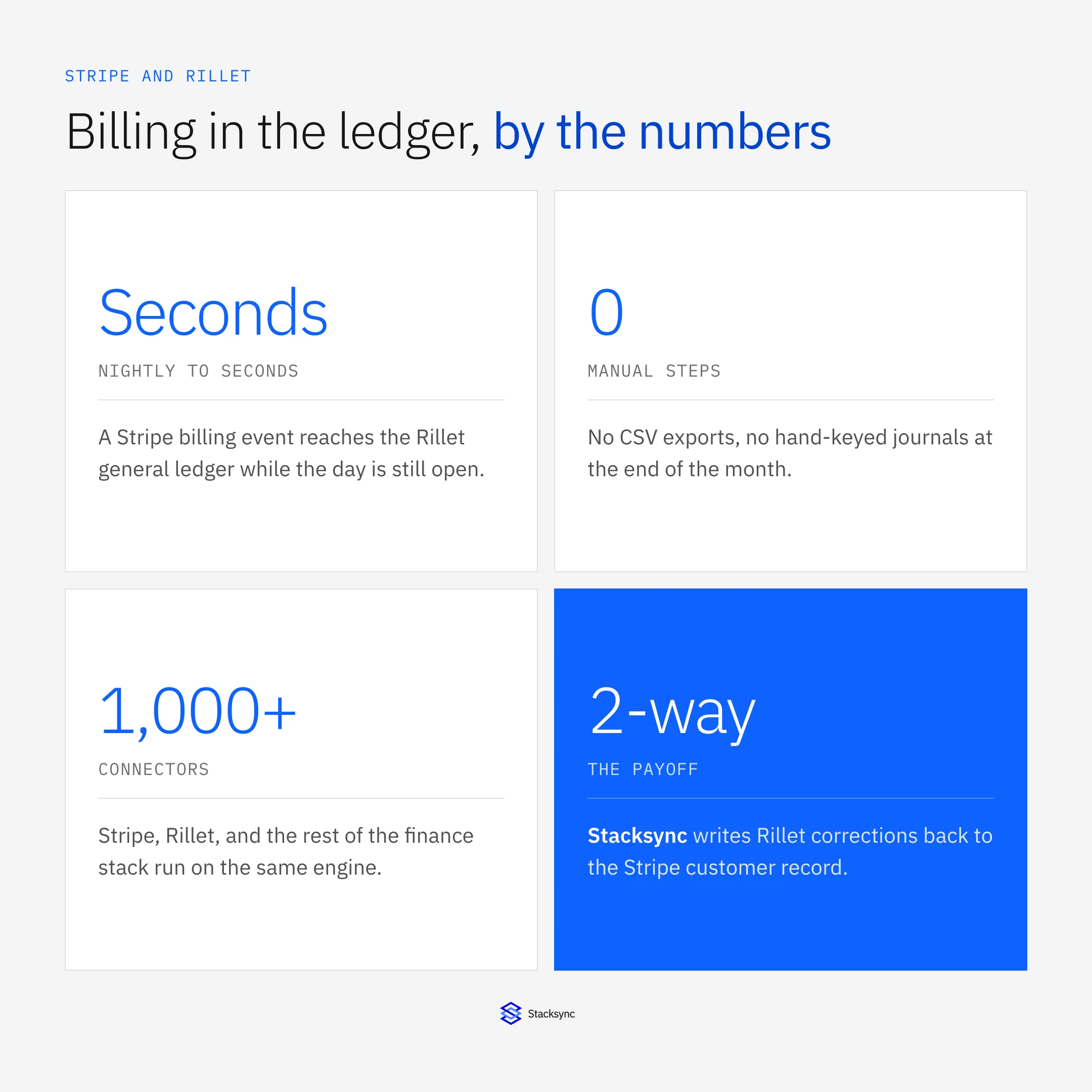
Syncing Stripe and Rillet directly removes the export. Each billing event becomes ledger activity as it happens, corrections carry their own history, and nobody spends the first week of the month explaining a variance. Here is how to set it up and where the sharp edges are.
Why billing and the ledger drift apart
The gap is structural, not a discipline problem. Stripe is optimized for collecting money, so it models the world as customers, subscriptions, invoices, and charges. Rillet is optimized for reporting on it, so it models the world as contracts, revenue schedules, journal entries, and periods. Neither model is wrong, but nothing translates between them automatically.
So somebody translates. In practice that means a monthly workbook where Stripe's payout report is reconciled against the revenue that was recognized, minus refunds, adjusted for prorations, with a tab for the ones that did not match. The work is real, it is repeated every period, and it produces no information the business did not already have.
The second cost is timing. Rillet is designed to run a continuous close and recognize revenue as contracts change. If the billing platform reports once a month, the ledger's continuity stops at the boundary of that report, and the newest thing finance can say about revenue is as old as the last export.
How the sync works
Between Stripe and Rillet sits a sync engine. It watches for changes on either side at the field level, maps each one to the matching record in the other system, and records the origin of every write so a value it just pushed is not read back as new.
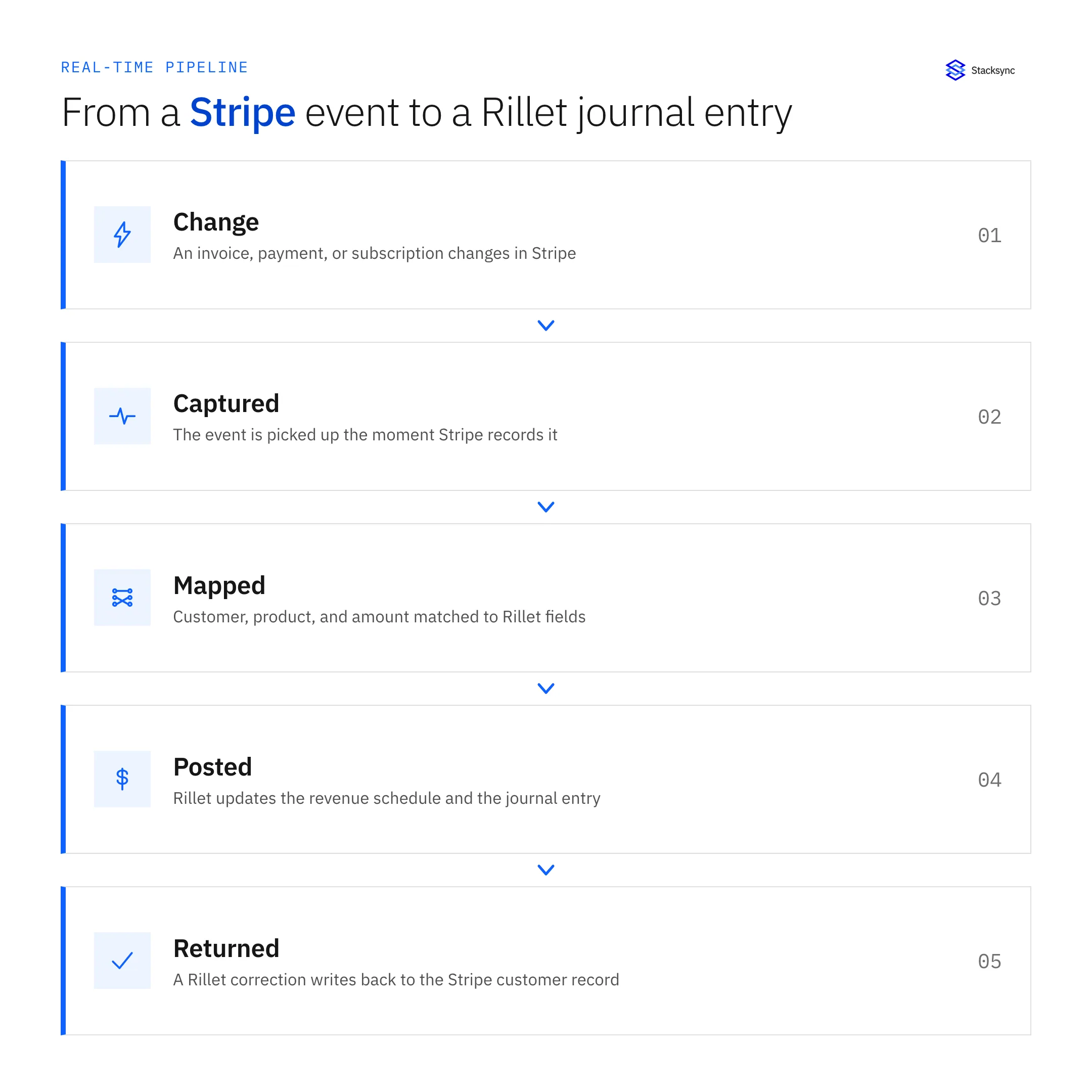
Because it works at the level of individual changes rather than table dumps, the events arrive with their shape intact. A refund is a refund, not a smaller number where a payment used to be. A proration is a line item, not a mystery delta. That is what lets Rillet do its job, which is turning those events into a schedule that reflects the contract.
A full round-trip, start to finish
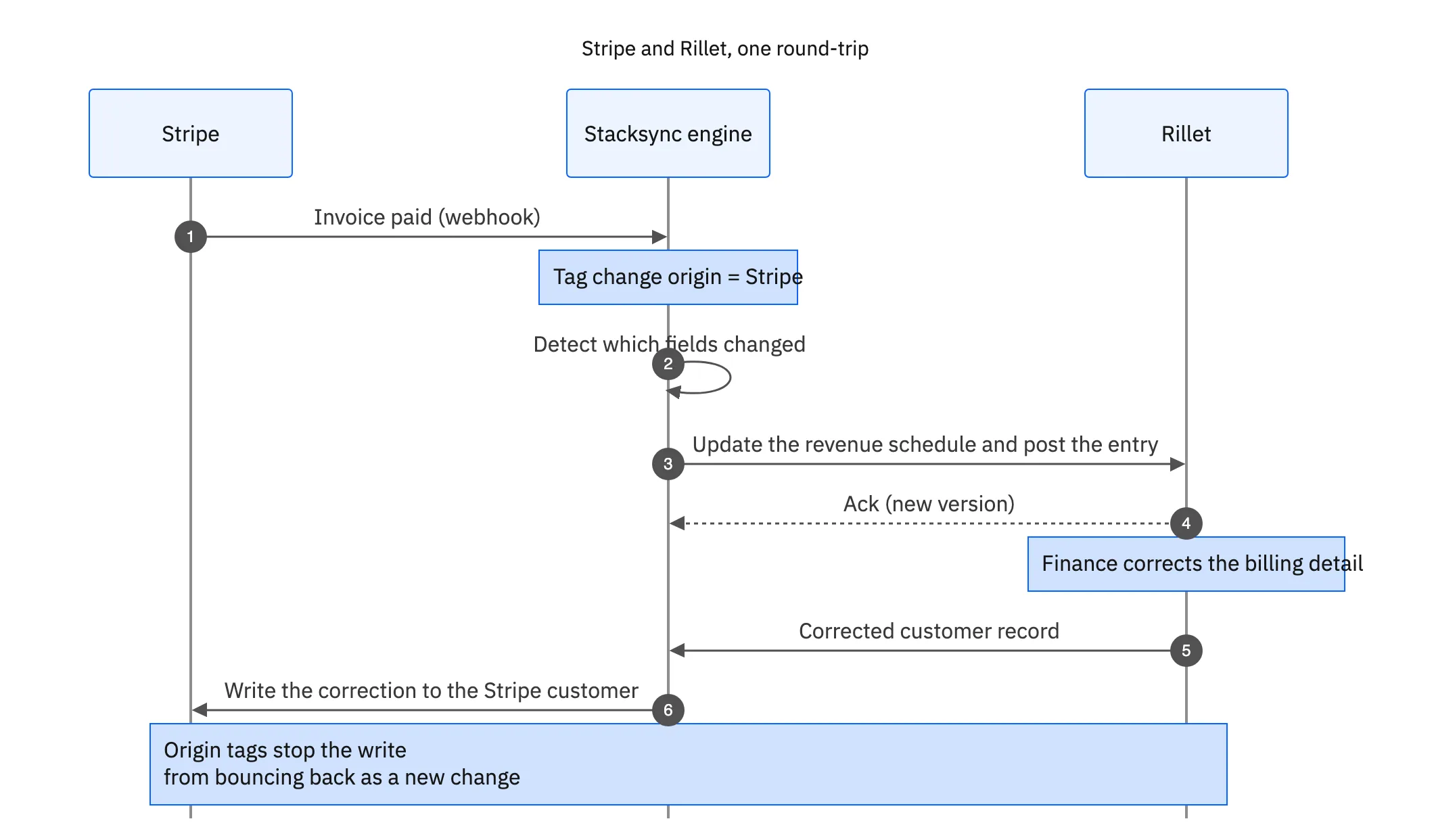
The sequence below follows one invoice from payment in Stripe to a revenue schedule in Rillet, and then a correction made in Rillet back onto the Stripe customer.
- Connect both sides. Authenticate Stripe and Rillet to Stacksync over OAuth. No API keys pasted into a script and no scheduled export to babysit.
- Map the objects. Stripe customer to Rillet customer, invoice to invoice, payment and refund to the matching ledger activity, and subscription plus its items to the contract and revenue lines.
- Decide the direction per object. Billing facts flow from Stripe into Rillet. Entity and account references usually flow the other way, from the ledger back onto the Stripe customer.
- Turn it on. Changes then move in seconds, with field-level conflict resolution and an audit entry per write.
That is a short configuration. The design work, deciding which side owns which field, is the part worth spending an hour on, and it is the part a CSV export never made you think about.
What to sync between Stripe and Rillet
The mapping below covers most SaaS billing setups. Start here and add the objects your business actually uses.
| Stripe | Rillet | Direction and why |
|---|---|---|
| Customer | Customer | Two-way; billing creates them, the ledger corrects entity and tax details |
| Invoice | Invoice or AR entry | Into the ledger, as issued |
| Payment and payout | Cash application | Into the ledger, so AR clears without a bank reconciliation step |
| Refund and credit note | Reversing activity | Into the ledger, as its own event with its own history |
| Subscription and items | Contract and revenue lines | Into the ledger; this is what the revenue schedule is built from |
| Proration line items | Schedule adjustment | Into the ledger, against the same contract |
| Entity or account reference | Written back to Stripe | So billing and the ledger agree on who the customer is |
A working Stripe to Rillet map. The last row is the return path that keeps customer records from diverging.

The three cases that break exports
Failed payments and retries are the first. A subscription payment that fails, retries twice, and succeeds on the third attempt is one collection event with three records behind it. An export that reads end-state totals loses the story; a change-level sync keeps each attempt, which is what you want when a customer disputes a charge.
Partial refunds are the second. Overwriting the original amount is the easy implementation and the wrong one, because it erases what was originally billed. Treating the refund as its own event preserves both numbers and the order they happened in.
Mid-term plan changes are the third, and the most expensive to get wrong. An upgrade halfway through a term produces prorated lines that belong against the existing contract, not a new one. If they arrive as an unlabelled amount, someone has to work out what it was every single month. If they arrive as line items against the subscription, Rillet adjusts the schedule and nobody touches it.
Let billing feed the ledger directly
Stripe already knows everything the ledger needs: what was billed, what was collected, what was returned, and what changed mid-term. The only reason that information arrives late and flattened is the export sitting between them. Remove it and the sub-ledger stays current on its own.
To see Stripe and Rillet synced in real time, book a demo, look at the Rillet and Stripe integration, or read the broader guide to an enterprise iPaaS for Rillet. If the contracts behind those subscriptions start in your CRM, see syncing Rillet with Salesforce.

FAQ
Frequently asked questions










Explore these integrations and topics
Related articles






