






















Finance Numbers in Snowflake Without Waiting for the Nightly Run
Why the warehouse is usually the last place to hear about a financial change, and how to fix it. This guide covers real-time sync between Rillet and Snowflake: how a change-level engine differs from a scheduled ETL job, which ledger objects are worth landing in the warehouse, how to model them so board reporting and operator metrics agree with the ERP, and why the return path from Snowflake back into Rillet matters more than most teams expect.
- Author
- Ruben Burdin · Founder & CEO
- Published
- Read time
- 7 min read

Ask a finance team where the numbers live and you get two answers. The authoritative one is the ERP. The one everybody actually opens is a dashboard built on the warehouse, next to the product and marketing data, because that is where a question about revenue by segment can be answered without three exports.
The problem is that the warehouse copy is usually the last to hear about anything. A nightly job lands the ledger some time after midnight, so for most of the working day the dashboard is describing yesterday. On an ERP built to run a continuous close, that gap is the one thing standing between finance and reporting that is actually current.
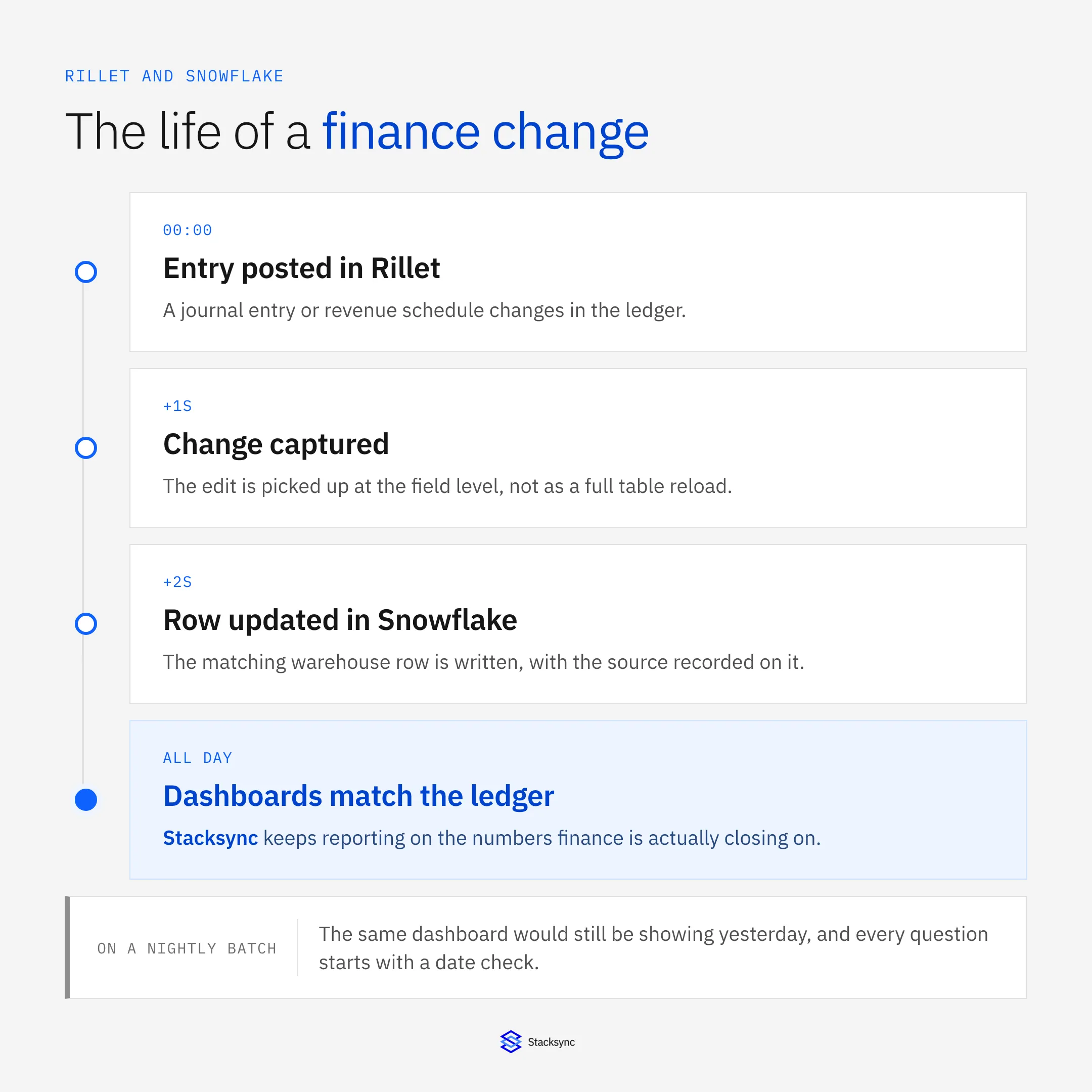
Real-time sync between Rillet and Snowflake closes it. Ledger changes land in the warehouse in seconds, the dashboards agree with the ERP all day, and the return path lets warehouse-only attributes flow back into the ledger. Here is how it works and what to land.
Why the warehouse is always behind
The nightly window is a habit inherited from a time when the source systems could not be read during business hours without hurting them. It survives because the tooling is built around it: schedulers, orchestration graphs, and the assumption that a table can be dropped and rebuilt while nobody is looking.
That assumption has three costs. Freshness is the obvious one. The second is load shape: a full reload arrives as a spike, which means warehouse compute is sized for the batch rather than the business. The third is subtler and matters most to finance, which is that a snapshot-based pipeline cannot tell you what changed between two runs, only that the numbers are different.
For a general ledger that last one is the deal breaker. When a reported figure moves, the useful question is which entry moved it. A nightly snapshot cannot answer that. A change-level sync answers it by construction, because the change is the unit of work.
How real-time sync differs from a pipeline
Instead of a scheduled job that reads Rillet and writes Snowflake, a sync engine watches for changes and applies them as they occur. It works at the field level, so an amended journal line writes one row rather than reloading a table, and it stamps each write with its origin and time.
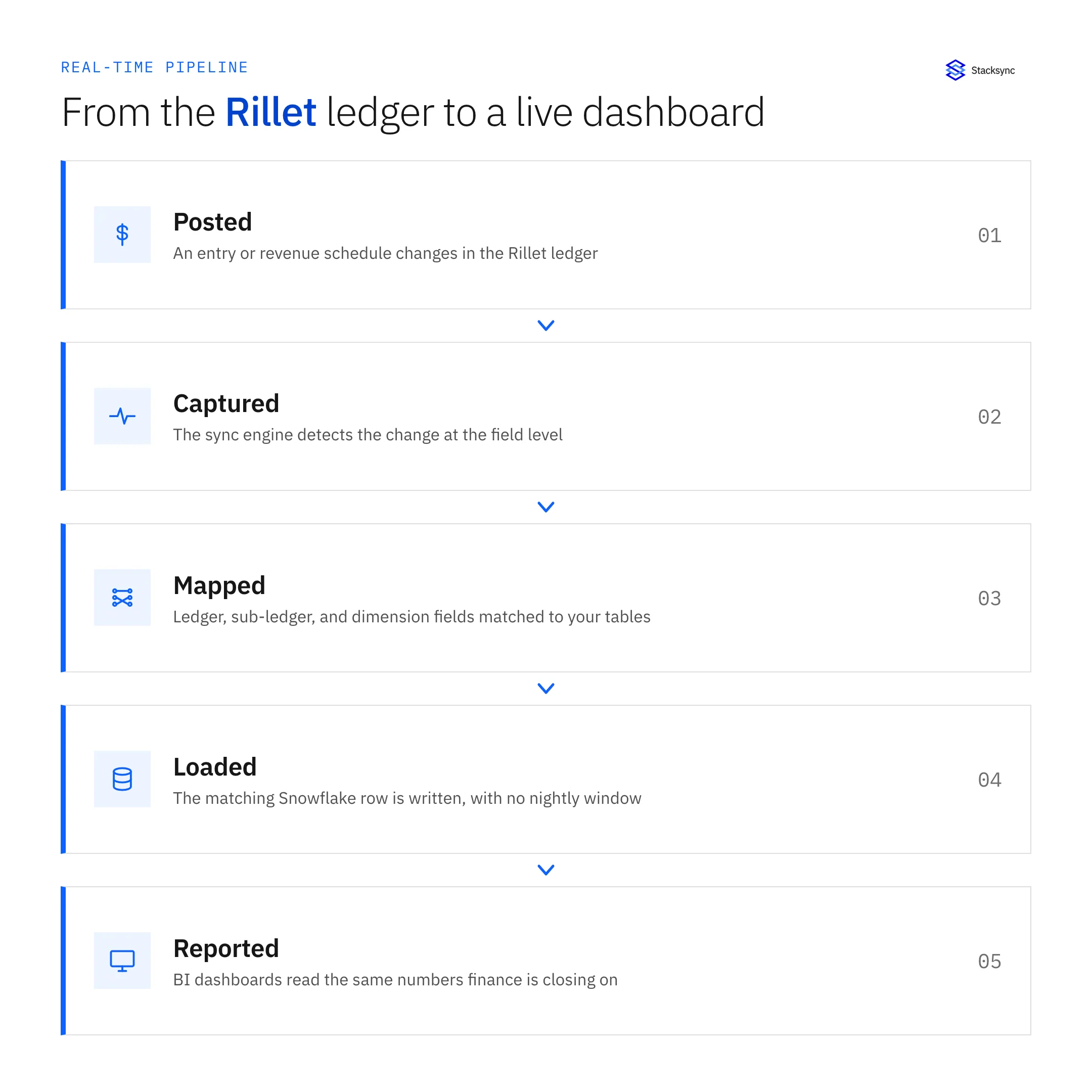
There is no orchestration graph to maintain and no window to protect. There is also no transformation happening in flight, which is deliberate: the landing tables mirror the ledger, and your existing models build on top of them on whatever schedule your reporting needs. Keeping those two concerns separate is what stops a real-time feed from turning into a real-time compute bill.
What the topology looks like
In most stacks the warehouse is not only reading from Rillet. It is also reading from the CRM, the billing platform, and the product database, and the value of putting the ledger next to them is that a revenue number can finally be sliced by things the ERP does not know about.
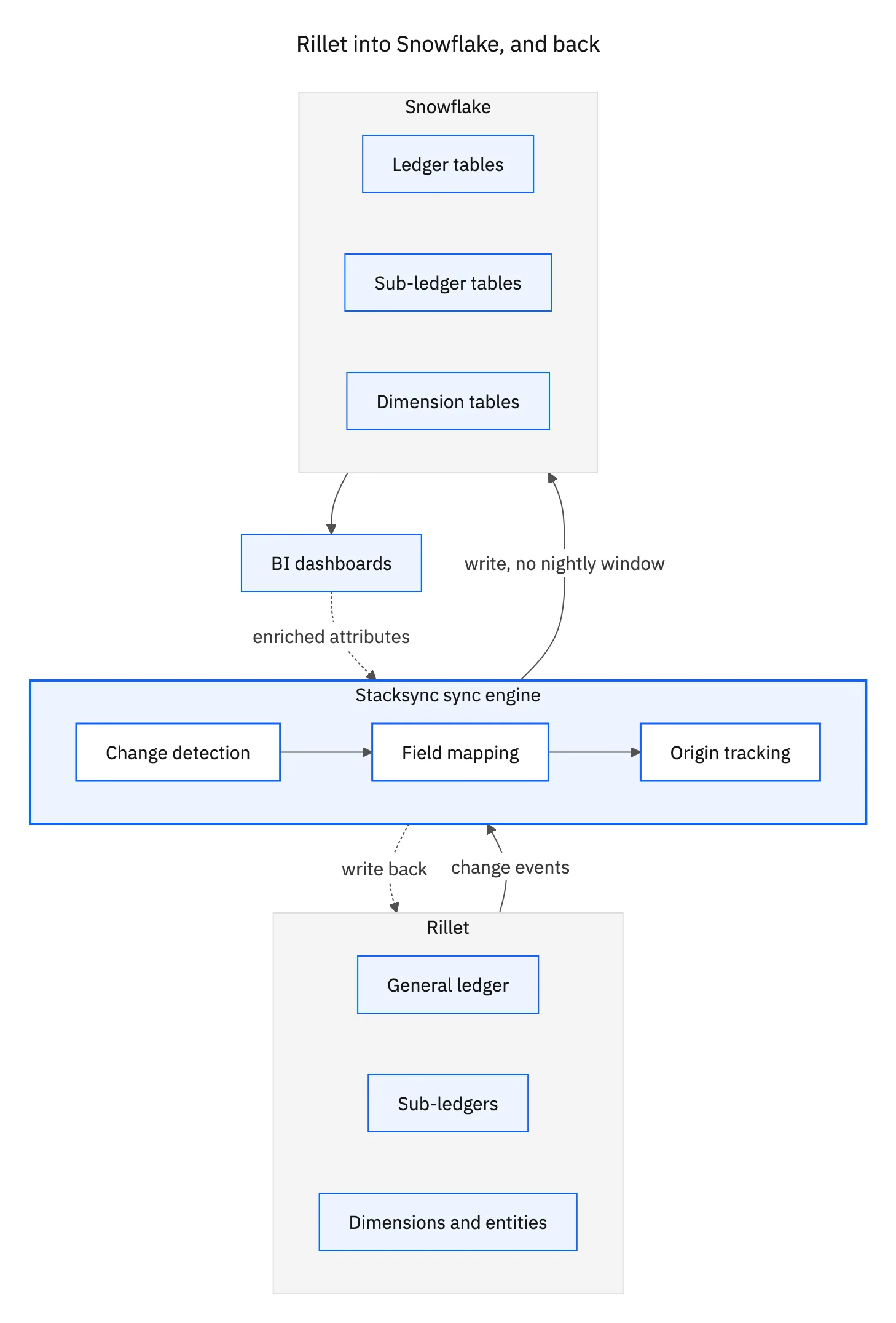
The arrow pointing back is the one teams underuse. Segment, tier, region, and cleaned-up account hierarchies are usually defined in the warehouse because that is where the modelling happens. Writing them back onto the Rillet records means finance reports on the same definitions everyone else uses, rather than maintaining a parallel mapping that drifts.
What to land in Snowflake
Start narrow. The core plus its dimensions answers most reporting questions; sub-ledger detail is what turns a dashboard number into something an analyst can defend.
| From Rillet | Lands as | What you can report on |
|---|---|---|
| Journal and GL lines | Fact table | The base for every financial model |
| Accounts and entities | Dimensions | Consolidation and entity-level reporting |
| Customers and contracts | Dimensions | Revenue by customer, cohort, and contract term |
| Revenue schedules | Fact table | Recognized versus deferred, without a manual roll-forward |
| Invoices and payments | Sub-ledger detail | Tie a reported figure back to a transaction |
| Periods and close status | Reference table | Models know which periods are final |
| Segment and tier attributes | Written back to Rillet | Finance reports on the same definitions as the business |
A starting map. Land the GL and its dimensions first, add sub-ledger detail once the models settle.
One modelling note worth stating: keep the period and close-status table in scope from the start. Models that do not know which periods are closed will happily report on a period still being worked, and that is the kind of dashboard error that costs credibility rather than time.

What changes for the reporting team
The first difference is that the daily flash actually reflects the day. Revenue, bookings, and cash positions move as the underlying entries move, so an operator question at four in the afternoon does not get answered with last night's picture.
The second is that the reconciliation conversation changes shape. When the warehouse and the ledger disagree, the audit trail shows which write produced the difference and when, so the work is investigating one change rather than comparing two snapshots and inferring what happened between them.
The third is scope. Once the ledger is streaming into Snowflake alongside CRM and billing data, the models that were impossible become routine: recognized revenue by product tier, cohort retention against actual invoiced amounts, or margin by segment. That is the argument for putting finance data in the warehouse in the first place, and it only works if the data is current.
Stop reporting on yesterday
An ERP that closes continuously and a warehouse that refreshes nightly are a mismatch, and the nightly half is the one holding the other back. Syncing Rillet to Snowflake at the change level removes the window, keeps the two agreeing, and gives the reporting team an audit trail instead of a diff.
To see Rillet and Snowflake synced in real time, book a demo, look at the Rillet and Snowflake integration, or read the broader guide to an enterprise iPaaS for Rillet. For the systems feeding the ledger in the first place, see syncing Rillet and Stripe.

FAQ
Frequently asked questions










Related articles






