






















From Shared Inbox to Sales Pipeline: Front and Pipedrive
A guide to syncing Front with Pipedrive so customer conversations in the shared inbox become CRM records automatically. It covers why connecting the inbox to the CRM matters, how a Front conversation flows into a Pipedrive contact, activity, and deal, how one CRM home can pull from Front and an ERP at once, and what actually syncs between the two, all in real time and over OAuth so no message data is stored in a middleman.
- Author
- Ruben Burdin · Founder & CEO
- Published
- Read time
- 7 min read

Front is where a lot of customer conversation actually happens: the shared inbox the whole team answers from. Pipedrive is where the deals live. When the two are not connected, reps retype details from an email into the CRM by hand, or the context never makes it across, and Pipedrive stops reflecting what is really going on with the customer.
Syncing Front and Pipedrive turns the inbox into a source for the CRM. A conversation becomes a contact, an activity, and, where it makes sense, a deal, without anyone copying and pasting. Here is how that flow works and what stays in step.
The engine that does this is the same one behind any Stacksync pairing; the broader guide to an enterprise iPaaS for Pipedrive covers it. Here we focus on the inbox-to-CRM case.
Why connect your inbox to your CRM
A rep working a deal in Pipedrive should be able to see that the customer emailed support twice this week, and a teammate answering in Front should be able to see that there is an open deal worth chasing. Neither is possible when the inbox and the CRM are separate islands.
Connecting them means the conversation and the pipeline tell the same story. Sales context reaches the people answering the inbox, inbound interest reaches the people working the pipeline, and nobody is rebuilding the customer’s history by hand in two tools.
How a conversation becomes a deal
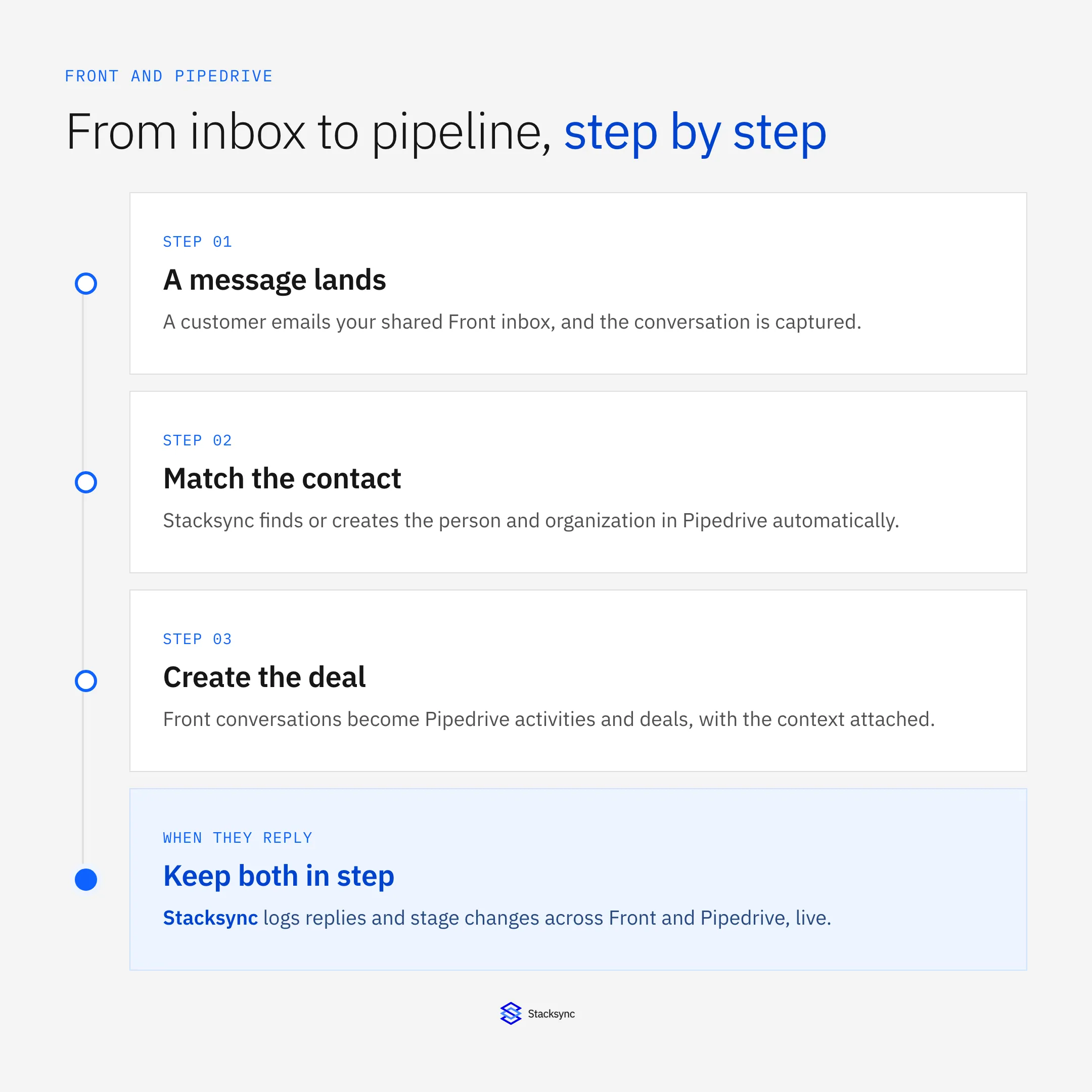
When a message lands in Front, the sync runs a short pipeline: it captures the conversation, matches or creates the person and organization in Pipedrive, turns the conversation into an activity and a deal, and then keeps replies and stage changes in step across both systems.
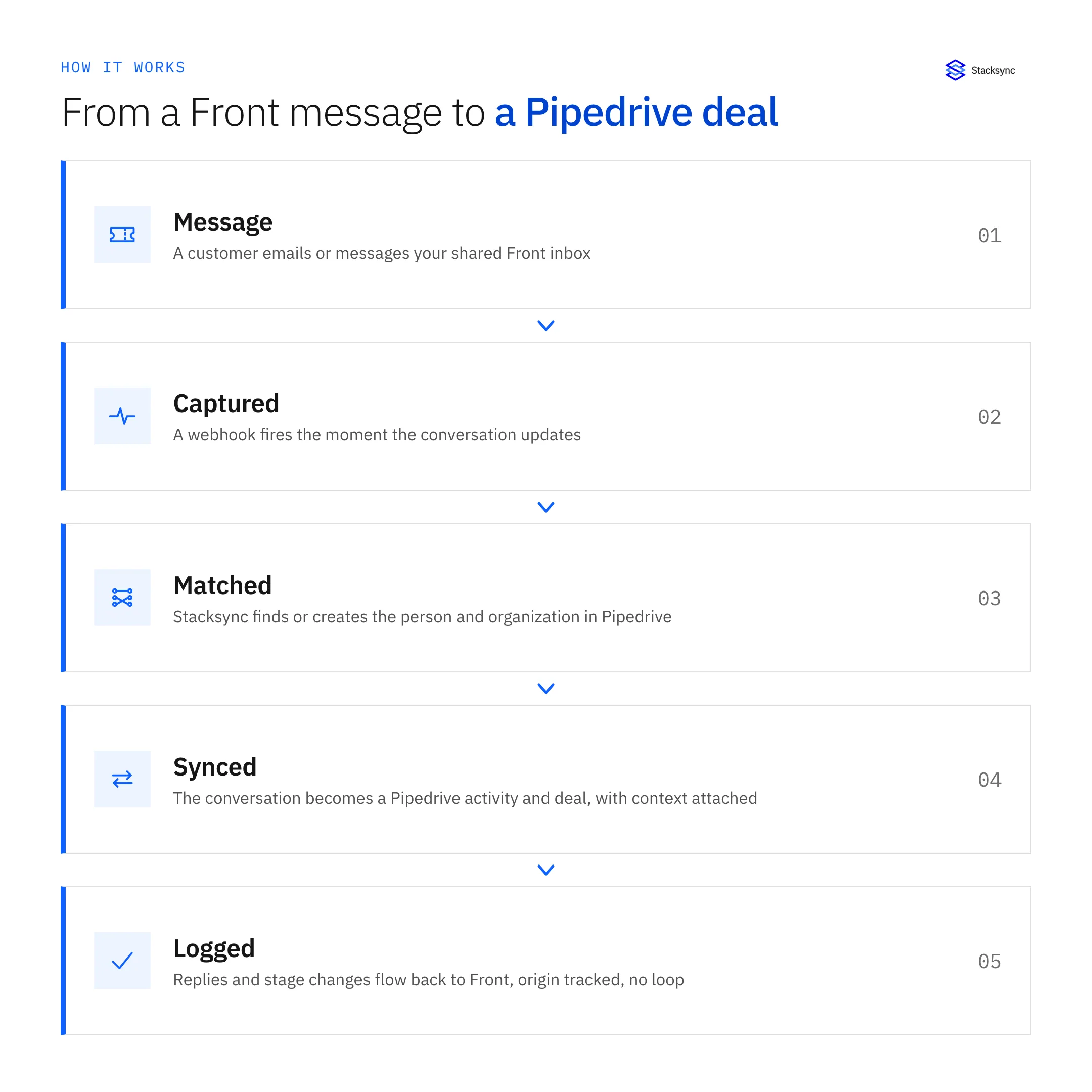
You set the rules: a conversation from an unknown sender can create a new person and deal, while one from a known contact attaches as an activity to the existing deal. Because origin tracking is built in, a reply logged into Pipedrive is not treated as a fresh inbound and bounced back to Front.
One CRM home, many sources
The inbox is rarely the only thing that should feed the CRM. The same engine can pull customer and invoice data from an ERP like NetSuite into the same Pipedrive, so sales works in one place while several systems keep it current.
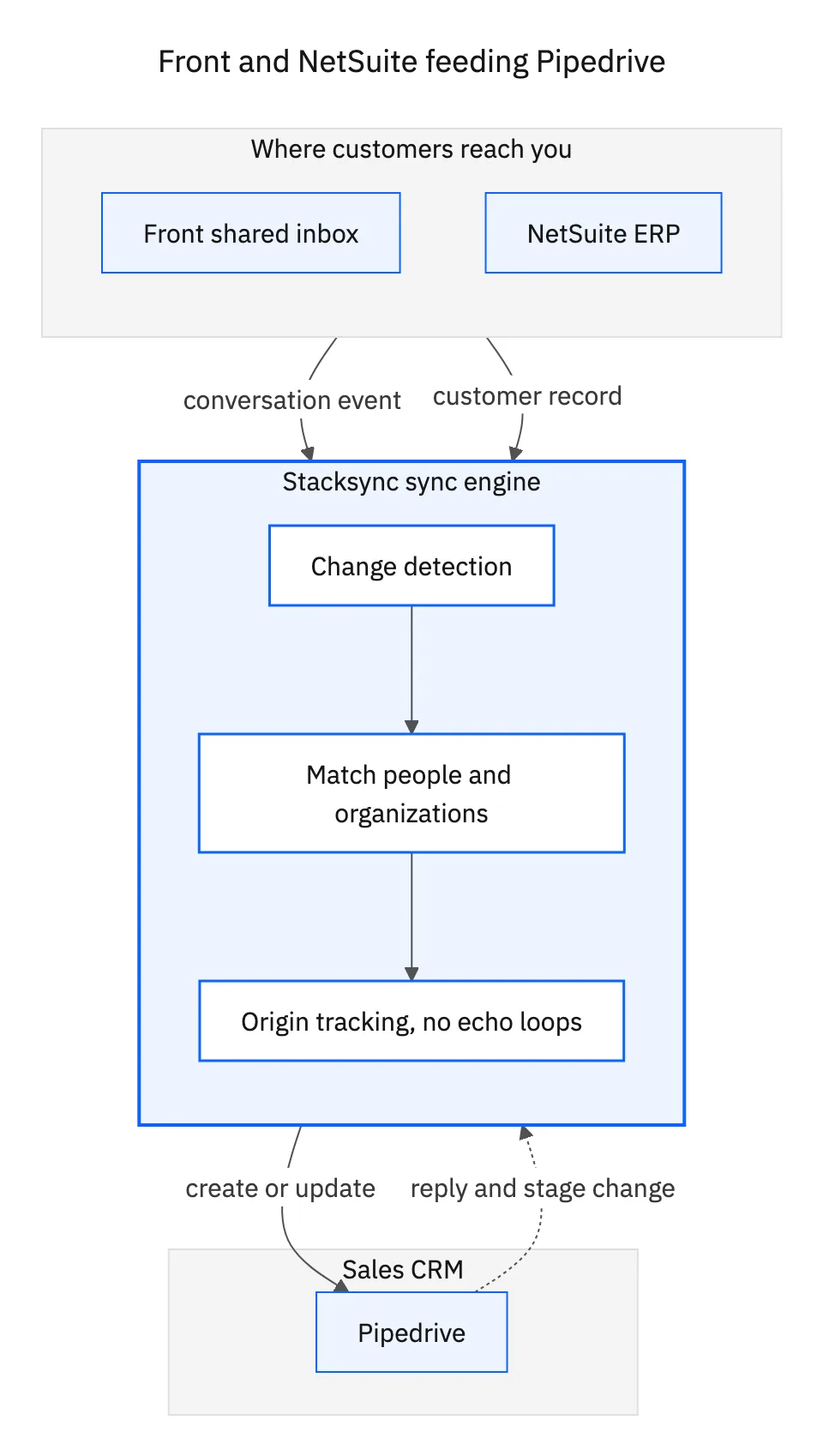
That is what makes Pipedrive a real CRM home rather than just another inbox: it is fed by the conversations in Front and the financials in the ERP at once. The Pipedrive and NetSuite guide covers the ERP side of that same setup in detail.

What syncs between Front and Pipedrive
You choose the mapping, but a typical Front to Pipedrive setup keeps these in step.
| Front | Pipedrive | Direction |
|---|---|---|
| Contact | Person | Matched or created |
| Conversation | Activity on a deal | Both ways |
| New inbound | New deal (by rule) | Front to Pipedrive |
| Reply sent | Logged note or activity | Both ways |
| Assignee | Deal owner | Both ways |
A typical Front to Pipedrive map. Conversations and replies stay in step both directions.
Turn conversations into pipeline
Syncing Front and Pipedrive means every customer conversation shows up where the deal lives, automatically and in real time, and replies stay logged in both. OAuth login keeps your message data out of any middleman, and the same engine can add the ERP as a second source whenever you want.
To see Front conversations become Pipedrive contacts and deals live, book a demo, or read the broader guide to an enterprise iPaaS for Pipedrive. If Front is the side you are starting from, the guide to an enterprise iPaaS for Front covers the same engine from the inbox out.

FAQ
Frequently asked questions










Related articles






