






















Bring NetSuite Into Pipedrive So Sales Has One Home
A step-by-step guide to syncing NetSuite with Pipedrive so your sales team works from live financial data without leaving the CRM. It covers connecting both sides over OAuth, mapping NetSuite customers, contacts, and invoices to Pipedrive organizations, people, and deals, keeping the sync real-time and two-way, and pricing the sync by the records you actually keep in step rather than the whole ERP.
- Author
- Ruben Burdin · Founder & CEO
- Published
- Read time
- 8 min read

Sales lives in Pipedrive. The financial truth about each customer, their balances, invoices, order history, and payment status, lives in NetSuite. When those two systems are not connected, reps either toggle between them or ping finance for numbers, and Pipedrive stops being a complete CRM home.
Syncing NetSuite with Pipedrive closes that gap. Done properly it is not a one-way dump of ERP data into the CRM; it is a live, two-way link so sales sees current financials in Pipedrive and finance sees deal movement in NetSuite. Here is how to set it up and what to map.
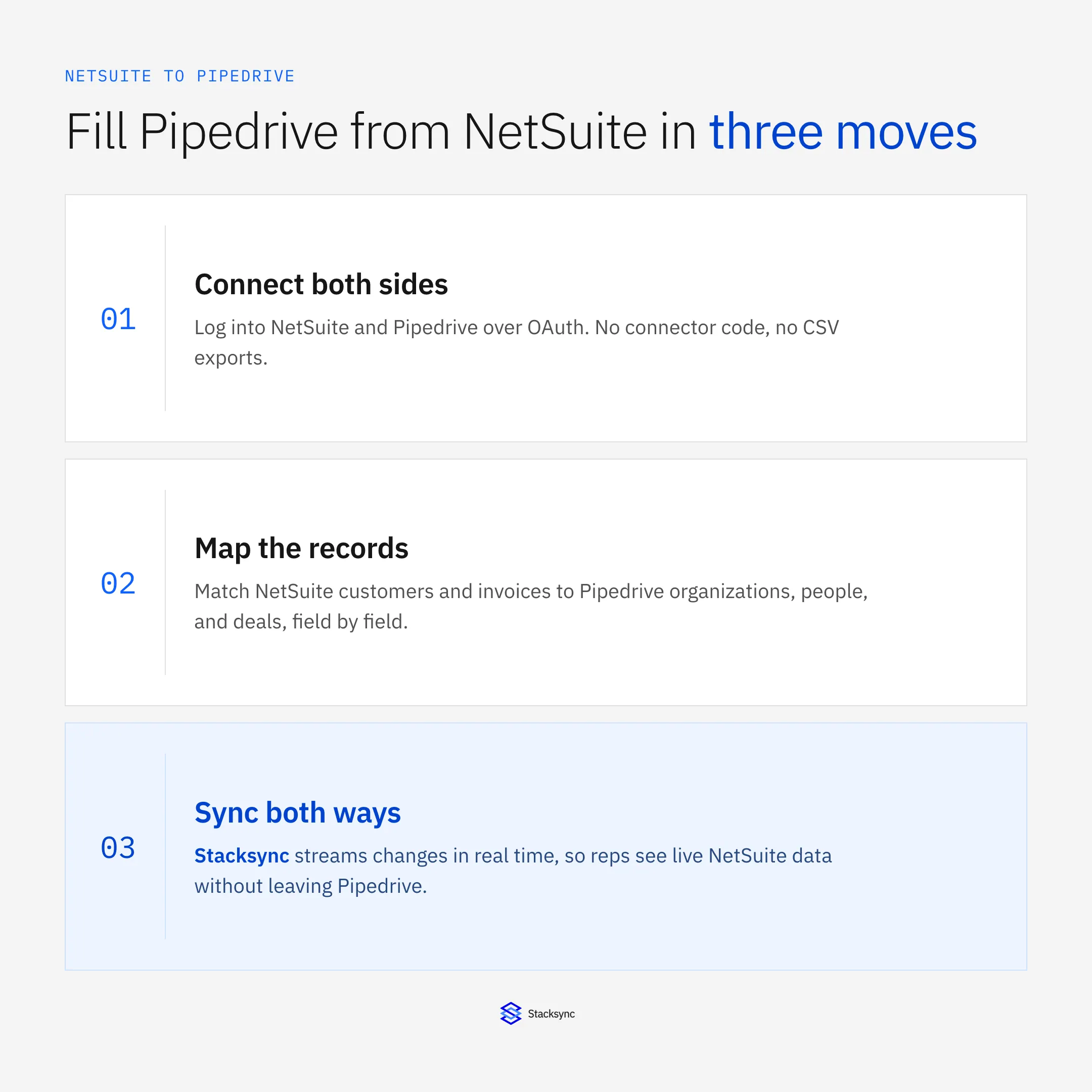
The whole thing rests on a sync engine that connects both systems, matches their records, and keeps them consistent. If you are choosing an integration platform more broadly first, start with the guide to an enterprise iPaaS for Pipedrive.
Why sales wants NetSuite data in Pipedrive
A rep about to call a customer should not have to open the ERP to find out that the account is 60 days past due, or that a big order shipped last week. That context changes the conversation, and it belongs on the deal in Pipedrive where the rep already is.
Pulling NetSuite into Pipedrive gives the sales team one home: the pipeline they work every day, now backed by real financial data. Finance keeps NetSuite as the system of record, sales gets the context without a second login, and nobody is copying numbers between tabs. That is the practical reason this pairing comes up so often.
How the sync works
Between NetSuite and Pipedrive sits a sync engine. It detects a change on either side at the field level, maps it to the matching record and fields in the other system, resolves any conflict under one policy, and tracks the origin of every write so nothing loops back around.
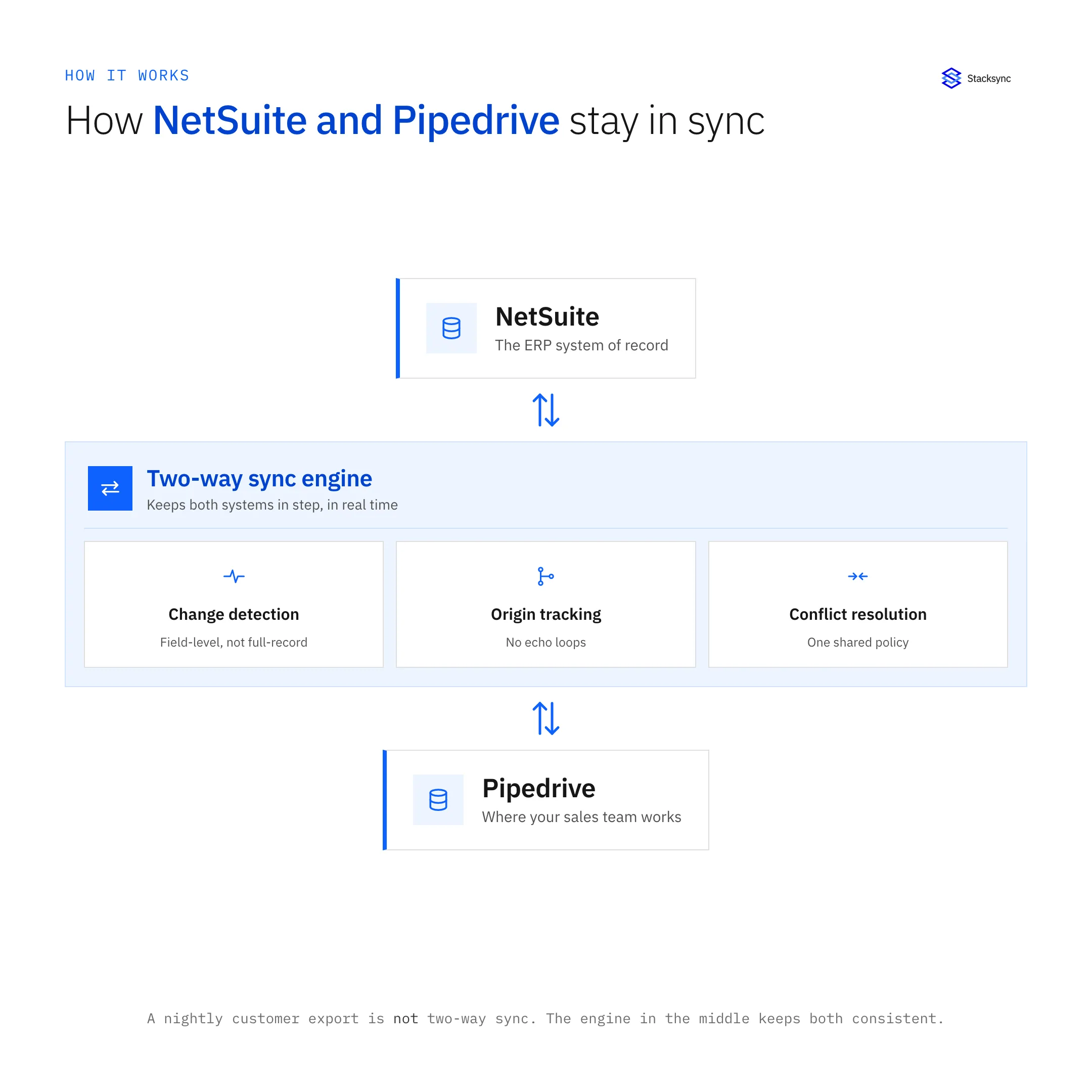
The important word is engine. Two separate one-way exports, NetSuite to Pipedrive in the morning and Pipedrive to NetSuite at night, are not two-way sync; they overwrite each other and drift. A single engine with origin tracking is what keeps both sides genuinely consistent.
Setting it up, step by step
The flow below is one round-trip: a change in NetSuite reaches Pipedrive, and a later edit in Pipedrive is written back to NetSuite, both without manual work.
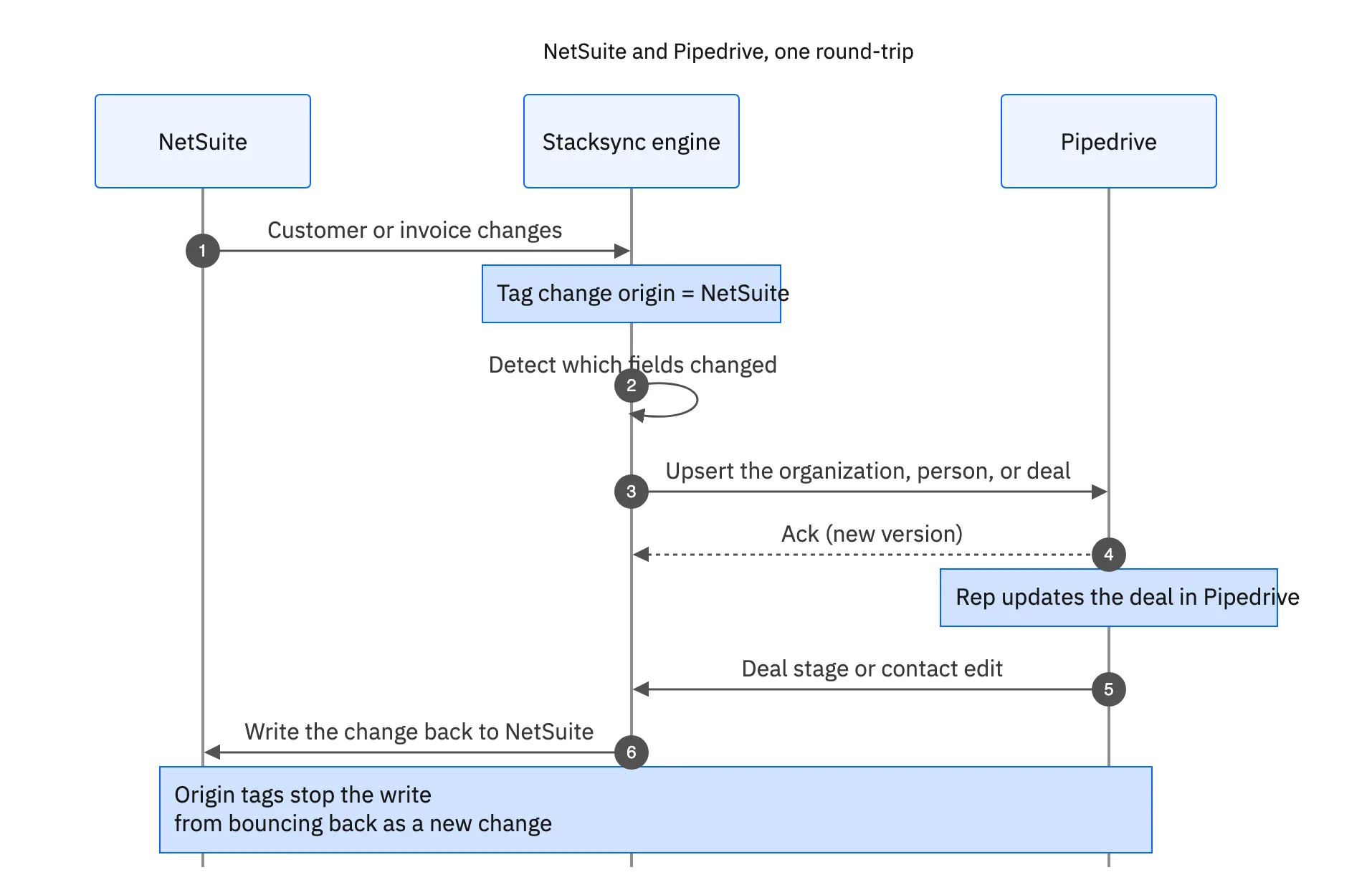
- Connect both sides. Authenticate NetSuite and Pipedrive to Stacksync over OAuth. No connector code, no CSV exports.
- Map the records. Match NetSuite customers to Pipedrive organizations, contacts to people, and sales orders or invoices to deals or custom fields.
- Turn on two-way sync. Changes then flow both directions in seconds, with field-level conflict resolution and origin tracking.
That is a short configuration, on the order of minutes, not a multi-week integration project. Adding another object later, or another system entirely, is another short configuration on the same engine.
What to sync between NetSuite and Pipedrive
You choose the objects and fields; you do not have to bring the whole ERP into the CRM. A common starting map looks like this.
| NetSuite | Pipedrive | Why sales wants it |
|---|---|---|
| Customer | Organization | Account of record, matched by ID |
| Contact | Person | The right people on the deal |
| Sales order | Deal | What was actually ordered |
| Invoice and balance | Deal fields | Account health before the call |
| Payment status | Deal or org field | Flags overdue accounts to reps |
A common NetSuite to Pipedrive field map. Sync what sales works, not the entire ERP.
Keeping the scope to what sales actually uses has a second benefit: because the sync is priced by the records you keep in step, syncing open accounts and live deals rather than years of dormant history keeps the volume, and the cost, aligned with the team that uses it.

Keeping it real-time and two-way
Because the sync is field-level, only what changed moves, so it stays comfortably under both the NetSuite and Pipedrive API limits that a nightly full export would blow through. And because both systems connect over OAuth, Stacksync moves data between them without ever storing a copy in a middleman, which is what lets the integration clear a security review.
The payoff is a Pipedrive that reflects the business in real time: a rep sees the current balance and last order on the deal, finance sees the deal move in NetSuite, and neither team is copying numbers between tabs.
Give sales one home
Syncing NetSuite with Pipedrive turns the CRM into a complete home for the sales team: the pipeline they already work, backed by live financial data, with finance keeping NetSuite as the system of record. The setup is short, the sync is two-way and real-time, and OAuth means your data is never parked in a middleman.
To see a NetSuite and Pipedrive sync set up in minutes and running both ways, book a demo, or read the broader guide to an enterprise iPaaS for Pipedrive.

FAQ
Frequently asked questions










Explore these integrations and topics
- connectorNetSuite integrations
- connectorPipedrive integrations
- platformCRM synchronization
- platformCRM and ERP integration
- CRM synchronization guidesConnect customer records across sales, marketing, and operational systems.
- CRM and ERP integration guidesPlan account, order, invoice, and payment flows between commercial and finance teams.
Related articles






