






















From the MariaDB Binlog to a Salesforce Upsert
The practical build guide for syncing MariaDB with Salesforce. It covers reading changes from the row-based binlog with GTIDs instead of polling an updated_at column, mapping columns to Salesforce fields and picklists, upserting on an External ID field so retries are idempotent, choosing between REST, sObject Collections and Bulk API 2.0 against your daily API allocation, and handling deletes, merges, backoff and monitoring.
- Author
- Ruben Burdin · Founder & CEO
- Published
- Read time
- 8 min read

A MariaDB database and a Salesforce org start disagreeing about the same customer within minutes of somebody editing one of them. The first fix anyone reaches for is a script: select the rows that changed since last night, post them into Salesforce, run it on cron. That holds for about a quarter, until a row gets updated twice inside one window, or a delete goes missing, or the org burns through its daily API allocation at two in the afternoon.
This is the practical version of the job. How to read changes out of MariaDB, how to match a row to a Salesforce record, which API to write with, and what to do about deletes, merges and failed calls. If you would rather not build any of it, the last section covers the configured route.
For the wider view of where MariaDB sits in an integration stack, start with the guide to an enterprise iPaaS for MariaDB. If you are curious why the database is a fork rather than a rename, the origin story of MariaDB is worth the detour.
How do you read changes out of MariaDB?
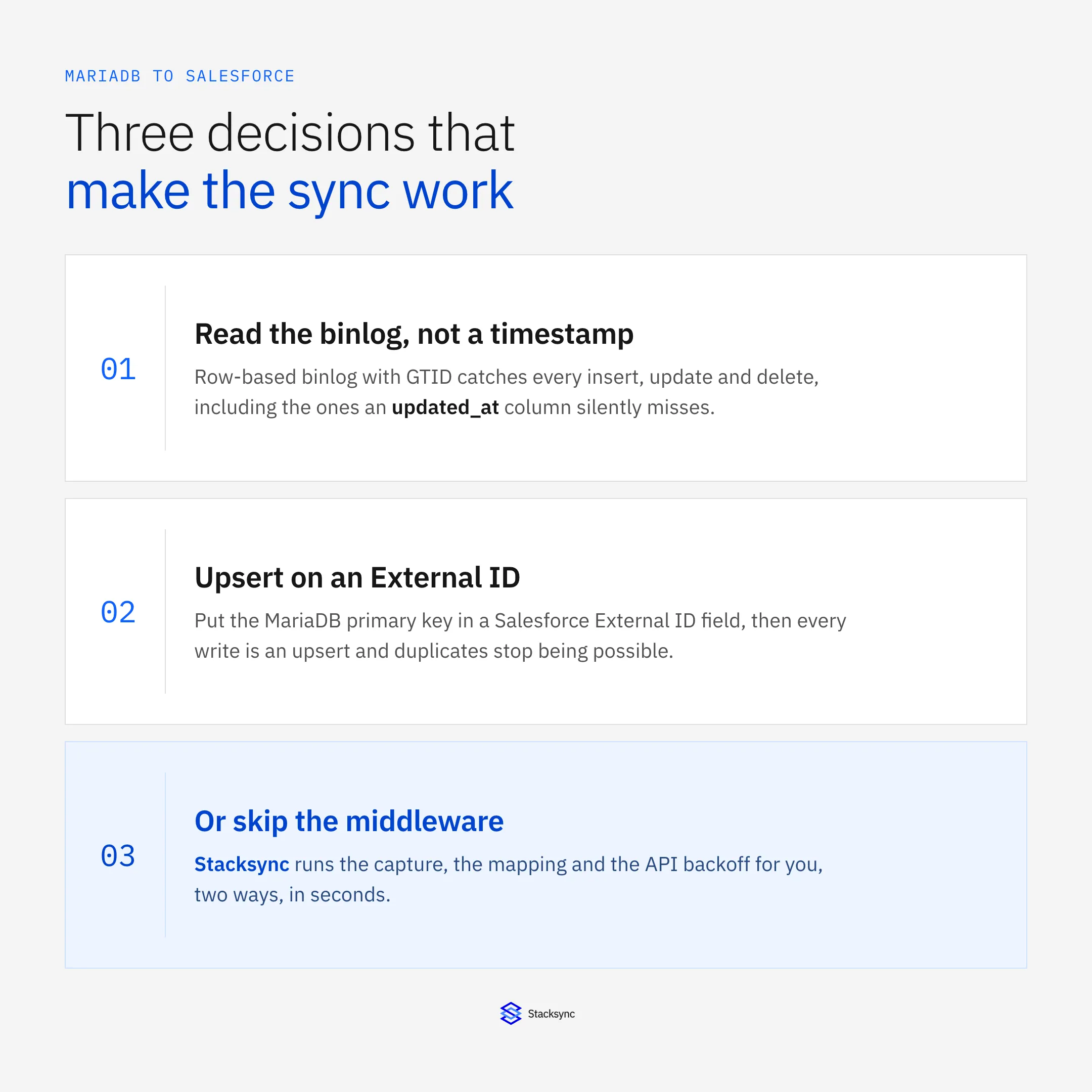
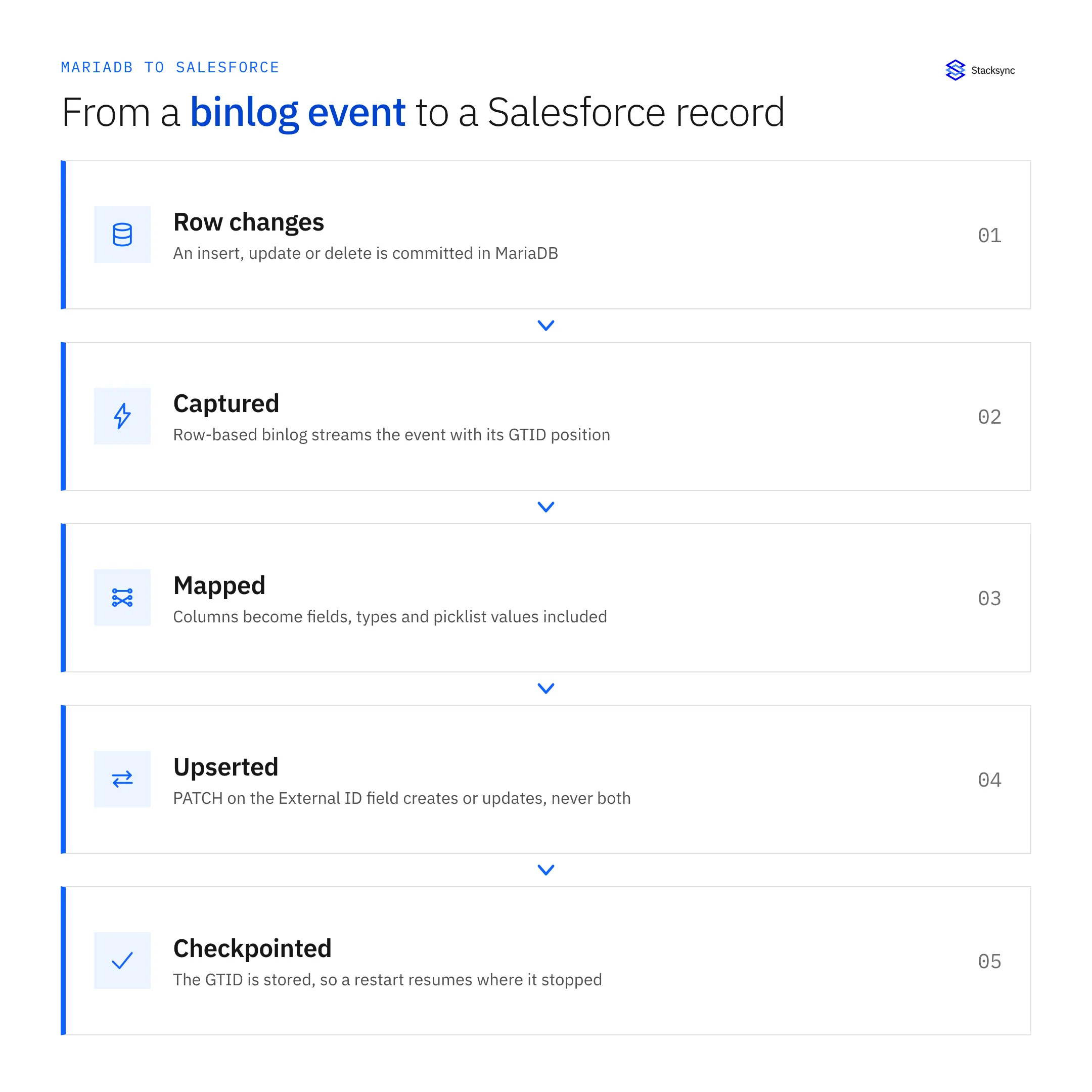
Read the binary log. MariaDB writes every committed change to the binlog, and with binlog_format=ROW each event carries the before and after image of the row. That is exactly what a sync needs: what changed, in which table, in commit order, whether or not the application bothered to record it.
Turn on GTIDs as well. A global transaction ID gives your reader a durable position, so a client that stores the last GTID it processed can restart after a crash or a deploy and continue from that point instead of re-reading the table or silently skipping whatever landed while it was down. Without a stored position, every restart is a guess.
The alternative is timestamp polling: SELECT * FROM customers WHERE updated_at > :last_run. It is four lines and it works right up until it does not. It cannot see hard deletes, because the row is already gone by the time you query. It misses any write that does not touch the timestamp column, which includes triggers, bulk updates and any ORM path that skips it. And it scans an index on every run whether anything changed or not.
| What the sync has to catch | Timestamp polling | Binlog CDC |
|---|---|---|
| Inserts and updates | Only if every writer touches updated_at | Always, from the row event |
| Hard deletes | Missed, the row is already gone | Caught as a DELETE event with the key |
| Two writes in the same second | One of them can be skipped | Both, in commit order |
| Restart after a crash | Re-scan a time window and hope | Resume from the stored GTID |
| Cost as the table grows | Scales with table size | Scales with how much changed |
Why change data capture beats a timestamp query once the table has deletes, triggers or volume.
One caveat if you point the reader at a read replica to keep load off the primary: a replica applies the binlog after the primary commits, so it is always at least slightly behind. Compare GTID positions rather than trusting Seconds_Behind_Master, and alert on lag. A record in Salesforce showing four-minute-old data is the same class of bug as a sync that stopped.
MariaDB and MySQL share this binlog design, so most CDC tooling works against either with the same configuration. The walkthrough in MySQL two-way sync configuration applies here almost line for line.
How do you match a MariaDB row to a Salesforce record?
With an External ID field. Create a custom field on the Salesforce object, tick External ID and Unique, and store the MariaDB primary key in it. That single setting turns every write into an upsert and removes the need to keep Salesforce record Ids in your database just to know whether something already exists.
The call goes against the field rather than the Id: PATCH /services/data/v62.0/sobjects/Account/MariaDB_Id__c/48213 with the mapped fields in the body. Salesforce looks the record up by external key, creates it when it is missing and updates it when it is there. Replaying the same call changes nothing, which is the property that makes retries safe later on.
Field mapping is where the fiddly work actually lives. Five rules that save a week of debugging:
- Types. A
DECIMAL(12,2)becomes Currency or a Number with matching scale. MariaDBDATETIMEhas no timezone, so decide what it means once and convert to UTC before the write, because Salesforce stores datetimes in UTC and renders them per user. - Picklists. A status column holding
activewill not land in a picklist whose value isActive. Restricted picklists reject unknown values outright, so map values explicitly instead of passing raw strings through. - Lengths. A MariaDB
TEXTcolumn holds far more than a Salesforce Text field (255) or even a Long Text Area (131,072). Truncate on purpose, or the write fails on the one record somebody cares about. - Nulls and booleans. A Salesforce Checkbox cannot be null, so a nullable
tinyinthas to resolve to true or false. Clearing a field means sending null explicitly rather than omitting it. - Relationships. Child records can reference their parent by the parent's External ID, so a Contact can point at an Account using the same database key you already have.
Keep the mapped surface small. Every extra column is another failure mode and another field nobody in sales reads. Map what someone looks at or reports on, and leave the rest in the database.
Which Salesforce API should carry the writes?
REST for the ongoing trickle, Bulk API 2.0 for the backfill. The two count very differently against your org's limits, and that is the entire reason the choice matters.
Every org has a daily API request allocation. Enterprise Edition grants 1,000 calls per licensed user per 24 hours with a 15,000-call floor for the org, and higher editions grant more. That sounds generous until a sync sends one call per row: a hundred thousand rows is a hundred thousand calls, and the org is out of API budget for everyone else until the window rolls.
| Route | Records per call | Use it for |
|---|---|---|
| REST single-record upsert | 1 | A live trickle, one binlog event at a time |
| sObject Collections | Up to 200 | Batching a burst of changes into one request |
| Composite request | Up to 25 subrequests | Related records that must land together, parent before child |
| Bulk API 2.0 | Millions, per job | The initial backfill and periodic large reloads |
A Bulk API 2.0 job costs a handful of calls no matter how many records it carries. Single-record REST writes cost one each.
So the pattern is: load history with Bulk API 2.0, then run the steady state over sObject Collections so a burst of 800 binlog events costs four requests instead of 800. Read the Sforce-Limit-Info header that comes back on every REST call, which reports used and total requests for the org, and slow the writer down before the ceiling rather than after.
There is a concurrency ceiling too. Salesforce allows 25 concurrent long-running requests (anything over 20 seconds) per org, and a parallel loader finds that ceiling fast. The same arithmetic worked through for another database is in syncing Salesforce and Postgres inside API limits.
How do you handle deletes, merges and failed writes?
Treat them as events in their own right. Deletes and merges are where homegrown syncs quietly lose records, because both look like an absence rather than a change if you are only comparing tables.
A binlog DELETE event names the row and its primary key, so you know precisely which Salesforce record is affected. Decide early whether a database delete should delete anything at all on the other side. In most orgs it should set a status or archived flag instead, because the Salesforce record has accumulated tasks, emails and audit history that the database row never had. In the other direction, deleted Salesforce records sit in the Recycle Bin with IsDeleted = true for 15 days and only appear if you use queryAll or the getDeleted call.
Cascading deletes deserve their own line, because they are invisible from the application. A foreign key with ON DELETE CASCADE removes child rows without your code ever issuing the statement, and each of those rows arrives as a separate binlog event. If your schema relies on cascades, read cascading changes and best practices before you wire the sync, not after.
Merges are the Salesforce-side version of the same trap. When two Accounts are merged, the losing record is deleted and its MasterRecordId points at the survivor. A sync that is not watching for this keeps writing to an External ID that now belongs to a record in the Recycle Bin, and every write either fails or resurrects a ghost. Catch the merge and repoint the database row's external key at the survivor.
Retries are why the External ID upsert matters twice: replaying a PATCH produces the same record, so a retry costs nothing. Back off exponentially on the transient errors, UNABLE_TO_LOCK_ROW, REQUEST_LIMIT_EXCEEDED and 503, and send the permanent ones like FIELD_CUSTOM_VALIDATION_EXCEPTION or STRING_TOO_LONG to a dead-letter queue a human reads. A worker that retries a validation error forever is worse than one that stops.
Then watch three numbers: how far the binlog reader is behind the primary, how deep the queue is, and how many writes failed by error code. Alive, keeping up, and still matching the schema Salesforce will accept.

Can you skip building this?
Yes, and for most teams that is the right call. Everything above adds up to a service somebody has to own: a binlog reader, a mapping layer, a rate-limited writer, a retry queue, and alerting for all of it, running forever.
Stacksync connects MariaDB and Salesforce and runs that path as a managed service: change capture from the database, field mapping in a no-code editor, Python transforms where a value needs real logic, upserts against your External ID field, API-limit handling and retries, and the write-back from Salesforce into the matching row. It runs both ways, and changes land in seconds rather than on a schedule.
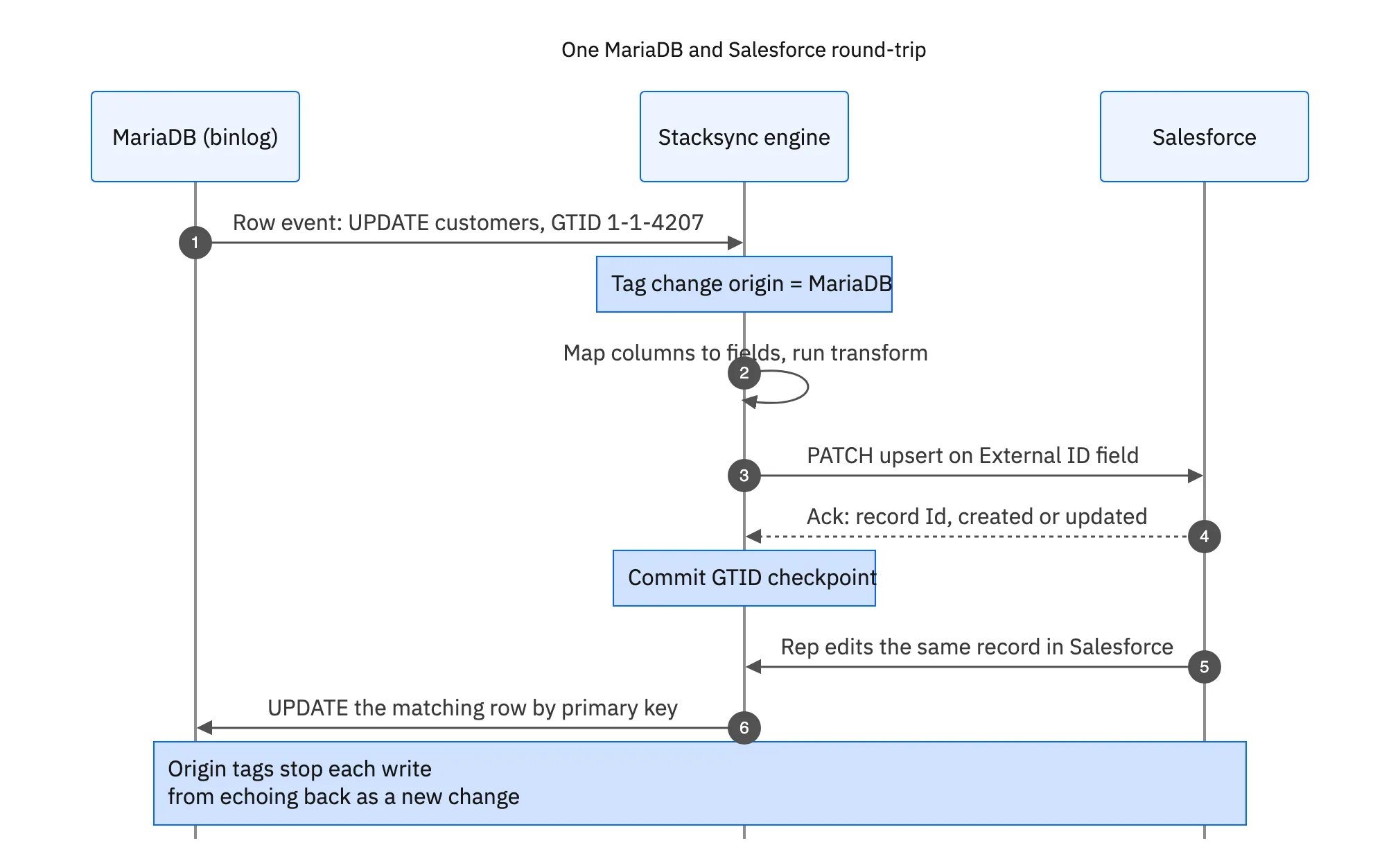
Origin tagging is what keeps the return path honest. When the engine writes a value into Salesforce it records that it did so, so the change it reads back a second later is recognised as its own and not pushed into MariaDB as a fresh edit. Skipping that step is how well-meaning two-way integrations turn into echo loops overnight.
The same configuration model covers the other pairings, so the MariaDB you sync to Salesforce today can also feed a two-way sync with HubSpot or a warehouse tomorrow. That is one engine and 1000+ connectors, rather than a second piece of middleware to keep alive.
Ship the sync, not the middleware
None of this is exotic. Read the binlog with GTIDs, map columns to fields with the types and picklists in mind, upsert on an External ID, batch writes against the API allocation, and treat deletes, merges and retries as first-class cases. Do all five and MariaDB and Salesforce stay in agreement instead of drifting apart between cron runs.
The real question is whether you want to own that code. To see the two-way version running, book a demo, look at the MariaDB and Salesforce integration, or read the broader guide to an enterprise iPaaS for MariaDB.

FAQ
Frequently asked questions










Explore these integrations and topics
- connectorSalesforce integrations
- connectorMariaDB integrations
- platformCRM synchronization
- platformDatabase synchronization
- CRM synchronization guidesConnect customer records across sales, marketing, and operational systems.
- Database synchronization guidesWork through database change capture, application writes, and reliable record reconciliation.
Related articles






