






















Two-Way Sync Tools 2026: Best Platforms for Real-Time Data Integration
Two-way sync tools compared on conflict resolution, field mapping, and latency. Which handle real bidirectional writes and which only claim to.
- Author
- Alexis Favre · Co-Founder & CTO
- Published
- Updated
- Read time
- 10 min read

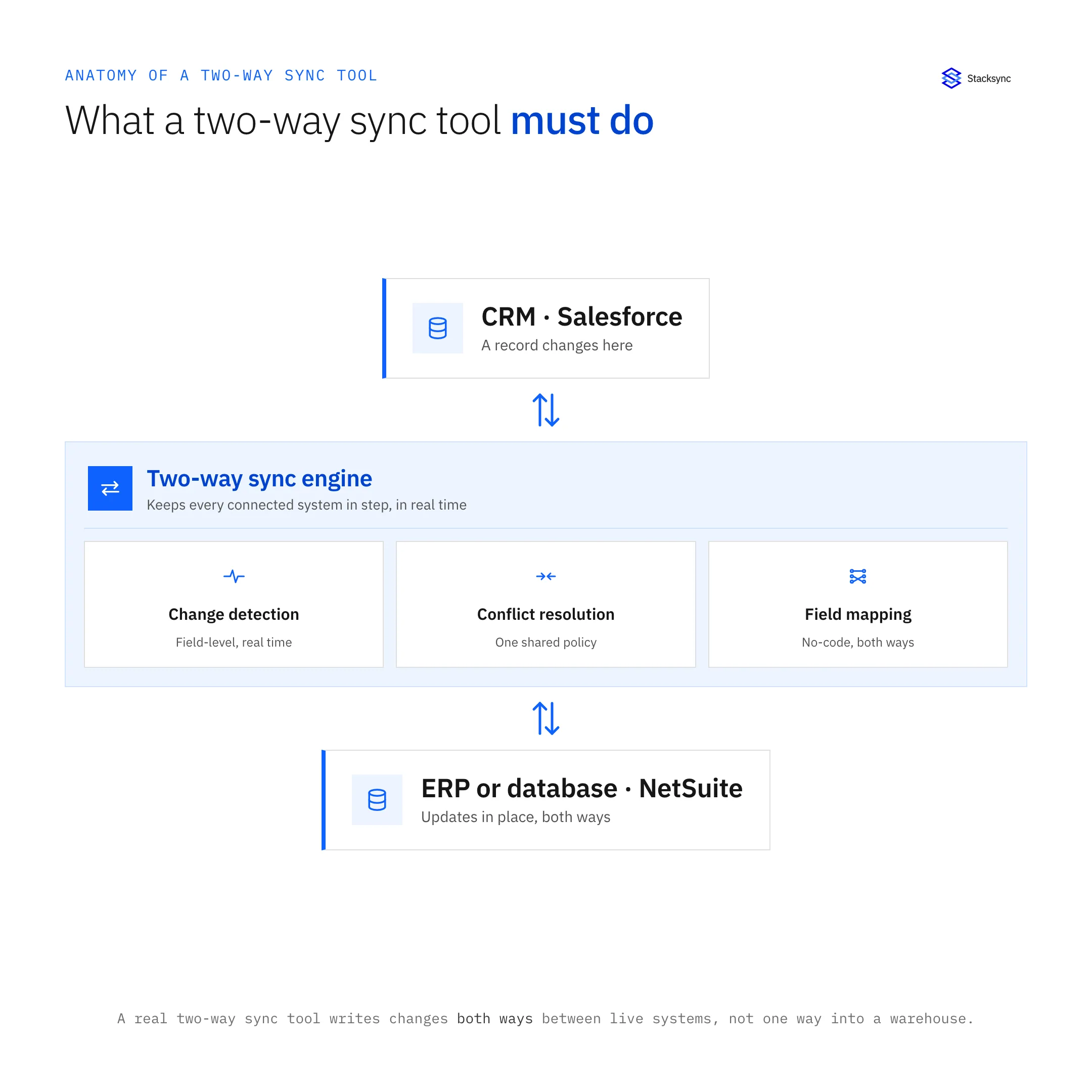
In 2026, two-way sync tools are essential for keeping customer and operational data consistent across CRMs, ERPs, and databases. Unlike one-way ETL pipelines, these platforms enable real-time, bi-directional data updates that cut manual reconciliation and data drift. The result: faster decisions, fewer errors, and a unified view of your business.
Two-way sync tools solve this fundamental problem by enabling real-time, bi-directional data flow between systems. Rather than building and maintaining complex integration code, these platforms provide automated synchronization that keeps critical information consistent across your technology stack.
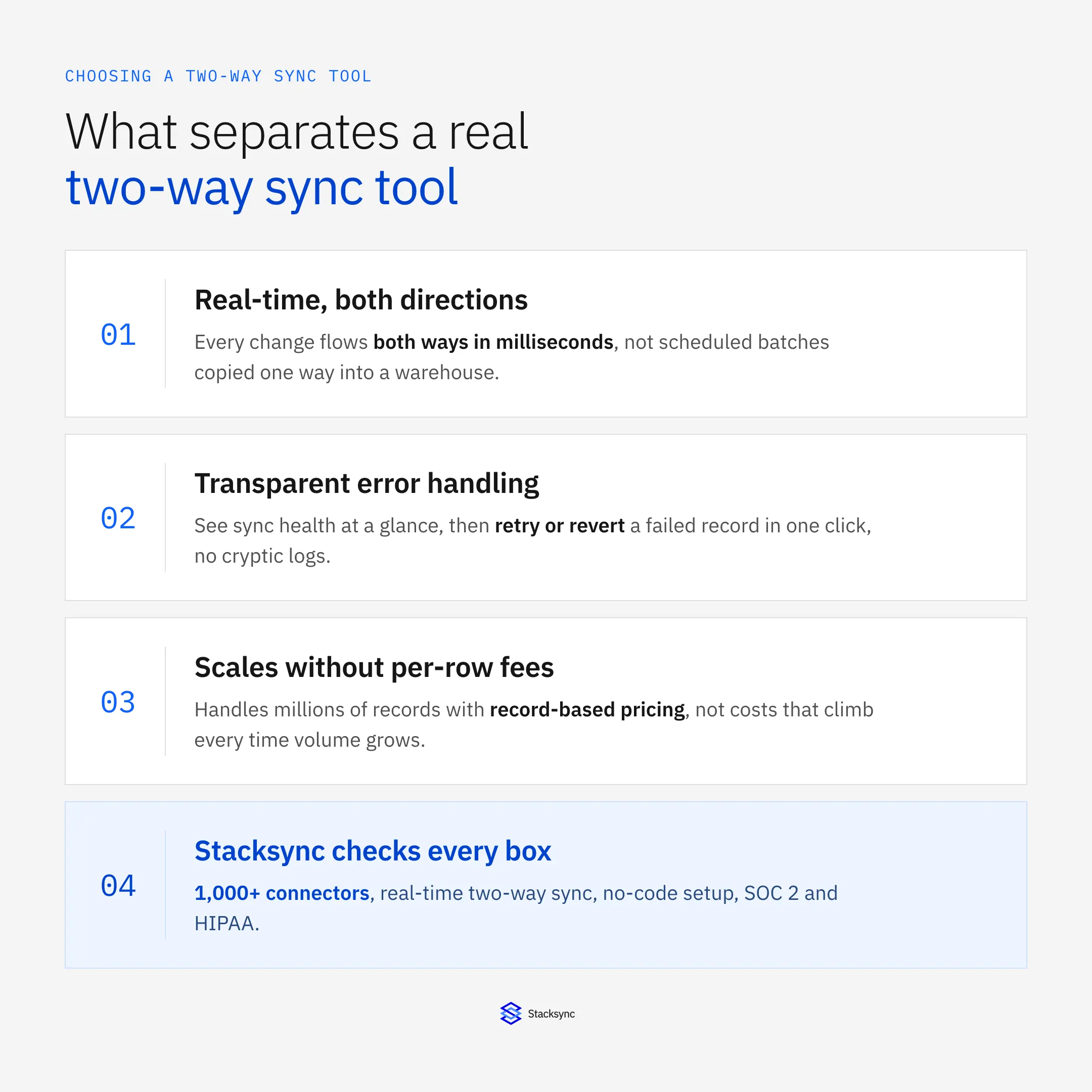
Key Evaluation Criteria for Two-Way Sync Tools
When assessing two-way sync solutions for your organization, consider these critical factors:
Real-Time Performance vs. Batch Updates
Top-rated tools for automating customer data synchronization across CRMs must deliver:
- Sub-second latency, not 10+ minute delays.
- Event-driven sync (CDC) instead of polling.
- Streaming architecture for continuous updates.
- Adds your golden keyword naturally.
- Bulleted for easy scan.
Connector Ecosystem and System Compatibility
The breadth and depth of pre-built connectors directly impacts implementation speed and maintenance requirements:
- Number and quality of pre-built connectors
- Support for your specific systems (CRM, ERP, databases, SaaS tools)
- Custom connector capabilities for proprietary systems
- Depth of integration (field-level synchronization, relationship handling)
Implementation Complexity and Time-to-Value
Some platforms require months of development effort, while others can be configured in days:
- No-code/low-code capabilities vs. developer requirements
- Implementation timeframes (days vs. months)
- Need for specialized expertise or certifications
- Availability of templates for common scenarios
Data Integrity and Conflict Resolution
How a platform handles simultaneous updates in different systems is crucial for maintaining data integrity:
- Conflict detection and resolution strategies
- Data validation and error handling
- Transactional integrity across systems
- Rollback capabilities
Scalability and Performance
Your integration needs will grow with your business:
- Handling of large data volumes (thousands to millions of records)
- Performance under heavy update loads
- Cost implications of scaling
- Architecture for high availability
Security and Compliance Standards
Data synchronization involves moving sensitive information between systems:
- Encryption (in transit and at rest)
- Authentication options (OAuth, API keys, etc.)
- Compliance certifications (SOC 2, GDPR, HIPAA, etc.)
- Data residency options
Cost Structure and ROI
Integration platforms use various pricing models that impact total cost:
- Fixed subscription vs. usage-based pricing
- Scaling costs for data volume and connector usage
- Implementation and maintenance costs
- ROI timeline (engineering time saved vs. platform cost)
Top Two-Way Sync Tools for 2026
Stacksync
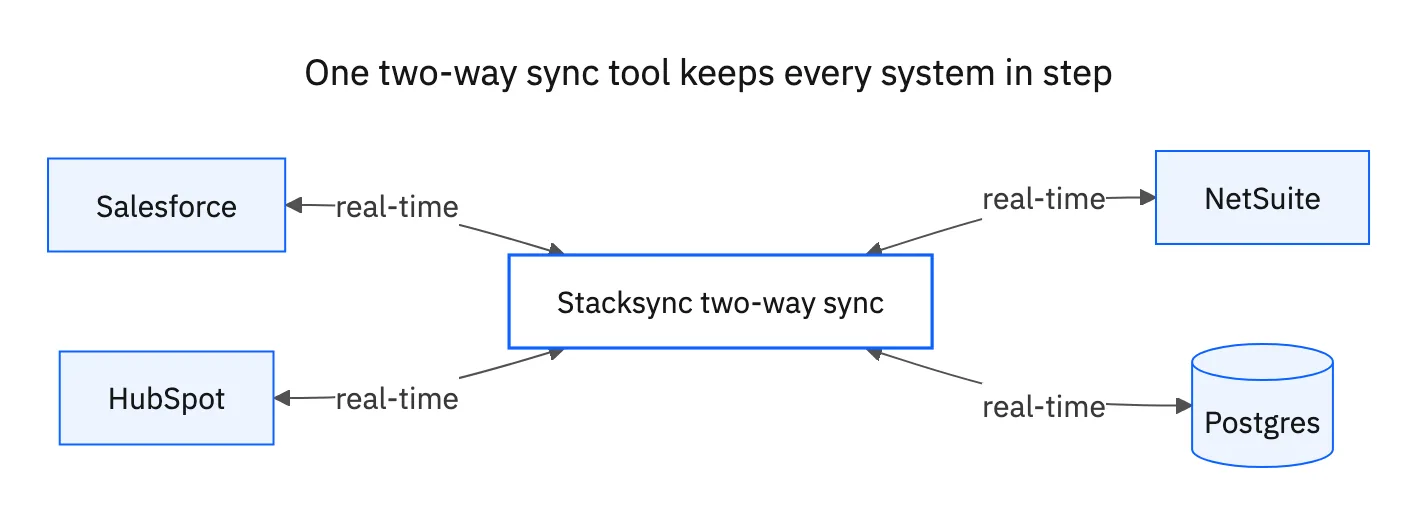
Stacksyncis the first real-time, two-way sync engine built for operational systems. With 1,000+ pre-built connectors, sub-second CDC, and enterprise compliance (SOC 2, GDPR, HIPAA), it eliminates “dirty API plumbing” so teams focus on growth, not integration.
- Tighter hook.
- Differentiates with “first real-time” and enterprise-grade compliance.
- Borrowed credibility from analysis doc.
| Dimension | What Stacksync Delivers | Business Impact |
|---|---|---|
| Sync Architecture | True real-time, bi-directional data synchronization | Keeps systems continuously aligned without manual reconciliation |
| Latency | Sub-second updates across connected platforms | Enables reliable operational workflows and real-time decisions |
| Connector Ecosystem | 1,000+ connectors across CRMs, ERPs, and databases | Supports complex stacks without custom integrations |
| Setup & Automation | No-code configuration with built-in workflow automation | Accelerates implementation while reducing engineering effort |
| Security & Compliance | Enterprise-grade security and compliance controls | Meets governance requirements for critical data |
| Scalability & Pricing | Usage-based pricing that scales with operations | Aligns cost with growth without platform lock-in |
| Market Position | Built for operational sync, not analytics-only pipelines | Delivers agility as SaaS stacks grow more fragmented |
Key Takeaways
Stacksync sets the benchmark for real-time, bi-directional operational data integration.
Analytics-focused tools or stitched pipelines introduce latency, complexity, and hidden engineering costs.
For modern SaaS stacks, prioritize platforms that unify data, automate workflows, and scale without friction.
Best For: Mid-market organizations (200-1000 employees) with multiple systems requiring consistent data, particularly those connecting CRMs, databases, and operational systems.
Pricing Model: Tiered subscription based on records synced (starts at $1,000/month for 50k records), with volume discounts as usage grows.
Standout Feature: True bi-directional sync engine that removes the need for separate one-way flows, cutting complexity and maintenance.
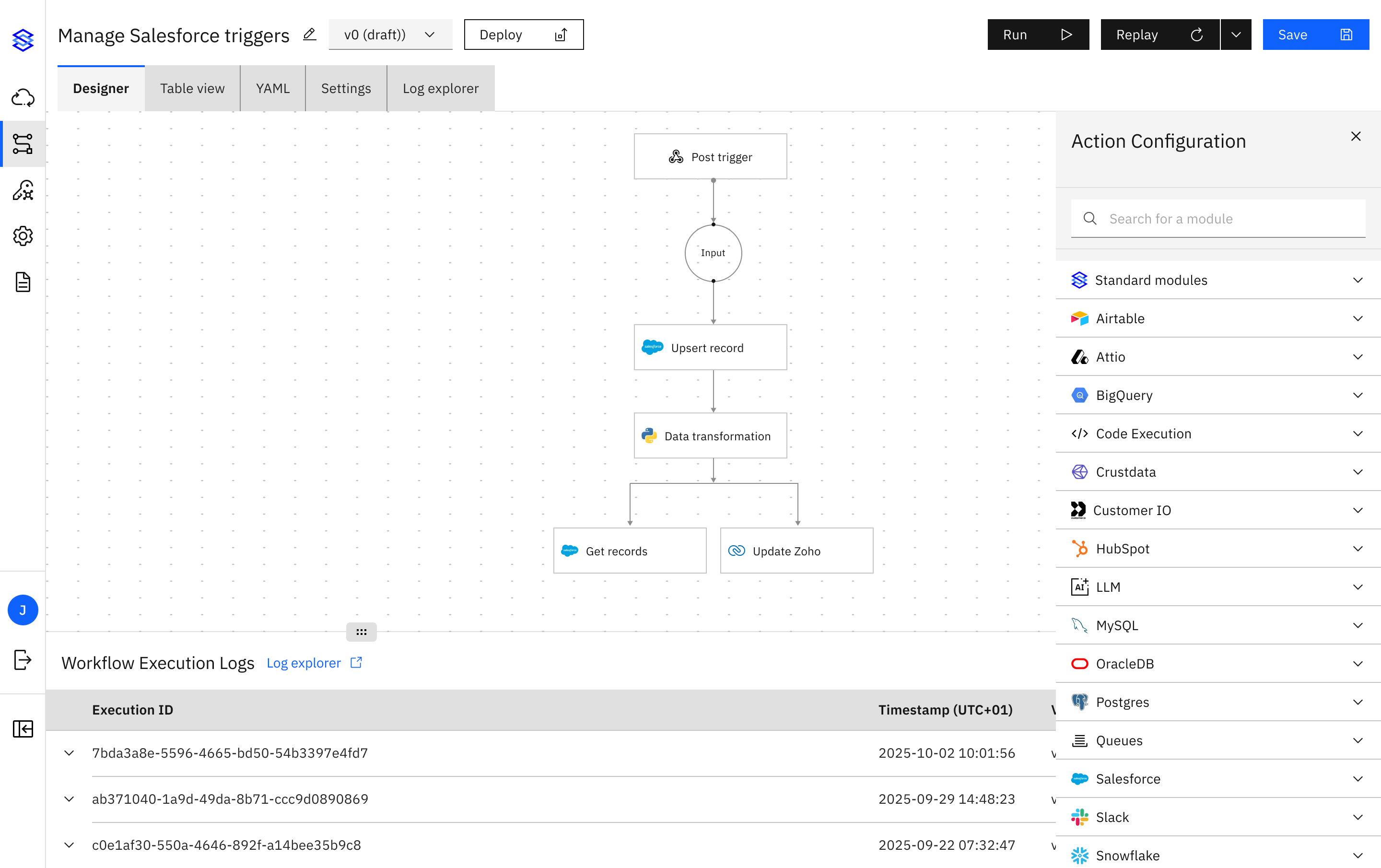
Workato
Overview: Workato approaches integration through an automation-first lens, offering a platform for building "recipes" that connect applications and automate workflows.
Key Strengths:
- Extensive connector library (1000+)
- Strong workflow automation capabilities
- Active community sharing pre-built recipes
- Support for complex business processes
- Enterprise-grade security and governance
Best For: Organizations needing complex workflow automation alongside data synchronization, especially those with diverse application ecosystems.
Pricing Model: Task-based pricing that can become expensive for high-volume data synchronization scenarios.
Limitation: While capable of two-way sync through multiple recipes, it's not specifically optimized for real-time bi-directional synchronization of large datasets.
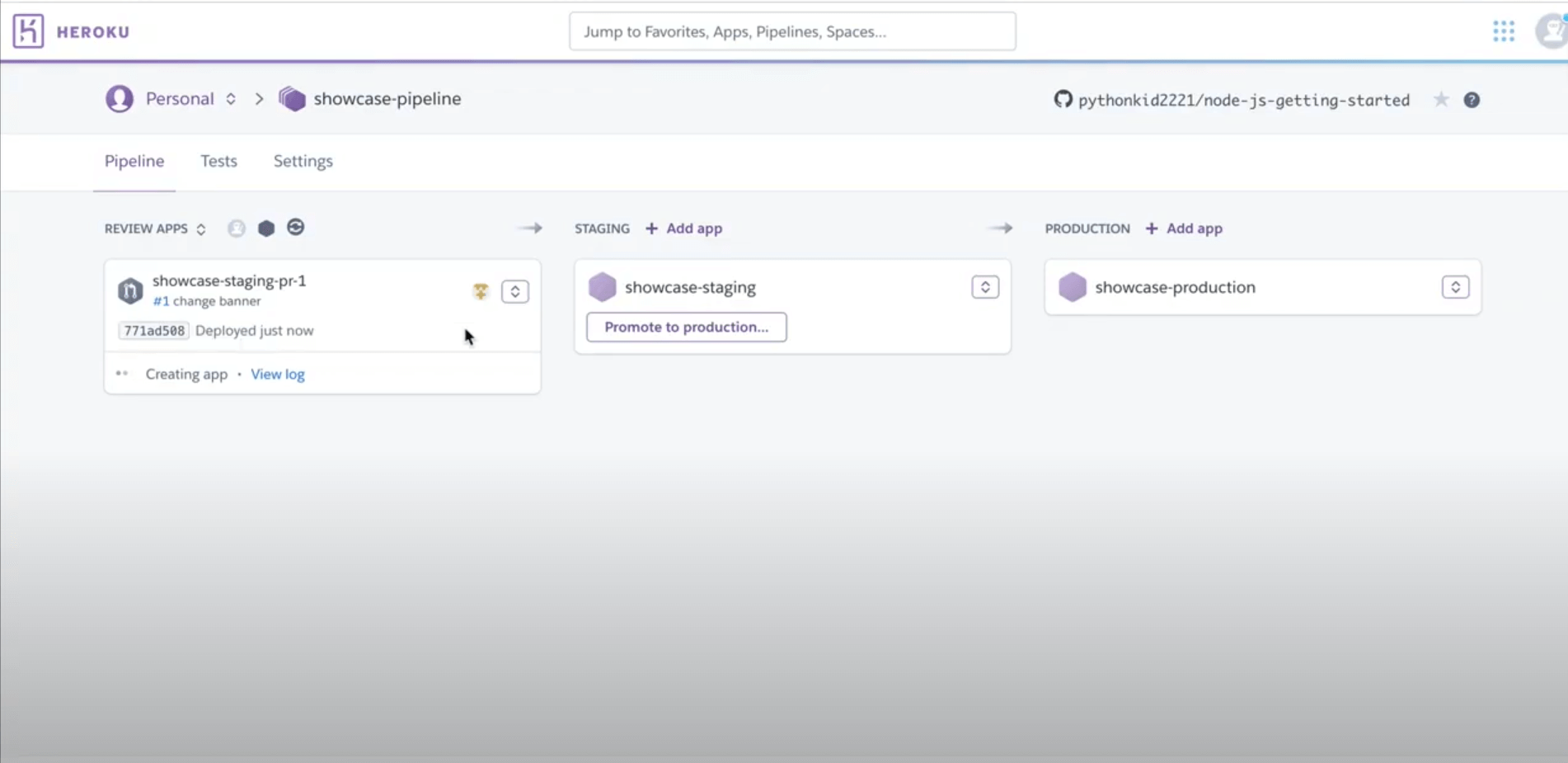
Heroku Connect
Overview: A Salesforce-specific solution that synchronizes data between Salesforce and Postgres databases running on Heroku.
Key Strengths:
- Deep Salesforce integration
- Relatively simple setup for the specific Salesforce-Postgres use case
- Reliable for its intended purpose
- Backed by Salesforce
Best For: Salesforce-centric organizations already using Heroku for application deployment.
Pricing Model: Based on Salesforce record count, often $2,500-$3,000/month for moderate usage.
Limitations: Restricted to Salesforce and Heroku Postgres only, lacks flexibility for other systems, potentially high cost for large Salesforce orgs.
Celigo
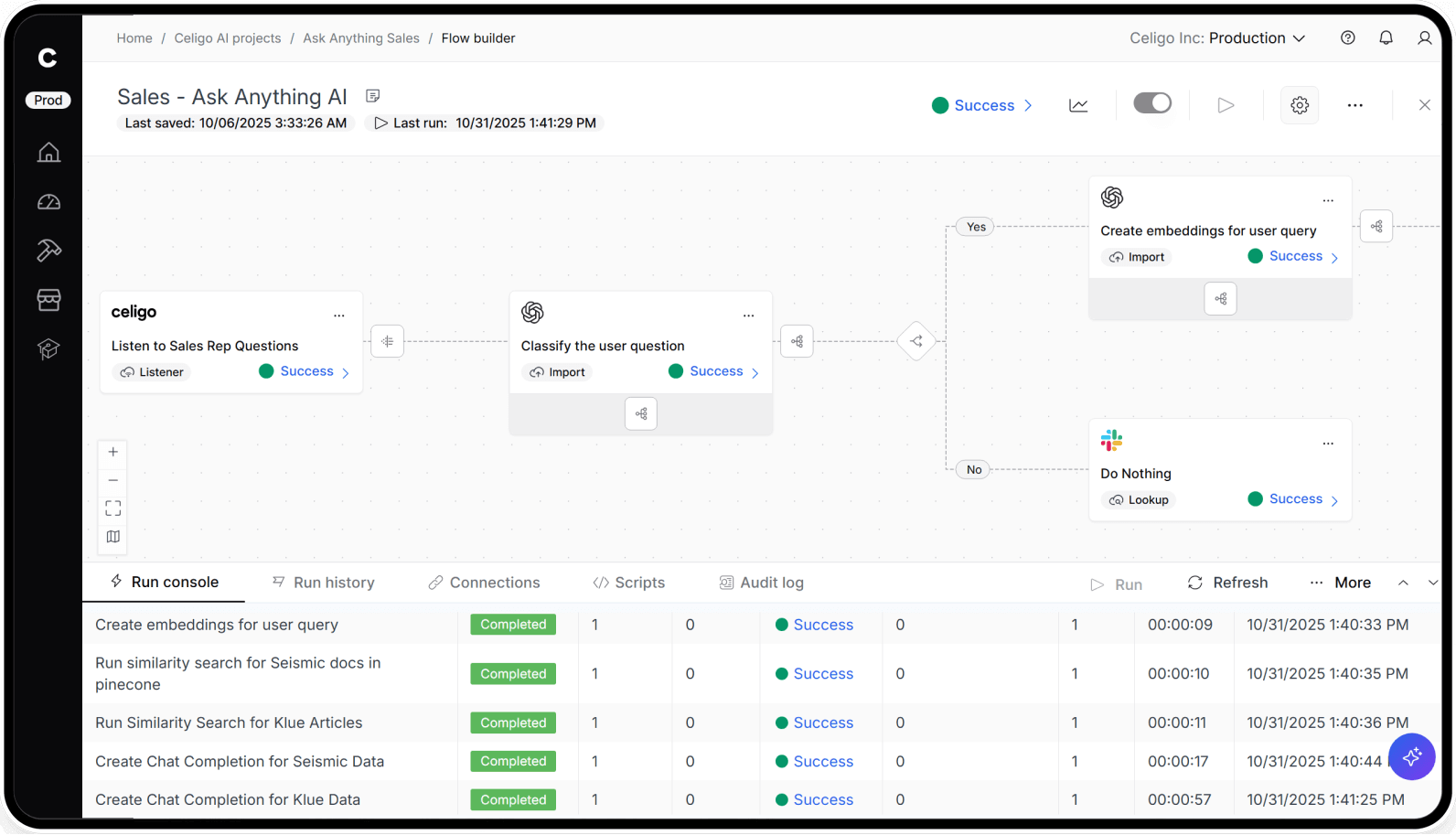
Overview: Celigo positions itself as an integration platform focusing on NetSuite, Salesforce, and other business applications with pre-built "Integration Apps."
Key Strengths:
- Strong ERP integration (especially NetSuite)
- Pre-built templates for common scenarios
- Visual flow builder with moderate learning curve
- Good balance of ease-of-use and customization
Best For: NetSuite and Salesforce users looking for pre-built integration applications with some customization options.
Pricing Model: Subscription-based with connector/endpoint fees.
Limitation: While two-way sync is possible, it may require additional configuration and doesn't offer the same real-time performance as dedicated sync platforms.
Boomi
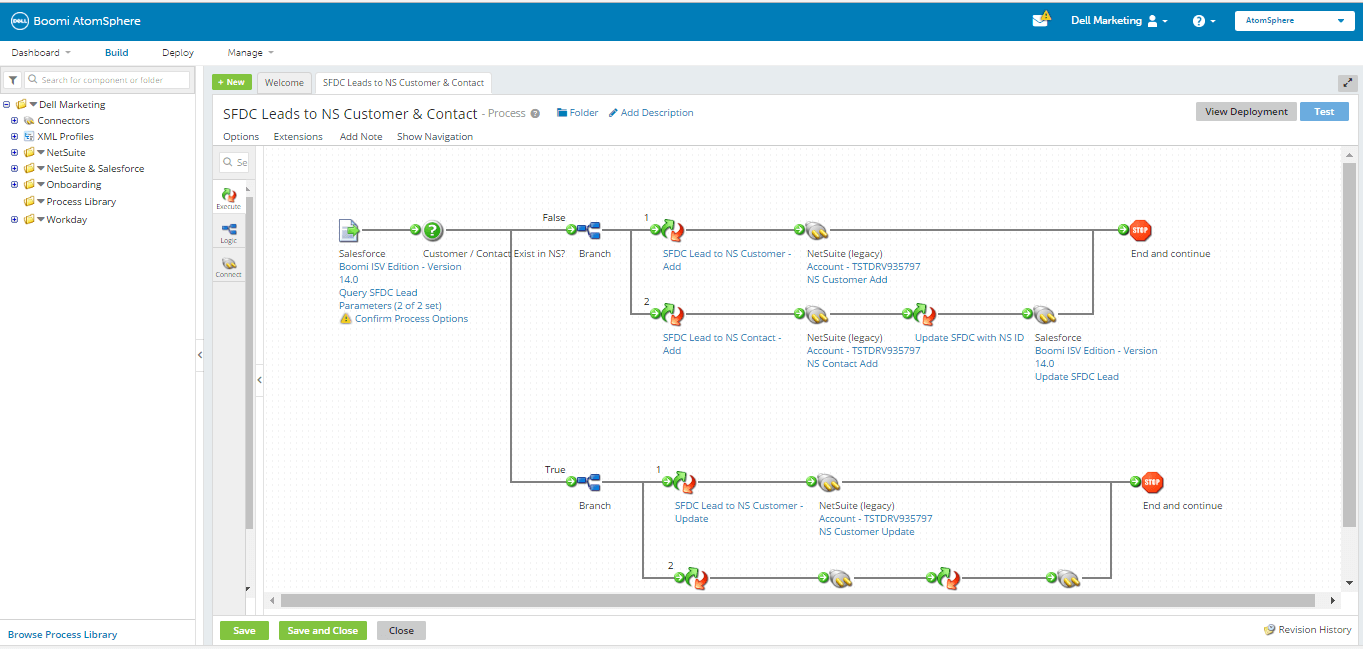
Overview: Dell Boomi is a mature iPaaS platform with comprehensive integration capabilities for enterprises.
Key Strengths:
- Comprehensive enterprise integration features
- Support for complex integration patterns
- Hybrid deployment options (cloud/on-premise)
- Strong data governance and management
Best For: Larger enterprises with diverse integration needs spanning cloud and on-premise systems.
Pricing Model: Enterprise pricing based on connections, Atoms (runtime units), and API calls.
Limitation: Higher complexity and learning curve than newer, more focused solutions; somewhat dated user experience compared to newer platforms.
MuleSoft
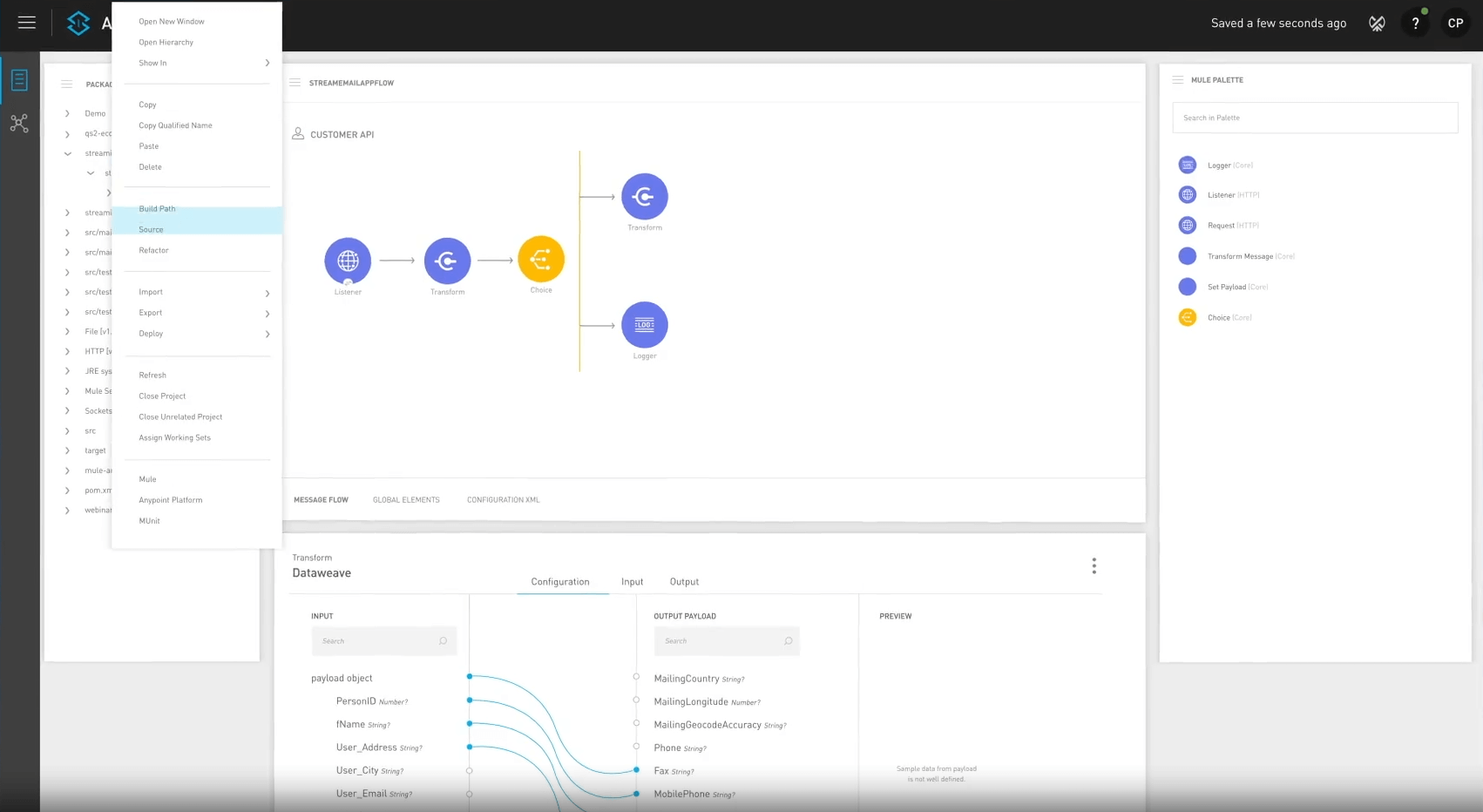
Overview: Salesforce-owned MuleSoft provides a comprehensive API and integration platform for enterprises.
Key Strengths:
- API-led connectivity approach
- Strong support for complex enterprise scenarios
- Reliable security and governance
- Deep Salesforce integration
Best For: Large enterprises building an API strategy alongside integration needs.
Pricing Model: Enterprise pricing, typically six-figure annual contracts.
Limitation: Requires specialized development resources and significant investment; overkill for straightforward two-way sync needs in mid-market companies.
Fivetran
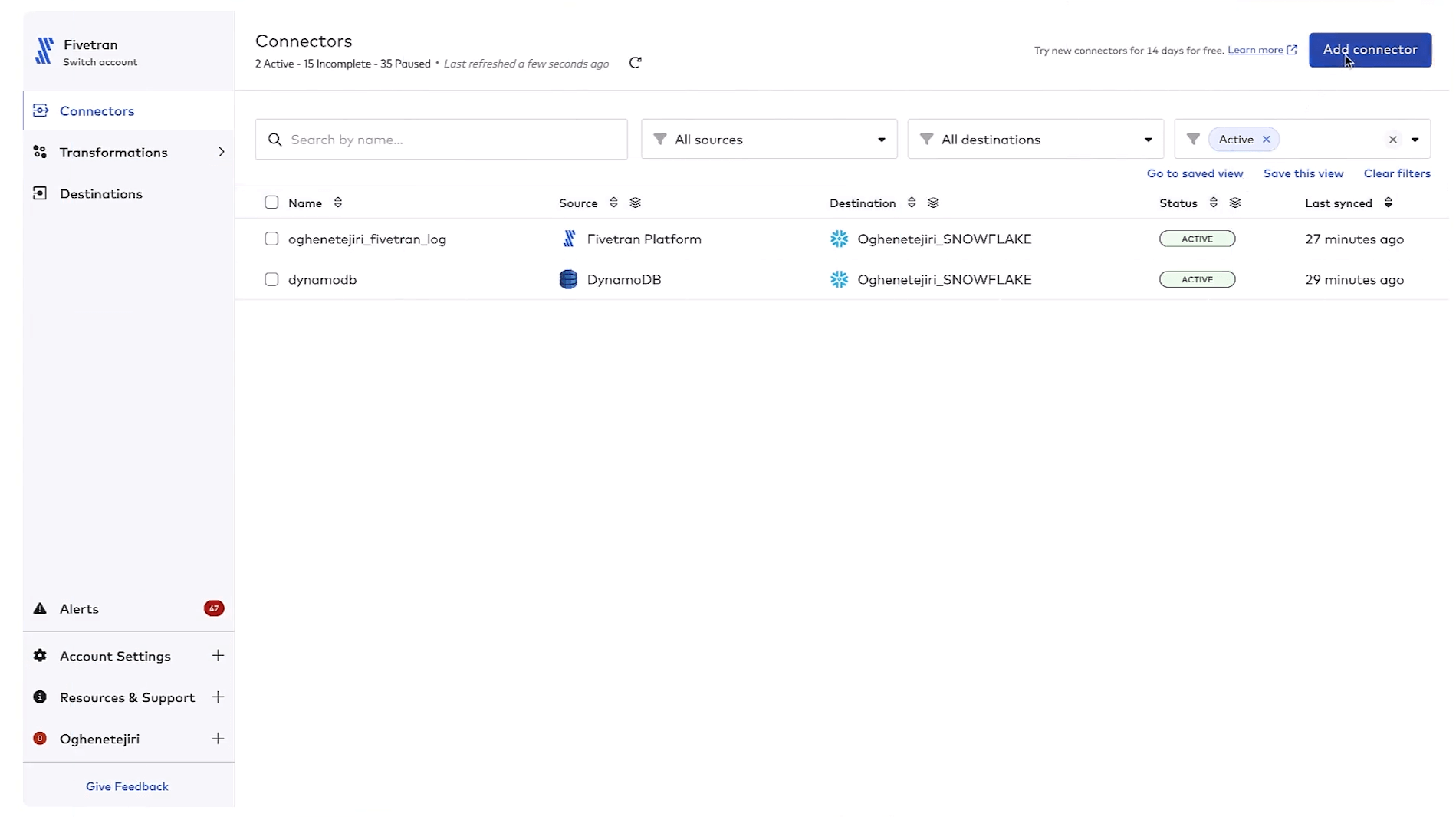
Overview: While primarily a one-way ELT platformfor analytics, Fivetran provides context for comparison.
Key Strengths:
- Reliable data warehouse integration
- Extensive source connectors
- Fully managed pipeline operations
- Great for analytics use cases
Best For: Organizations focusing on analytics data pipelines rather than operational two-way synchronization.
Pricing Model: Monthly Active Rows (MAR) based pricing.
Limitation: Primarily one-way integration from sources to data warehouses; not designed for bi-directional operational sync.
Other Notable Solutions
- HubSpot Operations Hub (formerly PieSync): Specialized in contact/customer data synchronization, particularly for HubSpot users
- Unito: Focused on two-way sync for task/project management tools
- Whalesync: Designed for no-code tool synchronization (Airtable, Notion, etc.)
- Syncari: Offers multi-directional synchronization with data unification capabilities
- Custom-built solutions: Often using Kafka, Debezium, or similar technologies for specific needs
Industry-Specific Two-Way Sync Considerations
SaaS and Technology Companies
Tech companies often need to sync product usage data with customer information in CRMs. Two-way sync enables:
- Real-time customer data synchronization between product databases and CRMs
- Support for rapid iteration and frequent schema changes
- Development, staging, and production environment synchronization
Example: Gladia (AI speech technology) uses Stacksync to synchronize 59,000 Salesforce records with their product database while maintaining strict data isolation between environments.
Financial Services
Financial organizations manage sensitive data across multiple systems with strict compliance requirements:
- Secure synchronization of customer and transaction data
- Support for regulatory compliance (SOC 2, GDPR, etc.)
- Audit trails and data lineage
- High reliability for critical operations
Example: Investment management firms use two-way sync to maintain consistent client portfolio data between CRMs, trading platforms, and reporting systems with sub-second latency.
Healthcare
Healthcare providers use HIPAA-compliant sync tools to ensure patient records stay consistent across CRMs, EHRs, and billing systems. With two-way sync, updates to appointments or treatments instantly reflect everywhere, improving patient experience and regulatory compliance.
- HIPAA-compliant data synchronization
- Patient record consistency across systems
- Secure handling of protected health information (PHI)
- Integration with electronic health record (EHR) systems
Example: Medical and dental clinics synchronize patient appointment data between practice management systems and CRMs while ensuring HIPAA compliance, increasingly layering dental AI agents on top to handle booking, recall, and eligibility checks.
Retail and E-commerce
Retail organizations need consistent product, inventory, and customer data:
- Synchronization between e-commerce platforms and backend systems
- Inventory updates across multiple sales channels
- Customer data consistency for personalized experiences
- Order and fulfillment tracking integration
Example: Retailers use two-way sync to ensure product information, pricing, and inventory levels remain consistent between their e-commerce platform and ERP system.
Logistics and Manufacturing
Logistics companies manage complex data flows across tracking, order, and customer systems:
- Real-time shipment and order status synchronization
- Field service and equipment data integration
- Supply chain visibility across systems
- IoT device data integration
Example: Acertus (vehicle logistics) uses Stacksync to connect Salesforce, PostgreSQL, and NetSuite for real-time operational data sharing and customer visibility.
Implementation Best Practices for Two-Way Sync
Planning Your Integration Strategy
Before implementation, establish clear objectives:
- 01Identify critical data entities that need synchronization (customers, orders, products, etc.)
- 02Define field-level direction controls for two-way sync, including which system owns each data type
- 03Establish your "system of record" for each data type
- 04Set performance requirements (acceptable latency, throughput needs)
- 05Define success criteria (data consistency, reduced manual work, etc.)
Data Mapping and Transformation Considerations
Thoughtful data mapping is crucial for successful synchronization:
- Document schema differences between systems
- Plan for data type conversions and field transformations
- Consider how to handle required vs. optional fields
- Address complex relationships (one-to-many, many-to-many)
- Develop strategies for data validation and enrichment
Testing and Validation Approaches
Thorough testing prevents costly synchronization errors:
- Start with a subset of non-critical data
- Test bidirectional updates in controlled environments
- Simulate edge cases (simultaneous updates, network issues)
- Validate conflict resolution outcomes
- Perform volume testing with representative data sizes
- Plan for rollback scenarios if needed
Monitoring and Maintenance
Ongoing oversight ensures continued:
- Implement alerting for sync failures or delays
- Monitor sync performance and latency
- Review and resolve conflict patterns
- Plan for schema evolution in connected systems
- Establish governance for adding new fields/objects
Future Trends in Two-Way Data Synchronization
AI-Enhanced Mapping and Conflict Resolution
Machine learning is beginning to transform how systems handle complex data relationships:
- Automated field mapping suggestions
- Intelligent conflict resolution based on historical patterns
- Anomaly detection for synchronization issues
- Predictive maintenance of integration health
Event-Driven Architecture Integration
The evolution toward event-driven systems is reshaping synchronization:
- Increased adoption of change data capture (CDC)
- Integration with event streaming platforms (Kafka, etc.)
- Real-time event processing for instant updates
- Decoupled systems with reliable message delivery
Edge Computing Synchronization
As computing moves closer to data sources, synchronization adapts:
- Local data synchronization at the edge
- Offline-first synchronization patterns
- Intermittent connectivity handling
- Reduced central processing requirements
Data Mesh Compatibility
The trend toward domain-oriented data ownership requires new integration approaches:
- Decentralized data synchronization governance
- Domain-specific sync patterns and rules
- Self-service integration capabilities
- Federated consistency models

Selecting the Right Two-Way Sync Tool for Your Needs
In 2026, the best two-way sync tools are not optional, they’re the backbone of real-time business. For mid-market companies seeking operational accuracy without heavy engineering, Stacksync delivers enterprise-grade security, 1,000+ connectors, and proven cost savings (e.g., Acertus saved $30K+ annually by replacing Heroku Connect).
Choosing the right platform today ensures scalability, compliance, and a true single source of truth for tomorrow.
Get Started with Real-Time Two-Way Sync
Cut integration complexity and ensure consistent data across your critical systems. Try Stacksync free and experience the difference real-time, bi-directional synchronization makes for your business operations.

FAQ
Frequently asked questions










Explore these integrations and topics
Related articles





